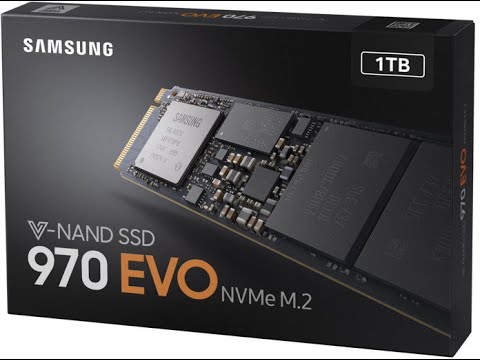
Oh no, your computer’s starting to feel like a mini toaster again! You know the feeling – warm keys, fans whirring like they’re about to take off… Yep, sounds like your trusty Samsung 970 Evo SSD is running hot.
Now, don’t panic just yet. We’ve all been there. I remember the time my own PC decided it wanted to befriend my space heater in winter. Felt cozy but only for a sec then reality kicked in.
Let’s face it; nobody wants their expensive little tech investment sweating it out. So what’s going on? It’s not supposed to do that, right? Well let’s chat through some things that could be happening and ways you might help cool things down a bit. Trust me, it’s gonna be okay!
970 Evo Plus Heatsink Requirement
Sure thing! Let’s chat a bit about the 970 Evo Plus and whether you really need a heatsink for it.
First off, the Samsung 970 Evo Plus is a pretty popular NVMe SSD. Folks love it because it’s quite speedy and reliable for most tasks. But here’s the deal: like any piece of tech, especially one that works as hard as an SSD, it can get hot.
Now, should you be worried about overheating? It’s kind of like when you run around without taking breaks – your body heats up! The same goes for these drives. If your drive’s running too hot, it may throttle itself (this means slowing down) to cool off a bit.
Here’s what to consider:
- Your PC Case: Does it have good airflow? A case with poor ventilation can make things toastier.
- Workload: Are you doing heavy-duty tasks like video editing or gaming? These activities push the drive harder.
- Ambient Temperature: If your room feels like a sauna, your SSD might too!
Now let’s consider when a heatsink would be helpful:
- If you’re consistently noticing slowdowns or performance dips during big tasks.
- Your system runs in high temperatures frequently—think summer days without air conditioning.
- You don’t want to risk potential thermal throttling affecting important work or play sessions.
An example from real life: I had a buddy who loves gaming marathons. He noticed his load times were getting longer halfway through sessions—overheating was the culprit! Adding a heatsink helped keep his speeds consistent all night.
Heatsinks are not mandatory for everyone but can certainly help in specific situations to keep performance stable. Keeping an eye on temps using software tools could also guide whether this extra investment is necessary.
Hope this helps clear up some mystries surrounding those fast drives!
SSD Temperature Limitations at 60°C
Sure thing! Let’s chat about SSD temperature, especially when it hits that concerning 60°C mark. Now, if you’re dealing with a Samsung 970 Evo overheating in your PC, it can feel like your computer’s trying to cook an egg on its storage drive. But fear not! We’ll dive into what’s happening and how to keep those temperatures in check.
First off, why does temperature matter for your SSD?
- Performance: High temps can throttle down performance. Your speedy SSD might slow down, which is a bummer if you’re gaming or transferring large files.
- Lifespan: Running hot consistently isn’t great for the long-term health of the drive. You don’t want to replace that expensive piece sooner than necessary!
So what causes this heat issue?
- Poor Ventilation: Often PCs just don’t have enough airflow. Dust and other obstacles can also block air pathways.
- High Workload: Intensive tasks like video editing or gaming really push the limits of your SSD’s capabilities.
A buddy of mine once freaked out because his computer’s fan sounded like it was preparing for takeoff. Turned out his Samsung 970 Evo was hitting over 60°C during a marathon gaming session—yikes!
How to keep things cool?
You don’t need to be a tech wizard; just follow these simple tips:
- Check Your Case Fans: Make sure they’re all working properly and positioned in the right spots for optimal airflow.
- Add Heatsinks: Some models allow for an external heatsink—think of them as little hats that help disperse heat away from your SSD.
And there you go! Keeping an eye on those temperatures will help preserve both performance and lifespan of your beloved Samsung SSD. Remember, it’s all about balance: getting those speeds without turning up the heat too high!
Consequences of Overheating NVMe SSD
You know, it’s like when you’re working out and you push yourself a little too hard. Overheating is never a good thing, whether it’s you or your NVMe SSD. When it comes to the Samsung 970 Evo—or any NVMe SSD—overheating can lead to some headaches.
Performance Throttling
Imagine you’re sprinting at full speed, but then suddenly someone ties weights around your ankles. This is kind of what happens to an overheating NVMe SSD. If the temperature gets too high, it’ll start throttling performance to cool itself down. Your blazing fast speeds suddenly become a crawl—nobody enjoys that!
Data Corruption
Wanna hear something more intimidating? Continuous high temperatures might cause data corruption over time. It’s like having coffee spilled over your favorite book—some pages might just end up unreadable.
Reduced Lifespan
Heat can be quite sneaky when it starts nibbling away at your SSD’s life. An overheated drive often means reduced longevity. It’s like aging faster because of stress; the more intense it gets, the shorter the life becomes.
Poor System Stability
Think of overheating as that unexpected pothole on a smooth road trip—it causes all sorts of instability issues! Your system might crash or freeze randomly which is frustrating especially if you’re in the middle of something important.
Anyway, addressing heat issues early can save you from these troubles in long run. Adding extra cooling solutions, better airflow inside the PC case or even thermal pads are good practices to keep things chilled out without breaking sweat! You follow me?
Oh, the joys of technology! You know that feeling when you’re just chilling with your trusty computer, everything’s humming along nicely, and then bam, suddenly something feels off? That’s the moment you might notice your Samsung 970 Evo starting to run hotter than a summer day.
I remember this one time when I was helping a friend upgrade their PC. We popped in a Samsung 970 Evo thinking it would be a breeze. Initially, it zipped through tasks with ease like a dream. But after a while of intense use—gaming sessions and some heavy video editing—the temperatures started creeping up. My friend was like, “Uh oh, what’s happening here?”
Now if you’re wondering whether you should panic or not, take a breath first! Overheating doesn’t mean it’s the end of the world for your NVMe SSD. These little speed demons really do tend to warm up under pressure since they work super fast.
Often enough, it’s about airflow inside your PC case. Dust bunnies love making themselves at home in there and can play havoc with cooling systems! I suggested my friend check if the fans inside were running freely and maybe give things a clean-up too.
Some folks like to add an extra heatsink or stick on some thermal pads to help manage temperatures better. It’s like giving your SSD its comfy little chill zone where it can still operate efficiently without breaking into sweat all over again.
Sometimes though – just maybe–it’s about spreading out those intensive tasks so that everything gets some downtime between all-consuming activities!
You know what? The key takeaway here is not to freak out right away but rather understand what’s going on around those chips sizzling up unexpectedly—because no one likes surprises unless they’re good ones!
And hey, don’t let technical hiccups ruin good vibes with tech pals either; remember everyone bumps into these things sooner or later anyway!