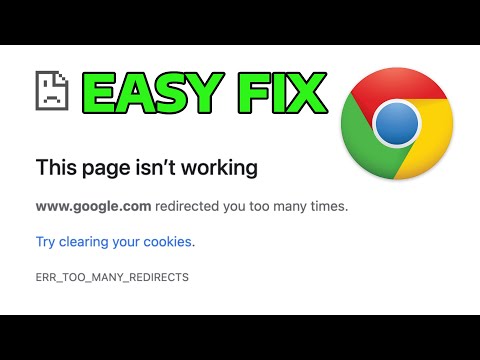
Oh man, have you ever been just happily scrolling through Facebook and suddenly, bam! You see that dreaded ERR_TOO_MANY_REDIRECTS error? It’s like hitting a brick wall when you’re cruising down the highway. It can be super frustrating, right?
It’s one of those things that sounds super techy, and immediately makes you go “uh oh.” But don’t worry, my friend—you’re definitely not the only one who’s run into this. Believe me, it’s more common than you think.
So let’s chat about what might be causing this hiccup. Maybe we’ll even get your social media groove back on track in no time. Sound good?
Causes of ERR_TOO_MANY_REDIRECTS Error
Ever been frustrated by that pesky ERR_TOO_MANY_REDIRECTS error on Facebook? Oh, don’t get me started! Seeing this error is like hitting a brick wall when you’re just trying to scroll through your feed. But let’s figure this out together, shall we?
What’s the Deal with ERR_TOO_MANY_REDIRECTS?
This error usually means your browser is stuck in a loop of redirects. Think of it as bouncing back and forth between two pages endlessly – it’s tiring!
Why Does It Happen?
Sometimes, it’s because of incorrect settings or cookies acting up. Here’s what might be causing it:
- Cookies and Cache: Old data stored by your browser can cause conflicts. It’s like wearing mismatched socks; they just don’t go together.
- Server Configuration: Sometimes, the server settings are off. It’s essentially the GPS telling you to make a U-turn when you’re already home!
- Plugin or Extension Mismatch: One of those helpful extensions might not be playing nice. Imagine an extra scoop of ice cream that’s more trouble than it’s worth.
Tackling the Issue
Try clearing your browser’s cache and cookies first. It’s like giving your browser a fresh start!
An Example Solution:
If you’re using Chrome, go to Settings > Privacy & Security > Clear Browsing Data. Make sure “Cookies and other site data” and “Cached images and files” are checked before hitting clear.
Sometimes, disabling extensions can help too. Head over to Extensions from the Chrome menu and toggle them off one by one. If things get better after turning one off, you know who the bad guy is!
If none of this helps, try accessing Facebook from another browser or device as a temporary workaround.
Hopefully, these tips keep that annoying error at bay! If it keeps popping up though, maybe there’s something deeper going on with Facebook itself or their servers – but hey that’s for them to fix!
Facebook Browser Reset Instructions
Oh, that pesky “ERR_TOO_MANY_REDIRECTS” error on Facebook can be quite a headache, right? It’s like you’re trying to open a series of doors, but each one leads you back to the first. Let’s figure this out together.
Why does this happen?
Think of it like your browser getting trapped in a loop. It’s being redirected too many times between URLs, causing it to just give up and flash that error at you. Often it’s due to an issue with cookies or some other setting that’s gone awry.
Resetting Your Browser
Before diving in, remember that you’ll need to log back into sites afterward since clearing cookies may log you out:
- Clear Cookies: Open your browser settings and look for “Cookies” in the privacy section. Choose the option to clear them for Facebook.
- Check Extensions: Disable all your extensions temporarily and see if the error resolves. Sometimes an extension can cause conflicts.
- Update Your Browser: An outdated version might not handle redirects correctly. Check for any available updates and install them.
Anecdote Time
You know, there was this time when I was helping my friend with the same issue on his laptop during a study session—of course, we got distracted by cats on Facebook! Turned out he hadn’t updated his browser in ages… Classic move.
Tweak Some Settings
If those steps didn’t help:
- Incognito Mode: Try accessing Facebook in incognito mode (or private browsing). If it works there, it’s definitely something cached or an extension causing trouble.
- Date & Time Settings: Believe it or not, wrong date or time can sometimes trip things up online! Double-check if they’re correct on your device.
If All Else Fails…
Sometimes more stubborn issues require more extreme measures:
- Reinstall Browser: This might sound drastic but removing and reinstalling your browser can fix embedded issues.
- User Experience: Imagine you’re trying to read an article but keep getting bounced from one page to another without landing anywhere. Frustrating, right? Bad user experience can lead visitors to leave and probably never come back.
- Crawling Issues: Search engines like Google send little robots (crawlers) around the web to index pages. If they encounter too many redirects, it might confuse them or slow their indexing down.
- Indexing Problems: If crawlers can’t properly reach your content because they’re caught in a loop, that content won’t be indexed properly. Your site’s visibility could take a hit.
- Mistakes in setting up HTTPS redirections—say you’ve got both HTTP and HTTPS versions of your site.
- Ineffective CMS configurations can cause troubles without you noticing until it’s too late!
- .htaccess file misconfigurations often lead websites down endless loops when not handled carefully.
- Check Redirect Chains: Identify if any redirection hops are unnecessary or circular using online tools like Redirect-checker.org.
- .htaccess Adjustments: If Apache servers manage your site—which sounds fancy but means it’s being managed by common web server software—ensure there aren’t unintended rules creating cyclic paths within its .htaccess file.
- CMS & Plugin Settings:: Simplify configurations related directly—or indirectly—to URL rewriting rules via backend settings menus available inside common platforms such as WordPress itself or plugins installed over top!
Look I hope these steps helped untangle things and get you back onto Facebook without any bothersome interruptions!
Impact of err_too_many_redirects on SEO
Hey, let’s dive into this issue with the ERR_TOO_MANY_REDIRECTS error and its effect on SEO. It’s something every website owner wants to avoid, especially if you care about how your site performs in search results.
Understanding ERR_TOO_MANY_REDIRECTS
The message ERR_TOO_MANY_REDIRECTS pops up when there’s a loop of redirects. Basically, your browser gets stuck, running around in circles between two or more URLs. This happens when a webpage keeps trying to redirect you to another page, which then circles back to the original—like an endless loop.
Why It Matters for SEO
Potential Causes
There are several reasons why these loops happen:
Troubleshooting Strategies
To fix this problem:
;
;
And voilà! Once those pesky errors get sorted out correctly while refreshing cached data altogether afterward potentially necessary measures must undertake again upon external circumstances changing unexpectedly—for instance…
Not exactly fun dealing with technical hiccups like these—but learning how each component reacts allows us humans better places ourselves within digital environments surrounding us every day nowadays quite literally everywhere ranging anywhere imaginable really, so hang tight… Fix those problems whenever possible though ultimately worth effort involved achieving optimal experiences everyone appreciates intuitively firsthand alike meanwhile assuredly boosting own benchmarks notably higher tally scores progressively further along same way surely improving naturally overtime organically adapting bigger scale importantly indefinitely concurrently still balancing technical complexities gracefully because demanding respectably deserves consideration honestly balancing qualities necessary thriving diligently continuously innovating fostering growth potentiality ever-expansively presented ongoing increasingly significantly!
Oh, the dreaded ERR_TOO_MANY_REDIRECTS error! It can be such a headache when you’re just trying to catch up on your Facebook feed, read an amusing post or see what your friends have been up to. I remember this one time when I was all set for a chilled evening, cup of coffee in hand (the perfect temperature), ready for some light scrolling through my Facebook timeline. And then bam! That annoying error message popped up on my browser.
Now, if you’ve seen it before, you know how frustrating it can be. You’re probably thinking: why is this happening? How do I get rid of it? Well, this issue happens when there’s a kind of loop going on with website redirects—like a cat chasing its own tail—where the page keeps sending you somewhere else without ever actually loading properly.
So, what’s causing this shenanigan? Sometimes it’s something as silly as incorrect settings in your browser cookies or cache. Imagine them like little pieces of information your browser stores to make things faster next time you visit a site. But now and then they get stale or mixed up and cause trouble.
What might help is clearing those cookies and cache from your browser settings. It’s like giving them a fresh start! You could try opening Facebook in incognito mode too—just as an experiment—since that often bypasses stored data that might be messing with things.
In some cases though, it’s not you at all! The website itself might have problematic configurations. If that’s the case… well there’s only so much we can do from our end other than wait for the site admins to sort it out!
In any event these tech quirks are part and parcel of our digital lives today; small roadblocks between us and connecting with people online… which really isn’t too bad given how far we’ve come since dial-up internet days (remember those?). Anyway hope this helps next time you’re sipping coffee ready for some Facebook fun—and not pulling out hair over technical glitches!