Oh man, have you ever been hanging out at home and suddenly your WiFi just… drops? Frustrating, right? It’s like you’re in the middle of streaming your favorite show, or chatting with pals online, and bam – no internet. If you’re using an ESP8266, this might sound way too familiar.
The thing is, these little gadgets are usually super reliable. I mean, they’re cute and tiny but pack a punch when it comes to connecting stuff online. But every now and then, they can act up too.
You know that moment when you’re scratching your head and thinking why is this happening again? Don’t worry – we’ve all been there! It’s kind of like dealing with a pet that’s trying to tell you what’s wrong but can’t use words.
What if I tell you there are simple reasons for these hiccups? And even better – easy fixes! So yeah anyway let’s see what could be causing your connection blues and how you can keep that ESP8266 connected smoothly as ever. Hang tight!
WiFi Signal Interference Causes
WiFi interference can be a real headache, can’t it? Especially if you’re dealing with devices like the ESP8266, which are often used in all sorts of smart home gadgets and DIY projects. One minute your device is humming along just fine, the next it’s dropping connections like they’re hot potatoes. Let’s unravel what’s happening here—and how to get things back on track.
Common Causes of WiFi Signal Interference:
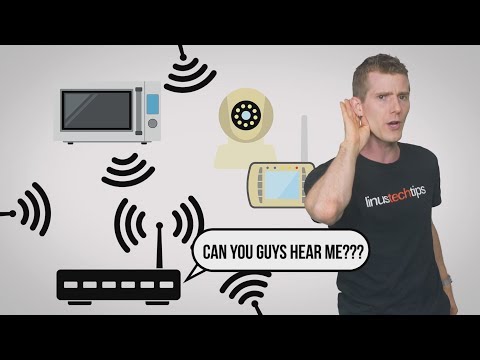
- Electronic Devices: Ever noticed how your microwave seems to mess with your internet? Many household gadgets running on 2.4 GHz can interfere with WiFi signals. It’s a bit like having two people talk at once—hard to make sense of either.
- Walls and Obstacles: Thick concrete walls or heavy furniture can block or weaken signals, kind of like putting earplugs in and trying to have a conversation.
- WiFi Channels: Just imagine everyone tuning into the same radio station—chaos. Similarly, overlapping channels on neighboring networks can clutter up the airwaves.
- Crowded Networks: Living in an apartment complex? You might be sharing that WiFi highway with tons of other users. More users mean more competition for bandwidth.
Sneaky Causes Specific to ESP8266:
- Poor Power Supply: If the ESP8266 doesn’t get stable power, it gets grumpy and drops its connections like a toddler drops their veggies.
- Antenna Interference: Incorrectly placed antennas may not cling tightly enough to those precious radio waves.
Kicking Interference to the Curb
Now for the good stuff: solutions! Here’s what you might try:
- Selecting A Clear Channel: Switching to less crowded channels (1, 6, or 11) might help reduce interference from next-door networks.
- Minding The Distance: Keep your device close—but not too close—to routers for signal stability. Think Goldilocks: not too near, not too far!
- Taming Electronic Devices: Place WiFi routers away from microwaves or cordless phones—they’re notorious troublemakers for network connections.
And remember when my little nephew kept moving his feet while we watched cartoons together? Distractions impact focus—a lot like interference affecting connectivity.
Hopefully these tips assist you in getting that ESP8266 back online and keeping it there! Just imagine browsing seamlessly without those pesky signal hiccups blocking your way; wouldn’t that be nice?
Feel free to try some suggestions above—or adapt them—as needed based on what kind of obstacles you face regarding WiFI networks around where everything takes place at home/office/etcetera!
Signs of a Hacked Wi-Fi Network
Oh, Wi-Fi troubles! They can be super annoying, right? Especially when you’re not sure if it’s just a weak signal or if something more sinister is going on. Let’s figure out if your network might have been hacked and how this relates to the ESP8266 WiFi module.
First off, here’re some signs that might suggest your Wi-Fi network has been compromised:
- Unusual Slowdowns: Notice your connection crawling at a snail’s pace? It could mean someone’s piggybacking on your network. This happened to my neighbor once—turns out his password was ridiculously easy!
- Unknown Devices Connected: Use your router’s admin portal to check what’s connected. Seeing gadgets you’ve never even heard of? Yep, that’s a red flag! It feels like sneaky strangers walking into your living room uninvited.
- Strange Browser Behavior: Pop-ups and redirects everywhere? While this could also come from malware on an individual device, it’s worth checking if they appear across all devices using that Wi-Fi.
- Password Not Working: You KNOW you didn’t forget it! But suddenly you’re locked out of your own network? Someone might’ve changed it from under you.
- Dropped Connections: This is where the ESP8266 comes in. If you notice frequent disconnections specifically with this module (while other devices remain stable), someone might be trying to force disconnections to intercept data.
Now let’s connect it with the ESP8266 issue. The ESP8266 dropping connections can sometimes simply be about interference or power issues. Yet, when coupled with any suspicious activities mentioned above, it’s time to take action.
Troubleshooting Steps for Suspected Hack:
- Change Your Passwords Immediately: Make them strong—long strings with numbers, symbols and no hints of personal info (not like “mydog123,” okay?).
- Update Firmware Regularly: Keeping your router updated patches vulnerabilities hackers often exploit.
- Create Guest Networks: This way visitors don’t have full access rights and can’t mess things up unintentionally (or otherwise).
Remember how frustrating technology can get sometimes? I once spent hours blaming my smartphone for slow speeds only to discover next-door neighbors playing online games using my connection due their router being down!
All right, keep an eye out there don’t just wait till trouble starts knocking at doorsteps – protect yourself proactively friends!!
Interference from Other Devices
Alright, let’s chat about something that can be pretty annoying when it happens: interference from other devices. It’s especially relevant when you’re dealing with gadgets like the ESP8266, which are tiny but mighty little things used for wireless networking. Ever had your WiFi connection dropping out for no apparent reason? It could well be because of interference.
What exactly is interference? Well, imagine you’re at a party trying to have a conversation. If the room’s full of people talking loudly, it becomes hard to hear your friend, right? That’s kind of what happens with wireless signals. Devices like microwaves or even baby monitors can crowd the airwaves and mess with your WiFi connection.
Now, why does this specifically matter for an ESP8266? These devices use the 2.4GHz frequency band—the same one used by many common household items. This overlap can lead to those frustrating connection drops.
Here’s how you might deal with this issue:
- Change your WiFi channel: Most routers are set to automatically select a channel that’s less crowded, but sometimes they need a nudge in the right direction. You can access your router settings and manually select a different channel.
- Move interfering devices away: Sometimes simply moving things around makes all the difference. Keep that big ol’ microwave in another corner if it’s causing trouble!
- Use dual-band routers: These allow connections via both 2.4GHz and 5GHz frequencies. The latter often experiences less interference as fewer devices operate on it.
- Add physical barriers: Like walls or furniture which may absorb unwanted signals before they reach critical components like our dear friend ESP8266.
Every techie’s got their own story about how they first grappled with network interferences… For me? I was working late one evening (probably shouldn’t have been), and suddenly got booted off just as I was saving progress on an important project! Turns out someone popped popcorn nearby using our ancient microwave—lesson learned: no popcorn while coding!
Anyway, hope these tips help keep those interactions smooth sailing without any hiccups along life’s wavy technological journey… Happy networking!
So, you’re working on this awesome project with the ESP8266, right? You’re all excited to get it connected to WiFi so you can do some nifty IoT stuff. And then—you know how these things go—the connection just keeps dropping. Frustrating, isn’t it?
I remember this one time when I was setting up a smart gadget at home, using the same ESP8266 module. Everything was going smoothly until—bam!—the connection kept disappearing like a shy ghost. I felt like giving the thing a very stern talking-to!
First off, let’s think about why this happens. A lot of folks find that their ESP8266 loses connection because of power supply issues. Honestly, it’s such a little module but boy does it need stable power to keep going! If the voltage drops even slightly or isn’t clean (we’re talking about “noise” here), it can mess things up.
Another reason could be interference from other gadgets around you. Imagine your module trying to chat with your router but your microwave’s over there blabbing away too loudly on the same frequency—it disrupts everything! You might also have loads of devices hogging your WiFi bandwidth.
Now for some down-to-earth solutions: Make sure you’re using a good quality power source that gives consistent power without hiccups. Oh and if you’re running into interference issues, maybe try changing your router’s channel number in its settings—give your ESP8266 some breathing space!
You’ll also want to check how many devices are connected at once; reducing this can really help stabilize things.
And hey, don’t forget firmware updates for both your router and the ESP8266—they often fix quirks that cause these headaches.
If only those little modules came with tiny toolkits or user manuals written in plain English by someone who’s lived through all their funky quirks… But until then we just have each other’s experiences—and occasional rants—to guide us out of tech tangle territory!