Wi-Fi cards, you know those tiny wonders letting your devices connect wirelessly to the internet? Well, they’re not all cut from the same cloth. Imagine you’re setting up a new laptop or desktop and suddenly you’re faced with options—like different flavors at an ice cream shop. Some folks find this bit exciting, while others scratch their heads thinking “Do I really need to know this stuff?” Don’t worry; you’re not diving into deep tech here. I’m here to give you a friendly rundown of the various types of Wi-Fi cards available, so next time you make a choice, it’s with confidence!
Whats a WiFi adapter for PC
A WiFi adapter for a PC is like the magical key that lets your computer talk to the internet without any messy wires. Back in the day, I had this desktop computer that didn’t come with built-in WiFi. It was such a hassle because, you know, I had to connect it using a cable that stretched across my living room. Then, I discovered the wonders of WiFi adapters!
There are different types of WiFi cards or adapters you can consider for your PC. First off, there are USB adapters. These little gadgets plug right into a USB port on your computer—they’re super easy to use, kind of like plugging in a flash drive. They’re portable and perfect if you’re not comfortable poking around inside your PC.
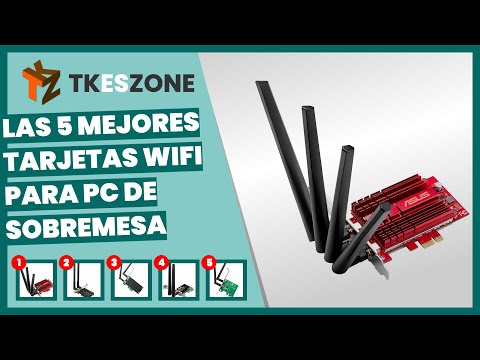
If you’re feeling more adventurous and want something that’s maybe more stable and faster, there are internal PCIe cards. These require you to open up your computer case and plug it into one of the motherboard’s slots—pretty cool if you’re into tinkering! They usually have better antennas too.
There’s also something called mini PCIe cards which are typically used in laptops but can be handy for desktops if you’ve got the right setup. Some people say these offer great performance without taking up too much space.
Anyway, having reliable wireless connectivity is such a game-changer today whether you’re streaming movies or working from home—no cables tripping you up anymore! And isn’t it amazing how technology keeps making our lives easier?
WiFi Adapter for PC Windows 10
Ah, WiFi adapters! Those little gadgets can make all the difference in staying connected. If you’re tinkering with a Windows 10 PC and you’re thinking about WiFi adapters, there are some interesting types you might come across.
- USB WiFi Adapters: These are the plug-and-play heroes. You just pop them into a USB port, and voilà, your computer can access WiFi. They’re pretty handy if you don’t want to open up your PC to install anything.
- PCIe WiFi Cards: This one’s for those not afraid of diving inside their computer case. A PCIe card fits into a PCIe slot on your motherboard, sort of like putting extra toppings on a pizza! They often provide better performance than USB adapters due to their dedicated connection.
- M.2 WiFi Cards: Some newer motherboards come with M.2 slots for super-fast SSDs and also support M.2 WiFi cards. It’s like adding sprinkles to your ice cream—tiny but mighty!
- Pocket/Portable Routers: These aren’t exactly a traditional ‘card’ type, but they act as one by connecting multiple devices via wireless networks wherever you go.
I remember fiddling with one during college; my dorm’s Ethernet ports were always full or broken—total chaos! Plugged in my trusty USB adapter and boom—smooth sailing on the internet seas again…well after some driver updates anyway!
No matter which type you pick for Windows 10 PCs though make sure it supports at least dual-band connectivity (2.4GHz & 5GHz). More bands equal less congestion—you know?
Types of wifi card for laptop
Alright, picture this: You’re sitting in a cafe, sipping on your coffee and your laptop suddenly loses wifi connection. Annoying, right? Well, that’s when knowing about wifi cards can really come in handy!
Now, there are a few types of wifi cards commonly found in laptops. Let me break it down for you.
- Internal Wifi Cards: These are installed inside the laptop itself. They’re like the invisible heroes of internet connectivity. Most modern laptops will have an internal card already installed. And trust me, they work pretty well for daily browsing needs.
- USB Wifi Adapters: Ever seen those tiny USB sticks dangling from somebody’s laptop? Yep, those are external solutions! You plug them into a USB port and bam—they provide wireless connectivity. Perfect as a quick fix if your internal card decides to take a day off.
- M.2 Wifi Cards: This is another type of internal card but it’s specifically designed to fit M.2 slots on newer laptops and ultra-books. They’re sleek and fast—kind of like upgrading from a regular bike to an electric one!
Anyway, each type has its pros and cons based on what you need—for instance performance or portability matters most to ya! One time I remember my friend desperately needed internet access during travel; she just popped out her USB adapter and was back online in no time—it saved her day!
So next time you’re thinking about upgrading or fixing connections problems with Wi-Fi signal issues (there’s nothing worse!) consider these options as potential solutions that may suit best according to different user scenarios –– happy surfing!
Sure thing! Wrapping up on Wi-Fi cards, let’s just say there’s a lot of choices out there depending on what you need. You’ve got internal ones that fit right into your computer’s insides and those handy USB ones you can plug in easily. They all have their purpose, like a friend shared how they transformed their old laptop with a quick USB Wi-Fi card upgrade—instant speed boost! Depending on your device and usage, picking the right one can totally change how you connect to the online world. It’s all about finding what works best for your setup, you know? Happy browsing!