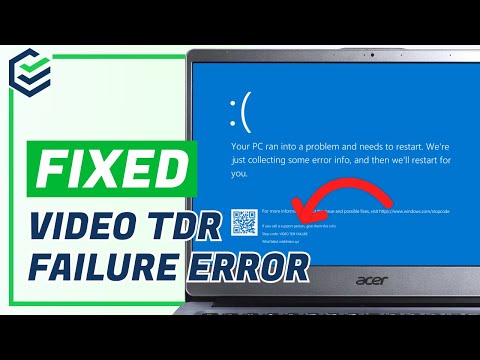
Imagine this: you’re cruising through your work or enjoying a movie on your Windows PC, and bam! The screen turns blue, spewing out some gibberish about a “video TDR failure.” Ever been there? I know the feeling. It’s like your computer just threw up its hands and said, “I’m out!”
Now, you’re left staring at an intimidating blue screen with zero clues about what just happened. Trust me, it can feel like a total panic moment. But hold on—you’re not alone in this weird tech hiccup.
We’ve all had those moments where our trusty PC seemingly gives up on us at the worst time. But here’s the thing: it’s not as mysterious as it seems. There’s some light at the end of the tunnel!
You’re probably wondering what this “video TDR failure” really means and why it crashed your blue party uninvited. Don’t worry; we’ve got some answers coming right up in a friendly way—just like pals figuring stuff out over coffee!
Video TDR Failure as a Hardware Problem
Sure thing, let’s dive into the issue of Video TDR Failure and look at it from the perspective of hardware problems. This pesky error often pops up as a Blue Screen on Windows PCs, and boy, can it be frustrating!
What is Video TDR Failure?
TDR stands for Timeout, Detection, and Recovery. It’s like a watchdog that monitors your graphics card’s performance in Windows. When something goes wrong with your graphics card or its drivers, TDR jumps in to reset things. But if things don’t go as planned? Boom! You get the Blue Screen with the Video TDR Failure error.
Why Might It Happen?
There could be a bunch of reasons why you’re facing this headache:
- Overheating: Graphics cards can get hot under pressure, especially if you’re gaming or running heavy software.
- Faulty Graphics Card: Yup, sometimes hardware can just start failing outta nowhere.
- Poor Power Supply: If your power supply ain’t strong enough to support your GPU’s needs—trouble might ensue.
An Anecdote
I remember when my friend’s PC started crashing during his favorite game sessions. He was pulling his hair out trying to figure out what was wrong. Turned out his graphics card was simply overheating because he hadn’t cleaned out the dust bunnies in ages!
Troubleshooting The Hardware Angle
You see there are some steps you could follow to mitigate these hardware-related issues:
- Dust Off: Open up your PC case (careful here!) and clean any visible fan blades and components.
- Check Connections: Make sure everything’s plugged in securely—loose connections can cause havoc!
- Cable Check-Up: Ensure there’s no damaged cables from PSU or monitor inputs connecting to the GPU.
These small actions might feel mundane but trust me they make significant differences quite often.
In case cleaning doesn’t do much good—it’s best checking further than relying solely upon yourself here—overclocked GPUs might need resetting back their factory defaults.
Sometimes swapping/borrowing known-working parts like RAM sticks temporarily doesn’t hurt either while troubleshooting deeper since dodgy memory modules affect even totally unrelated areas such displays now due increasing complexity component interactions modern systems!
Remember though: Always practice caution when handling internal components static discharge risk float around potential damaging sensitive electronics touch safely grounded chassis portion before proceeding tweak inside delicate ecosystem—unless experienced comfortable tinkering yourself consider consulting knowledgeable technician local neighbourhood cafes even provide excellent help instance occasions—no lie love community spirit willingness lend hand revisit classic old-school vibes helping friends close-knit group passion sharing knowledge tremendous satisfaction ensuring reentering favourites hassle reiterated enough!
Bad PSU Impact on TDR Failures
Oh, the dreaded Blue Screen of Death (BSOD) with a Video TDR Failure! If you’ve ever been interrupted in the middle of a gaming session—or just day-to-day tasks—by this frustrating error, you’re not alone. The thing is, it can be really annoying to deal with. Let’s dive into how a bad PSU (that’s Power Supply Unit, by the way) can impact these TDR failures.
What’s Up with TDR Failures?
TDR stands for Timeout Detection and Recovery. It’s like your PC’s way of checking if the graphics card is working and fixing any hiccups it finds. But sometimes, instead of fixing things, you might get that pesky BSOD.
The Role of Your PSU
Your PSU is kind of like your PC’s heart—it pumps electricity to all parts. And if it’s not doing its job well, well guess what? Your computer might not function properly.
- Power Instability: A faulty or underpowered PSU can cause power fluctuations, which means not enough juice gets to your graphics card when needed.
- Overheating: Without stable power supply, components may overheat trying to perform their duties correctly—and overheating graphics cards are more likely to fail during demanding tasks!
- Aging Components: PSUs degrade over time due wear and tear. Older units might struggle delivering consistent voltage thus leading up issues like these errors cropping up frequently.
A Real-Life Example
I remember once helping my friend Mike who couldn’t figure out why his games kept crashing until we realized his old hand-me-down PSU wasn’t meeting his shiny new GPU’s demands! After upgrading to reliable unit designed specifically handle necessary wattage—poof no more crashes!
Troubleshooting Steps for You
- Check Wattage: Ensure your current setup isn’t overloaded; every part requires different amounts so add them up & compare against output listed on label from manufacturer specs sheet handy too!
- Cables & Connections Matter Too:> Reseat cables connecting both motherboard/graphics-card rechecking none frayed loose either side shaking them gently into slots till secure fit achieved helps identify problems originate elsewhere potentially avoiding unnecessary replacements altogether ahead time discovering culprit lies elsewhere entirely perhaps something beyond control…who knows right now?! NVIDIA/AMD respective pages often updates drivers fix bugs affecting GPUs still latest version oldie golden rule case besides reboot cycle once complete process done automatically unless otherwise specified preferences changed manually providing peace safety net whenever such instances occur thankfully become increasingly spare moments tend arise again future thought life lesson maybe better careful don’t want trouble again remember guys folks keep learning growing expanding knowledge base embrace challenges bring exciting field technology continually evolving thanks feedback input questions comments suggestions exchanging ideas exploring ahlih understanding truths underlying complexity present reality ultimately brings everyone closer together harmony universe remain hopeful optimistic whatever comes our paths next journey awaits each embark upon course world unknown until arrived destination face bravery courage resilience determination aspiring greatness achieving excellence stride far gratitude patience fore warning plan succeed hope remains constant guiding star assists navigating stormy seas fearful nights help fully arm prepared go engaging battle expecting victory joy relish sweet triumph finally attained wholeheartedly…kind soul traveler wanderer fellow companion standing alongside shoulder side comrades-in-arms alike traversing through thick thin come sunshine rain alike ready meet conquer eager curious excited challenge dreams waiting manifest reality see live dreams half dreaming keep pushing forward further along hope brighter tomorrow dawns beautiful dew filled fields morning sun chasing shadows light horizon beauty majestic magical brilliance fills air fragrant sweet smell grassy meadows butterflies flitting flowers spread rainbow colors beneath sky peaceful calm contentment tranquil blissful serenity surrounding everything alive breathing existing heartbeat soul experiencing cherished sacred precious irreversible undeniable eternal unity everlasting infinite ceaseless circle holding connections bonds creating lives touching hearts elevated height never seen known felt before united front one dance eternity symphony wonder amazement delight joy laughter peace happiness love!
Video TDR Failure Causes on Windows PCs
Oh, the dreaded Blue Screen of Death, huh? One moment you’re working on something important or maybe just binge-watching a series, and bam! The computer crashes to a blue screen with the message “Video TDR Failure.” Annoying, right?
Understanding Video TDR: What you’re dealing with here is related to how Windows handles its graphics. TDR stands for Timeout Detection and Recovery. It’s a process that keeps an eye on your graphics card. If something goes wrong, it tries to recover without needing a system reboot.
But sometimes things don’t go as planned. When you see this error message, it means there’s an issue with your video or graphics card handling.
Common Causes:
- Driver Issues: Outdated or corrupt drivers can disrupt communication between Windows and your GPU. This is probably the most common cause.
- Overheating: Running power-intensive tasks can make your graphics card heat up like a summer day. Overheating might cause it to fail temporarily.
- Hardware Problems: Physical damage or faults in the GPU might trigger this error.
- Tweaks and Overclocking: Pushing hardware beyond its limits might destabilize things.
I had a friend who was really into gaming and would spend hours just tweaking his setup for that extra performance boost—until he kept running into this blue screen every now and then because of one tweak too many.
Troubleshooting Tips:
- Update Drivers: Check if there are any new updates available for your GPU driver. Sometimes it’s simply about getting everything up-to-date.
- Monitor Temp Levels: Ensure that cooling systems like fans are working fine. You could use tools like SpeedFan or HWMonitor to keep track of temperatures.
>
Trust me when I say solving these issues isn’t always rocket science though initially overwhelming sight perhaps makes seem involves bit tweaks here checks there ensuring components all singing same tune once more!
Oh man, the dreaded Blue Screen of Death (BSOD). I’ve seen it turn many calm afternoons into frantic computer repair sessions. The “Video TDR Failure” is a specific type that really gets under the skin of anyone who uses a Windows PC regularly.
I remember when my friend, Lisa, called me in a panic. She was in the middle of an important project for work when that ominous blue screen appeared with the Video TDR Failure message. Her first instinct was to mash all the keys on her keyboard, hoping it would magically fix itself—spoiler alert: it didn’t.
So what exactly is this thing? In simple terms, it’s like your PC having an argument between its brain (the CPU) and its eyes (the graphics card). It happens when something goes wrong with your video drivers or your graphics hardware just isn’t cooperating nicely with Windows.
Now don’t let this technical stuff make you nervous! You can totally handle it. First thing’s first, breathe deeply—no need to stress out right away. Often updating or reinstalling your graphics drivers can be a lifesaver. You know those updates we often ignore until later? They’re actually pretty useful for things like this.
Another trick that might do wonders involves checking inside your PC—literally opening it up carefully if you’re comfortable doing so—to make sure everything’s snug and happy inside there; loose cables can sometimes cause these hiccups too!
But hey, if you’re not tech-savvy or just don’t feel like poking around inside your machine today (completely understandable), reaching out to someone more experienced won’t hurt either.
Lisa managed through hers by letting me guide her over a call to update her drivers—and voilà! No more blue screen interrupting her day! Just goes to show how common these little tech dramas are but also how solvable they usually end up being once we know what steps needs trying out next time.
So yeah… sometimes all it takes is taking things one step at a time without letting anxiety cloud our thoughts—or our PCs display tiles blue again unexpectedly anytime soon!