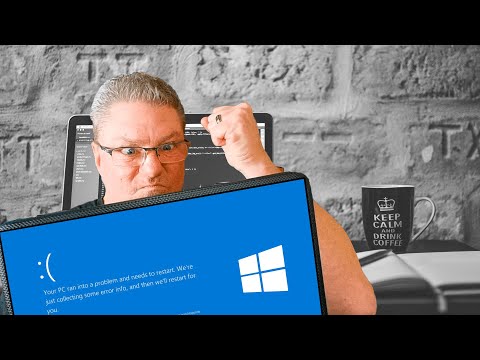
So, your computer just had a meltdown and threw a blue screen at you, huh? Yeah, that’s never a fun sight. It’s like your PC just decided it needed some drama.
You see this cryptic code: 0x00000133. Sounds like robot talk, right? Trust me, you’re not alone in feeling lost.
Imagine you’re driving smoothly down the highway, and suddenly your car decides to pull over without warning. That’s kinda what this error does to your computer. Just stops everything.
But no worries—let’s figure out why this techno-drama unfolded and what you can do about it. You ready?
Understanding Error Code 0x133 on Windows
Oh, those blue screen errors on Windows, right? They can be such a pain. You’re in the middle of something important, feeling all productive, and then—bam!—blue screen with a cryptic code staring back at you. One of those sneaky codes is Error Code 0x133. If you’ve seen this little rascal pop up, don’t worry. You’re in the right place to understand what’s going on.
What is Error Code 0x133?
This error usually points to a problem with a device driver or hardware component in your system that’s mucking things up. It’s like when you’re hosting that perfect dinner party and someone forgets to bring dessert – everything’s going smoothly until it suddenly isn’t.
Why does it happen?
Well, there could be several reasons why you’re facing this glitch:
- Outdated or corrupt drivers: These are like your computer’s translators between its software and hardware parts. If they don’t work well together, things can go haywire.
- Faulty hardware: Sometimes a piece of your computer might be acting up or just not compatible with the rest of your setup. Think of it like trying to fit a square peg in a round hole.
- Nasty software conflicts: Different programs fighting over resources (or stepping on each other’s toes) could trigger this error.
- An overloaded system: Too many tasks at once can overwhelm even the best systems.
Troubleshooting Steps:
Here are some steps you might consider to tackle this particular gremlin:
- Update Drivers: Make sure all your device drivers are up-to-date. You can do this from the Device Manager by right-clicking and selecting ‘Update Driver’. It’s like refreshing their resume for better performance!
- Check Recent Installs or Updates: If you recently installed new software or updates before this error appeared? Try rolling back those changes—kind of like hitting undo—to see if that helps.
- Sift Through Hardware Issues:If any components need swapping out due disconnect-and-reconnect some basics first before diving into warranty claims situation testing other computers might give helpful clues along way often revealing culprits themselves hidden plain sight—like stubborn weeds among flowers garden plot needing extra care attention time eventually bloom strong healthy one again albeit differently nuances involved doing DIY repairs part fun discovery process too many us techies 😉
Now talking safety treating electrical devices utmost respect (especially static-sensitive) always top priority unplugging them completely surface clean environment ideal safe handling every precaution taken full confidence knowing actions modicum knowledge support best practices —what say comrade?
Cool lets carry onwards shall we roll sleeves getting engines fired ready action packed exploration fixing resolve? Go team!!! 나이스 😎 #CodeWarriorsAssemble
Moving forward together maybe worthwhile perform these additional checks minimal hassle maximal improvement possible keeping our beloved trusty PCs running smooth troublefree days ahead commiserating ditched toast along memorable pitfalls technology age when everyone deserves chance learn grow better become smarter stronger 🤗!
Bug Check Code 113 Definition
You know, there’s something about those blue screens that can really give you a mini heart attack, right? Now, if you’ve ever encountered the code 0x00000133, you’re likely dealing with what’s called a “Bug Check Code 113” error. It’s like the system’s way of throwing up its hands and saying, “I can’t handle this!”
This particular error code is linked to **DPC_WATCHDOG_VIOLATION**. So what does that even mean?
- DPC stands for Deferred Procedure Call. Think of it as the computer’s strategy to manage tasks more efficiently by temporarily putting less important things on hold.
- A **watchdog**, in this context, is a timer. It’s there to make sure processes don’t take too long.
- If this watchdog realizes a delay is taking longer than expected—boom! You get an error.
Now, why might you be getting this unpleasant surprise? There could be several reasons:
- Your drivers might be outdated or they just don’t play nice with new hardware or software you’ve added.
- Your hardware might have trouble keeping pace with demanding applications or games you’re running.
- It could even stem from system files being corrupted in some way—that’s always a bummer!
Imagine you just got that new game you’ve been waiting ages to play. You’re all set and suddenly—bam!—the screen goes blue. That’s enough to ruin anyone’s day.
If you’re trying to troubleshoot this issue (did I say everything comes back to troubleshooting?), updating your drivers is usually a great place to start. And hey, checking for any recent Windows updates works wonders sometimes… Maybe try rebooting into Safe Mode; it helps strip things down which can isolate the problem easier.
It’s frustrating for sure when things don’t work as they should. But remember: you’re not alone here! Tech hiccups happen now n’ again more than any of us would like… You totally got this—just give it another go and see how far patience gets ya!
In any case where simple tweaks don’t cut it—you could definitely reach out within online communities or Microsoft support where other folks chip in with similar experiences ’til solutions show face!
Blue Screen Error Code 133 Explanation
Experiencing a Blue Screen of Death (BSOD) can be quite frustrating, can’t it? One minute you’re typing away, and the next—bam! A cryptic error message appears on your screen. Today we’re diving into one specific, rather pesky Windows error: the 0x00000133, also known as the DPC_WATCHDOG_VIOLATION.
First thing’s first, what does this error mean? In simple terms, it’s like a watchdog timer decided that something’s taking too long—kind of like when you’re waiting for your friend who’s always late.
Here’s what you need to know:
- The Problem: This error occurs when the Deferred Procedure Call (DPC) in your system exceeds its time limit. It’s as if there’s a traffic jam in the system processes.
- Common Culprits: Outdated drivers are often blamed. Drivers act like translators between your hardware and software—if they aren’t updated, things can get lost in translation.
- Hard Drive Issues: Sometimes it’s all about disk corruption or failing sectors on your hard drive causing havoc.
Now let’s talk about how to tackle this annoying issue:
- If you’ve recently added new hardware or software try uninstalling it to see if that helps.
- Update Your Drivers: Visit your device manufacturer’s website and grab those fresh updates!
- SFC Scan: Run the System File Checker tool to look for corrupted files. Type “sfc /scannow” in Command Prompt—it’s kind of like having your own personal detective hunting down nasty file problems.
Oh! A quick story from a friend who faced this same dilemma might make you feel better: They were pulling their hair out because their laptop was crashing every other day with this very code. After updating their Wi-Fi driver (like finally remembering to change an expired ID card), the issue magically disappeared!
Seriously technology can be unpredictable sometimes you know? But with some patience and a bit of digging around—and perhaps an update or two—you’re likely going to find yourself back on smooth sailing waters soon enough!
Oh boy, the dreaded blue screen! You know that feeling when you’re working on something important, and suddenly everything just freezes? And then you see that blue screen with a bunch of numbers that might as well be hieroglyphs. It can be super frustrating, right? One of those codes you might come across is 0x00000133.
Now, this cryptic code is actually something called a DPC_WATCHDOG_VIOLATION. Yeah, it’s quite a mouthful! Basically, your Windows machine gets a bit impatient. Imagine it like this: your computer’s trying to juggle more tasks than it can handle. It has something called Deferred Procedure Calls (DPC) and sometimes they overstay their welcome—kinda like guests at a party who just won’t leave!
If you’re seeing this error code pop up on your Windows system, it often means there’s trouble with drivers or hardware compatibility. It’s almost like having mismatched puzzle pieces in terms of technology. In some cases updating drivers or ensuring they’re properly installed can help straighten things out.
The good news is that these blues don’t have to totally ruin your day! Usually fixing them isn’t too hard if you know where to look—think checking for software updates or running diagnostic tools. One time I encountered this error myself while trying to finish an online course assignment at midnight—talk about nerve-wracking timing! After some poking around forums and discovering how others resolved similar problems―I managed somehow pacify my errant PC!
So next time one appears unexpectedly (and believe me—it happens), remember: take deep breathes first before diving into solutions again!