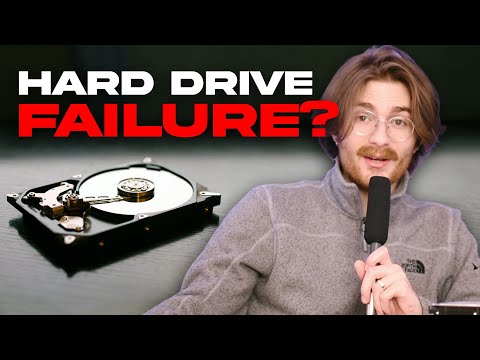
Hey there! You ever had one of those days where your computer just doesn’t feel like cooperating? I know the feeling. You’re working on something important, everything’s going smoothly, and bam! Your trusty old hard drive starts acting up. Frustrating, right?
It’s kinda like that one time my car wouldn’t start on the way to an important meeting. Turns out, there are a few sneaky culprits behind these hiccups in our magnetic hard drives.
And the symptoms? Well, they can be as subtle as a whisper or as loud as an alarm bell ringing in your ears. So grab a coffee, settle in, and we’ll dig into what can go wrong and how to spot the signs before you’re knee-deep in trouble.
Lifespan of a Magnetic Hard Drive
You know, thinking about how long your magnetic hard drive might last can feel a bit like trying to predict the weather—kind of tricky but really important. These trustworthy companions in our computers do the heavy lifting of storing all our precious files. But how long can you count on them before they call it quits?
Let’s dive into it! Typically, your average magnetic hard drive has a lifespan ranging from three to five years. That’s if everything goes smoothly and it’s not overworked or mistreated. Kind of like that old car you pamper for road trips. It’s all about usage and care.
Now, let’s see some key points:
- Usage: Frequent use wears out the components faster. If you’re constantly accessing large files or downloading stuff, expect aging sooner.
- Environment: Think about where your computer sits. A dusty basement or a humid attic can really affect its health.
- Brand and Quality: Just like jeans—some brands age better than others due to build quality.
You know what’s kind of interesting? Hard drives experience what’s called “mechanical failure.” Picture those classic detective films with reels whirring; mechanical parts wear out with time. Here are some common issues they might face:
- Head Crash: The read/write head touches the platter surface—imagine dragging a needle across a vinyl record—ouch!
- Spindle Motor Failure: The motor can’t spin the platters anymore, meaning no access to your files.
Oh! And when these drives start failing? Poof! Files may disappear like magic tricks gone wrong. You’ll notice symptoms such as strange clicking noises or error messages popping up while booting.
To help keep things running smoothly longer, remember to handle your device gently and think about regular backups just in case. Trust me; it’s wiser to err on the side caution when precious memories could vanish in an instant!
So grab that duster every now and then—and maybe consider investing in SSDs for future-proofing since they don’t have these moving parts issues at least quite so dramatically…
Signs of a Failing Hard Drive
Hey there! I know dealing with technical things can sometimes feel like a huge puzzle, right? Today, let’s chat about something that’s pretty important: signs of a failing hard drive. Especially those old-school magnetic ones that store all your amazing photos, documents, and maybe even some cheesy playlists from the past. Let’s just jump right in and see what you might want to look out for.
First off. Think about strange noises. Does your computer suddenly sound like it’s munching on popcorn or producing mysterious clicking sounds? Those are not good signs! Hard drives should be almost silent. So if yours start sounding like it’s having a party without you, it might be crying for help.
Then there’s the issue of slow performance. Remember when your computer used to zip through tasks without breaking a sweat? Now it’s dragging its feet or taking way too long to open files? That’s another sign the hard drive could be having issues. It’s like when old shoes just don’t fit as comfortably anymore.
Frequent crashes is another thing—if you’re seeing more blue screens than you’d expect or applications crashing randomly; yep, that’s a red flag waving at you. It’s kind of like when you’re trying to watch your favorite show on TV and the screen keeps going blank!
And hey don’t forget read/write errors! Let me explain this: you’re trying to save or open something and it takes forever—or worse, doesn’t work at all? Like trying to open that stubborn pickle jar which just won’t budge.
Corrupt data? That’s never fun. You know when you find files mysteriously missing—a bit unsettling, isn’t it? If once-reliable documents suddenly refuse to open or images show up corrupted—it might be time for some digital detective work on your hard drive’s condition!
Here’s how these little guys struggle over time:
- Wear and Tear: They get tired after years of spinning.
- Heat: Too much warmth can stress them out big-time.
- Power Surges:Your power goes wonky; they feel left out too.
- Mishandling:A surprise tumble could leave them dizzy forever!
Remember though not every issue means immediate doom—sometimes they’re minor hiccups—but keeping backups is always smart advice! Imagine losing key memories because fixing “I’ll back up later” became … well… too late?
If any sign above resonates with ya… best bet might be reaching pro help sooner rather than waiting until calamity strikes hard mode.
Keeping tabs on device health helps fend off unplanned surprises – sorry – adventures down tech-lane-road gone awry…
Signs of Hard Disk Failure
Oh boy, dealing with hard disk failures can be a real headache! Imagine working on something important, then wham, your system starts acting up. Let’s figure out those signs you want to watch out for to maybe catch that problem before it becomes, you know, a big issue.
Strange Noises: A healthy hard drive is like a quiet roommate. But if yours starts clicking or grinding, it might be trying to tell you something’s wrong. It’s like when your car makes noises it probably shouldn’t—rarely a good sign!
Frequent Freezes and Crashes: Ever had your computer freeze up for no reason? I mean more than just the odd hiccup? It could be your hard drive struggling to keep up because it’s failing.
Slow Performance: So you’re clicking away at things and notice they’re opening slower than usual. It might not always be the internet being sluggish—it could be your hard disk lagging behind its chores.
Corrupted Files:
- Your documents suddenly won’t open.
- You see error messages saying files are corrupted.
- The system struggles with saving things properly.
This one’s super annoying, right? Especially when you just finished working on that big project!
Bizarre Error Messages: Keep an eye out for weird warnings about missing files—even ones you haven’t touched in ages—or errors saying something about the boot device being unreachable.
Anyway that’s some of the main stuff to look out for. These little signs can save some serious stress later down the road if caught early! But hey don’t forget: making backups regularly is always smart—it really keeps those tech headaches from getting too wild.
You know, thinking about magnetic hard drive failures brings back memories of that time when I was in the middle of writing a paper and suddenly, my computer froze. There’s that heart-stopping moment when you realize something might be wrong. I remember staring at the screen, hoping it was just a small glitch. Spoiler alert: it wasn’t.
Magnetic hard drives are like these little spinning disks inside your computer, storing all your files and data pretty much like an old record player but way faster. Sometimes they fail, though. Why? Well, let’s imagine it’s partly because they’re mechanical parts moving at high speeds. Things can wear out over time, just like how your sneakers do after running miles with them.
What usually causes this to happen? Age is a big one—as stuff gets old it wears down. There’s also heat—if things get too hot inside your computer (hello to those who forget laptop fans exist), it can cook the drive over time and make it go kaput faster.
And then there’s physical shock! Like if you accidentally knock your laptop off the table…ouch! That can seriously mess up those delicate little parts inside a hard drive.
Now symptoms…they’re kind of like warning signals from the universe telling you something’s not quite right yet again throwing me back to that freezing screen experience. You might start by hearing weird clicking sounds as if there’s a tiny ghost drummer trapped inside—seriously unsettling indeed!
Freezing or crashing computers could also mean you’re heading towards trouble—not always—but especially if paired with strange noises or disappearing files maybe due to bad sectors where data doesn’t save correctly anymore.
Maybe one day solid state drives will completely take over (no moving parts there!), but until then taking care around old school magnetic drives helps keep disastrous days at bay—or at least minimize their occurrence! So yeah…those are some thoughts from someone who learned this stuff first-hand—and aimlessly googling frantically at 1 AM for answers back then didn’t hurt either!