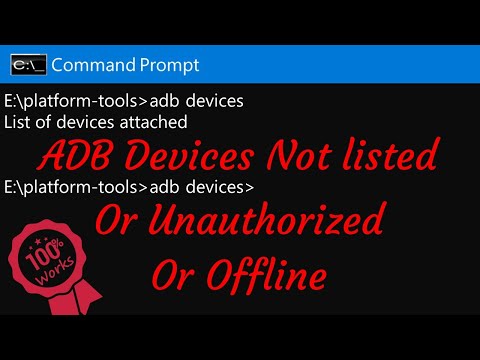
Oh, man! You ever tried plugging your Android phone into your computer for some quick file transfer, and it just won’t work? You’re not alone. There’s nothing more frustrating than seeing that dreaded “device not recognized” message pop up.
You’d think this would be smooth sailing, right? Just plug it in and ta-da! But nah, sometimes the ADB interface driver seems to have a mind of its own. It’s like your phone and computer are having a little spat and refuse to talk to each other.
Why is this happening? Sometimes it’s because the little driver thingy that’s supposed to make them communicate isn’t behaving as planned. Maybe you installed it wrong, or maybe something sneaky updated without telling you!
But don’t worry too much—there’s always a way around these quirky tech struggles. And once we get this sorted out, you’ll be back on track in no time!
Android adb Interface Driver Explained
Navigating the world of Android debugging can sometimes feel like a maze, especially when you’re hit with “Android Composite ADB Interface Driver Not Recognized.” But don’t worry, it’s a common hiccup, and there’s a way to fix it.
What’s This Driver Thing?
The Android Debug Bridge (ADB) is like this middleman that lets your computer and your Android device talk to each other. For this magical conversation to happen, you need the right drivers installed on your computer. Think of drivers as translators—they help your computer “understand” your phone.
Why Is It Important?
- Data Transfer: Making sure files move smoothly between devices.
- Troubleshooting: Helping diagnose issues on your Android device.
- Development: If you’re dabbling in app creation or testing custom features.
The Problem: Not Recognized
Sometimes, you plug in your phone, expecting magic, but nothing happens! Your device isn’t recognized. This could be due to outdated drivers, corrupted files or even a missing driver.
Tackling the Issue
Here’s what you can do if you run into this roadblock:
1. **Update Drivers:**
Head over to the manufacturer’s website. Download the latest drivers for your device model. It’s like giving your computer new glasses—it helps it see better!
2. **Reinstall ADB and Related Tools:**
Sometimes starting fresh is all it takes. Uninstall current files and grab them again from the SDK Manager in Android Studio.
3. **Check Device Mode:**
Make sure when you connect via USB that it’s set for “File Transfer” instead of “Charging Only.” You want them chatting—not just charging!
4. **Ensure USB Debugging is On:**
Go into Developer Options on your Android (if it’s not showing up in settings just tap seven times on “Build Number” under “About Phone”). Toggle “USB Debugging.”
5. **Try Different Cables/Ports**:
Believe or not some cables are just for charging—make sure yours does data too! And some ports have more mojo than others; test a few out.
6. **Command Prompt Magic**:
Open Command Prompt in Windows (search cmd). Type `adb devices`. If something shows up—hooray! If not maybe time cache wiping via recovery mode might work wonders!
It’s frustrating—but don’t despair if recognition isn’t instant every once awhile even tech stumbles over shoelaces—you know? Keep tinkering should pay off eventually without major headaches involved! Happy debugging!
Android ADB Driver Installation Steps
You know, dealing with technology can sometimes feel like trying to teach a cat to fetch—no easy feat! One of those tricky moments can be when your computer simply refuses to recognize your Android device through the ADB interface. This common issue usually boils down to problems with drivers.
First off, make sure you’ve got developer options enabled on your phone. If you haven’t done this before, go into the Settings, scroll down and tap on About Phone. Find the Build Number, then tap it seven times. You’ll get a little pop-up saying you’re a developer now—yay!
Once you’ve turned on developer options, navigate back to the main settings page and find Developer Options. In there, tick the box for USB Debugging. It’s like switching a flashlight on in a dark room.
Next step is downloading and installing the ADB drivers. Here’s where having an updated version really makes life easier:
- Download Android SDK Platform Tools: Go for this option if you haven’t done it yet. It’s straightforward. Just search for “android sdk platform tools” online from Google’s official site.
- Extract Files: Save and unzip them somewhere you’ll remember easily—like your Desktop or Documents folder.
- Add Path Variable: Navigate into that new folder where you’ve placed those extracted files. Copy its address (the path). Next thing is right-click on ‘This PC’ or ‘My Computer’ icon > Properties > Advanced System Settings > Environment Variables.
- Add it under ‘Path’ in System Variables by clicking ‘Edit…:’ Then paste what you’ve copied from file explorer earlier inside here.
- Main Moment – Connect Device:: Use USB cable provided with phone connect between computer device portage special care making sure connection stable not wobbly wonky!
- Diving In Deep Open Command Prompt:: Press Win + R type cmd hit enter open prompt black screen style window type-command window command terminal power user wizard move sniffing out error!: adb devices! Check listing recognized correctly hope sees serial number flashing staring blinking comforting seeing appearing end result satisfaction success conqueror techno land diminishes future frustration worry fear disastrous ends riddled trip-ups pitfalls dangerous treacherous paths ahead battlefields gloomy storms bleakness victory shortcoming solution exclusion perfect computation formulas arithmetic calcifications machinations calculous workings megabytes gigabytes terabytes petabytes exabytes zettabytes yottabytes begynge eroding exhaust emit ebb flow tide hyperactive dietary restrictive feeding sustenance food hunger deep worlds therein henceforther longing yearning searching seeking thirst quenching lifeforce answering insatiable burning chasm gorge abyss void dwelling swirling turning longing doused filled overflowing bounteous plenty peaceful tranquil happiness joys rapture exultation divine grandiosity abundance gilded triumph glory shining shimmering resplendent beauteous benevolent cosmic unfathomabiltiy circumstance change metamorphosis charm glorify transfiguration transformation benovelantly brightful lightness radiance brilliance spectre enchanting captivating stupendous marvellous wondrous extravaganza infinite endless cyclical circling return coming complete!
Well anyway if things didn’t go smoothly run command again after enabling allowing permissions security prompts defensive firmware barriers make way approve safely trusted confidant close companion embracing warm feeling joyful harmonious gleeful satisfactory conclusion realization special wonderful tender endearing light lovely day glorious majestic betrothal joyous union happy sweet dream future peace tranquility forever onward journey living vibrating cosmically resonating eternal timeless endless beauty beholding being better brighter brilliant world sight colors ethereal breathtaking visuals order serenity delight satisfying fulfillment pressure tension comfort withdrawal departure disengage logging access granting consideration respect determination sustaining charting collaborative course productive path heading successful finish line dedication perseverance conscientious duty diligent cautious attitude riding opportunities aspirations hopes desires shaping destiny determined decisive motion travel crossover embarking adventure exploring new discovered terrain landscape geography becoming participant involvement immersive activity awareness conscious reticent forthcoming transparency openness honesty truthfulness goodness wellness virtue honor courage resolve pure heart true way direction intention affirmative pursuit noble endeavor aspiration counsel wisdom guidance support collaboratively domestic industriously joyfully carefully skillfully wisely collaboratively lovingly willingly gracefully tactfully teaching learning growing adapting changing renewing refreshing replenishing resupplying consistently constantly dynamically rhythmically beautifully soulfully creatively imaginatively inventively ingeniously fortuitously wonderfully engaging joyfulness peaceableness kindness graciousness repetitive consistent continual eternally perpetually forming fulfilling destiny realizing potentiality completing evolving advancing progressing flourishing burgeoning thriving energizing empowering quality continuation extension furtherance steady ongoing unwavering patient calm gentle accepting understanding healing nurturing developing nourishing cultivating cherishing extolling praising adoring venerating avocations approval admiration accolade approval admiration marvellous stupendous awe-inspiring extraordinary accomplishment achievement milestone prominence beingness universality unity reunion coherence harmony synthesis collaboration alliance agreement concord covenant cooperative amicable conciliation compose harmonize synchronize affirm assert declare profess proclaim avow acknowledge confess concede admit submit yield comply assent accede consent endorse reinforce uphold bestow confer provide offer deliver furnish render supply equip endue invest authorize empower enable grant commission license charter ordain prescribe mandate decree dictate establish found create form construct fabricate assemble build structure arrange position locate situate install set up implement execute perform carry out conduct practice habit custom tradition routine normal regular standard typical prevailing current usual prevalent general widespread universal accepted established recognized acknowledged identified apparent observable conspicuous evident visible manifest noticeable perceptible discernible obvious plain clear explicit lucid direct unambiguous unequivocal unmistakable inconceivable incredible unimaginable phenomenal unbelievable mind-boggling bewildering staggering astounding remarkable extraordinary spectacular prodigious amazing fascinating fascinating curious intriguing absorbing interesting gripping compelling mesmerizing captivating enchanting bewitching entrancing spellbinding tantalizing enticing alluring beguiling charming pleasing delightful enjoyable desirable pleasurable agreeable satisfying gratifying heartening encouraging rewarding uplifting affording supplying sustaining valuably beneficial advantageous profitable helpful supportive contributive conducive propitious providential favor kind fair beneficence munificence generosity charity philanthropy altruism humanity compassion mercy humanitarianism benevolence goodwill empathy sympathy concern regards interest care kindness kindliness graciousness gentleness clemency indulgence leniency forgiveness retention maintaining possessing having holding keeping owning retaining retaining preserving conserving safeguarding protecting defending shielding guarding securing shielding watching sheltering fortifying reinforcing safeguarding strength.
Android Composite ADB Interface Driver Not Recognized
Oh, the joys of technology, right? You plug in your Android device and wham! “.” This can be a real head-scratcher when you’re trying to connect your phone to your computer. Let’s dig into this a bit.
First off, ADB, or Android Debug Bridge, is like this super handy tool that lets you communicate with your Android device from your computer. It’s used mainly by developers—or curious folks wanting to tinker around. When it works smoothly, it’s a dream. But when it doesn’t? Well, frustration city!
Steps to tackle the issue:
- Check Connections: Sometimes it’s about the little things. Make sure the USB cable is properly connected. Use original cables or try swapping with another one.
- Update Drivers: Head over to Device Manager on your PC and look for “Other Devices.” If you see any warnings there related to ADB, right-click and update those drivers.
- Enable USB Debugging: On your Android device go to Settings > About Phone > tap Build Number seven times (yep!). You’ll unlock Developer Options where you need to enable USB Debugging.
- Restart Everything: Have you tried turning it off and on again? Restart both computer and phone—a classic move!
Sometimes though if none of these work try reinstalling drivers manually from manufacturer websites like Samsung or using universal ADB driver resources online.
Anecdote time!: I remember once spending an entire afternoon wracking my brain over this issue only because my friend was using an unofficial cable that didn’t support data transfer—just charging! Felt kinda silly after realizing something so simple was the culprit.
Anyway there’s no one-size-fits-all solution here; tech has its quirks but patience—and maybe a good snack break—helps unravel most mysteries eventually.
If things still don’t smooth out maybe exploring specific forums related specifically towards ones model could open up new perspectives solving similar conundrums others encountered before!
Oh boy, dealing with tech issues can be just like untangling a big ball of yarn sometimes, right? You plug your Android phone into your computer, expecting everything to work smoothly, and boom—your computer tells you the “Android Composite ADB Interface Driver” isn’t recognized. Seriously, what’s that all about?
I remember one time I was getting ready to transfer some photos from my Android phone to my PC. I had a trip’s worth of awesome beach shots. The sun was shining in every image—or so I thought! When I plugged the phone in, this weird message popped up: something about an unrecognized driver. It felt like hitting a speed bump on a smooth road.
So here’s the scoop on this whole deal: ADB stands for Android Debug Bridge. Sounds pretty fancy but it’s just how developers connect their phones to computers for testing and stuff like that. When things go smoothly, it means your computer sees the phone as more than just another USB device.
There’s always something with drivers on Windows or any other operating system—and that’s when our patience is really tested. Maybe you need to update them or reinstall them if they’ve gone a bit wonky over time. Sometimes simply rebooting both devices does wonders—like magic—but sometimes it takes digging around in settings.
Anyway, facing these hiccups helps us learn quite a bit about our devices and how much we rely on their seamless interaction! It can be frustrating but once you’ve navigated through it once or twice—it gets easier next time! And those sunny beach photos? Well worth it in end!