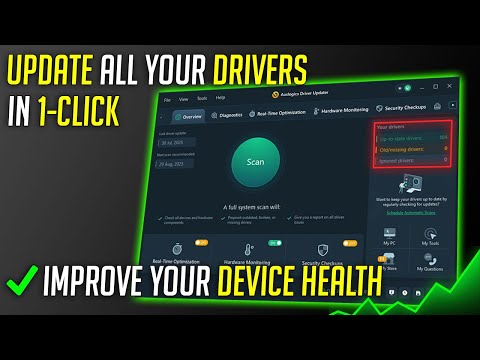
You know how your computer sometimes feels like it’s dragging its feet, like it’s stuck in slow motion? We’ve all been there. You’re trying to get stuff done, but the sluggish performance turns every task into a mini-marathon. It’s super frustrating.
Now, here’s something that might help. Ever heard of driver updaters? Sounds fancy, right? They’re like a little boost for your PC.
I remember chatting with my cousin last month. He was pulling his hair out because his laptop was slower than molasses in winter. We talked about all sorts of things he could try, and updating drivers popped up as an option. Let me tell you, it made a world of difference for him!
So yeah, if you’re tired of seeing that spinning wheel or waiting forever for things to load, maybe give driver updaters a shot! They might be just what your PC needs to get back on track and work more efficiently. Let’s explore why they can be so useful!
Effect of Driver Updates on PC Speed
Hey there! You’ve probably noticed that sometimes your computer doesn’t run as quick as you’d like. It’s like when you’re out jogging and hit a slight uphill slope. The machine just isn’t performing optimally.
One aspect that often gets overlooked is the humble driver update. Think of drivers as the translators sitting between your operating system and the hardware—like your graphics card, printer, or even a mouse. They’re super important for ensuring everything runs smoothly.
- Enhanced Compatibility: Sometimes, those folks who make your hardware release updates to improve how it communicates with other parts of the PC—especially after new software versions come out.
- Performance Boosts: From time to time, driver updates can optimize how hardware works with the software, giving you smoother and quicker performance. Let’s say you really enjoy gaming; an updated graphics driver could make games run much faster and look better.
- Security Improvements: Occasionally, developers patch vulnerabilities found in older versions of drivers so updating them can add an extra layer of protection against threats.
- New Features: Every now and then companies might include extra functions or settings within their driver updates that allow your device to do more neat things than before.
However, here’s where it gets interesting (and sometimes tricky): while most updates are beneficial some may introduce bugs or issues rather than solving them especially if they are rushed out. So it’s always smart to create a backup point just in case you need go back! I remember once having updated my sound card driver—thinking it would solve playback issues—but everything went silent till I rolled back!
So next time you’re thinking why isn’t this running better?, check those drivers! It might save more headaches than any expensive upgrade ever would! Plus knowing you’ve got everything tickety-boo under-the-hood will probably let you enjoy using your PC again without annoying slowdowns—you follow me?
Driver Update Benefits for Windows 11 Performance
Hey! Imagine your computer as a car. To keep it running smoothly, you need to change the oil and replace parts when they wear out. Your computer has its own set of “parts” called drivers—tiny software pieces that help various hardware components talk to your operating system. When you’re on Windows 11, updating these drivers can boost your machine’s performance, like giving a car a fresh tune-up.
What are drivers?
Simply put, drivers are like translators between the operating system and the hardware components of your computer—think of them as bridges. Without them, devices like your printers or graphics cards wouldn’t know how to behave with Windows 11.
Now, you might be wondering: What’s the big deal about updating them? Here’s why:
- Improved Performance: Sometimes newer drivers can increase your device’s speed or efficiency. It’s like upgrading an old bicycle with new gears that’ll make pedaling easier.
- Enhanced Security: Outdated drivers might have security flaws that bad actors can exploit. Keeping them updated is like locking the doors of your house at night.
- Smooth Compatibility:: With every new update Windows rolls out, there could be changes in how things work internally. Updated drivers ensure smooth sailing by making sure all components play nice together.
- Trouble-free Usage:: If you’ve ever faced annoying glitches or crashes (who hasn’t?), sometimes it’s due to old driver software causing conflicts.
Updating isn’t hard either! You might find yourself thinking this sounds technical—and trust me I get it—but really all you need usually is an internet connection; most updates happen automatically depending on settings! Just navigate into ‘Device Manager’ from search bar & follow prompts—it’ll point stuff needing attention right atcha face.
Finally remember: installing correct updates matters muchly because wrong ones may make worse problems than fixed so proceed cautiously okay? Do yourself favor double-check direct manufacturer websites too whenever unsure about sources reliability.
And yeah keep rolling happy computing experience buzzes along smoothly buddy cheers(!) without those dreaded spinning circles interrupting moments joyful entertainment stream backgrounds punctuated tick-tock seconds ticking away infinitely (ah life!).
Benefits of Using a Driver Updater
You know how sometimes your computer slows down out of the blue, and you can’t quite figure out what’s going on? One culprit could be outdated drivers. These drivers are like translators that help your hardware pieces communicate smoothly with the software. If they’re not kept in check, things might get haywire.
So, what’s the deal with a driver updater? Well, it’s kind of like having a personal assistant for your PC, working behind the scenes. Here are some ways it can boost your computer’s performance:
- Smoothing Hardware Communication: Picture this; you’ve got a brand new game or maybe some photo editing software. For all these cool features to work seamlessly, they need to talk to your graphics card or printer without any hiccups. A driver updater ensures this convo stays crystal clear.
- Pumping Up Performance: Ever felt like your graphics were a bit laggy or sound was off-key while watching movies? That’s where up-to-date drivers save the day! They enhance and sometimes unlock powerful capabilities from existing hardware.
- Nipping Bugs in the Bud: Developers often release new versions of drivers to fix bugs (tiny pesky issues) that were overlooked initially. Driver updaters will catch and install these updates without you needing a magnifying glass!
- Breezy Installations: Want to plug in a new webcam without racking your brain over why it isn’t working? Updated drivers get you set up without a fuss. They make sure that any new device is compatible out of the box!
- Your Computer’s Wellness Check-Up: Think about it like keeping tabs on all those little bits collectively ensuring everything runs smoothly together.
Oh, I recall once overlooking updated drivers and wondering why my scanner acted all glitchy each time I needed something urgent scanned! Having an updated system is akin to good insurance: hardly dramatic but utterly essential.
In summary, using a driver updater is mostly about peace of mind—ensuring everything runs as intended—letting you focus on what really matters instead: enjoying using tech rather than battling quirks at every turn!
Imagine you’ve been using your trusty old laptop for years now, you know? It’s been with you through thick and thin—late-night study sessions, endless Zoom meetings, and maybe a few too many Netflix marathons. But lately, it’s started acting a bit sluggish. Programs take forever to open, and you’re pretty sure it took a nap before launching your browser the other day. Frustrating, right?
You might not immediately think about it, but drivers play a huge role in keeping everything running smoothly on our computers. In case you’re unfamiliar with them, drivers are like the translators between the software you use and the hardware your computer runs on. They ensure each part of your machine communicates properly.
It’s kind of like having an interpreter at an international conference so everyone understands each other perfectly—without them, you’d just be staring at different languages hoping for the best!
Now here’s where driver updaters come into play! These nifty tools help keep all those interpreters (or drivers) up-to-date without needing any intervention from the user side; they search for new updates needed by various components in one’s system ensuring everything’s shipshape.
I remember once trying to play this online game only to find myself unable because my graphics card was outdated (good times). Luckily though someone mentioned using driver updater software which saved me lots hassle allowing seamless gameplay afterward!
So if similar issues plague performance might give these tools shot: they can really make life easier while breathing fresh energy back into tired systems letting us continue working or gaming minus unnecessary interruptions.