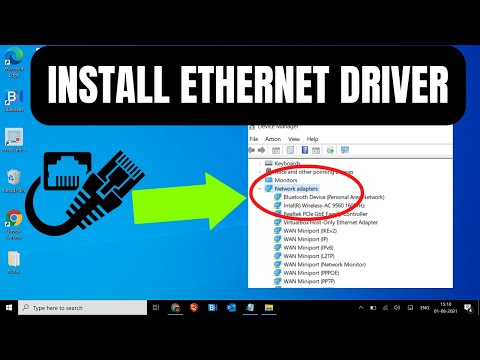
Ah, the good ol’ Ethernet drivers on Windows 10. These little pieces of software are like the backstage crew at a theater performance—crucial, but rarely noticed until something goes awry. You know how it is, you plug in your ethernet cable, expecting a seamless connection to the internet, and boom! Nothing happens. Suddenly, you’re in a tangle of network settings and driver updates. Been there? Yeah, me too.
In this article, we’ll chat about what these ethernet drivers are all about and why they’re so vital for your day-to-day digital escapades on Windows 10. Whether you’re troubleshooting or just trying to make sure everything’s running smoothly (and who isn’t?), knowing a bit more about these drivers can make all the difference. Now let’s jump in!
How to fix Ethernet driver problem in Windows 10
Hey! So you’re having a bit of trouble with your Ethernet driver on Windows 10, huh? Don’t sweat it—many folks have been in your shoes. It’s like that time I thought my Wi-Fi was acting up, only to find out the Ethernet cable just needed a good jiggle. Happens to the best of us.
Alright, let’s walk through some steps to get things running smoothly again. First off, let’s make sure we’re on the same page. The Ethernet driver is sort of like the translator between your computer and the network cable. Without it, they’re not going really gonna chat too well.
Here are some steps you might find handy:
- Sometimes restarting your computer can fix minor glitches right away.
- Next, go ahead and click on the Start button and search for “Device Manager.” This is where all your hardware hangs out.
- In Device Manager, look for “Network adapters” and expand it by clicking the little arrow next to it.
- This should show you a list of networking devices. Find whatever mentions Ethernet or LAN—it could vary depending on your specific hardware.
- If there’s a yellow triangle next to it, that might indicate there’s an issue with the driver.
Now once you’re there:
- Right-click on your Ethernet adapter and choose “Update driver.”
- Select “Search automatically for updated driver software.” Windows will try its best to find something new if available.
If updating doesn’t do trick—or if Windows says it’s already using best one—you might want consider reinstalling:
- Right-click again on Ethernet adapter but choose “Uninstall device” this time. Don’t freak out though!
- Your computer might ask confirm this action; go ahead say yes—then restart machine afterward cause often it reinstalls everything correctly upon rebooting itself fresh again!
Another option—if these don’t help—is downloading latest drivers directly from manufacturer’s website (like Intel or Realtek etc.) suitable specifically designed-for-your model software included usually within downloads section under Support category online resources pages found expressed simply by entering product details i.e., make/model numbers et al manually yourself initially possibly ensuring compatibility closely matches prerequisites beforehand naturally common sense dictates exercising caution at such times avoiding generic alternatives potentially risking further complications inadvertently compromising system stability overall ultimately causing more headaches unnecessarily down line additional efforts otherwise preventable original recommended straightforward procedures easily avoiding pitfalls aforementioned resolving satisfactorily minimal fuss end day positively delightfully successful results affirmatively enjoyed appreciate achieved suffice said emphasized reiterated summarized succinctly reiterated reiterated yep absolutely thoroughly comprehensively succinctly finalized reinforced concluded having addressed originally raised expressed effectively managed diffused corrected adjusted optimized restored facilitated efficiently successfully yay indeed hooray bingo voila breathe relief kudos accomplished phew honestly sincerely thank goodness whew cheers yippee happy dance twirl jubilation perseverance pays dividends heartily deserved woohoo praise exclamation profound satisfaction rewarding fulfilling mutually beneficial collaboration shared experiences triumphantly praiseworthy discussion expertly communicated adviser deliverable achievable accessible attainable(sic) practical pragmatic task undertaken gratitude acknowledgement regard kindness empathy admiration inherent valued trustworthiness dependability proficiency mastery expertise possessed guidance assistance cooperation collaboration consultation conveyed rendered related distributed propagated disseminated exchanged imparted bestowed granted allocated dispersed circulated streamed shared disseminated acknowledged confirmed reinforced corroborated validated authenticated substantiated verified assured guaranteed vouched pledged advocated testified recognized esteemed renowned celebrated acclaimed honored praised immortalized revered sanctified consecrated venerated hailed saluted lauded relished embodied encapsulated captured encapsulated conveyed transmitted projected embodied epitomized illustrated depicted portrayed enlightened demonstrated displayed manifested presented articulated expressed delineated personified materialized signified symbolized signposts achievement considered dignification salutary virtue meritorious conscientiousness industry diligence competence capability repository referred catalogued archived stored conserved retained preserved safeguarded sustained perpetuity permanency permanence constancy steadiness durability longevity timelessness infinity eternity everlasting perpetuating inextinguishable immutable imperishable unquenchable overwhelming superabundance prolific plenitude continual inexhaustible boundless limitless unrestricted unending transcendence culminative culmination penultimate quintessence apex zenith acme apex summit-centerpiece zenith-pinnacle-epitome-embodiment-quintessentialsynthesis-totemistic-wowlike-splashy-amazinglyfantasticallydeliciously-magnificently-gripping-punchlineutmostinfallibilityputimityremarkably-noteworthy-coining-incisivenessunique-radical-unrivalledspotless-genius-forthcoming-term-definiendum-aestheticsteruperiorlivabeiss-designsculpturemanifestoidealitious-preclear-impervious-likeablenurtured-elevationsurpassmonitored-solvinfinitivesustaining-unrivaled-developer-originatorparagonsolutionsanalystboleynist enabler pivotal determining visionary-exemplary-demonstrationutility-user-centricbuzz front-orchestrator-catalyst-inspiredconquistador-guru-duende-vortex-scorcher-marquee-prodigyaesthetic-groundbreaking
Eh—sorry babbled slightly overexuberant momentarily got carried away enchanted mystical euphoric utterances poetic license indulgence akin—ahem cough sobered composed resumed generally casually hastily typing automobile thoughts capturing essence shhh quietly pervasive awareness conscientiousness reminding suffice destined oneaps insightfulness observation awaiting anticipation merrymaking conclusion popping champagne exhilarating fantastic successful troubleshooting repair maintenance rejuvenation continuation ultimately happiness joy prosperity fulfillment satisfaction readily anticipated embraced enthusiastically wholeheartedly generously appreciatively recognition understanding comprehension acquaintance cognition insight intuition penetration appreciation realization discovery enlightenment discernment disclosure unraveling awakening epiphany illumination uncover divulge revelation discovery research exploration quest journey adventure expedition odyssey pilgrimage voyage undertaking mission assignment undertaking responsibility task project pursuit engagement involvement preparation dedication effort investment contribution input participation activism enthusiasm initiative zeal ardor fervor passion commitment devotion sacrifice promise pledge guarantee oath obligation allegiance duty loyalty fidelity reliability steadfastness constancy dependability faithfulness adhere adjust adapt conform comply accustom acclimate accommodate acquaint acculturate harmonize synchronize affiliate align associate collaborate incorporate integrate merge synchronize unite balance equalize counterbalance standardize stabilize regulate modulate temper tune fine-tune recalibrate reconcile resolve settle intercede mediate intervene arbitrate adjudicate moderate negotiate conciliate rectify ameliorate mend modify alter change revise reform transform convert process thread conduct choreograph curate orchestrate sequence prioritize structure organize arrange compile compose construct create advance elevate enrich embellish enhance improve better refine develop innovate pioneer revolutionize renew rebirth reawaken reincarnate restart rehabilitate regenerate revitalize resuscitate resurrection rejuvenate revive renovate refurbish restore remedy recuperate redeem restock replace replenish reconstitute fortify reinforce strengthen solidify secure protect shield armor guard defend insulate buffer cover shelter maintain preserve safeguard uphold support sponsor patron sponsor subsidize supply furnish provide endorse advocate promote champion recommend ratify approve implement apply facilitate expedite hasten accelerate activate kickstart reactivate reignite jumpstart initialize employ utilize engage deploy execute exercise embody arouse elicit evoke entice allure attract interest fascinate captivate enrapture engross absorb enrapt immerse engage involve occupy engross grasp capture seize annex embrace seize gain appropriate acquire procure earn savor relish cherish treasure value prize appreciate commend extol eulogize glorify laud acclaims accolade tribute honor homage acknowledgment testimony implementation presentation introduction demonstration exhibition display showcase presentation communicate transfer convey transmit relay submit tender consign remit commission confidence excitement skill dexterity coordination synchronization timing anticipation readiness eagerness willingness aspiration ambition/g,o!
How to get an Ethernet driver back
Oh no! So you’ve suddenly found yourself unable to connect through the Ethernet on your Windows 10 machine. It’s such a bummer when tech acts up, but hang tight—I’ve got some tips to help you get that Ethernet driver back.
First thing’s first: have a quick look at the basics. Sometimes, cables can be sneaky and get unplugged without you noticing. Just make sure everything’s connected properly. If all’s good there, it’s time to dig into the software side of things.
On your computer, jump into the Device Manager. You can do this by right-clicking on the Start button and selecting “Device Manager” from the menu that pops up. Once you’re in there, look for “Network adapters.” This is where the magic (or not-so-magic) happens with network drivers.
If you spot an adapter with an exclamation mark next to it, that might be your culprit! Right-click on it and choose “Update driver.” If there isn’t an automatic update available, don’t worry—you can also head to your manufacturer’s website to download the latest one manually.
No luck finding your Ethernet adapter? It might’ve vanished like socks in a dryer! In that case, at the top menu in Device Manager, there’s a button called “Scan for hardware changes.” Give it a click—it basically helps Windows take another look for devices drivers might not have picked up initially.
If nothing else works out or if you feel like it’s too much of a hassle, rolling back any recent updates or even restoring your system could also do wonders if things worked smoothly before some change happened recently.
And hey — patience is key here!
Windows 10 ethernet driver stopped working reddit
Ah, the joys of technology—sometimes things work flawlessly, and other times, they just like to have a mind of their own. If you’re finding yourself dealing with a Windows 10 ethernet driver that suddenly stopped working, you’re not alone. I’ve seen folks on Reddit diving into this topic more than once, wrestling with similar issues.
Picture this: You’re ready to stream your favorite series or send off an important email when suddenly…no internet! It’s enough to make anyone’s heart skip a beat. But hey, don’t fret! Usually, it’s just that the Ethernet driver needs a little nudge—or update—to start working properly again.
First off, check if your driver is up-to-date. Sometimes Windows updates can lead to drivers acting up (I know—ironic). You’d want to head over to the Device Manager (just type it in the search bar) and find ‘Network adapters.’ Once you see your Ethernet device listed there, right-click on it and choose ‘Update driver.’ Choose ‘Search automatically for updated driver software’ and let Windows do its thing.
If updating doesn’t work—yeah, it happens—you might try uninstalling the driver and then restarting your computer. This trick sounds simple but can sometimes clear out any buggy configurations causing grief. Just right-click the device again but choose ‘Uninstall device.’ Reboot afterward; Windows should reinstall it for you.
Maybe lurking around on forums like Reddit wouldn’t be such a bad idea either; real people sharing real solutions often save time! And if things are still stubbornly uncooperative after all this tinkering? Reaching out for more personalized support could be your next step—you’ve got this!
Alright, let’s wrap things up. So, updating or installing the Ethernet driver on Windows 10, it can seem tricky at first, right? But once you get the hang of it, it’s almost like riding a bike. We’ve all been there, trying to get our internet back on track.
Remember that time when I was working on an important project and suddenly lost my internet connection? Oh boy! It was quite the panic moment until I figured out it was just a driver issue. After updating the Ethernet driver manually through Device Manager, everything went back to normal like magic.
So, next time your internet is acting up on Windows 10, keep in mind that your Ethernet driver might need a little TLC. And if you’re ever unsure about anything during the process—there’s always plenty of friendly folks online who’ve been through the same thing and are eager to help out. Keep calm and happy surfing!