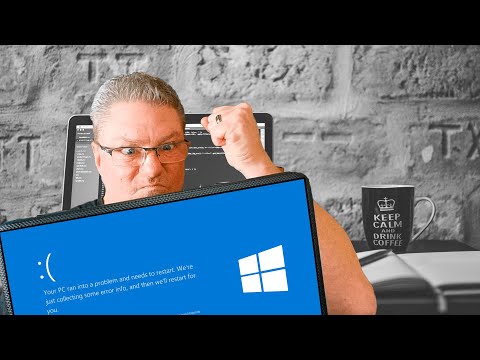
Oh boy, you ever had your laptop screen turn completely blue? It’s like one moment you’re typing away and then bam! Your work just disappears behind that dreaded blue screen. Ugh, talk about frustrating!
I remember the first time it happened to me. I was working on a paper, deadline looming closer than I’d like, and there it was—the infamous “blue screen of death.” My heart sank like a rock in a pond.
But don’t worry too much. This blue menace isn’t as mysterious as it seems. There are reasons why it appears—and yes—ways to fix it. Let’s dive into those causes and shake off this problem together! Sound good?
Diagnosing Random Laptop Blue Screen Errors
Having your laptop flash a blue screen out of the blue (no pun intended!) can be really unsettling, right? It’s like your laptop is suddenly throwing a tantrum! But don’t worry. Let’s dig into what these elusive Blue Screen of Death (BSOD) errors are all about and how you can handle them without losing your cool.
The first thing to keep in mind is that BSOD errors typically result from hardware issues or driver conundrums. Sometimes, it’s just Windows itself having a bad day. Imagine your laptop as a busy office; if someone spills coffee on the only copy machine, everything comes to a halt until it’s all sorted out. Well, that’s kind of how it works here!
Here are some steps you can follow to diagnose and maybe even fix this quirky issue:
- Check Your Drivers: They act like translators between Windows and the hardware. If they’re outdated or corrupt, goofy things start to happen. Head over to Device Manager by typing “Device Manager” into the search bar. Look for any caution signs on the device list.
- Run Hardware Diagnostics: Some laptops have built-in tools for this. Find yours by turning off the laptop and then right back on while pressing keys like F2 or F12 as it boots up.
- Scan for Malware: Nasty software might mess with your system files, leading to blue screens. A lot of people suggest using reputable antivirus software for this step.
- Check System Temps: Overheating could cause abrupt shutdowns too! Can you hear those fans buzzing away? If you’re feeling adventurous, invest in an external cooling pad.
- Update Windows: Regular updates patch holes that bugs love slipping through unnoticed—it’s worth giving those updates a go if they’re pending…
One time I had this friend who faced endless BSOD episodes—uh-oh! Turned out he had too many temporary files causing havoc in his system’s headspace… A good cleanup sure did wonders for him!
If all else fails—you might want seek professional help from someone tech-savvy nearby—but hey feel free rest assured knowing there’re folks around familiar enough know wayward machines indeed…
Causes of Blue Screen Errors on Windows 11
Ah, the dreaded “blue screen of death” (BSOD) on your Windows 11 laptop! It can feel like you’re driving along smoothly and suddenly hit a pothole that brings everything to a halt, right? So what’s going on when you see this blue screen?
Well, you know, it’s basically your computer’s way of telling you something seriously went wrong. Here’s what might be causing these pesky errors:
- Driver issues: Sometimes, the drivers—those little programs that help the hardware communicate with the operating system—go haywire. They might be outdated or just not playing nice with your system.
- Hardware problems: Imagine trying to run with a sprained ankle. That’s kind of what happens when there’s faulty hardware. It could be your RAM memory or even your hard disk acting up.
- Overheating: Your laptop needs some cool air too! If it gets too hot inside there from overuse or blocked vents, it can cause all sorts of trouble leading to that blue screen.
- Miscalculated software updates: Ever installed something new and felt like everything’s changed? Updates are great but sometimes they don’t fit well with existing software creating chaos.
And there’s more under those basic causes! For example, malicious software could have sneaked into the system creating havoc or there may have been sudden power outages leading to data corruption… yeah computers can be fussy!
So whenever this blue menace pops up again remember each time is a clue for fixing things moving forward; just note down any error messages that show up before seeking help—it’ll really speed up diagnostics later.
Turns out technology hiccups aren’t so different from our own bad days—they boil down to finding balance and understanding where things went awry!
Windows 10 Blue Screen Error Causes
Experiencing a blue screen on your Windows 10 laptop can feel like an emergency, right? We’ve all been there—one moment you’re browsing, and the next, your screen turns that unforgettable shade of blue! It’s usually followed by some cryptic text and you’re left wondering what just happened. Relax, let’s chat about what could be causing this.
Hardware issues
- Faulty RAM: This is a common cause. Imagine your RAM as your computer’s short-term memory. If it starts acting up, things can go haywire pretty quickly.
- Overheating: Your laptop’s like us—it doesn’t function well when it’s too hot! Dust build-up or blocked vents make things toasty inside.
Driver Problems
- Outdated Drivers: The drivers are like translators between the system and hardware. If they’re outdated, they might not communicate well.
- Bugs in New Updates: Sometimes updates don’t quite mesh with existing software or hardware; glitches occur as a result.
Software Conflicts
- Certain Apps: Some programs just don’t get along with others. They can cause conflicts leading to errors if they’re competing for resources.
- Error in Updates: Ever updated something just for it to break? It happens sometimes that updates bring more issues than solutions!
One time I was helping my friend who had his laptop crash while working on an important project—it was stressful! Turns out it was due to an old driver clashing with his new game graphics update.
If you’re encountering this issue often:
- You might want to check if there’s any recent hardware addition or changes before these crashes started happening.
- You could run Windows Memory Diagnostic tool just in case it’s the RAM acting up—it’ll tell you if there’s anything fishy going on in there.
- If overheating seems suspect—clean those vents, maybe treat it with respect and use a cooling pad especially if using high-demand applications frequently!
Having steps on hand like these helps keep calm amid digital chaos.
Ah, the notorious blue screen error, right? It’s like the ultimate party crasher for your laptop. You’re in the zone, typing away, and bam! A blue screen pops up out of nowhere. Suddenly, all your progress is a distant memory. I remember once I was working on this important document for hours and… poof! Just like that, everything froze.
So what’s behind this sneaky error? Well, technically speaking—bear with me here—it’s often a software or hardware issue causing Windows to shut down unexpectedly. It might be a pesky driver conflict or some kind of corrupted file that sneaked into your system without an invitation.
Sometimes it’s all about those updates we keep snoozing until next week. Or maybe it’s an unruly piece of software trying to hog attention—or misbehaving hardware components not performing their duty right.
Now fixing it can feel like you’re navigating through a maze blindfolded. First things first: you want to restart in safe mode which might sound intimidating but is really just pressing F8 repeatedly as it reboots (till it listens to you!). From there try rolling back drivers or uninstalling whatever suspicious software appeared around the time things went south.
And hey sometimes just giving your laptop’s insides some dust-busting love does wonders too! Who knew compressed air could be so useful outside of art class projects? Of course if nothing’s working at home base don’t hesitate bringing in professional reinforcements; nobody wants permanent tech ghosts haunting their beloved laptops afterall!
So take heart whether it’s something simple or more complex —remembering that feeling when everything returned back even occasionally overcoming initial frustration really makes technology worth embracing again—even if these hiccups occasionally make us wanna pull our hair out every once awhile huh?!