Okay, so you know how sometimes your internet feels slower than watching paint dry? Frustrating, right? It’s not just you. We all face those moments where pages load like they’re on a Sunday stroll.
Now here’s the thing: ever heard of pinging? No, not the noise submarines make in movies. I’m talking about this nifty tool that can help figure out what’s going on with your network. You with me?
There’s a little twist called UDP—might sound like a secret code from a spy movie, but it’s actually kind of important for network testing. Basically helps us understand if data is playing nice or throwing tantrums across the internet playground.
Stick around! Let’s see why ping and UDP can be such lifesavers when it comes to staying connected without losing your mind.
How UDP Ping Works
Sure, let’s chat a bit about how UDP Ping works. You know it’s like chatting with a friend and hoping they hear you without waiting for a reply.
What is UDP?
UDP stands for User Datagram Protocol. It’s like sending postcards—no guarantee they’ll arrive, but they’re quick. Packages go from one place to another without checking in with each other. Smart, right?
Pinging with UDP
When you ping using UDP, you’re just testing if your message will reach the other side. The idea’s to see if there’s anyone home on the other end. Curious? Here’s how it plays out:
- You send a data packet.
- No confirmation needed from who you’re sending it to.
- If the packet gets lost, no biggie! It won’t try more than once.
Why Use UDP Ping?
You might wonder why use it at all then? Well, it’s simple and oh-so-fast! Here are a few reasons:
- Speed: No waiting around for acknowledgments.
- Simplicity: Makes things less complicated by not double-checking everything.
- Saves Resources: Doesn’t involve extra processes or memory checks.
The Limitations
Now, not everything’s perfect:
- No error-checking means it’s easy to miss issues in data transmission.
- If something fails or drops, you’ll need another way to spot the problem!
You see? Using UDP ping can let you know if something’s active quickly without needing all the extra steps that make things slow down. Keep it handy as part of your network toolkit!
Interpreting Ping Test Results
Imagine you’re sitting at your desk, trying to make sure everything is running smoothly on your network. One tool that can be really helpful is the ping test. You may ask yourself… what does it actually show? And how does it tie into this mysterious “Ping UDP” thing? Let’s break it down a bit, yeah?
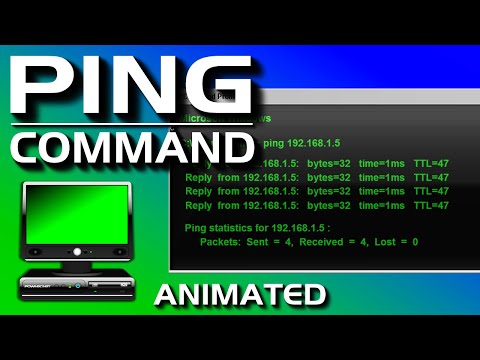
First off, what exactly is a ping test? Basically, it’s like sending a friendly wave to another computer over the network and seeing if it waves back. You’re checking if you can reach another device and how long that round trip takes.
When you see results from a ping test, there are a few key things to look out for:
- Latency: This is the time needed for your “hello” message to reach the other side and come back. Measured in milliseconds (ms), lower numbers usually mean faster connectivity.
- Packet Loss: If packets are lost along the way — imagine some of your hellos just disappeared into thin air — you’ll see this reflected as packet loss. Ideally, this number should be zero!
- Consistency: If the time taken for each ping varies quite wildly, then something’s not quite right! You might have inconsistent network quality.
Now, let’s touch on “Ping UDP”. Normally when you perform a ping test, you’re using ICMP (Internet Control Message Protocol). But with Ping UDP (User Datagram Protocol), things get slightly different. Here’s why:
– Unlike ICMP which handles errors directly, UDP doesn’t care if messages make it or not; it’s more about speed than reliability.
– Think of UDP as tossing balls through holes without stopping: they either go through or they don’t!
In certain situations – like online gaming or voice calls – UDP’s quicker nature becomes very helpful! However, interpreting results isn’t straightforward since there’s no built-in mechanism in basic pings which checks whether those packets reached their destination with success.
One day my neighbor was setting up her online shop from home; She faced issues due “sporadic responses”. A little reading told us that her broadband provider drops small amounts of data intermittently—causing fluctuations visible during our pings using both methods mentioned earlier helped diagnose issues accurately.
To wrap things up: understanding these aspects helps pinpoint possible weaknesses within connections better yet facilitates maintaining good network health because when tech gremlins appear knowing where focus efforts ultimately saves precious time!
Ping Compatibility with UDP
When you dive into network testing, you’ll often come across the term “ping.” It’s a tool used to check if a particular IP address is reachable, and it gives insight into the time taken for data packets to travel. But here’s where things get tricky: ping traditionally uses ICMP (Internet Control Message Protocol), not UDP (User Datagram Protocol).
Let’s explore what that means! To put it simply, when you “ping” an address, you’re not using UDP at all. ICMP is a protocol used for error reporting and operational queries in networking. It’s like sending a lil’ knock on your neighbor’s door to see if they’re home.
Now, why is UDP brought up in this context? Good question!
- ICMP vs UDP: While ICMP handles diagnostic messages or pings, UDP is another protocol used mainly for streaming services like video calls or gaming. It’s fast due to its lack of error-checking methods.
- No Direct Ping with UDP: Since ping relies on ICMP by design, there’s no direct ping via UDP in traditional network environments.
- Uses of UDP: You might still conduct tests related to UDP traffic using specialized tools that simulate packet delivery without confirmation checks typically found in other transport layers like TCP.
Here’s an example: Imagine playing an online game. You’d want quick responses rather than waiting for each packet check since speed matters more than ensuring every bit arrives perfectly—which aligns with how UDP‘s lightweight approach works.
If you’re looking at network issues specifically for VoIP applications or real-time gaming over networks using both latency insights from pings and throughput analysis under realistic conditions—look beyond basic pings!
Using advanced tools designed explicitly around those traffic types offers added context behind performance hiccups encountered during gameplay sessions due largely upon varying factors impacting end-user experiences differently compared merely knowing general connectivity statuses via typical means available through regular ‘ping’ usages based around default configurations focused solely towards periodic monitoring aspects themselves.
Alright, let’s dive into ping UDP. You know when you’re trying to figure out why your internet’s being slow? Well, one of the tools tech folks use for this is something called a “ping.” It’s kind of like sending a signal from your computer and waiting for it to come back. If it’s fast, great! If not, there’s probably something up.
Now, usually when people talk about pinging in network tests, they’re using ICMP (Internet Control Message Protocol) packets. But sometimes, UDP (User Datagram Protocol) gets in on the action. UDP’s a different ball game because it’s like delivering mail without getting any confirmation—no one’s going to sign and say they got it.
UDP’s handy ’cause it’s lightweight and doesn’t clog things up with loads of error-checking stuff like other protocols do. Imagine you’re at a party handing out invitations randomly—hoping everyone shows up but you won’t really know until they actually arrive! That’s sort of how UDP works.
Using ping with UDP can help test networks in unique ways since it highlights issues differently than standard pings. Got a big family or friends who stream movies or play games online? They’ve probably felt the effects of high pings and bad connections firsthand—especially if shoes start flying across the living room when Netflix buffers!
This method shines particularly in scenarios where quick data transmission outweighs reliability—which is why real-time applications often dabble with UDP too. Just think about those video calls that sound like they’re from outer space sometimes.
Anyway there you have it: another tool in the vast networking toolbox aimed at keeping everything running smoothly—or at least figuring out what’s wrong when it doesn’t!