You know those times when your internet just feels… off? Like, you’re in the middle of watching that epic season finale, and bam! Buffering. Ugh, right? It’s like your connection’s out to get you. Well, we’re gonna chat about something that might be the sneaky culprit behind those moments—UTP network cables.
Now, don’t let “UTP” freak you out; it’s just another name for a type of cabling most folks use to get online. These little cords can sometimes have issues that mess with your connection speed and reliability. Crazy how the tiniest detail can make a big difference, isn’t it?
Have you ever wondered why sometimes everything’s smooth as silk and other times it’s like dial-up all over again? Yep, UTP cables could be part of the story.
Stick around because we’re diving into how these bad boys work and what happens when they don’t play nice. Could be enlightening—it’s all about understanding those innocent-looking cables running behind your desk!
UTP Cable Signal Interference Issues
Ah, the humble UTP cable. It’s something we often forget about, you know? We plug our devices in and expect everything to work like magic. But when things go wrong, oy vey! It can really throw a wrench into our day.
When talking about UTP cable signal interference issues, we’re getting into some interesting territory here. UTP, or Unshielded Twisted Pair cables, are super common in networking because they’re cheap and do the job more often than not. But, they do have their quirks—like being a bit sensitive to interference.
Why does this happen? Let’s look at it, plain and simple:
- Electromagnetic Interference (EMI): This is like having someone shout over your conversation with a friend. Devices like microwaves or even fluorescent lights can cause signals to get all jumbled up.
- Radio Frequency Interference (RFI): Think of this as trying to talk to a buddy at a crowded rock concert—other signals from radios or mobile phones can sneak in and mix things up.
- Crosstalk: Oh boy, this is when signals from one pair of wires bounce over into another—it’s almost like they’re eavesdropping on each other!
Now you might be wondering: How on earth does twisting wires help? Well, believe it or not twisting creates lots of little magic barriers against interference. Quite genius if you ask me!
The thing is though:
- If cables are damaged or old: The twists might not be tight enough anymore which can let noise creep in.
For example imagine you move some furniture around cause you’re trying feng shui for funsies—and unknowingly pinch your cables—you could end up creating intermittent connection issues without realizing it right away!
What should you do about these potential headaches?
- Avoid laying cables near power lines: As tempting as it seems for neatness sake try keeping them separate because strong power currents dancin’ by could cause havoc.
- Tidy up those bent corners: If it’s possible try introducing gentle curves instead rather than sharp bends because severe angles might stress inner wires breaking their lovely twistiness pattern!
If interference keeps pestering despite doing these steps maybe upgrading shielded variants solves problem—but that’s reaching deeper pockets sometimes so weigh costs versus benefits carefully first!
Comparing Cat5 and Cat7 Cables
So, you’re curious about the differences between Cat5 and Cat7 cables? Let’s dig into it and make sense of what these cables are all about. If you’ve ever messed around with network setups or just wondered what those Ethernet cables are up to, this is for you.
Cat5 Cables
Cat5 cables have been around for quite some time. Your school or old office probably used them. They can handle speeds up to 100 Mbps, which was once blazing fast but nowadays, meh. A friend of mine still uses one in his garage to be honest, and it works fine for basic needs.
- Speed: Up to 100 Mbps
- Frequency: Can manage up to 100 MHz
- Usage: Great for simple internet browsing or light file transfers.
But if you’re streaming movies or gaming online a lot, you’ll notice it’s slower than modern standards. It’s like using an old flip phone when everyone else has smartphones.
Cat7 Cables
Here comes Cat7! The cool new kid on the block—although not that new anymore—it supports crazy high speeds and shielded pairs that reduce interference.
- Speed: Surpasses others with capabilities up to 10 Gbps.
- Frequency: Reaches an impressive 600 MHz.
- Simplicity vs Shielding:: Each pair of wires is shielded, reducing interference.
They’re perfect if you’re running a smart home system or transferring large files frequently. Imagine playing the latest online game with no lag—sweet relief!
Main Differences
The big variations between these two boil down mainly to speed and shielding:
- If you’re doing something basic—like checking emails—a Cat5 might still suit your needs just fine for now.
- If quick data transfers matter more (maybe in an office setting), well then—you’d definitely benefit from going all out with Cat7.
It reminds me of upgrading from a bike ride across town versus speeding along in a sports car—they both get you there though differently paced!
Ethernet Cable Performance Testing Procedure
Testing the performance of Ethernet cables can sometimes feel like unraveling a mystery, right? It’s like when you rearrange your living room and suddenly the Wi-Fi is better. Who would’ve thought?! The thing is, knowing how well your Ethernet cable performs helps in keeping everything running smoothly. Let’s look into how you can test it efficiently.
Why Test Ethernet Cables?
First off, let’s understand the *why*. Over time, cables might get damaged or simply just don’t perform as expected. It’s like using an old phone charger that works only if you position it just right. Testing your cables ensures they’re working properly and consistently.
Tools You Might Need
Having a few tools at hand can make this testing process easy-peasy:
- Cable Tester: This little gadget checks for continuity issues and pin configurations.
- Multimeter: Super handy to measure resistance or check for short circuits.
- Network Analyzer Software: For inspecting real-time data transfer rates and latency issues.
The Testing Procedure
Think of this procedure as checking if all traffic lights in a city are functioning—everything needs to be in sync for things to flow smoothly!
- Visual Inspection: Begin with a good old visual check. Look for any visible damage like kinks or exposed wires.
- Cable Tester Use: Attach both ends of the cable to your tester. If any LEDs don’t light up as expected, there might be an issue with that wire pair!
- Eavesdrop on Data Transfers:: Using network analyzer software, monitor data transfers between devices connected by the cable. Are there unexplained lags?
- Check Continuity & Resistance:: Grab that multimeter! Ensuring there’s no high resistance which might slow down data transfer is crucial.
- If resistance seems unusually high, it could mean internal damage—time to consider replacing the cable!
- If there’s zero continuity, some wires inside aren’t connecting at all!
- If you’re still unsure after these tests: try substituting with another known-good Ethernet cable and see if performance improves.
UTP Network Cable Challenges
When working with Unshielded Twisted Pair (UTP) cables specifically – those pesky interference issues are common! Nearby electrical equipment could mess things up sometimes without even warning ya! It becomes essential then testing both long-distance runs across premises -or- short connection patches frequently used daily basis.
By performing regular checks on your ethernet connections using aforementioned methods -one has better chance ensuring reliable gigabit speeds lightning-fast downloads uninterrupted streaming experience every single time turns router online page loads calls drop-off…Great stuff huh?!
And remember; no one wants internet problems during movie nights!
Oh, UTP cables—those unassuming little wires that keep us connected to the world! You don’t really think much about them until they start acting up. It’s kind of like how you really appreciate your car only when it breaks down. So let’s chat, shall we? About these tricky wires and their pesky performance quirks.
UTP stands for Unshielded Twisted Pair, and it’s a type of network cabling that’s pretty common in homes and offices. These cables are like the silent workhorses of the internet world—always there, but rarely in the spotlight. And while they mostly do their job without a hitch, sometimes they have bad days too.
I remember this one time at my friend’s office when they called me over because, well, “the internet was acting all weird.” Turns out their UTP cables were tangled up like my hair on a Monday morning. They had been shoved behind desks and crushed under piles of paper for who knows how long!
So what’s the deal with these cables running into trouble? A few things can throw them off balance. First off, if they’re bent too sharply or bundled up tightly—think of them as dancers needing space to move—they start losing efficiency. Then there’s interference from nearby electronic devices; imagine trying to have a conversation at a rock concert!
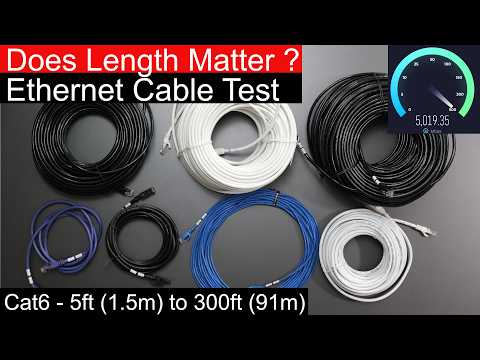
And let’s not forget about length. Ever try talking with two cans attached by string from across your backyard? Yeah—signals over long stretches can degrade just like that.
So if you’re dealing with some dodgy network connections here’s an idea: Check those UTP cables! Make sure they’re laid out nicely—not all crammed together like sardines—and aren’t running alongside power lines or other equipment that might mess with them.
In this day and age where staying connected is everything no wonder these unsung heroes deserve more attention than we give ’em… even if it means crawling under dusty desks once in awhile just making sure everything’s running smoothly!