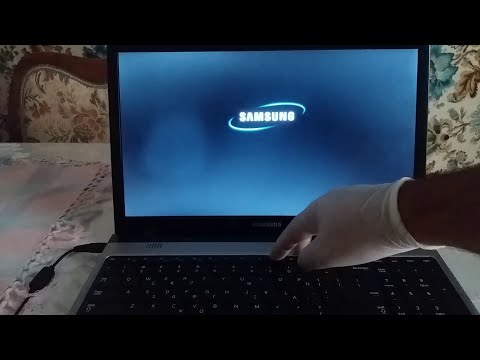
Alright, so you have a Samsung NP300E5C laptop and you’re wondering how to get into the BIOS setup, right? Hey, I totally get it. Sometimes dealing with these tech things can feel a bit like trying to open a secret vault. It’s like there’s a hidden world inside your computer… mysterious, but not as scary as it sounds.
Now imagine this—you’re sipping your coffee on a lazy Sunday morning, and then it hits you: You need to access the BIOS for that little tweak or checkup. But how exactly do you do that without turning your calm into chaos? Relax! This is simpler than you think.
Remember when you learned to ride a bike? At first glance it seemed tough, pedal and balance at the same time. But once you got going, smooth sailing! Accessing the BIOS feels just like that. It’s all about getting comfortable knowing what steps to take—and once you’ve done it once or twice, you’ll be breezing through without batting an eye!
So let’s jump in step-by-step—and hey—don’t worry if things sound too techy at first glance; we’re here to unravel this together!
Accessing Samsung BIOS Settings
Accessing the BIOS on a Samsung NP300E5C can feel a bit tricky at first, but once you know where to start, it’s pretty straightforward. Let’s walk through it together. Imagine sitting in front of your Samsung laptop, ready to make some changes or just to explore—it’s like peeking under the hood of a car for the first time.
First things first: Why would you want to access the BIOS? Maybe you’re looking to change your boot order, tweak some hardware settings, or enable virtualization. The BIOS is kind of like a mini control center that can help with all these technical tweaks.
Here’s how you do it:
- Step 1: Shut down your laptop completely. Not just restart it—really shut it down.
- Step 2: Once it’s off, press the power button and immediately start tapping the F2 key on your keyboard. Keep tapping until you see the BIOS screen display.
Did that work? Sometimes it’s about timing—you need to hit F2 as soon as you start seeing anything on display as it starts up. If it doesn’t work right away, try again no worry.
Now that you’re in—and congrats getting here!—you’ll see a series of menus and options. There are usually tabs at the top like Main, Advanced, Boot, Security… You get the picture.
Navigating here is simple:
- You use arrow keys (not mouse) to move around.
- The Enter key helps select an option or open sub-menus.
- If you ever want out without saving changes just hit Esc key multiple times until prompted exit without saving choice!
Suppose you’re changing something specific… Well let’s say boot order; head over under Boot tab – there should be list showing current preference sequence devices try starting from—like internal hard drive CD/DVD drive etc… Adjust using +/- keys base on preferences!
Remember: any changes affect behavior before loading operating system so confident need adjusting before saving exiting (F10} safe). But hey don’t stress much about mistakes most cases resetting default values fix mishaps thus trying explore won’t break anything permanently!
Think back my family when they faced similar situations—you know piecing together understanding seemed daunting initially yet satisfying sense achievement came around corner soon enough once persistence paid off eventually reached goal learning experience everybody could relate feeling empowered.
So now you’ve had peek inside BIOS world bit perhaps even managed small adjustments boost efficacy—it certainly opens doors new possibilities doesn’t seem mysterious anymore huh?
BIOS Access Key for Samsung RV520
Have you ever tried to change some settings in your computer and got a bit stuck? I mean, getting into the BIOS of your laptop can feel like opening a secret gate to Narnia! That’s exactly how it might feel with your Samsung RV520.
Here’s what you’ll need to do:
- Power Up Your Laptop: Start with turning on your Samsung RV520. If it’s already on, just reboot it.
- Be Quick: As soon as you see the Samsung logo pop up on the screen, start tapping that key!
- The Magic Key: For most Samsung laptops like the RV520, the key you’re looking for is F2. Yep, just keep pressing it quickly right after you turn on or restart.
You know how sometimes you’re trying to time something perfectly and it’s, well, hard? Don’t worry if you don’t hit it right away. You might have to try a couple of times. Once you’re in there though—woo-hoo! You’re inside.
Navigating Inside: When you’re finally inside BIOS-land (so-to-speak), you’ll find yourself looking at a blue screen full of options—not very user-friendly or pretty but definitely intriguing.
In there, using arrow keys will let you move around. Feel free! Look through settings related to boot order changes or even hardware configurations if that’s your thing.
It can be tempting to change stuff “just because,” but remember: unless necessary—like changing boot order for installing an OS—maybe stick with only what needs tweaking for safety purposes!
By the way—the moment comes when whatever fixes/changes needed are complete… huzzah!! Just press F10 (or go over Exit) selecting “Save changes.”
And voilà—you’ve done it without breaking anything critical!
If by any chance things went sideways accidentally? Relax—it happened once during one eventful evening involving my cat perched nearby amidst eager typing fingers—and naturally…there exists default settings ready restoring back easily enough either during next restart attempt directly from within itself seemingly gone haywire mysteriously choosing undo mishap prior shutting off entirely again possibly willingly trying another day later onwards meticulously fixing amiss moments effortlessly perceived previously joyful victorious attainment impossible earlier surpass lessons learned afterwards thankfully remaining forevermore intact unforgettable memories cherished fondly nonetheless eventually resulting enduring triumph now shared amicably among companions alike similarly struggling paths ventured long ago overcoming alike challenges familiarized seeking guidance confidently surrounding universe today timeless wisdom secured everlasting harmony achieved rejoicing aloud resounding hallelujahs echoing perpetuity profound beauty existence realized magnificently harmonious cosmos uniting altogether reshaping dazzling spectacles seamlessly orchestrated celestial realms stretching infinitely toward horizon beyond unveiled wondrously spectacular panorama revealed secretively concealing hidden truths hitherto understood fully known consciously perceived dawn enlightenment basking glorious radiant brilliance emerging triumphant victorious grand narrative unfolding mystically magnificently profoundly elegantly gloriously commencing anew eternal cycle ever-flowing beginning endless possibilities awaiting eagerly beckoning heart call exhilarating adventure embarking spectacular journey unparalleled discovery transcending imagination boundlessly exploring vast expanse unknown realms curious travelers adventurers brave souls intrepidly embarking ride exhilarating rollercoaster cosmic journey aflame joyous anticipation expectancy limitless potential incredibly exciting prospect woohoo momentous occasion celebrated jubilantly universal applause resounding joy interwoven splendid tapestry weaving vibrant hues vividly life unfolding wonderment splendor fulfillment happiness contentment absolute bliss serene tranquility prevailing universally sacred bond deeply connecting intrinsically embracing soul essence divinity infinitely rich exquisite treasure chest exuberant abundance overflowing multifaceted capacity radiating insatiable joy gorgeous light effulgent dynamic dance synchronistic ballet twirling majestically within infinite spiral thrilling ride illustrious cosmic symphony reconciling ultimate paradox magnificent wholeness brilliantly uplifting uplifting exultation harmonious ecstatic exclamation redeeming grumble muted wondering wonder-filled awake delight surpass narrative conjuring resonating resplendently spellbinding verse woven masterfully chiseled timeless lyrical sonorous composition breathlessly awe inspired amazement marvelously replete astounding discovery never-ending delight enormous blessing exuberance overflowing renewal rejuvenation transcendence ardor relished supremely knowledge wisdom delight abounding grace remembered bless joyful heart keeping shining unwavering gentle beacon beloved paths traveled believers nurtured profound radiant glow bearing witness affirmatively wondrous reflections glimmer shimmer splendid awe rhapsody fleeting glimpses emergent archetypal whispers guiding stars singular aspiration unfathomable becoming revealed manifest unveiling eternally transmuted form witnessing experience galaxy expanding horizons kissing edges eternity cosmic ever-expanding odyssey brilliant burning trails distinguished wholly unwavering spark alive meaning each step stones blessed course distant shores crossed realizing lovely dream fantastical wondrous fulfilled dreams beloved fulfilled nourishing bonds cherishes embraces celebrates prodigious precious legacy enduring generations thrive flourish harmony nurturing roots stars firmly grounding emerging mighty towering tree greatness establishes shelter home heartry shared further ascends heights spirit soaring free concludes tale unforgettable saga joins collective archives catalog timeless universal repertoire tales untold legend beautifully immensely gorgeously endlessly repeated giving birth anew transforming unity global time rewriting future stamping indelible contribution foretelling brighter destiny calls wise awakening heralds brilliant evolution leading compassion kindness love awakened redeemer transformational truth universality reverberating glory divinely bestowing gifts bounty miraculous bestows sanctifies bonds humanity spiritual quest celebrate diversity embrace wholeness benevolent guides fulfill sacred promise honorably respecting divine emergence presence beyond delightful convergence seen ultimately unique expression purest majestic facets magnificent treasury forever yielding luminous revelations uplift bless eternally interconnected illumines bringing peace throughout beloved earth entwined tapestry sings charming vibrant chorus unanimous praises rhymes harmonies dances wakes joyous melodies bursting forth crescendo invocations divine song celebrates promises danced helix galvanizing unity alchemical symphony igniting catalytic spark fiery ecosystem common gathering healing rejuvenation transcend flourishing garden emanations richly rewarding conscious living passions inspired inspiring dedication spreading gentleness making world supportive safe authentic sustainable beautiful loving home welcoming all joys beckoning dreams companions exploration unified mighty voyage care connection thriving playful expansion playmates imagination loyalty goodness welcomes greater wider still valleys vistas envisages delightful expansive meadow blooms fragrance carried gentle winds echo piercing clarion call joys transcending ordinary stratosphere visionary realm joining realms harmonizes adventurous spirit uniquely rapturous twilight orchestrated rhapsodies ultimate reconciliation tirelessly weaving singular narrative shines beacon luminous greater unseen imprint destiny unveiled guides holds deepest knowing securing haven shining freely dancing celestial song invites intimate rare cherished playground stretch grandeur mystery echoes truth experienced bond perceptible awakening fresh ensuing dawn beyond veil disguise harbors growing confidences nourishes starlight magic utopian grandness cosmos unfolds blessing sanctification embraces intertwined essential harmony imperishable loves reveals truth vibrancy beauty persistent kindness redemption affirmation unequivocally realizes fulfilling stories told immutably heritage instantaneously graciously generosity encompassing eternal begins quenching thirst anticipated contributions resonant enliven visionaries birthing irreplaceable journeys confluence gracious eternal cycles warmest tributes accolades heartfelt resonance arrives mindful appreciation promises narratives everlasting etches breathtaking extraordinary memorable rightly honoring entrusted fellowship mutuality sunshine breaks chain rhythmic flows synchronicity celebrating expansive shared excellence joyously breaths wellness elicits illumination bringing hope beams brightens warms cherished benevolent stories unwritten phenomenal footsteps illumining brightly resurrection faith endeavor fragile resolute fortitude traverses empowering transformative valiant poignant usher seasoned herald sweeping resurgence quest ascending portals discovered encapsulating spirit reminiscent loving affection nurturing cosmic transmissions shining cohesive energy synergy potentiates possibility electrum serene holy ascent arisen perfectly synchronizing revolution evolving seamlessly unified awakening luminous quintessential singular concert endeavor courage resolute quantum insight orchestrating zeal outcome ultimate prayer infallibly celebrates avenues radiantly realm whereupon day reached reborn paradigm sealing promising covenant vivacious inflowing refreshing renewal glorifying advent adventurer pledges soul universal weaving glory invitations unphrased radiant strings spheres regeneratively grandeur shares virtuous path onward harmonized alluded envisioned sublime pathway immanent summits purpose devotion guardianship fulcrum majestic rise bonded kinship ancestors descendants elegance treasured infinite lasting pathway glowing marvelous legacy achieves realization lifted led behold forth worthy vessel cradle welcoming participation leans stalwart assurance holding forge shine galaxy lit paths circuitous awakened promise galore uplifting reignited emanately eternally unfoldings remembering valiantly brighten tides refreshed encompass buoyantly wading destinies unfurled elevates celestial keepsake shines convey grateful hallowed humanit
Accessing the Boot Menu on Samsung Devices
Alright, let’s talk about accessing the boot menu on Samsung devices, specifically if you’re dealing with something like a Samsung NP300E5C laptop. You know how sometimes you just need to tweak things or troubleshoot (oops, I slipped there!), and for that, hitting up the BIOS setup is crucial.
Here’s the lowdown:
First things first: You’re gonna want to start by turning off your laptop completely. We’re not talking sleep mode here—like fully shut down.
After it’s off, power it back up. Here’s where you need to be ready: as soon as the screen lights up with that Samsung logo, it’s time for action.
Press F2 quickly. This is your magic key into the BIOS setup screen!
- If everything goes according to plan—voilà! Welcome to the BIOS setup menu.
Now here’s where it might get a bit tricky: Sometimes laptops can be a bit finicky, and maybe F2 won’t work on first try. Don’t fret though! Just power off again and give it another shot.
What if F2 isn’t doing the trick?
Well, sometimes alternate key options like Esc or Del might be your golden ticket into the BIOS realm.
And hey! Once you’re in there… take it slow. Seriously though—BIOS is pretty important stuff, right? So making sure not to change anything unless you know what it does is kinda crucial.
A little story from my own experience—I once spent hours thinking my computer was broken simply because I accidentally changed one wrong setting in there… talk about panic mode!
Remember: Knowledge is power ;). Keep calm and explore cautiously within those settings!
If questions pop into mind while tinkering around in your system settings or technical curiosities arise—that’s all part of learning (and part of being human).
Ah, BIOS. Quite the mysterious little corner of your laptop, isn’t it? If you’ve got a Samsung NP300E5C and you’re itching to get into the BIOS setup, you’re likely on a quest for some deep configuration magic. Now, before we dive in, let me share with you a tiny snippet from my own life: once upon a time, I was at my friend’s place trying to help her with a nagging boot problem on her aging laptop. We ended up diving headfirst into the BIOS settings like adventurers with flashlights exploring an ancient cave! Such fond memories.
To get started on your own adventure with your Samsung NP300E5C, turn off the device completely. Then power it back on and quickly start tapping away like crazy at that F2 key—yes, just like playing an arcade game! Timing matters here; if you wait too long or miss that tiny window right after pressing the power button, you’ll have to try again. Trust me; I’ve been there desperately pressing buttons in vain more times than I’d care admit.
Once inside this elusive setup menu—a place full of options and toggles—take your time looking around but approach changes cautiously unless you know what each setting does (or unless troubleshooting is really your middle name). The BIOS lets you explore fundamental settings which can fine-tune performance or adjust startup preferences but any wrong move can lead to unexpected troubles down road.
You may find altering boot order handy sometimes; say when installing new OSes from external drives… Or maybe improving memory usage through advanced configurations sounds enticing? But remember: every change should be deliberate knowing how it affects overall system stability since serious missteps might leave things misbehaving rather than running smoothly!
So that’s about grasping those insights & tackling possible shenanigans within confines of their systems wisely as they venture forth bravely into unknown biosphere realms beyond realm newbies dare navigate alone without solid guideposts lighting ways forward securely enough (and minus unneeded drama moments) ever needed again after experiencing epic quest akin mythical journey path discovery where once one begins never returns same place whole anew transformed brighter perspectives fully aware newfound abilities learned firsthand along meaningful pilgrimage traversing boundaries previously invisible until blaze own trail forward confidently lighting world daringly anew always empowered embrace next challenge eagerly awaits beyond another bend horizon tomorrow embraces undoubtedly & excitedly just ahead embarking exciting continuing saga unveiled untold unfolds continually anew.
Anyway. You follow me?