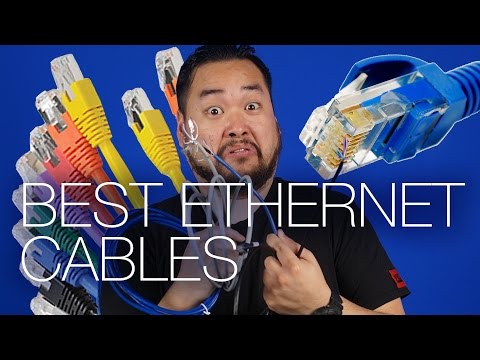
You ever find yourself frustrated with slow internet? Ugh, right? With all those video calls and endless streaming, a sluggish connection is the last thing you need. Let me tell you something that might just save your sanity: Category 6 Ethernet cables.
These little legends can kick those buffering woes to the curb. They’re like the secret sauce to turbocharge your home network. It’s not magic—just smart tech doing its thing.
Imagine surfing the web without those annoying pauses. Feels good, huh? So if you’re curious about how Category 6 cables work their wonders, stick around! We’ll unravel it together in a way that’s super easy to understand.
Impact of Cat6 Cables on Network Performance
You got it! Let’s explore how **Cat6 cables** can really make a difference in network performance. It might sound technical, but believe me, it’s not rocket science. We’ll break it down simply.
First of all, think about the internet like water flowing through pipes. The **thicker and better the pipe**, the more water can flow without any hassle, right? That’s kind of what happens with Cat6 cables. Compared to older versions like Cat5 or Cat5e, these cables have a *thicker gauge* and are designed to handle faster speeds.
- Higher Speeds: One of the coolest things about Cat6 is its ability to support speeds up to 10 Gbps over short distances (like up to 55 meters). This might not seem like much in day-to-day life unless you’re downloading huge files or streaming high-resolution videos.
- Reduced Interference: Ever noticed those times when your Wi-Fi connection gets spotty? Cables help cut out that interference. With Cat6, there’s extra protection against something called “crosstalk.” Basically, it’s fewer disturbances from other signals messing with yours.
Imagine you’re at home watching your favorite movie on Netflix and suddenly it starts buffering—ugh! It’s probably because your network’s bogged down by too much data traffic or interference from other devices. So having these quality cables can be a real-life saver and eliminate headaches like that!
Now here’s another thing worth knowing: **Future-Proofing**. Even if you’re not hitting those top speeds today—or using all that bandwidth—having Cat6 means you’re set for future technologies getting rolled out.
- Backward Compatibility: If you’ve got older equipment lying around—no worries! These work just fine with previous versions like Cat5/5e.
That said though… make sure your router matches this capability; otherwise upgrading won’t give ya quite what was expected! But hey—the good news is most modern routers have kept pace too!
Hope this helps shed light onto why many folks choose *Cat6* even when building their home networks (or businesses).
Cat6 Cable Speed Compatibility for 1000Mbps
Hey there! You’re curious about Cat6 cable’s compatibility with 1000Mbps, right? Let’s chat about this wonderful piece of tech gear.
First off, Cat6 cables are quite the workhorse for transmitting data. They’re designed to handle speeds up to 10 Gbps over short distances. That’s wicked fast! But for 1000Mbps, which is another way of saying 1 Gbps, Cat6 cables don’t even break a sweat.
You know what’s cool? These cables have tighter twists in their wires compared to their predecessors. It means less crosstalk—fancy word for interference from other signals. And when you’re running a gigabit network at home or the office, that really matters!
Here’s something else: Cat6 cables can be up to 55 meters long for gigabit speeds without issues. Beyond that, they might start feeling a bit tired and slow down slightly.
- Avoid sharp bends: Treat your cable like it’s made of gold—no sharp twists or bends.
- Use quality connectors: Believe it or not, those little connectors can boost or bottleneck your speed if they’re poorly made.
- Tidy cabling matters: Running multiple cables close together? Keep them neat to prevent any cheeky interference.
Oh, and remember when someone told you that color doesn’t matter with Ethernet cables? Well… they’re kinda right. But checking the inside for pure copper conductors rather than a cheaper mix can ensure your network’s flying smoothly at full speed.
An anecdote? Sure thing! I once helped my neighbor set up his gaming PC (yes, he was super serious about his ping rates). He was using an old Cat5e cable thinking it was enough but kept complaining about lag during peak gaming hours. A quick swap to a trusty Cat6 made all the difference—no more lag monsters!
So yeah, investing in a decent Cat6 cable is smart if you want consistent 1000Mbps speeds and less noise on your line. After all, nobody wants buffering during a heated online battle or movie night binge-watching session.
Consider it like upgrading from an old bike to a sleek racer—smoother rides all around!
CAT 6 Cable Specifications and Limitations
When was the last time you thought about the wires that make your internet run smoothly? Probably not recently, huh? Those little cables play a huge role, especially Category 6 Ethernet cables, or as friends call them, CAT 6. Let’s unravel what these are all about.
What is CAT 6?
CAT 6 cables are like the express lanes on a highway; they’re designed to handle data traffic and keep it moving fast—much faster than its older buddies like CAT 5 and CAT 5e.
- Speed: They can support network speeds up to 10 Gbps, which is pretty speedy if you ask me. Just imagine downloading a movie in mere seconds!
- Bandwidth: With a bandwidth of up to 250 MHz, they’re perfect for modern networks that need more oomph.
- Crosstalk: You know how sometimes when you’re on a phone call, you hear other conversations in the background? That’s crosstalk. CAT 6 has better insulation to prevent those sneaky interferences.
Cable Construction and Design
These cables are built tough and proper! Inside they’ve got twisted pairs of copper wires which help reduce noise from neighboring wires—kind of like noise-canceling headphones but for data signals.
- Straight vs Crossed Wiring:
Many folks don’t think twice about this, but there’re two wiring standards for setting these up: T568A and T568B. Both work fine but don’t mix ’em up unless you want trouble! Mixing them can sometimes cause connectivity issues.
The Limitations
Nothing’s perfect; not even our dear CAT 6 cables. They’ve got some quirks:
- Cable Lengths Matter:
- Bending Issues:
- A Costly Affair:
- Picky About Installation:No cutting corners here! Ensuring proper installation by pros helps avoid network hiccups down-the-line.
- If price savings motivate decisions—you may want reconsider use cases because sacrificing quality could impact user experience eventually!
Running these babies beyond 55 meters (about 180 feet) for high-speed applications might result in reduced performance.
If you’ve ever wrapped an earphone cord around something only to find it won’t work anymore—that’s bending for ya’. Keep bends gentle!
The magic number here is avoiding angles sharper than a coffee cup’s rim so they don’t hurt themselves over time.
The advanced features come at higher costs compared with their earlier versions (like buying organic vegetables—it ain’t cheap).
Although installing cat-six cabling teeters between easy-going household hobbyist task versus calling professionals means choosing wisely enhances home-network efficiency overall right? Not sure if I’m explaining myself clearly enough in any case hope you’ve found this insightful!
So next time while sipping coffee admiring newfound speed just remember what keeps things whizzing underneath life remains mysterious doesn’t it anyways happy surfing enjoy streamlined connection wonders await every click thanks magical connections powered-through humble cat-six unnecessarily poetic maybe yet true nonetheless!
Let me tell you, I remember the time when internet speed was more like watching paint dry. You probably know what I mean—waiting for a web page to load felt like forever. Then came along those faster cables, and wow, what a difference that made!
Okay, so let’s delve into this Category 6 (Cat 6) Ethernet cable thing. It’s like upgrading from a bicycle to a sports car in terms of data transmission speeds, if you catch my drift. We’re talking about going from slow-poke speeds to lightning-fast connections here. And trust me, you can really notice the difference when you’re streaming your favorite shows or gaming online.
One of the perks of Cat 6 is its ability to handle up to 10 gigabits per second (Gbps). Imagine that! It’s perfect for homes or offices bustling with multiple devices all clamoring for bandwidth at once. No more buffering just when things start getting interesting in your movie marathon.
But here’s the thing: it’s not just about speed. It also does wonders with reducing interference—like those annoying echoes on call lines that make every conversation sound like an alien is joining in.
There’s this one time—I’ll never forget it—I was trying to download this huge file… Cat 5e cable couldn’t get past the halfway mark without stalling out completely! Switched over to Cat 6? Bam! Done in minutes!
Even though it might seem tricky sometimes because of its thicker structure (ever tried bending one?), trust me when I say it’s worth every bit of hassle during installation.
If you’re setting up or refreshing your network setup anytime soon, maybe keep an eye out for these bad boys—your future self high-fiving current-you later down the road might be entirely possible!