Alright, picture this: You’re all set to stream that movie you’ve been wanting to watch or hop onto a video call with your pals, but suddenly… your internet decides to take a coffee break. Frustrating, right?
You start thinking about those tangled network cables behind your desk. Specifically, that shiny Cat 6A UTP cable you were told is the bees knees of network connections. But alas! Something’s not quite right.
You know how it is with tech: sometimes it’s just a little hiccup, and other times it feels like mission impossible. And let’s be honest, dealing with network connection issues is nobody’s idea of fun.
But fear not! We’re gonna chat about these little gremlins that might be causing trouble and see what we can do about ’em. Trust me, you’re in good company here—everyone’s been through it at least once!
So grab your favorite snack (cause who doesn’t need a snack for this?), and let’s take a peek into what might be going on with that cable of yours.
Cat6 Ethernet Cable Connection Issues
Sure thing! Let’s have a friendly chat about those little hiccups you might face with Cat6 Ethernet cable connections.
—
You know, sometimes dealing with network issues feels like chasing shadows. One minute, everything’s fine; the next, none of your devices want to connect. If you’re working with Cat6 Ethernet cables, there are a few common glitches you might encounter. Don’t worry, we’ll walk through them in a way that makes sense.
- Loose Connections: This is probably the most frustrating and yet simplest problem. Imagine plugging in your favorite lamp and the light flickers because it’s not fully connected—it’s kind of like that.
- Bent or Damaged Cables: These cables can be pretty sturdy but bending them too much could mean trouble. You’ll notice performance slowing down if they’re compromised.
- Interference from Other Devices: Believe it or not, interference is real! Devices like microwaves, or even just having too many other things plugged in nearby can cause disruptions.
- Poor Quality Connectors: Not all connectors are made equal! Sometimes cheaper ones just don’t make good contacts within ports leading to connection faults.
- Cable Length Matters: With Cat6 cables, anything over around 55 meters could lead you to speed drops—upsetting if you’re expecting those lightning-fast speeds!
You might have noticed each issue I’ve pointed out relates either directly to physical conditions of the cable itself or its environment.
Troubleshoot by checking these signals first:
– Check every inch for noticeable wear and tear.
– Make sure connections are snug.
– Ensure cable runs aren’t near high-interference areas.
So hey—you get an idea now why they can be tricky sometimes—it’s usually straightforward fixes once spotted correctly!
To wrap it all up: Think about flipping through old photos sorted by date sometimes they look fine till one isn’t right—that’s what finding problems here sort of feels like! You tweak settings check parts until everything snaps back perfectly again (hopefully).
Testing UTP Cable Functionality
Testing the functionality of your UTP cables, specifically Cat 6A UTP cables, can be pretty important when you’re dealing with network issues. These cables are the lifeline of your network connection, and if they aren’t working right? Oh boy, it can create a lot of headaches.
Why Test Your Cables?
Imagine streaming a movie and everything freezes at the most climactic moment! Frustrating isn’t it? Often, issues like slow internet speed or intermittent connectivity can be traced back to cable problems. Testing your cables helps you catch such glitches early.
Essential Tools for Testing:
You’ll need a few basic tools in hand if you want to test these cables. A simple cable tester is usually enough. These testers check both wire mapping and continuity which is super helpful.
Key Steps to Test Your Cables:
- Inspect Visually: Look for physical damage first—like bends or cuts on the cable jacket.
- Cable Tester Usage:: Connect each end of the cable into the tester device.
- Check LED Indicators:: Once connected, power up your tester. The LED lights will guide you—green means good connection while red hints a problem.
- Crosstalk Tests:: This measures interference between wires in a single cable; it’s essential for network stability.
Sometimes though even when everything seems okay visually or through testers there’s still trouble. What happens then? Try using another brand-new patch cord temporarily—if performance improves well Bingo!, you’ve found what caused the issue!
In my own experience while setting up home networks (yes I’ve been doing this longer than I care admitting) barely touching tightly coiled UTPs flattens out hidden kinks interrupting flow sometimes unnoticed by traditional testers alone.
Remember folks nothing works forever without occasional checking-up—it literally pays ensuring all systems go just keeping those lines clear!
Diagnosing Faulty Network Cable Issues
Alright, picture this: you’re sitting at your desk, trying to connect to the internet for an important video call, and guess what? Nothing. Nada. Your computer just won’t connect. It’s like the network cable has decided to take a vacation without telling you! Fortunately, there are ways to figure out what’s going on with that unruly Cat 6A UTP cable.
First things first: make sure it’s actually plugged in securely! I know it sounds silly, but you’d be amazed at how often cables slip out just enough to cause a problem without falling completely away.
Now if that’s all set and you’re still facing trouble—let’s dig deeper into diagnosing faulty network cables:
- Check for Physical Damage: Look along the entire length of the cable. See if it’s been pinched or bent too sharply. Those twists can cause internal wires to break.
- Swap It Out: Grab another cable that you know works fine (like from a friend’s computer) and give it a go on your setup. Sometimes the best test is simply swapping.
- Use of a Cable Tester: Ah yes, these nifty little gadgets can quickly tell if there’s something wrong inside the cable by sending signals down & listening on other side.
- Cable Length Issues: Believe it or not but longer-than-usual runs (over 100 meters) might struggle due power loss affecting data traveling through them—keep those lines short!
Then there’s interference…Imagine living next door where wireless waves are constantly bouncing around—their signals might mess with yours!
Avoiding Electromagnetic Interference (EMI):
- Laying cables far from electrical sources like power lines or fluorescent lighting fixtures helps reduce signal interference issues keeping connection solid under real-world conditions.
Let’s say after all that testing; nothing changes? Check both ends whether they’re connected into right ports even properly supporting gigabit speeds (or more). Many routers/gateways will auto-negotiate these links speedier transmissions—oh joy!
Kicking Connectivity Gremlins Out Once & For All:
- If above doesn’t solve mystery switches could need rebooting resetting settings stable reliable operation across board reconnect devices refresh DHCP information instantly boost performance again surprising ease others around waiting their fixes come fruition ultimate goal quick satisfaction return productivity seamless flow essential tools everyday tasks we can’t function optimally anymore depart notice temporary failures happen anyone rest assured they’re ancient history luckily here’s knowing same confidently share existing experiences comparisons actual results remain relatable everyone doesn’t require constant checkups confidence rooted mutual understanding grounded reality actual knowledge exchanged here today tomorrow count valuable lessons learned support communities long future ahead together anyway that’s story uhm thanks understanding really means world every one actively engaged hopeful resolution instantaneously shared networks everyone involved happy new discoveries upcoming adventures await careful eyes watchful hearts till wrote bit lengthy journey worth it right!
Oh boy, network troubles can really be a pain, can’t they? I remember this one time when my internet suddenly dropped in the middle of a binge-watch session. It was like my whole world paused! I started fiddling with the cables, trying to figure out what was wrong.
If you’re dealing with Cat 6A UTP cables and network connection issues, you’re not alone. These cables are supposed to deliver high-speed Internet, but sometimes things don’t go as planned. You might notice a drop in connection speed or even complete disconnections. Frustrating, right?
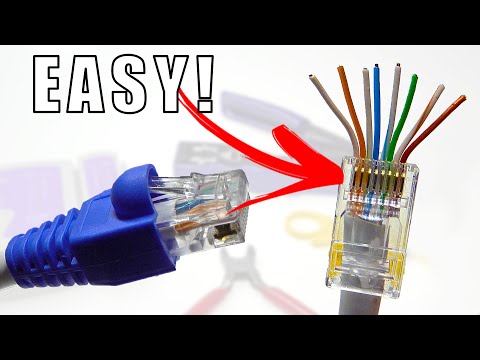
Let me tell you: one common issue with these cables is poor termination. Think of it like not screwing in a light bulb all the way and wondering why it flickers. If the connectors aren’t crimped properly onto the cable ends, signals might get lost along the way.
Another sneaky little issue could be interference—electrical noise that mucks up your signal quality. If your Cat 6A UTP cable is running too close to power lines or fluorescent lights… uh-oh!
And then there’s distance limitations—these cables have a range limit of around 100 meters (about 328 feet). Go beyond that and you might find yourself dropping packets like they’re going out of style!
If you’re ever scratching your head about why your network speeds are crawling at a snail’s pace or mysteriously disconnecting, remember there’s usually a logical explanation hiding somewhere along those twisted pairs.
Honestly, just taking some time to check your cable placement and connections can work wonders. Who knows? It could save movie night from plunging into buffering oblivion again!