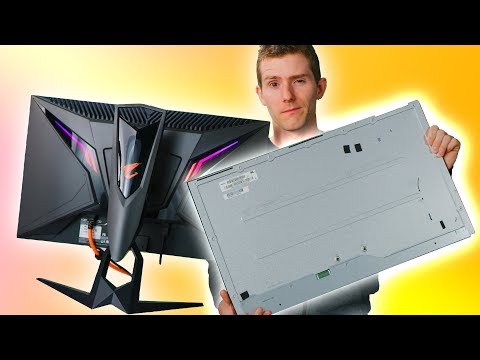
Oh no, cracked screen? We’ve all been there. One minute you’re clicking away, next thing you know, the screen’s all messed up. It’s like having a pesky paper cut but worse. Your heart skips a beat seeing those fractures!
So what do you do now? You might be thinking about tossing it out the window. Believe me, I get it—frustrating doesn’t even begin to cover it.
But before you make any drastic decisions, let’s go through a few options. Fixing it might be easier than you think and kinder on your wallet too! Ready to dive in? Let’s chat through this together…
Cost of Repairing a Broken Computer Screen
Oh, boy! Your computer screen’s cracked? That can be a bummer, huh? I mean, we all know accidents happen—like dropping your laptop or a surprise shove from the cat…oops. So now you’re probably wondering how much it’s gonna cost you to patch things up.
Factors Affecting Repair Costs
There are several things that can affect how much you’re going to pay. Here’s kind of what you’ll want to keep in mind:
- Type of Device: Whether it’s a laptop, desktop monitor, or tablet could change the cost—not just in terms of parts but labor too.
- Brand and Model: Some brands have more costly parts or need specialist techniques to repair. You know how certain brands just get pricey!
- Extent of Damage: A small, single crack might be less expensive than if the whole screen’s gone haywire with flickers and lines.
It’s interesting because I remember when my cousin accidentally closed his laptop with earbuds inside…it was a mess! He had to weigh all these factors before repairing it.
A ballpark figure?
Well, generally speaking—just an average idea—repair costs can fluctuate between $100 and $500. Here’s why:
- Basic Repairs: If it’s not very bad like minor cracks for laptops might range around $150 – $300.
- Larger Monitors: Big screens may need bigger chunks outta your wallet…around $200 – $400 is quite common here.
- If it needs replacement rather than repair: Sometimes if it’s too damaged folks suggest investing in a new one instead—it would probably run over what you’d expect on budget otherwise!
A word on DIY: I’ve gotta say unless you’re super comfy taking apart delicate electronics maybe leave this job for pros ’cause you don’t wanna replace something only realizing there was more internal damage.
Mulling Over Your Options?
Check warranty coverage at first since some manufacturers offer repairs under warranty terms which could save both hassle and dollars! Reaching out directly also leads cool opportunities where companies provide reasonable rates to loyal customers—they do appreciate when people stay with them after all!
Getting another technician nearby may avoid high shipping expenses too if outsourcing happens outside local areas though remember comparing their quotes remains wise decision nonetheless given usual repair shops display prices differently per location amongst other variable scenarios unspoken here…
Anyway hope sharing insights helps provide sense while figuring financing possibilities despite initial frustrations faced finding quality service fix dependable hardware working again smoothly without glitches noticed previously causing additional pains during every day activities perfect usage expectations met accommodating diverse individual needs satisfied properly guaranteed long-lasting solutions availed frequently…
Best Buy’s Computer Screen Repair Service
Hey, let’s chat a bit about Best Buy’s computer screen repair service! If you’ve ever dealt with a broken computer screen, you know it’s one of those heart-sinking moments. Your lovely device suddenly isn’t as functional without that crystal-clear display.
Why Choose Best Buy for Repairs?
You might be wondering why someone would trust their cracked screen to Best Buy in the first place. Well, here’s the scoop: they have a dedicated team known as the Geek Squad. These folks are trained to handle all sorts of tech mishaps, and they’ve got some experience under their belts.
If you’re like me and have butterfingers or just bad luck sometimes, knowing there’s a service available is not too shabby. Best Buy can diagnose and repair a variety of screen issues—from physical cracks to weird color lines appearing out of nowhere.
- Convenience: You can find Best Buy locations all over the place. It’s like they’re everywhere! Makes dropping off your computer pretty handy.
- Expert Technicians: Those Geek Squad members are trained specifically in tech repairs—including screens.
- Warranty Considerations: And if your device is still under warranty, they might just fix that crack without you having to dig into your wallet.
The Repair Process
When you head into Best Buy with your laptop or desktop needing some TLC for its screen:
- You’ll first chat with an associate who listens to what’s happened—kind of like visiting tech support therapy!
- If it’s something simple, they might be able to do it right then and there while you cruise through social media on your phone.
- Bigger fixes may require leaving it with them till all parts are perfectly placed again.
In case you’re curious about how long this takes…it varies quite a bit based on how busy things are or if parts need ordering in.
Anecdotal Tidbit
Okay storytime: I remember this one time my friend Linda dropped her laptop (from like two feet!), resulting in spider web-style cracks across her once-clear beautiful display. She was crushed…and maybe panicked too—a little bit. After discussing options weighing pros versus cons (and some chocolate), she chose heading over to her nearby Geek Squad location at—you guessed—Best Buy!
Long story short-ish; They ordered what was needed plus worked magic replacing everything superbly within reasonable days’ time span ending up having old faithful back good-as-new afterward minus any coffee spillage fear now haunting keyboard…woop!
It’s worth noting though fixing things there generally comes at competitive pricing levels usually comparable against many alternatives locally around—excepting DIY ones unless ya brave enough ripping apart gadgets yourself risking further harms…not everyone cup tea either so truly makes decision easier given qualified hands instead backing up situation resolving safely efficiently overall peace mind restored fairly quickly alike happiness returning thereafter using gadget post-repair successfully computerized life returned mostly anyhow somewhat scenario similar personally experienced working technology dealing past years really remembering shared here today informing best ways finding sound solutions ultimately happy life outcomes attained believe folks reading themselves experiencing anytime soon possibly understanding fully definitely caring much helping addressing relevant questions appreciate!!
Internal Screen Crack Causes
Ah, the dreaded moment when your laptop screen displays a crack. You might be wondering how it happened, especially if you treat it with care. Internal screen cracks can be sneaky! Let’s chat through some common causes and maybe share a story or two.
Pressure Issues
Imagine your laptop at the bottom of a heavy bag. All that weight pressing down can cause stress on the fragile screen. Ever had one of those days where you accidentally sat on your phone? Similar accidents happen to laptops too.
Accidental Drops
Even slight falls can cause damage if they hit just right. I once dropped my own laptop from what felt like an inch off the ground; somehow, it landed in a way that cracked right across the middle! Sometimes, gravity has its own plans.
Temperature Changes
Extreme temperatures are not friends with tech gadgets. Leaving your device in very hot or cold conditions can make parts expand and contract, leading to unexpected cracks over time.
- Heat: If you’ve left your device in a car during summer, those internal components could get pretty toasty.
- Cold: Conversely, freezing temps may cause materials inside to become brittle.
Poor Manufacturing
Hey, sometimes it’s not even you! In rare cases, there could be issues with how the screen was made or assembled originally. It’s like buying a new shirt only to discover there’s already a little tear—it shouldn’t happen but occasionally does.
Now look—screens are delicate things designed for beautiful displays rather than durability wrestling matches with all life’s mishaps! If you’re dealing with one of these cracks now or down the road remember you’re definitely not alone out there navigating these quirks of modern life.
So there you are, staring at a broken computer screen. Maybe someone accidently knocked it off the table or maybe you got a little too excited during your favorite game and things got out of hand. Whatever the story, it’s tough when technology gives you grief. It’s like having a window to your digital world suddenly shuttered.
When my sister cracked her laptop screen last year, she called me in a panic. She was right in the middle of working on a big project for college, and all that stared back at her were shattered pixels! I remember how anxious she felt; clearly this stuff happens when you least expect it.
First thing we did was not to panic (easier said than done, huh?). If you’re handy with tools or feeling brave, replacing the screen yourself might be an option. There are some online tutorials that can guide you through each step with detailed pictures. You just have to carefully open up the device and replace that fragile part with an exact new replacement.
But if you’re like me—more comfortable fixing things by calling someone else—reaching out to a tech specialist can be a lifesaver. Sure it might cost more than doing it yourself, but sometimes just knowing it’s done correctly is worth every penny.
And hey! It never hurts to check if your warranty’s still valid; companies do cover repairs for accidents sometimes.
So next time your screen has taken one hit too many—and I sincerely hope that’s just in case—you’ll know whether to roll up your sleeves or dial for help without losing sleep over it.