Oh, buddy, have you ever felt like your internet is moving at a snail’s pace? Like, seriously, it’s the 21st century! We shouldn’t have to watch that little spinning wheel forever. It’s so frustrating!
So, here’s the thing. I had this moment last weekend—Saturday night—with a movie all set to stream. I mean, popcorn was ready and everything! But guess what? Stuck buffering… again. Ugh!
Then it hit me: maybe it’s not just the internet company’s fault. Could be those cables we use every day without thinking twice. Ever heard of UTP Cat 5e cables? Yeah, they might be the culprits sometimes.
Let’s chat a bit about these cables and see if we can figure out why our networks sometimes feel like they’re stuck in slow motion.
Cat5e Ethernet Speed Limitations
Ever been puzzled why your internet’s crawling, even though you’ve got a decent setup? The Cat5e Ethernet cable often plays a sneaky role in this mystery. It’s like when you have a road that looks wide enough, but somehow traffic is stuck!
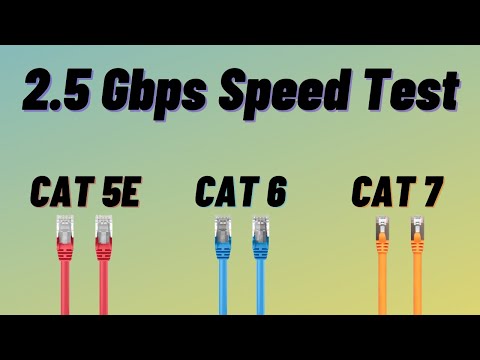
Cat5e cables, short for Category 5 Enhanced, were once the real deal. They can handle network speeds up to 1 Gbps and frequencies up to 100 MHz. This means they’re typically enough for most home networks and ordinary office jobs.
- Length Matters: These cables work best over distances up to around 100 meters (about 328 feet). Go beyond this, and you might see your speeds lagging like an old dial-up connection.
- Your Network Gear: If your router or switch doesn’t support Gigabit Ethernet, you’re not gonna get gigabit speeds! Imagine trying to drive a sports car on muddy roads.
- Cable Quality: Not all Cat5e cables are made equal. Poor insulation or cheap materials—as tempting as they are—may interfere with performance.
- Interference Issues: Electromagnetic interference from nearby devices can mess with signals if the cable isn’t properly shielded.
So picture it like this: you’ve invited guests over, cooked a fancy dinner…and then find your dining chairs are broken! This kind of thing makes speed testing useful every so often.
For example, if you’re streaming videos or gaming online but hit buffering or lag spikes, it might be time to check those blue cords entangling under your desk. Sometimes simply switching them out could save some headaches!
In more complex setups—think larger buildings—you may notice limitations more often because long runs need better cabling options such as Cat6 or higher.
Think about upgrading components first before overhauling everything else in sight; sometimes catnip isn’t what fancies our furry friends—it’s just around managing expectations realistically within constraints we hardly imagine until walking down problem lanes ourselves.
Long story short: don’t blame entirely slow network speeds based solely upon them sweet cats living happily among stacks upon stacks stacked high overhead perusing merrily across worlds unseen making journeys worthwhile rather than pesky connections leaving us all pulling hair ours anyway hanging tight knowing truth surely lies within reach!
Cat5e vs. Cat6 Speed Comparison
Comparing Cat5e and Cat6 cables can feel a bit like standing in the middle of a candy store. They both promise fast data transfers, but which one’s right for you? Let’s untangle this!
Cat5e Cables:
These cables have been around for quite some time. They’re like that reliable old friend who’s always there when you need them.
- Speed: Handles up to 1 Gbps (gigabit per second) over distances of up to 100 meters. Not bad, right?
- Frequency: Operates at a frequency of up to 100 MHz.
But there’s more! The ‘e’ in Cat5e stands for “enhanced.” This means it reduces interference, which helps get cleaner signals through without much fuss.
Now, think about Cat6 Cables:
The newer kid on the block that’s packing some serious power!
- Speed: Supports speeds up to 10 Gbps, but here’s the catch: that’s effective over shorter distances (up to about 55 meters).
- Frequency: Works at a frequency of up to 250 MHz. That’s like giving your data extra room to breathe!
A cool thing you’ll notice is how these cables reduce crosstalk—that annoying noise when signals interfere with each other—making sure your connection is as smooth as possible.
Cable Choice Impacts Speed:
Imagine you’re moving data around like trucks on a highway. With a Cat5e cable, you’re getting reliable pickup trucks zipping along nicely. But switch to Cat6? Those are high-speed sports cars — faster and able to handle heavier traffic efficiently.
This doesn’t mean everyone needs that speed booster offered by Cat6. If you’re just streaming videos or browsing (you know, everyday stuff), Cat5e might just be plenty enough! But if you’ve got high-demand activities going on—like heavy gaming or running multiple devices—a shift towards Cat6 could make your digital life so much smoother.
So yeah remember: much depends on what kind of work or play you’re doing on your network setup!
UTP Cat 5e Cable Impact on Network Speed
Hey there! Let’s chat about something that’s pretty important if you’re into networking: the impact of UTP Cat 5e cables on network speed. If you’ve been experiencing slow network speeds, you might wonder if your cable choice has anything to do with it. Let’s break it down.
First off, the UTP Cat 5e cable. It’s a type of Ethernet cable and often used for setting up home networks. Not sure what UTP stands for? It means “Unshielded Twisted Pair,” which just sounds fancy but really, it’s just a way to reduce interference in the wires. Now, this Cat 5e falls under a category that was initially designed for networks that ran at 1000 Mbps or megabits per second, also called Gigabit Ethernet.
Here’s where it gets interesting:
- Maximum Speed: Primarily designed to support up to 1 Gbps.
- Distance: Effective up to about 100 meters (328 feet) without signal loss.
- Cost-Effective: Generally cheaper than its newer counterparts.
Now, if you’re seeing slower network speeds and you know, pulling your hair out because it’s frustrating—I hear ya! Many things could be causing this issue. One possibility is outdated hardware like switches or routers not supporting speeds beyond their design limits. However, if your equipment’s all good and still using Cat 5e cables everywhere around your house—well, chances are that’s not the bottleneck itself.
One reason some folks might notice less than optimal performance with these cables could involve interference from other electronic devices or magnetic sources nearby. Or perhaps those longer distances I mentioned earlier? Network signals can degrade or get slower over long stretches; think of our good old telephone line days!
Just imagine laying low at home watching movies while friends pop over for gaming nights—the whole crew comfortably relying on ready connectivity whenever speed matters most! Look out though—higher categories like Cat6/7 now exist providing better shielding offering options adapting against advancing tech needs should demand arise further down road ahead someday possibly soonish more quickly thereafter still immediate transition maybe isn’t necessary presently suffice current requirements adequately enough meantime given fixed budgets constraints duly considered fully weighing respective qualifications carefully thoughtfully prior making definitive choices around future investments..
Hope all goes smoothly whatever decisions come in due course happy browsing!
And remember—you’ve got this!
Alright, let’s just say you’ve been watching your favorite show online, and suddenly it starts buffering. So frustrating, right? Now, you might be wondering if that old UTP Cat 5e cable is the culprit for this sluggish network situation. Well, that’s a possibility! But there’s a bit more to it than just blaming the cable.
You see, UTP Cat 5e cables have been around for quite some time. Back in the day when internet speeds were a lot slower than what we’re used to now, they were considered pretty solid performers. They can handle speeds up to about 1 Gbps over shorter distances (100 meters or less). That’s like downloading a movie in minutes rather than hours—once upon a time.
But here’s the thing: times have changed and our demands on the network have skyrocketed. We’re multitasking with streaming shows, video calls with friends or family spanning different continents… Plus gaming online while all that happens in real-time. All these activities need fast and stable connections — something newer cables can better provide because they’re designed to meet today’s high-speed requirements.
Now imagine having several devices connected simultaneously through an old Cat 5e cable; traffic jams may occur leading possibly not just buffering but also intermittent loss of connection altogether! It’d feel like driving home during rush hour when everyone else had similar plans—tedious indeed!
Nevertheless before tossing out your antique wires right away (sentimentality anyone?), do check other potential factors impacting performance such as router capabilities or maybe even bandwidth provided by pro-ISP services themselves—they play significant roles too!