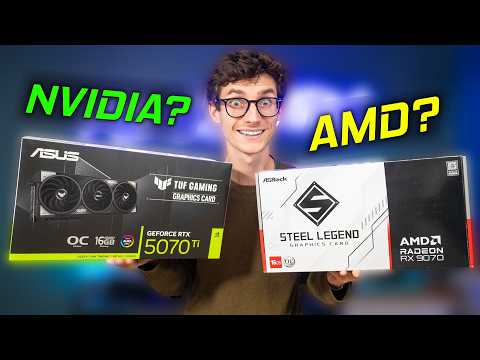
Hey, so, you know how picking the right graphics card can feel like choosing between two amazing ice cream flavors? That’s pretty much what it’s like when it comes to AMD and NVIDIA. Both have their own unique sprinkle of features and quirks.
I remember when I first got into gaming and spent hours drooling over specs. Boy, was that overwhelming! But let me tell you, once you dive into the world of GPUs (that’s just fancy for graphics cards), things start to click.
And then there’s compatibility—like trying to fit a piece from one puzzle set into another. You gotta make sure everything lines up perfectly! Otherwise, your setup might throw a bit of a tantrum.
Alright buckle up because we’re gonna explore these two titans in the graphics world. Hope you’re ready!
AMD GPU Equivalent to NVIDIA Comparison
Oh boy, the age-old rivalry between AMD and NVIDIA graphics cards! It’s like Coke vs. Pepsi for tech enthusiasts. You know, whether you’re a gamer, designer or you just want silky-smooth video playback, picking the right GPU is key.
AMD and NVIDIA GPUs:
Both AMD and NVIDIA have a variety of GPUs that match up against each other in terms of performance and price. We’ll chat about a few well-known equivalents to make your decision a tad easier.
- Entry-Level: If you’re looking at something affordable but still capable for basic gaming or editing tasks, consider the AMD RX 6500 XT. It’s often compared to the NVIDIA GTX 1650. Both are budget-friendly yet provide decent performance for light gaming and multimedia use.
- Mid-Range: Ah, mid-rangers! They give you more bang for your buck. The AMD Radeon RX 6700 XT often stands toe-to-toe with the NVIDIA RTX 3060 Ti. Both offer solid performance with great potential in games at higher settings without breaking the bank.
- High-End: For those who want nothing but the best! The “beast mode”, so to speak. Check out the AMD RX 7900 XTX, which competes closely with heavy-hitters like NVIDIA’s RTX 4080. High frame rates at ultra settings? You bet!
- If we’re diving into prices—generally…
- Motherboard Compatibility: Most modern motherboards support both AMD and NVIDIA cards. They use similar PCIe slots so there’s generally no issue slotting one in.
- Drivers: This is a biggie! Both brands have different driver software. After installing a new card, ensuring you download the correct drivers is crucial for optimum performance.
- Software Features: Features like G-Sync or FreeSync can affect your choice. While some monitors support both technologies now, not all do— *always check* before buying if this matters to you.
- Power Supply Needs: Every graphics card has a specific power requirement. It’s essential to ensure that your power supply unit (PSU) can handle it along with other components like CPU or storage drives.
- Compatibility: Both brands focus on making their cards compatible with a wide range of systems. But it’s always wise to check if one’s specific games or software have any favorite brands, you know?
- Driver Support: Nvidia often gets props for frequent driver updates. It’s like that friend who never forgets your birthday! AMD, on the other hand, offers robust updates too but let’s admit they sometimes lag just a bit behind.
- Ray Tracing: Now, here comes the fancy stuff! Nvidia kinda led the charge with ray tracing support in their RTX series. This makes your game look super real with lifelike lighting and shadows, pretty neat! AMD has jumped on board too with ray tracing capabilities in their Radeon RX line.
- TDP (Thermal Design Power): This is all about how much heat a card generates. Nvidia’s high-end models can get pretty hot under the hood pretty quickly while AMD’s, while also power-hungry at times, might run slightly cooler.
- Performance & Benchmarks: In raw performance terms, well it often boils down to the exact model you’re looking at! For instance, Nvidia tends to score higher in some benchmark tests when it comes to top-tier 4K gaming. AMD though can surprise you with excellent mid-range options that won’t break your bank!
- Diversified Offerings: Both companies try appealing to different user needs—from gaming folks wanting slick 120fps gameplay or creative professionals needing powerhouse GPUs for rendering videos or designing art!
You might notice that AMD cards are frequently cheaper than their NVIDIA counterparts with similar specs. This isn’t always true across each model but hey it’s common enough to mention here.
Now here’s something cool: both brands have unique features too!
NVIDIA has ray tracing technology (RTX), which can make graphics look very realistic by simulating light really accurately in games supporting this feature.
Meanwhile on team red: some folks love using their PCs as crypto mining machines during downtime—and while energy consumption could rise—a few studies **suggest** some AMD chips perform better under these conditions.
Always ensure your PC has enough power capacity before upgrading; both gadget lovers may require beefy PSUs (Power Supply Units), especially when venturing above those mid-tier levels mentioned earlier…
Look honestly whatever side of ‘the awesome’ spectrum someone lands choosing hardware should boils down personal preference heh nothing wrong liking whichever tickles fancy most vividly!.
AMD vs NVIDIA Graphics Card Compatibility
Here’s a look at the compatibility side of things when it comes to AMD and NVIDIA graphics cards. So, hang tight, let’s see what’s what!
First off, both AMD and NVIDIA are titans in the world of graphics cards, each with its own strengths. When you’re looking at compatibility, it’s all about understanding your system’s needs and various factors like your motherboard type or power supply.
A personal anecdote?: I remember helping a buddy out with his first gaming PC build not too long ago. He’d gotten all amped up reading about the latest AMD card but forgot one thing – his PSU wasn’t beefy enough! Good times getting that sorted.
While these factors usually cover most bases for compatibility concerns between these two giants in tech-landscape—double-check everything; especially specs online related directly from manufacturers’ websites—they change faster than you’d think!
Feel free feel free ask any further questions as needed—you got this!
AMD vs Nvidia Feature Comparison
Sure! Let’s chat about the features of AMD and Nvidia graphics cards. These two giants are at the heart of gaming and content creation, and they both offer something a bit different. Curious to know more? Here we go!
User Experience:
The thing is it’s really subjective sometimes—some gamers swear by Nvidia because they’ve been using them ‘forever.’ Others love AMD for its bang-for-the-buck aspect and open-source approach towards tech innovation assets like Freesync which keeps your games running nice n’ smooth without tearing effects showing up unexpectedly.
If there’s one takeaway here: remember everyone’s preference varies based on individual usage needs/experiences; whether that means photo-realistic visuals thanks-intensive processing power offered via particular vendor-specific technologies/features OR opting towards cost-effective choices catering broader audiences seeking adequate compromise between performance-budgetary constraints alike…
You follow me? Happy choosing whichever side best matches YOUR particular aspirations/goals given unique circumstances leading up decision-making process ultimately impacting future enjoyment within realm pixelated adventures waiting unfold ahead now!
Hopefully this helps demystify those key differences between AMD versus Nvidia feature comparisons points-wise comprehensively sufficiently enough guiding course action based genuine context encompasses broader realities experienced firsthand navigating world gaming-related demands/preferences seen today modern digital age advancements ongoing rapidly ever-evolving pace seemingly endless potential awaiting discovery yet-to-come post-future horizon unfolding always further forward…
You know, diving into the AMD vs NVIDIA discussion is kind of like watching a friendly football rivalry. There’s these two big teams, each with their own strengths and fans. Both AMD and NVIDIA have been around for ages, battling it out in the world of graphics cards.
Now, when it comes to compatibility, it’s funny how things can get a bit tangled up. Take my friend Mike for example. He got this amazing deal on an AMD card last year and was super excited to game like there was no tomorrow. But then—surprise!—his monitor didn’t play nice with FreeSync because it didn’t support it fully. Poor Mike had to do some extra research and even switch up his monitor for one that was more harmonious with AMD’s tech.
See, what happens is that compatibility isn’t just about plugging in a card and hoping for magic; it’s about considering motherboards, displays, and even power supplies! While both brands generally work with most systems these days—like if you have a modern motherboard you’re probably good—you still need to think about which features you really want to use.
NVIDIA tends to have this neat G-Sync technology on higher-end monitors. It’s like a cherry on top but does come at a premium price sometimes. On the other hand, AMD’s FreeSync is often more budget-friendly but still does wonders in smoothing out gameplay if your gear supports it right.
Ultimately though? It’s all about what you’re gonna do with your setup: Are you gaming or rendering videos—or maybe juggling both? That choice might just steer you toward one brand over the other because each has its own perks tailored for different tasks.
In any case, whether you’re Team Red (AMD) or Team Green (NVIDIA), checking in on your gear’s harmony can save loads of headaches down the line…and maybe you’ll avoid having to swap out something as Mike did! Экспириенс учим нас всё-таки думать наперед!