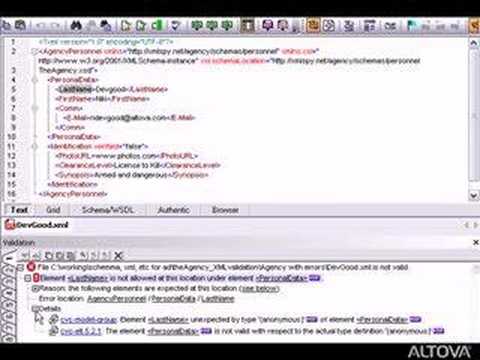
You ever tried opening an XML file and it just… didn’t work? Oh man, it’s like trying to solve a puzzle without the picture on the box. I remember once, I was knee-deep in a project for my friend Sarah. We just needed that XML file to behave.
Here’s the deal: you need an XML validator. Sounds fancy, right? It’s kind of like spell-check for your XML files. It tells you what’s wrong and where’s it gone haywire.
But let’s be real—sometimes even with a validator, things get tricky. Errors show up with weird messages that make you go “huh?” But don’t sweat it! With a bit of patience, some know-how, and perhaps a cup of coffee by your side, you can tackle those pesky errors without pulling all your hair out.
It’s not magic—it’s just knowing where to look!
Syntax Errors in XML Validation
Oh, syntax errors. They can really be a headache, right? You’re working on your XML files, feeling all productive and all of a sudden—bam!—error message. Let’s explore what these syntax errors are and how you can handle them effectively when validating XML files in Windows.
Understanding Syntax Errors in XML
Think of XML like a language. Each language has its rules, and if you don’t follow them, people—or in this case computers—just won’t get what you’re saying. A syntax error happens when the structure or rules of the XML language aren’t followed.
Common Causes of Syntax Errors
- Missing Tags: Every opening tag must have a closing tag. If you’re missing any, you’ll see that dreaded error.
- Mismatched Tags: Opening a tag with “ and closing it with “? Yeah, won’t work.
- Improper Nesting: Imagine dropping your sandwich inside your soup bowl—you wouldn’t do it! Similarly, tags must be properly nested.
- Special Characters: Using “ without encoding can lead to trouble.
Troubleshooting Syntax Errors
Here’s what you might want to try:
- XML Editor: Use an editor with XML validation features—it’s like having spell-check for your code!
- Error Messages: Pay close attention to them; they usually tell you exactly where you’re going wrong.
- Nesting Check: Always double check your nesting if things aren’t lining up correctly.
Schemas and DOCTYPEs: Make sure they’re defined properly so everything is smooth sailing.
A Little Story: The Case of the Missing Tag
Once upon a time, I was debugging an enormous batch of XML files for a client project (you wouldn’t believe how intense those deadlines were!). I kept running into validation errors that didn’t make any sense—or so I thought. Turned out one pesky little file had left an open tag behind during copy-pasting! After combing through my code carefully—the problem was solved just by adding one tiny “.
Anyway…dealing with these errors doesn’t have to drive ya nuts as long as remember: check closely what’s missing match same thing twice…and keep calm!
XML File Error Detection Methods
Handling XML files can sometimes feel like juggling—one minute everything’s flying smoothly through the air, and then suddenly, bam! An error pops up. But you don’t need to worry. Let’s chat about some methods for spotting those pesky errors in XML files and how validators come into play.
First things first. What’s an XML validator? Imagine it as a spell-check for your coding, making sure everything is spelled right and following the rules it should be.
Common Error Detection Methods:
- Syntactic Errors: These are basically grammar mistakes in your code. You know, like missing tags or misplaced elements? A lot of times it’s just about making sure opening tags have their matching closing tags.
- Structural Errors: Think of this one as ensuring that all parts fit together well. Every piece—element or attribute—has its proper place, kind of like a puzzle.
- Semantic Errors: Even if everything looks good structurally and syntactically sometimes something might not make sense logically. Maybe you’ve asked your computer to do something impossible given the file’s design.
Now let’s dive into some real detective work with XML validators on Windows:
Tools & Validators:
- Online Validators: Handy if you’re on-the-go or want a quick check without downloading anything new onto your system.
- IDEs (Integrated Development Environments): Many popular ones come packed with built-in validation features. For example Eclipse has options for checking both syntax and structure within its interface itself!
It’s amazing right? How these methods can simplify things! One time while working late at night—half asleep—I caught myself confused by all these puzzling lines of code leaking red errors everywhere across my screen due simply because I forgot that single closing tag… Classic rookie mistake huh?
If those don’t work out or seem too complex consider reaching out for help online where tech-lovers gather tirelessly sharing their wisdom amidst communities dedicated solely toward resolving such dilemmas together united by their passion under glowing monitors illuminating dimly lit rooms late into nighttime hours…
Summing it up: detecting XML errors is less intimidating once aware which type is bugging you most; plus there’re tools galore willing lend hand smoothing hurdles hindering progress ensuring files operate flawlessly thereafter remaining safe sound secure intact collectively forevermore whole satisfied yessiree indeed amigo en fin adios mis amigos ciao arrivederci sayonara!
XML File Parsing Errors
So, you’ve got yourself tangled up with , huh? It’s pretty common when working with XML files. These files are kind of like building blocks used in websites and applications. If they’re not put together just right, you might run into some errors. Let’s walk through what goes on with these errors and how to fix ’em.
Understanding Parsing Errors
You’ve probably seen one of those scary messages like “Error parsing XML” or something along those lines. Parsing is basically when your computer reads the file and tries to make sense of it. If there’s a mistake in the file’s structure, the parser gets confused. It’s like trying to follow a recipe with missing steps!
Common Causes
Here’s where things often go wrong:
- Missing or mismatched tags: Every opening tag needs a matching closing tag, kinda like bookends.
- Incorrect nesting: Elements need to be properly nested within each other; imagine trying to fit a big box into a smaller one—it just doesn’t work!
- Typos: A simple typo can mess everything up—super annoying but happens quite often.
- Special characters: Characters like ‘<.
Troubleshooting Steps
Alright, let’s fix this! Here’s how you can figure it out:
- Edit carefully: Open your XML file in a text editor that shows line numbers so you can find exactly where the error is occurring.
- Error messages: Pay attention to any error messages—they usually tell you the line number where something’s gone wrong.
- Tidy up namespaces: Make sure your namespace URLs are correct if they’re being used—you know, those little pesky bits that look like URLs but aren’t really websites?
An Example Fix
Let’s imagine an error message saying “line 3: mismatched tag.” You’d open the file and line three might look something like this:
“`xml
Hello World!
“`
It’s clear there’s an opening “ tag that doesn’t match the closing “ one. Changing “ to “ should solve it.
A Helpful Tool: XML File Validator for Windows
Using an XML validator is super helpful as it checks for correctness without manually poring over every detail yourself—saves time and headaches! Just input your file into the validator software; it’ll highlight issues along with their locations.
There ya go! Dealing with these hiccups becomes easier once you understand what’s going wrong behind-the-scenes—and remember: even experts have been there! So don’t fret too much; practice makes perfect, right?
Oh, fiddling with XML files can be a real hoot, can’t it? You know, I remember this one time when I was up late trying to figure out why my XML file wouldn’t work. I’m talking coffee cup after coffee cup, staring at lines of code until my eyes crossed. XML’s picky like that! It feels like you’ve got to be some kind of wizard to get everything just right.
Now, if you’re working on Windows and dealing with an XML file validator, you might run into a few headaches along the way. One common hiccup? Forgetting to close tags properly or maybe putting them in the wrong order. It’s kind of like misplacing your keys and going nuts looking for them only to find they were right under your nose.
Then there are those pesky character encoding issues that come out of nowhere. Oh boy, they have a knack for sneaking up and causing mayhem! It’s a bit like that time when you’re sure you’ve got all your groceries packed but then realize you left something behind at checkout.
And syntax errors – don’t even get me started! One tiny slip-up and the whole thing falls apart. But hey, catch it early with an XML validator before things spiral outta control. It’s basically the equivalent of having spellcheck for your code before sending it off into the world.
What about schema validation? That’s another beast altogether! Sometimes your data just doesn’t match what’s expected by the schema. It’s kinda like showing up in flip-flops to a black-tie event—not exactly conforming to expectations.
So whenever tackling these XML mysteries on Windows—patience is key; maybe some humor too—because let’s face it: tech keeps us on our toes (and away from our beds). And don’t forget: have another look over those error messages—they’re tricky but often give clues hiding between lines of code mishaps!
Got any stories or challenges faced while handling these tests? It’d be great hearing others’ tales from coding adventures shared around community campfires (or social media threads)!