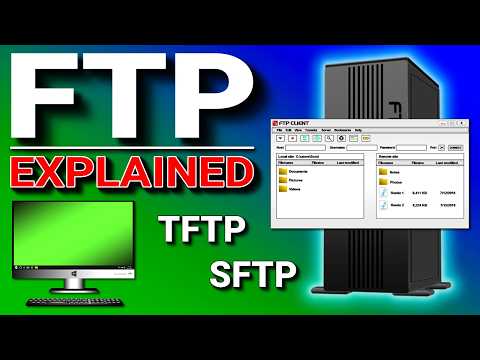
You know when you’re deciding how to get your stuff from point A to point B? It’s kinda the same with files in the tech world. And, there’s this debate between FTP and Amazon S3 that’s like choosing between coffee and tea. Both get the job done, but they do it in their own quirky ways.
So, FTP has been around forever—like that comfy old sweater you can’t give up. It’s simple, reliable… even if it does smell a bit of nostalgia. But hey, sometimes that’s exactly what you need! On the flip side, Amazon S3 is like your new high-tech gadget: flashy, super flexible, and ready for anything you throw its way.
I remember trying to explain this to my grandma once—FTP being more of a straightforward path while S3 lets you bounce all over the place in style! She might’ve nodded along politely; not sure she got it though. Anyway! Buckle up as we explore these two file transfer pathways. It’s gonna be fun!
FTP vs. S3 Differences
Alright, you want to know the scoop on FTP and Amazon S3? Let’s break down their differences. Ever had that moment when you’re trying to decide between two tech options, and you just need someone to lay it out straight? I got you covered!
FTP, or File Transfer Protocol, has been around for ages. It’s like that trusty old toolbox sitting in your garage. You might not use it daily, but it’s good for moving files between your computer and a server.
Here are some key points about FTP:
- Simplicity: FTP is pretty straightforward—just a way to move files.
- Connection Type: It usually needs a direct connection from your device to the server.
- Security: Not the safest kid on the block unless paired with SFTP (SSH File Transfer Protocol) which adds a layer of security.
Now, Amazon S3 is kind of like an enormous warehouse in the cloud. It’s part of AWS (Amazon Web Services), and its main job is storing all types of data.
Key features of Amazon S3 include:
- Scalability: You won’t run out of space because you can store tons—literally tons—of files.
- Accessibility: Files are available over HTTP/HTTPS, making them accessible globally without needing a direct server connection.
- Security Features: Offers robust security measures right out of the box like encryption and fine-grained access controls.
Here’s where they differ:
- If you’re looking at traditional file transfers between computers or servers right nearby each other, FTP’s simplicity, works fine for quick tasks or smaller setups.
- Bigger companies into cloud computing with geographically dispersed teams would probably go with something more advanced—and that’s where Amazon S3 steps in with its massive scale and global accessibility.
- S3 also supports versioning which means if someone messes up—you can always go back!
So there we are: FTP versus Amazon S3. Whether you’re going old school or new age depends on what exactly your project calls for—you know?
Security Limitations of FTP
Oh, FTP! I remember when I was just getting into computers and thought FTP was the best way to transfer files. Here’s the scoop: FTP, or File Transfer Protocol, is *old-school*. It’s been around since the 1970s. While it does the job of transferring files between computers pretty well, it has its share of security woes—let’s dig into those.
First off, FTP is not encrypted. Yep, you heard that right! When you use standard FTP, your data—username and password included—traverse the internet in plain text. It’s like sending a secret message on a postcard for everyone to see. Not great if you’re dealing with sensitive info!
- Vulnerability to attack: Because everything’s out there in plain text, any snooper on the network can swipe your data using tools like packet sniffers.
- Lack of integrity checks: With FTP there’s no built-in mechanism to ensure that files haven’t been tampered with during transit. So if someone gets their mitts on your data mid-flight, you might never even know.
- No built-in authentication: Okay sure, there are usernames and passwords—but that’s pretty much it for verifying identity. It’s like using one lock pickable by any toddler!
I had this pal who once thought they were securely transferring an entire company’s spreadsheets over FTP…until they found out their credentials were being casually intercepted by some shadowy figure online! Yikes!
And here’s where Amazon S3 shines brighter than a disco ball at an ‘80s party—it’s part of cloud services designed with modern security features.
Consider these differences:
- S3 encrypts data: Amazon S3 automatically encrypts all stored data both at rest and transit.
- Access control features: You have strong access controls over who sees what in S3 thanks so much more than just passwords involved here (think permissions management).
Anyway yeah … while FTP still plays useful roles today mostly internally within organizations perhaps through firewalls—it just doesn’t cut mustard regarding robust external transfers without bolted-on encryption solutions like FTPS /SFTP which offer SSL/TLS protection but complicate deployment processes beyond simple server/client settings required by basic setups !
So next time choose file-transfer options carefully directly proportionality weighing pros cons need context leaving nothing chance when precious resources lie stake !
Best Protocols for File Transfer
Alright, let’s chat about file transfer protocols. Remember those times when you had to send some important files to a buddy or maybe back up something crucial? Yeah, choosing the right file transfer service can save so much headache. Two popular names you might’ve heard are FTP and Amazon S3. They’re like two different roads leading to the same place but taking you there in slightly different ways.
FTP (File Transfer Protocol)
Imagine you’re at a library exchanging books with a friend. FTP works kind of like that for files on the internet. You connect to a server using an FTP client and get your files transferred over. It’s been around since, oh, forever it seems—specifically since the early ‘70s! Here’s what makes it tick:
- Simple: It’s straightforward—just log in and start transferring.
- Speedy: Generally fast for moving those big chunks of data.
- Security Concerns: Not the most secure by itself unless you use something like FTPS or SFTP which add layers of security.
Amazon S3 (Simple Storage Service)
Alright, picture having your stuff stored in a magical vault that’s accessible from anywhere with an internet connection. That’s Amazon S3 for you—cloud-based storage offering easy access and great scalability.
- Scalability: Need more space? No worries! Scale up or down without breaking a sweat.
- Security Features: Comes equipped with strong security options, encryption keys, and access control features.
- Pay-as-You-Go: Only pay for what you consume—no idle resources wasting your money.
The Differences?
So here comes the juicy part: while both let you move files around, they cater to different needs.
- If you’re looking for fast and direct transfers between computers, good ol’ FTP is more than enough if security isn’t top-of-mind.
- If security matters more—you know preserving sensitive data—and costs adjustability counts too? That’s where S3 shines brightly.
.
Remember when grandma lost her phone pictures because she didn’t back them up? She would’ve loved this little nugget of info earlier! Pick wisely based on what matters most — speed vs flexibility/security/cost — but honestly keep calm knowing both have their perks depending on specifics needed filling gaps seamlessly!
You ever tried to send a massive file over email, only to get that dreaded “file too large” message? Happens more often than we’d like. That’s why we have file transfer services like FTP and Amazon S3. They’re pretty handy for moving big chunks of data around. But even though they’re used for similar purposes, they aren’t exactly the same.
FTP, which stands for File Transfer Protocol, has been around since before some of us were even born! It’s one of those things that’s been reliable for years in sharing files between computers on a network. Imagine it like the postal service—it requires you to know the direct address, but once you do, you can send your parcel with ease. It’s mostly used by developers or website managers who need to upload files straight to a web server.
Now Amazon S3 is a bit different and—let’s be honest—kind of cool! It’s part of Amazon Web Services and provides scalable storage space in the cloud (like storing your stuff with a ginormous online storage locker). Instead of needing specific server details like FTP, you drag and drop your files into virtual ‘buckets’. And boom! Your data can be accessed from almost anywhere.
Remember when everything was transitioning to digital storage? Like moving photo albums onto CDs then onto digital drives? It felt chaotic at first figuring out what worked better. With S3, there’s that comforting feeling knowing that it’s secure and always available from multiple devices.
FTP might still be slightly faster because you’re directly connecting server-to-server without much interference. However, Amazon S3 wins when it comes to simplicity and accessibility because it’s hosted on robust infrastructure designed for speed and reliability.
It all boils down this way: If you’re dealing with plain old internal networks or niche web applications requiring frequent direct transfers, FTP might suit you fine—but if you’re aiming for global access with file integrity being super important, then give Amazon S3 some thought!
Anyway gotta appreciate such tech wonders making our data handlings less monstrous than before!