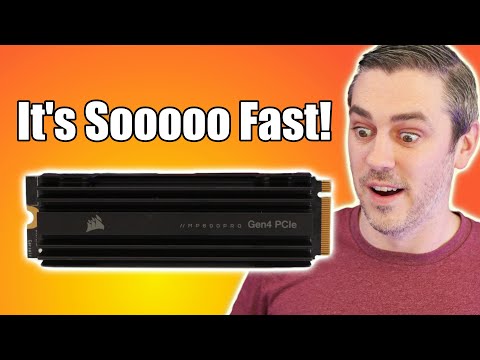
You ever had one of those days where your computer’s just in a mood to take things slow? Like it’s on strike or something? Well, SSDs can be like that sometimes—especially the MP600.
I remember the first time mine decided to act up. I was all set up for a gaming marathon, you know, snacks ready and everything. But then, bam! Everything started lagging like I was back in dial-up times!
You wouldn’t think an SSD could slow down so much, right? But yeah, if yours is acting like it’s stuck in traffic, you’re not alone!
Let’s try and figure out what might be going on with our dear MP600s. They can be fast as lightning but also have their fair share of hiccups. So what do you say we give it a look over together? It’ll be fun!
Corsair MP600 Elite SSD Speed Analysis
Oh, the trials and triumphs of technology, right? Let’s chat about the Corsair MP600 Elite SSD. This little gadget is one of those solid state drives (SSDs) that everyone seems to have their eye on. But what if you’re scratching your head wondering why it’s not zipping along as fast as you thought it would? Well, my friend, let’s dive into that a bit.
First off, let’s take a look at why this SSD might be feeling sluggish:
- Check the Connection: Is your SSD hooked up properly? Sometimes something as simple as a loose cable can make things go wonky. Make sure everything’s snug and tight in its place.
- Firmware Updates: Oh firmware—it’s like the secret sauce of hardware performance. Without the latest updates, you could be missing out on improvements or bug fixes that keep things running smoothly.
- SATA vs NVMe: The MP600 is a fancy NVMe drive which means it’s faster than any regular SATA drive. You are using an M.2 slot for it, right?
Here’s a story: I remember when my buddy had just installed his shiny new MP600 Elite, all excited but then he was just frustrated because his launch times weren’t any quicker than with his old HDD! Turned out he had popped it in an incompatible slot—oops!
But back to business! If speed troubles persist:
- Overheating Issues: Check if your SSD is getting too warm. When temperatures rise too high… performance can drop like it’s no one’s business.
- System Bottlenecks: Are other parts of your computer up to snuff? Having an amazing SSD paired with an older CPU can create bottlenecks and slow everything down.
Now don’t get me wrong! The Corsair MP600 should generally zip through tasks thanks to its PCIe Gen4 interface. However; always make sure that your system supports Gen4 for optimal speeds.
And heck if these tips didn’t tickle your tech bones and you’re still seeing issues maybe consider checking out Corsair’s support resources—or even give them a shout directly.
So next time you hit “power on” let’s make sure things are moving at lightning-fast speeds alright?!
Common Causes of Slow SSD Performance
Well, let’s break down some common causes of slow SSD performance.
- Firmware Updates: Just like your phone or computer system needs updates to stay swift and protect against bugs, so does your SSD. If your firmware is out of date, it can cause slowdowns.
- Nearing Capacity: A nearly full SSD tends to perform slower. Imagine trying to work in a cluttered room—it’s hard! Keep an eye on that storage space.
- Background Processes: Sometimes programs running in the background without you noticing can hog system resources. It’s like a sneaky little thief stealing performance juice from your drives.
- SATA vs NVMe Mismatch: If by chance you’ve connected an NVMe drive to a SATA-only port or configuration, you’re not going to tap into its full potential.
- Thermal Throttling: When components overheat, they might slow down intentionally as a protective measure—kind of like taking breaks when jogging on a scorching day.
- Bios Settings Adjustments: Improper settings could also contribute. Sometimes tweaks in BIOS are required for optimal speeds; missing them might lead to sluggishness.
And hey… here is an anecdote for ya: A friend once moaned about his MP600 being slower than promised only for us later realizing he had mistakenly followed installation guides meant for different versions which led him through wrong configurations! Quite amusing learning experience if nothing else!
Remember these aren’t all scenarios causing issues but addressing each with attention will help put some zip back into things potentially.
If any hints still leave doubts hanging around beyond fixing attempts— don’t fret! There are professionals ready at call willing enough tackle more technical inquiries head-on without reluctance—after all technology isn’t something everyone juggles effortlessly every day either!
SSD MP600 Slow Performance Causes
When your SSD MP600 isn’t quite living up to its promise of speed, it can be downright frustrating, right? Slow performance on a device that should be fast as lightning feels like those days when you’re inching forward in traffic with no end in sight. Let’s try to figure out what’s causing the bottleneck.
First things first, you want to check if your firmware is up-to-date. Sometimes, manufacturers release updates that can enhance performance or address known issues. It’s a little like getting the latest OS update for your phone—keeps things running smoother.
- Too many files: If you’ve packed your SSD to the brim with files, that’s like trying to work out in a room filled with clutter. SSDs function best with some free space. Aim for at least 20% available space.
- TRIM Command: This lil’ command helps manage deleted data but sometimes it doesn’t run automatically. You might need to ensure TRIM is enabled so your SSD keeps humming along nicely.
- Check Connections: Yeah, sometimes it’s just about making sure everything’s plugged in properly. A loose cable or incorrect port could slow things down.
- Background Processes: Too much going on behind the scenes? Background applications eat away at resources, slowing down performance without you even realizing it.
- Temperature troubles: Like anyone working too hard on a hot day, electronics don’t perform well when they’re overheating! Ensure proper cooling and avoid cozying up against heat sources.
Sometimes though, it’s not about what you see—it’s about conflicts under the hood. Maybe there’s driver incompatibility or even issues rooted deep within BIOS settings.
If you’re feeling technical and brave enough (and I say “brave” because messing around inside settings ain’t everybody’s cup o’ tea), diving into device manager can help spot misbehaving drivers that don’t play nice.
And hey—if all else fails after you’ve peeked under every digital rock and still find yourself stumped—it might just mean calling in some professional insight won’t hurt!
Remember—they’re not indestructible miracles occupying our office desk—they need love too!
Oh, the SSD MP600. You’d expect it to be blazing fast, right? I mean, you invest in something labeled as an NVMe SSD and instantly think your computer’s about to take off. But isn’t it frustrating when things don’t go as planned? Like when you’re excitedly waiting for a game to load or that giant video file to transfer, and it feels like watching paint dry.
You know what this reminds me of? That time I upgraded my phone thinking it’d make everything faster only to realize I needed a software update first. Talk about a facepalm moment! Turns out things can slow down for reasons that aren’t always obvious.
So with the MP600, sometimes it’s not the hardware itself that’s causing the speed hiccup. It could be something with how it’s configured—maybe drivers need updating or there’s some setting in your BIOS sneaking behind your back being all mischievous. Or maybe there’s insufficient cooling and it’s throttling down its speed to prevent overheating. Sounds simple but it’s these little tweaks that can make all the difference.
And let’s not forget the software mucking things up, either! Background apps doing their constant resource munching dance can just drag everything down. My advice? Dive into those settings, tinker around a bit—it might just bring back that zest of speed you’re missing!
Anyway, remember: sometimes we need patience alongside our tech fixes—but don’t hesitate if you need help from someone who’s been around these techy blocks once or twice too!