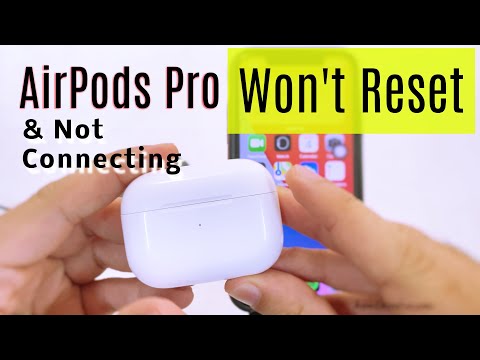
Imagine this: You’re about to head out for a run, pumped and ready to go. You reach for your AirPods, hit play, and… silence. Ugh! They won’t connect. Again.
Sound familiar? Yeah, it’s super annoying. Happens to the best of us—right when you really need your tunes or that podcast you were into.
But don’t worry! Before chucking those little white buds out of sheer frustration, let’s chat about why they might be acting up.
It’s not always obvious what the deal is. Sometimes it feels like they have a mind of their own. But hang tight—I’ve got some ideas that might just save the day!
Bluetooth Connection Causes
Bluetooth is a bit like magic, right? You know, working wirelessly with devices, making things seamless. But then, there are days it just doesn’t seem to play nice—especially when your AirPods refuse to connect. Let’s explore what might be causing those hiccups.
- Distance Issues: Make sure you’re not too far from your device. Bluetooth works within a limited range, typically around 10 meters (about 30 feet). If you’re buried under a mountain of blankets on your couch and wonder why they suddenly disconnect, maybe you’ve wandered out of range.
- Interference: This might sound odd but other things in your environment can interfere with the Bluetooth signal. Microwave ovens or even Wi-Fi routers can sometimes mess up the connection because they operate on similar frequencies.
- Your Device’s Battery: It’s always smart to check if your AirPods have enough juice. If the battery is low, connectivity drops can happen more often than you’d think.
- Software Glitches: Sometimes software updates bring bugs along for the ride. Ensure both your phone and AirPods have updated software versions for smooth sailing.
- Bluetooh Settings Mess-Up: On occasion, Bluetooth itself can become finicky—switching Bluetooth off and back on again usually does the trick!
I remember this one time when my AirPods refused stubbornly to connect during an important call! Turns out I had about ten different devices saved in my Bluetooth list—clearing unused ones resolved it all.
So yeah – if you’re dealing with an unruly connection today (or any day), these little checks help set things right most times! Got it?
AirPods Bluetooth Connection Troubleshooting
Oh, those pesky AirPods. Sometimes they just don’t want to connect and the frustration kicks in, right? You open up your favorite playlist ready to dance around the house… and nothing. Silence. It can feel like your music’s being held hostage! But okay, don’t worry. Let’s chat about what could be going wrong.
- Is Bluetooth On? This might sound too basic, but you know sometimes the simplest things get overlooked. Make sure that Bluetooth is turned on in your device settings.
- Keep an Eye on Distance. Are you too far away from your device? AirPods have a certain range for Bluetooth connectivity. Staying within a close range usually helps keep that connection solid.
- Battery Check! You’d be surprised at how often we forget this one! Double-check if your AirPods have enough battery juice left. A quick charge may do wonders.
- Try Forgetting and Reconnecting Them. Head into the Bluetooth settings of your device and choose to “forget” the AirPods, then try reconnecting them again like it’s their first handshake!
- A Restart Can Work Wonders. Your device could use a little break sometimes. Try restarting it—hey, it gives everything a fresh start.
- The Latest Updates: Keeping both your device’s software and firmware updated means fewer hiccups with connectivity.
Here’s something kind of funny—one time I realized my AirPods weren’t connecting because they’d paired with my friend’s phone nearby instead! Yep, double check all connected devices if you’re near others who also own them.
Anyway, remember these steps aren’t magical but they do help most folks sort out their issues fast. Maybe you’ll even discover what works best specifically for you among these solutions! Keep calm; tech likes testing our patience every now and again.
AirPods Connection Failure After Button Press
Ah, the joy of technology! You know that feeling when your AirPods just don’t want to cooperate and connect to your device? It’s like they’re having a little tantrum. Let’s see if we can help them out.
First, here’s a quick trick: check for any obstructions or Bluetooth interference. Your headphones need a clear path to communicate with your device. So, make sure there are no barriers in the way.
- Update your software: It might sound obvious, but keeping everything up-to-date is key. Both your AirPods and the device you’re connecting to should have the latest software updates.
- Forget and reconnect: Sometimes starting fresh helps—like clearing out the clutter in a messy room. Go into your Bluetooth settings on your device, ‘forget’ the AirPods, then re-pair them.
- Charge them up: It’s an easy oversight! Ensure both AirPods and their case are sufficiently charged before attempting another connection.
If you’ve pressed the button at the back of the case until it glows white but you’re still stuck in connection purgatory, don’t lose hope!
Consider this: disable other nearby Bluetooth devices. These could be interfering without you realizing it. It’s like trying to have a conversation in a crowded room—voices can overlap!
And hey, remember that time when you couldn’t get an old TV remote working because someone had popped in dead batteries? Well ,the same goes here—a simple reset sometimes does wonders. Pop those earbuds back into their case; close it up tight for about 15 seconds before reopening.
Also worth checking is whether there’s any dust or debris lodged within either piece—it can really mess things up!
Anyway look at troubleshooting not as frustration but more akin towards untangling knots—it takes patience yet pays off beautifully eventually .
Doesn’t it drive you nuts when you’re all set to groove with your AirPods, and then—bam—they refuse to connect? Ugh, total mood killer. Been there myself a couple of times. Once I was heading out for a morning run, the perfect playlist queued up. Pressed play… silence. Nada. AirPods playing hard to get.
That no-connection scenario can be pretty relatable, right? It’s like they’re teasing you! Well, there are several little hiccups that might be causing this fuss.
Firstly, let’s check the basics. Distance matters more than you think! If your device and AirPods aren’t close enough or there’s something pesky in between them (like a wall), they might throw a connection tantrum.
Oh! And don’t forget Bluetooth—it’s gotta be switched on! Sometimes these small things slip our minds; been guilty of that more times than I’d like to admit.
Another sneaky culprit could be interference from other devices. Too many kitchens’ cooks spoil the broth, after all!
Lastly—and this one’s less obvious—your device’s software might need an update. Keeping up with those updates helps more than just fixing bugs; they often improve connectivity too.
So next time those little white earbuds act up, just take a deep breath and remember: it’s not always as tricky as it seems. We’ve all had one of those days—but hey—you’ll get them grooving again!