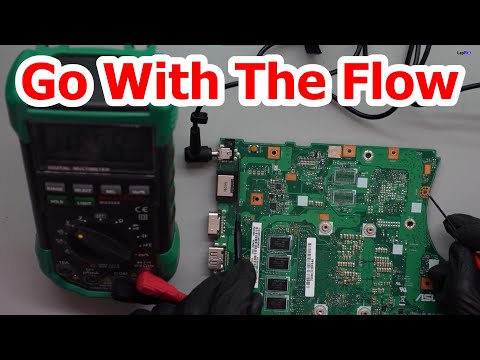
Oh man, you ever had a day when your computer just didn’t feel like cooperating? Like, the screen’s on vacation or it’s freezing mid-task. We’ve all been there. Sometimes, it’s like your computer knows when you’re running late for a deadline and decides it’s snack time.
Now, before you start imagining the worst—relax. It might just be a chip on your mainboard having a little meltdown of its own. Yeah, that critical part hidden inside your computer that’s responsible for keeping everything running smoothly.
Let’s say you’ve noticed some funky behavior from your machine. Not turning on properly? Random crashes? Could be a mainboard chip issue! But wait—don’t toss that machine out the window just yet.
There are signs to watch for and tricks to try before calling in reinforcements or throwing in the towel. You know how sometimes all it takes is that one friend who can figure out what’s messing things up?
That’s what we’re gonna dig into here: figuring out if that elusive mainboard chip is causing trouble and what you might do about it. Consider this our friendly chat over coffee—no tech jargon allowed!
Repairing a Failed Motherboard
Oh, the good old motherboard! It’s like the heart of your computer, you know? When it fails, everything halts. Imagine trying to run a marathon without a heartbeat—yeah, not gonna happen.
So you suspect there’s a chip failure on your mainboard? Let’s chat about what that looks like and what you can possibly do about it.
Symptoms:
There’s quite a range of issues that can point to a motherboard going haywire.
- No Power: The first sign might be that your computer doesn’t power on. You press that button harder and harder—you know how we humans do—but nothing happens.
- Random Shutdowns: Sometimes it feels like it’s working fine, but then it just turns off. That’s frustrating!
- Error Codes or Beeps: Your PC might try to beep at you like Morse code. Those beeps actually mean something – they’re trying to communicate what’s wrong.
- No Display Output: If the monitor acts dead despite lighting up otherwise, this could also point toward the motherboard.
Possible Solutions:
Let’s brainstorm some ways to tackle these issues!
- Check Connections: Start with basics. Ensure everything is snugly connected: power cables, RAM sticks, graphics card—all those little things.
- Circuit Inspection: If you’re adventurous and know what you’re doing (and please be cautious), look for burnt spots or protruding capacitors which might hint they’ve given up on life.
- Bios Reset: Sometimes resetting BIOS/UEFI settings helps untangle any peculiar system confusion. Just move that CMOS jumper on/off or pop out/in its battery (for few secs).
If all else Fails?
Honestly—it happens—there’s only so much poking around one can do before pro solutions become necessary.
Evaluating repair vs replacement usually boils down weighing costs against sentimental value; afterall every DIY warrior loves sharing battles won against technogical odds!
Remembering again – always disconnect devices from power sources before attempting any crazy (but safe) maneuverings inside processor areas… Happy fixing!
Common Causes of Motherboard Issues
Oh man, talking about motherboard issues can feel like a computer horror story, right? Imagine you’re in the middle of watching your favorite show or, worse, getting some work done when everything just freezes. Yeah, that dreaded blue screen isn’t just a myth!
So let’s dive into this head first. What exactly causes these pesky motherboard problems?
- Electrical Surges: Your home experiences a power surge during a storm—next thing you know, the sudden spike damages your mainboard’s delicate circuits.
- Overheating: This one’s quite common if your system is working extra hard or has poor ventilation. The heat can de-form components over time and lead to malfunction.
- Faulty Components: Sometimes it’s not even the motherboard itself. A bad RAM module or a failing GPU can cause significant headaches.
- Poor Manufacturing: Occasionally the board may have been defective from the start due to manufacturing errors.
- Physical Damage: Yep—spills, drops or even fiddling around with internals without caution might just do it in!
One day my neighbor called me up. He’s all “My computer’s acting like it’s haunted!” So we opened it up and found dust everywhere—unbelievable! Cleaning those fans out brought his PC back to life.
Mainboard Chip Failure Symptoms:
If your chip fails—you’ll notice things like unexplained crashes or random reboots happening more frequently.
– No startup beep codes: Usually at startup computers beep once if everything goes smoothly.
– Failed POST (Power-On Self-Test): Computer doesn’t get past its initial boot stage.
– Erratic behavior: Stuff like freezing apps and seeing artifacts on screen when there’s no ghost movie playing!
Solve Mainboard Chip Problems:
Look here’s some hope; not all problems require an expensive replacement:
- Circuit Inspection & Repair: Seek expert help who might restore minor circuit damage using specialized tools.
- Bios Update/Re-flash: Sometimes updating firmware helps resolve compatibility issues causing strange behavior.
- If under warranty – contact manufacturer for possible fixes without voiding coverage
In short take care of beloved hardware by keeping cool airflow going–and avoid superhero strength plugging equipment too!
Mainboard Chip Failure Symptoms
When it comes to mainboard chip failure, it can be quite a headache. You know that feeling, when your computer starts acting up without any warning? It’s as frustrating as losing your keys when you’re already late! Let’s explore what might be happening with your mainboard.
What are the symptoms? Well, imagine this:
- Random Freezing: Your computer suddenly freezes without you doing anything unusual. It’s like trying to move in a dream but being stuck.
- No Boot or POST Failures: You press the power button and…nothing. Or maybe you get some mysterious beeping sounds rather than a boot screen.
- Unresponsive Peripherals: Ever tried typing or using a mouse only to find they’re ignoring you? That could be another clue.
- Error Messages or Blue Screens (BSOD): You see error messages popping up or those dreaded blue screens interrupting your work.
- Unexpected Shutdowns: The machine just turns off out of the blue. Like an uninvited power nap!
It’s vital to remember these symptoms could also indicate other issues. But if you consistently run into them, there’s a chance it’s related to your mainboard.
A personal story for perspective: A pal of mine went through something similar last year. Their trusty old desktop started crashing randomly. After ruling out software glitches and faulty RAM sticks, they discovered it was indeed the mainboard’s chip that had given up.
Sorting this out isn’t always straightforward though. Replacing a mainboard can sometimes feel like performing open-heart surgery on a laptop! But don’t worry too much; being aware of these signs is already half the battle won! Remember to consult a tech expert if things get tricky because playing around inside your PC without knowing what you’re doing isn’t always the best idea!
Ah, the infamous mainboard chip failure—just the thought of it can make any tech enthusiast cringe, right? I had a similar experience with my old laptop. It was during an important project for work, and suddenly, poof! It just wouldn’t start up one morning. I spent hours googling and tinkering before realizing the culprit was that sneaky little chip on the mainboard.
You ever have one of those days when your computer decides to play hide-and-seek with its power? Mainboard chip failure can be like that annoying itch you can’t quite scratch. You’ll notice some telltale signs: random crashes, mysterious beeping sounds at startup that seem to speak a secret language only your PC understands—or worse yet, nothing happens when you press the power button! Seriously frustrating stuff.
Now picture this: You’ve got everything lined up for an important virtual meeting or gaming night with friends. You’re all set—but your trusty machine isn’t playing ball. Argh! What now?
First things first: Don’t panic! Start off by checking if everything’s connected properly inside. Lose connections happen more often than you think. Sometimes cables come loose or RAM sticks wiggle out of their snug spots when we move our devices around (you know how it goes).
If connections seem fine yet symptoms persist (ugh!), next step might involve resetting CMOS settings through careful manipulation of jumpers—or better yet—removing/replacing batteries gently as needed; just remember where they go back afterwards!
But pretty please promise me something: If you’re not feeling confident poking around inside delicate machinery territory yourself—as many folks understandably aren’t after all—it might save loads more trouble down road grabbing assistance from reliable technician instead.. Way safer knowing things won’t get accidentally fried by mistake under clumsy fingers trying very best too fix!
So there ya have it—a little peek into world dealing possible motherboard maladies unravel unexpectedly during otherwise perfect day planned ahead perhaps together share lessons learned survive another digital disaster waiting somewhere round corner like always lurking until least convenient moment arrives naturally… Oh joy…