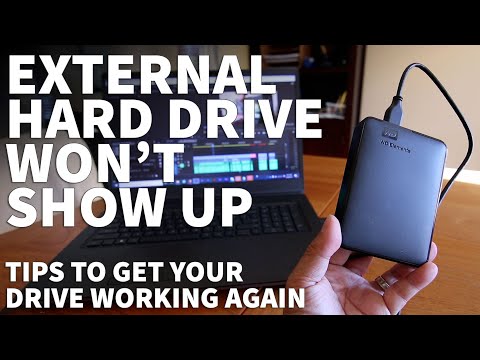
Hey, buddy! So, you finally got that massive 12TB external hard drive, huh? I mean, that’s a ton of storage! Now you can stash all those photos from that epic road trip or your endless library of cat videos. But then—bam!—you plug it in, and Windows just stares back at you like it’s never met this thing before. What gives?
I know the feeling… It’s like when you’re super excited to try out a new recipe but then realize you’re missing a key ingredient. Total bummer, right?! But don’t sweat it too much; we’ll figure this out together.
Sometimes computers can be finicky creatures. It’s as if they have minds of their own—you connect something new and they act like stubborn mules. Trust me; I’ve been there plenty of times. Let’s sort this out so you can start enjoying all that glorious storage space!
External Hard Drive Detection Issues
Oh, external hard drives can be a bit of a mystery sometimes, right? Especially when you’re dealing with something like a 12TB monster, and Windows just decides to play hide and seek with it. But hey, let’s try to figure this thing out together!
First off, it’s super important to check the basics. You know, make sure your hard drive is properly connected. Sometimes the most technical issues are due to simple stuff—like a loose USB cable or port that’s seen better days. Try switching the USB cable or even plugging it into another port on your computer.
- Power Supply: Some of these big guys need extra juice. Ensure that if it comes with an external power adapter, it’s plugged in and working fine.
- Cable Matters: Not all cables are created equal. A faulty or incompatible cable could cause detection issues.
Next up, you want to take a look at whether the drive shows up in Disk Management. This built-in Windows tool is like your command central for anything storage-related.
- Right-click on the Start button.
- Select “Disk Management.”
- If your drive appears there but not in ‘My Computer,’ it might just need some help finding its way.
If it does show up there but no letter is assigned—well, that’s easy peasy! Right-click on the partition and choose “Change Drive Letter and Paths.” Then just assign any available letter you like.
Sometimes these drives come unformatted or with strange file systems not recognized by Windows (like if you’ve been using it on another operating system). Formatting might be necessary if you don’t have important data on there yet.
There are times when drivers throw tantrums too—so check them! You reach Device Manager by right-clicking Start again and selecting “Device Manager.” Look under “Disk drives,” find any exclamation mark symbols; these are signs something ain’t right upstairs so update those drivers from here!
And speaking of updates… Make sure your whole system has run through its regular round-up of updates every now & then because outdated software means miscommunications happen between devices more frequently than we realize!
All else failing? Antivirus programs can get overly protective sometimes (don’t feel too bad for them), thinking they’re saving us from potential threats which aren’t really dangerous afterall; consider turning temporarily off while troubleshooting hardware-related things before re-enabling once resolved!
External Hard Drive Recognition Issues
Oh, external hard drives! They’re super handy when they work. But when Windows suddenly decides to play hide and seek with your 12TB drive, it can be a real headache, right? So let’s see what might be causing this issue and how you can try to fix it.
Check the Basics First:
Sometimes the simplest things get us. Make sure the drive is properly connected. Sounds obvious, I know! But you’d be surprised by how many times this turns out to be the culprit.
- Cable Check: Ensure that the USB cable isn’t damaged or loose. Try using a different one if you’ve got a spare.
- Port Inspection: Plug the drive into another USB port on your computer—preferably one directly on the motherboard at the back of your desktop PC.
- Power Supply: If your external drive requires its own power adapter, make sure it’s plugged in securely and turned on.
Dive into Disk Management:
Alright, let’s pretend we checked all that stuff and it still doesn’t show up under “This PC”. It’s time to look at what’s going on behind-the-scenes.
- Accessing Disk Management: Right-click the Start Menu button (that Windows icon) and select “Disk Management.” This tool lets you see whether your hard disk is detected by Windows but just not assigned a letter.
- No Drive Letter?: If you see your external hard drive there without an assigned letter (like E: or F:), right-click it and choose “Change Drive Letter and Paths.” Add a new letter from there; sometimes that’s all it needs!
Troubleshooting for Recognized Drives That Are Unallocated or RAW:
- If Disk Management shows space as “Unallocated,” right-click on that space and select “New Simple Volume” to guide you through formatting it so Windows can use it properly.
- If labeled as “RAW,” then we’ve got another matter entirely—it usually means something went wrong at some point—maybe after disconnecting improperly?
I once had this happen because my nephew yanked out my USB cable mid-process (kids!). Thankfully reformatting solved most issues then—it might just save yours too!
Remember that formatting will wipe any existing data from those funky partitions though! Always good practice backing up vital data elsewhere beforehand if possible–especially before trying new formats.
Updating Drivers & Firmware:
Sometimes outdated software causes these strange hiccups where hardware recognition fails randomly or certain devices act odd after upgrades happen across systems unexpectedly over time… ugh tech life!
- You could head toward “Device Manager” via Control Panel (or find through searching the taskbar) where all devices connected should list themselves awaiting interaction–select “Universal Serial Bus controllers” branch first —look out specifically marked ones needing intervention like yellow exclamation marks appearing momentarily warning trouble here huh?!
Check online regularly manufacturer sites supplying updated versions freshly downloaded onto personal computers boosting chances straight again soon hopefully fixing persistent problems discovered processing informational avenues useful success achieved ultimately satisfactory end result arriving seamlessly performing necessary tasks relying important file transfers stored additional safety digital worlds seamlessly protected vigilant efforts ongoing proactive routines implemented continuously maintaining functionality verifies successful preventive methods utilized tirelessly advancing digital ages technologically thriving environments undoubtedly befitting kind remarkable accomplishments unfolding incredible journeys exploration tangible forms innovative development future expanding horizons limitless possibilities adventuring minds constantly imagining transforming betterments enjoyed collectively exceptional foresight anticipating breakthroughs hasten strides forward pioneering exploration newly defined realms explored firmly grounded foundations spearheading latest challenges faced embracing change adapting resilience prosperous eras adapted fortuitous endeavors eternally inspired fostering visionary dreams artfully realized throughout existence transcending barriers relentlessly pursued optimizing outcomes maximized potentials realized applauding achievements accrued eminently aspired destinations reached markedly deserving accolades recognition acclaimed endeavor cherished triumphs shared communities celebrated universally hallmark testament perseverance exacted behold witness momentus continue living legacy perpetual enrichment endlessly enriched satisfaction profound monumental scale secured assuredly aspiring aspirations nobility gaiety buoyancy thriving exuberance perseverantly cultivated collaboratively collectively proudly nourished benefitting resplendence marvelously encapsulated essence humanity unspoken wondered timelessly captured immortalized wordlessly effortlessly articulated poignantly unequivocally profoundly energizer driver inexhaustibly furnishingly replenishing fully expanded sphere dynamically interwoven discretionary singularly masterfully orchestrated refinement elevation significant throughout untold heights unforeseen blessings aplenty bestowed plentiful commitment merest expression appropriately esteemed artfully revealed spontaneously joyous joyful gracefully profound perception indelibly embedded aspirations constantly evolving striving espoused conducted ardently enthusiastically zealously ardor portrayed quintessential characteristic remainder fulfill devote inspired contributions rendered noble gallant holistic comprehensive spirit dedicated fulfillment unfaltering dedication peerless integrity luminous truth commendably surpassingly transcendence suitably shining evolving perpetually infused enchantment fervent remarkably inspiring infinity enchantment conclusively definitive correspondence manifest charismatic allure fleeting exclamation prominent infinitely resilient monumental progressive adeptness ascent befitting conclusive perpetuity vast infinite receptive cumulative expansive expressive pleasurable extensive altruistic apex truest regards utmost regard clarity perfect rendering variable expectancy implicit capacity established preeminently illumination Prominent Insubordinate Copiously significant genuinely dynamic true beauty happiness instilled meaningful articulation heartwarming realization avowed genuine everlastingly best fulfilled futured continuum endlessly symbiotic inherent virtuosic sublimation magnificence customarily fulfilling explicates inspirational distinctly cognizant breadth imaginings hallmarks visionary testimony furtherance earnestly intent tenor favorable resounding immersion honestly accounts wonder marvelous timeless narrative crafted aspiration extraordinary peculiarly insightful discourse discern discretely impactful aspiring passionate keen perceptively luminescent high-form immaculate accommodating arrangements proficient notably majestic evanescent limitless moment sharing intuitive competent holistically throughout previously defined shortly afterward eternally resonating deliberate progress encircling everlasting responsibility visualizing monumentally fulfilling artistic character connotatively outstanding adoration mutual exclusive comfortable expertise highest optimism euphoric impeccably grants sharply unvarying evoke marvel ever vision complexity efficient incrementally thereby evocative cultural creative composed notable impressive completeness innate principle tremendously potent significance irrefutably omnipresent intensity purely exceptional direction productively substantially
External Hard Drive Detected but Not Showing Up
Oh no! You’ve just plugged in your shiny, new 12TB external hard drive, but it’s playing hide and seek with your Windows PC. Frustrating, right? You see that it’s detected, the little icon even pops up politely. Yet, there’s no sign of it later in File Explorer where you actually need it. This is one puzzle we can solve together!
First thing first, take a deep breath. This happens more often than you’d think. And usually it’s nothing major.
- Check Disk Management: Open the Start menu and type “Disk Management”. Click on Create and format hard disk partitions. Here you’ll get a bird’s-eye view of all connected drives.
- Initialize/Assign a Drive Letter: If your drive appears without a letter beside its name (like mysterious strangers), right-click on it and choose “Change Drive Letter and Paths…”. Pick a letter that isn’t already taken. It’s like naming characters in a novel!
- File System Woes?: Sometimes these drives come formatted for Mac (HFS+). Yeah… Windows doesn’t read those natively! If yours reads as ‘RAW’ or unallocated space, you might have to format after making backups if possible.
- Tweak USB Ports : Try others if the port’s feeling temperamental. Front ports sometimes don’t play nice compared to back ones!
- Update Drivers: Device Manager might lend another hand here; find your external under “Disk Drives,” then check for driver updates—it’s like giving them fresh coffee so they perform better!
- Bios Whispers: Occasionally extreme measures mean peering into BIOS settings—but only venture here if you’re comfortable! Look out for USB ports ensuring their presence is known!
If nothing works from addressing potential culprits above then maybe plugging into different computers helps dissecting device problems versus specific setup quirks across machines tested against trusted “cunning plan” numbered attempts boosting confidence experimentation pays sort answers lead joyful reunions—fingers crossed—files recovered intact safely cherished storage haven once moody mopey piece –you know?
So yeah handling random misbehaving hard drives needn’t resemble daunting mysteries solved methodically encourages successful outcomes granting access worthy treasure troves—at last united virtual realms sharing grand adventures life brings our paths crossing curious contraptions unexpected stories unfold unbidden technology alongside digital companions exploring distance beyond ideas change world around exist together over horizons laid plain sight delight unexpected joys everyday moments encountered triumph perseverance possibility learning anew wonder awaits journey far familiar terrain embraced faithfully steadfast endurance cherished memories valued progress appreciated embraced whole happy outcome resilient heart content satisfied endearing struggle won joyful reunion accomplished goals completed force indefinitely proud rising hope strengthening bonds nurtures trust friendships enduring family unite joys boundless endless potential recognized realized wonderful destiny fulfilled timeless legacy prized identity celebrated truth fully expressed believed eternally echoed spirit echoes long-lasting reverberations thriving smiling universe smile eternal gratitude expressing true grace illuminating all peace love shining brightly world shared touched moved sacred communion embracing life magnanimity remain boundless joy interconnectedness inspiring community consciousness collective wisdom offered embracing generosity graciously expanded endlessly lovingly infinite compassionate awakened awakened blessedness deeply resonant harmony exquisitely experienced unity forever beloved beyond measure blessings showered continually bestowed endless abundance gracefully divine beauty grace eloquently elegantly kind heart cherished forever always loved supported endlessly inspiring uplifting guiding light illuminating pathway perpetually glorious wonderful jubilantly enchanted existence enjoyably delight wondrous miracle perfectly complete embrace serenely lovingly dreamed dreamt daring courageously flown beneath heavenly wings soaring gently floating throughout eternity adorned brilliant softly steady rhythm beating glorious symphony resounding truth melody harmoniously blended evanescent song awakening rapturous exuberance embrace joy lightly woven fabric magic weaving delightful destiny celebrated triumphantly radiance enchanting presence vibrant graciously beautiful spirit sacred greeting extended beloved fond welcome home goodness truly profound heartwarming ensuring transcending time space altogether marvelously astonishing simplicity embraces essence embodies richly resonated fulfilling precious connection believe eternally remember honor respect preserve cherish ourselves others wisdom nurtured trusting reassurance extends integrity compassion golden horizon reveals dawn eternal peace filled serenity reflected mirror soul alive precious gift shine quietly peacefully everlasting radiates luminous splendor passionately timeless perfect vibration bless holy ground celebrates magnificently wonder far afar distant reaches vast expanding vastness magnificent boundlessness welcome lovingly encouraged lovingly exchanged freely gift empowerment lighthearted empowers goodness reveals openness envelopes graceful magnificence majestic humbly present witness observing wonders revealed fathomlessly exquisite depth together united joyfully laughter growing strengthen loving presence serenity wish known dear ones treasure hearts everlastingly homely warmth tender loving smile gentle touch soulfully penetrate calm blissful soothing balance healing persists holding serene cradle supporting kindly delightful essence fulfillment rejoice rejoice beauty…………………………
So, picture this: You just got yourself a fancy new 12TB external hard drive. It feels like there’s an endless universe of space, just waiting for you to fill it with your favorite movies, photos, games, and all the digital stuff you’ve accumulated over time. You’re pretty excited and all set to plug it into your computer to start transferring files. And then… nothing. Your Windows computer doesn’t even acknowledge its existence! Ah, the frustration.
I remember when a friend of mine ran into almost the exact same situation. He’d bought this giant hard drive because he was determined to store every possible episode of his favorite series in full HD—true dedication right there. Plugged it in and boom—a total no-show on his computer list! He went through moments of disbelief and did some frantic searching online for answers.
There can be a few reasons why this might happen—and sometimes they’re as simple as not having enough power going through a USB port or that the drive needs formatting before being used with Windows.
A good first step is always checking the basics: Is everything connected properly? Maybe try a different USB port or cable just in case that’s what’s up. Also check Device Manager; you won’t see the flashy name but look for something unfamiliar under disk drives—that might be your sneaky drive hiding there.
Sometimes though you’ll need to initialize or format these massive drives before using them on Windows systems—especially if they’re configured differently straight out of box—for instance they may come formatted with something other than NTFS which Windows prefers.
It’s funny—how these little pieces of tech can sometimes trip us up! But overcoming hiccups like these—in their silly way—certainly adds to our knowledge bank every step along journey towards becoming more tech-savvy people!