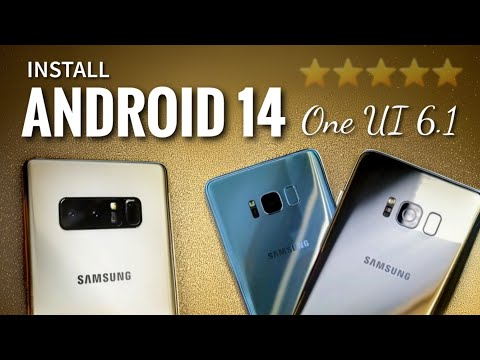
Oh man, the Galaxy S8. Remember when we all thought it was the slickest phone ever? Seriously, those infinity screens felt like something from a sci-fi movie, right?
Fast forward a bit and now you’re thinking about ROM installation. Yep, it’s that thing you heard your tech-savvy buddy mention once. But now you’re here because it sounds kinda interesting—or maybe your phone’s acting up.
Here’s the thing: Installing a custom ROM can feel like a treasure hunt with all puzzles and traps straight out of an adventure game.
You might hit some snags along the way. It’s sorta like cooking without a recipe! You know what you want but aren’t sure exactly how to get there yet.
Don’t fret though! We’ll dive into those quirky challenges together and figure this out. Sound good?
Samsung Galaxy S8 Support Status
Hey, let’s chat about the Samsung Galaxy S8 and its support status. You know, it’s been around since 2017—five years can feel like a lifetime in tech years!
End of Official Support
The Galaxy S8 is one of those phones that stirred up excitement back in the day. However, time flies and official software support eventually runs out. In 2021, Samsung announced that there wouldn’t be any more software updates. This means no fresh security patches or bug fixes popping up when you least expect them.
What does this mean for you?
- You’re on your own with security vulnerabilities because newer updates won’t fix them.
- Some apps may start acting funky as they rely on features available only in updated systems.
Relatable story time: I once held onto an older phone even when it was past its prime—it felt like saying goodbye to an old friend! But eventually, I had to face the reality of needing features my trusty device just couldn’t juggle anymore.
Installing a Custom ROM
If you’re brave enough, custom ROMs can breathe new life into your S8! These are alternative versions of Android developed by enthusiasts that offer different features or better performance.
However—and here’s the big catch—they come with their own set of challenges:
- Void warranty: Installing a custom ROM will void any leftovers of warranty you might still have.
- Brick risk: If things go south during installation… well, your phone may turn into an expensive paperweight.
- Lack of beginner-friendly instructions: Most guides assume some level of expertise with unlocking bootloaders and flashing images.
I’d known someone who tried DIYing this process but ended up panicking after their screen froze mid-installation! Let’s just say knowing backup plans is handy—and having patience helps too!
Remember though—the online community revolves around forums dedicated specifically towards particular devices where fellow adventurers can lend helping hands virtually.
It’s all part adventure part mystery novel sometimes… So yeah if anything needs clarification hit me up anytime amigo!
Samsung S8 ROM Specifications
Alright, my friend, let’s chat a bit about the Samsung Galaxy S8 and some of the ROM specifics that folks might find interesting—or even crucial—especially if you’re tinkering with it.
First things first, it’s important to know what we’re diving into. The ROM, or Read-Only Memory in smartphones like the Samsung Galaxy S8, holds the firmware, which includes that lovely operating system we all interact with daily. This isn’t something you change without careful thought because it can affect nearly every aspect of how your phone operates.
Now, the Galaxy S8 originally comes out of the box loaded with Samsung’s version of Android. It’s all tweaked to give you specific features and visuals that set it apart from other phones running Android.
- Storage Capacity: The S8 typically packs 64 GB of internal storage space where this ROM resides. Consider this when thinking about changing it up—it’ll dictate how much wiggle room you’ll have for apps and files.
- Bootloader: Before you’re able to customize or install a different ROM, you’ll need to unlock this part of your phone. Be wary! Unlocking could void warranties.
That brings us neatly into why someone might face challenges installing new ROMs on their device:
- Compatibility Issues: Not all ROMs are made equally or for all models—it’s like trying to use shoes from different brands; they don’t always fit right away.
- The Learning Curve: These installations often require rooting your device first—a process akin to pulling weeds out by hand instead of using a mower: it’s deliberate but more delicate!
I remember hearing from a friend who tried installing a custom ROM just last summer. Talk about frustration! He ended up bricking his phone temporarily because he skipped over some tiny-but-essential details in one guide he was following online.
Finally here’s another friendly tip: always back up everything before jumping into these waters—even though we’re talking data here; pictures, contact lists—stuff you’d hate losing if something goes wrong mid-process.
Don’t let me discourage you though! If handled carefully after thorough research (emphasis there), customizing can breathe fresh life into older tech making them feel practically renewed again—and potentially save money upgrading too soon!
Stay informed yet cautious; every tweak contributes toward personalizing experiences beyond default settings offering greater control freedom upon successful adaptations done properly amidst balancing risks involved each step onward journey tweaking aspirations fulfilled ultimately safely thereby achieving desired smart changes indeed fully realized at long last ever lovingly wished throughout initially envisioned handily sooner quite possibly seen beginningly somewhat truly remarkable huh?
Samsung Galaxy S8 ROM Compatibility Issues
Oh boy, the Samsung Galaxy S8! Remember when it was all shiny and new? If you’re diving into customizing its ROM, well, there are a few things you might want to think about. Let me walk you through some compatibility issues that pop up. Who doesn’t want their phone to run like butter on a hot summer day?
- Versions Matter: One of the key things is checking what version of ROM you’re dealing with. You see, not every custom ROM will suit your specific S8 model. There’s usually a difference between the standard model and the S8 Plus, for instance.
- Hardware Considerations: Ah yes, hardware can play tricks on us! Some ROMs need specific hardware features available only in certain models or regions. Always check if your device matches what the ROM requires.
- Software Compatibility: Ever get that feeling when you install an app and it just… doesn’t work? Well, this can happen with ROMs too if they don’t match your Android version or bootloader.
- Kernels Aren’t Universal: Now here’s where it gets interesting—or frustrating. Some custom ROMs demand particular kernels (like a recipe needing a specific type of flour). Using an incompatible kernel might lead to unexpected crashes or performance hiccups.
- The Bootloop Dilemma: It’s like getting stuck in a revolving door—your device gets caught in endless reboots after installing an incompatible ROM!
Now maybe you’re wondering how folks figure all this out without losing their minds? Well, there’s plenty of lively discussions online—for example on forums like XDA Developers—where users share their experiences (both good and bad).
Tweaking Tips:
– Before diving into installation mode always back up everything important; photos contacts—you name it!
– Use tools like Odin carefully—and keep patience by your side.
And remember: tinkering with custom software isn’t everyone’s cup of tea but hey if love exploring new stuff why not give yourself time enjoy learning curve… even those occasional stumbles make victory taste sweeter!
Ah, the fun of diving into the world of custom ROMs on your Samsung Galaxy S8! There’s a certain thrill, you know?, that comes with tinkering around with your device. It’s like being a kid again and taking apart your toys to see how they work, except this time, it’s all digital.
Now, if you’re into customizing your smartphone’s software experience beyond what Samsung offers out of the box, you’ll totally get what I mean. Installing a new ROM can breathe fresh life into an older device or give you features and flexibility that the original software might not offer. But let’s be real here—it’s not always smooth sailing.
One day I decided to jump on this rollercoaster with my own Galaxy S8. Everything seemed straightforward at first: download the ROM, back up data (because who wants to lose those precious photos?), and then flash it onto the phone using a custom recovery tool like TWRP. Piece of cake, right? Well… not quite.
My first hiccup? The dreaded bootloop. It’s when your phone gets stuck in a cycle of restarting endlessly—sort of like getting stuck in traffic right before reaching home! Trying various fixes was frustrating; from clearing caches to re-flashing different files until it finally booted up properly was an adventure in itself.
But even after getting past that hurdle—another challenge came knocking: some features just didn’t work perfectly or at all; perhaps Bluetooth didn’t connect as seamlessly anymore or battery life took a nosedive faster than diving into cold water!
Yet despite all these bumps along road—there’s something undeniably satisfying overcoming them because each step brings such sense achievement knowing turned same old device into something uniquely yours!
Surely something quirky will pop-up again other unexpected surprises await curious minds daring exploring Android universe—but hey—that’s part joy being enthusiast drawn possibility making techie dreams come alive one custom flash time!