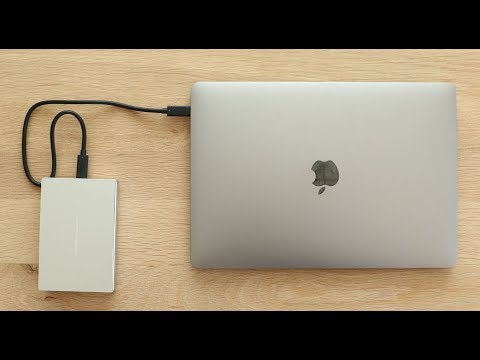
Alright, so you’ve got yourself a shiny Porsche Design HDD, huh? Super sleek and fancy, right? But now, it’s giving you the runaround by not connecting to Wi-Fi. Seriously? That can be a total mood killer because all you really want is just to dive into your files without any fuss.
Trust me, we’ve all been there—staring at that stubborn device and wishing it would just cooperate already. You’d think doing this would be as easy as pie; plug it in and voilà… Nope! Sometimes technology seems to have a mind of its own. Let’s see what’s going on here.
Maybe it’s just playing hard to get or there’s something else messing up the connection. Either way, we’ll figure something out together—I promise!
Hard Drive Connection Failure Causes
Ever tried to connect your Porsche Design hard drive to a Wi-Fi network, only to find it stubbornly refusing to cooperate? It can be quite the head-scratcher, right? Let’s dive into what’s going on.
First off, when you’re dealing with a hard drive connection failure, there are a bunch of little gremlins that might be causing the trouble. Here’s what could be going awry:
- Firmware Glitch: Just like how our phones need updates to run smoothly, hard drives also have firmware that occasionally gos out of whack. An outdated or corrupt firmware can cause connection issues.
- Faulty Cables: Sometimes it’s as simple as a dodgy cable that’s causing all the chaos. You know how charging cables wear out over time? The same thing can happen here.
- Network Configuration Issues: If everything’s plugged in correctly and working fine, it might be worth checking if the Wi-Fi network settings are all correctly set up. Imagine setting up a puzzle with one wrong piece; things just won’t fit right!
- Power Problems: Believe it or not, power supply problems play tricks too. If your hard drive isn’t getting enough juice, it may struggle with network claims.
- Interference from Other Devices: In homes crammed with gadgets—from smart speakers to wireless printers—all this wireless activity sometimes interrupts your hard-drive connectivity! Your device might just get lost in the noise.
Here’s an anecdote for you: I once had my own trusty external drive giving me similar troubles and after trying nearly everything under the sun—I found out my neighbor’s new powerful router was conflicting with signals! A change of channel quickly cleared things up.
To narrow down which is your culprit start by eliminating potential causes one by one.
If firmware seems sketchy see if there’s an update available online through manufacturers’ site.
Create some space around where connecting occurs disable other nearby devices momentarily & retry connections!
Hopefully following these suggestions will help bring back peace between Porshe Design HDD and its WiFi friends.
Hard Drive Click of Death Causes
Oh no! Ever heard that weird clicking noise coming from your hard drive? They call it the “Click of Death.” It’s like the stuff of nightmares for tech folks. But hey, don’t panic just yet! Let’s see what might cause this unnerving sound.
- Physical damage: Like a ball bearing in your favorite skateboard getting rusty, parts inside the hard drive can wear out or get damaged. That click? It could be a read/write head trying—and failing—to move properly.
- Power issues: Imagine if your device had too little juice. Hard drives need consistent power to function smoothly. If there’s not enough, you’ll hear that telltale click as it tries to start up again and again.
- Firmware corruption: Firmware is kind of like a tiny, super-smart guidebook for your device’s hardware. If it gets corrupted, things can go haywire! Your hard drive might act up because it doesn’t know what to do next.
- User error: Sometimes we humans make mistakes—not switching off the system correctly or yanking out cables too fast may lead to issues over time.
Now here’s a little twist—what if you’re dealing with a cool-looking Porsche Design HDD that just doesn’t want to connect to WiFi? Sure sounds annoying, right? While this may seem unrelated at first glance, imagine they’re in a similar pickle: both need stable communication paths; one through internal components and another over networks.
It’s always wise checking network settings on any paired devices around—the problem sometimes lies outside our beloved gadgets themselves!
By shedding some light on these possible culprits behind “The Click,” hopefully, peace-of-mind comes easier whenever troubleshooting hard drives—or stylish external ones acting finicky online happens down-the-road!
LaCie Hard Drive Connection Issues
Isn’t it frustrating when your favorite LaCie hard drive decides to play hard to get with Wi-Fi? It’s like when you’re all set for a picnic, and it suddenly rains. Connection issues aren’t exactly rare unicorns, you know? So let’s chat about what might be going on.
First thing’s first: check your cables. I know this sounds basic, but you’d be surprised how often a loose cable or a slightly damaged one is the root of chaos!
- Tighten Up: Make sure all the cables are snugly plugged in. None of this half-in-half-out business!
- Try another port: If you’ve got options, use a different USB port on your computer or hub. Ports can be quirky.
If everything still looks and feels like it’s from Alice’s Wonderland, have no fear! There are some other things you could try.
Diving into software: Sometimes, it’s the software that’s having a bad day.
- Update Drivers: Outdated drivers can be just like trying to play modern games on an old console. Head over to LaCie’s website to see if your driver needs some TLC.
- Check Network Settings: Ensure your Wi-Fi network information is correctly entered into the drive settings—for those LaCie models with network features.
Now and then, even our trusty devices need a little reboot—not unlike us needing that morning coffee kick.
The good ol’ restart trick:
- Restart Device and Router:: Power off both your hard drive and router, count till ten (a classic!), then power them back up.
Got an antivirus program sipping tea in the background? Yep, they can sometimes block connections without even asking nicely!
An unexpected protector:
Sometimes antivirus software acts like an overprotective parent!
- Breathe Deeply:: Temporarily disable firewall settings or antivirus programs—but remember to turn them back on after testing!
If that hasn’t done the trick yet… double-check if there’s any available firmware update for your hard drive model as it’s always nice keeping things updated.
Remember once my friend’s phone was stuck in restart limbo until she updated its OS—a well-known saga many techies relate with.
Got questions or stories about tech mishaps you’d like shared here next time? Let me hear ‘em!
Oh man, you know that moment when you’re super pumped about your new Porsche Design HDD—it’s all sleek and shiny—and then, bam, you can’t get it to connect to your Wi-Fi? Such a bummer! It’s kind of like you’re ready for a thrilling ride but the car just won’t start.
Anyway, dealing with tech can sometimes feel like speaking a foreign language, right? So here’s the scoop on what’s probably going on. First things first, that pesky Wi-Fi might be playing hide and seek because of something simple like being out of range or maybe even because of the wrong password. Double-checking these basics is always worth it.
Now, if everything’s in place there and it’s still not working out, here’s another thought: maybe it’s about the firmware. Devices often have little brains called firmware that need updates every now and then. Without those updates, they can get cranky or forget how to talk to newer network setups.
And hey, don’t forget those router settings! Sometimes routers have their own quirks—that requires devices trying to connect be on specific frequencies (like only 2.4GHz instead of 5GHz). It’s like inviting someone over but giving them confusing directions halfway through.
Of course technology loves its mysteries! But taking it one step at a time usually reveals what’s going on behind the curtain. Even if fixing this stuff isn’t exactly what you’d call fun—it’s rewarding when you finally see everything click into place just as it should!
So yeah—I guess we’ve all been there in one way or another: wrestling with gadgets that refuse to play nice until they eventually relent after some gentle nudging (or aggressive restarting). Keep at it; soon enough you’ll have smooth sailing—or blazing fast storage—as everyone hopes their tech would deliver!