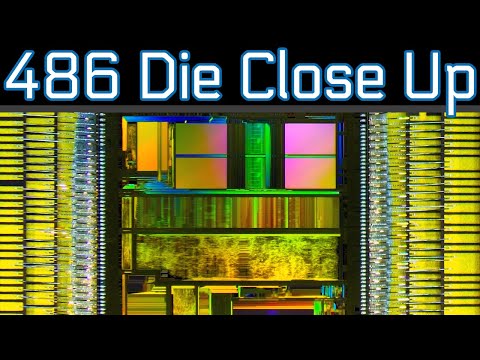
Okay, let’s take a little trip down memory lane. You remember the Intel 486, right? That vintage little gem from way back when computers were these chunky boxes full of wonder. I mean, those things were something else!
You’d be sitting there, all excited to boot up and—bam!—nothing worked like it should. That’s when you’d start fiddling with jumpers and connectors while scratching your head like it was some kind of magic spell.
And hey, don’t get me started on compatibility drama! Oh boy, finding the right hardware mix was sometimes like solving a jigsaw puzzle blindfolded.
I mean really, who hasn’t experienced that heart-stopping moment when you plug everything in and hope for the best? Those were the days…
Intel 486 Hardware Compatibility Checklist
Oh, the nostalgia of the Intel 486! You know, it’s like revisiting an old friend from a time when computers were just starting to become a household staple. If you’re dealing with or exploring these older machines, you might run into some hiccups—or compatibility issues—along the way. Here, I’ll walk you through what you need to check out to get things running smoothly.
1. Motherboard and CPU Socket:
First off, ensure that your motherboard has a socket compatible with the Intel 486. This might sound obvious, but back then there were several different sockets like Socket 1 or Socket 3 depending on the specific variant of 486 you’re using. It’s like trying to find the right pair of shoes at a thrift store!
2. RAM Compatibility:
The Intel 486 generally used SIMM modules for RAM—usually in capacities ranging from 4MB up to maybe about 32MB if you needed something more robust back then. Make sure those modules fit snugly in their slots.
- 30-pin vs 72-pin: Different motherboards supported either type; it’s important to match them!
- Error-checking: Some systems used EDO-RAM which could also feature parity for error-checking—again, verify compatibility.
3. Video Cards:
Graphics weren’t as intense as today, but still crucial! The majority utilized ISA bus interfaces (8-bit or 16-bit slots), and later models even supported VLB cards for faster graphics performance.
4. Expansion Slots:
Look out for these various types:
- ISA Slots: These were super common for most peripherals—from sound cards to modems.
- EISA/VLB Slots: Certain later models came equipped with these improving data throughput speed greatly.
5.Sound Card Support:
Ah yes… Sound Blaster-compatible was king during this era! Ensure any sound card supports whatever software you’ll plan on running — Music Quest anyone?
Bogging Down With BIOS Settings?: Keep an eye out here too; BIOS settings required careful tweaking sometimes…like setting IRQ addresses manually depending upon each device requiring one uniquely (complex stuff compared today).
Anyway!, taking all above points info account shall aid finding hardware able interacting friendly fashion maximizing efficiency resource utilization old yet precious computing gem known proudly under badge “Intel Inside.”
Hope diving deep vintage hardware helped rekindle some excitement curiosity – Always fascinating remember origins where technology started revolutionizing lives globally impacting exponentially year after year building pretty cool present era gadgets enjoy daily basis huh?!
Intel 486 Motherboard Compatibility Requirements
Diving into the world of older tech, like the Intel 486 motherboards, can be a bit like stepping back in time. You might feel nostalgia or even curiosity about these classic pieces of hardware. These motherboards were all the rage in their heyday during the early ’90s. Believe it or not, they were quite advanced back then! But if you’re trying to set one up today, there are a few things you need to know about compatibility.
CPU Compatibility
The Intel 486 motherboard is designed to work with a specific range of CPUs—namely the Intel 486 processors. And within that family, you have several variations: SX, DX, DX2 and even DX4 models. The main differences between them revolve around speed and math co-processors presence which enhances performance for certain tasks.
- Intel 486 SX: Lacks an onboard math co-processor.
- Intel 486 DX: Includes a built-in math co-processor.
- DX2/DX4 Models: These offer higher clock speeds thanks to internal multipliers.
Memory Requirements
Memory compatibility on these boards is another key factor. Predominantly using older SIMM (Single Inline Memory Module) slots from around that period—usually these are either 30-pin or later models with 72-pin configurations—you have limited space compared to what we’re used today!
Expansion Slots & Cards
With expansion being critical part back then too—you’ve got commonly found ISA slots (Industry Standard Architecture). Some newer iterations started incorporating PCI slots toward end life cycle—but very seldom appeared early versions though!
- If adding network capabilities – you’d typically find needing ISA based NIC card unless upgraded later revision board included PCI option which opened more choices here.
- Motherboards: The 486 itself came in different flavors like SX, DX, DX2… Each variant had different capabilities and speeds. Make sure your motherboard can handle the specific version you have!
- Memory (RAM): Back then, SIMM modules were all the rage. You’ll need those tiny sticks specifically designed to fit in these older systems.
- BIOS settings: Sometimes finding just the right BIOS setup is like playing detective; certain cards or devices might need specific configurations to work.
- Power Supply: These systems used AT power supplies (before ATX became standard), so double-check if your power connectors match up.
I/O Ports & Interfaces
You would also find regular Serial ports Parallel ports along edge Mothership connecting peripherals printers modems similarly vintage era compatible fortunately!
Nowadays scavenging through flea markets auctions finding right stuff become interesting adventure given scarcity parts involved makes whole process challenging fun times sake huh?
Hope this journey through ancient architectures was enlightening if want dive deeper let me know because plenty stories machines hiding under dust layers remember quirky temperamental character trait never forget unique charm present own way eh?
Intel 486 Computer Compatibility Requirements
Oh, the good ol’ Intel 486. Brings back memories, doesn’t it? If you ever had one of these golden oldies or are dealing with them now, understanding what makes them tick is super handy. Let’s dive into some of the compatibility quirks these machines have.
First off, you have to remember that the 486 was at its peak in the late ’80s and early ’90s. That means a lot of hardware components from that era could be crucial when you’re setting things up.
A fun fact: An old friend of mine tried hooking up a modern SSD to his retro machine (he was feeling adventurous!). Needless to say, it didn’t end well without an adapter since those fancy SATA connections didn’t exist at that time.
You’ve also got operating system considerations. The Intel 486 can run everything from DOS all way up through early Windows versions— Windows for Workgroups or even Windows NT if you’re feeling daring!
And don’t forget about expansion cards: ISA was king on these boards! Whether it’s a video card or sound card—look around online flea markets because brand-new parts just don’t exist anymore!
In short—or actually longer given this nostalgic ramble—the key thing here is matching components designed especially for this era’s technology landscape. It can seem daunting but hitting upon that perfect balance gives such satisfaction when finally everything hums together perfectly again after decades gathering dust somewhere forgotten… And hey who knows—you might find yourself enjoying vintage gaming once more too!
Ah, the Intel 486! Takes me back to the days when my family bought our very first computer. It was like magic, you know? Plug it in, hear the humming of fans, and then that trusty old CRT monitor would light up. But, like any piece of tech from back then (or now, to be honest), it wasn’t always smooth sailing.
The Intel 486 was a pretty big deal in its time. Compared to the processors before it, it felt like jumping from a bicycle straight into a sports car. You could suddenly do more—faster and better. But not everything about those early PCs was rainbows and butterflies.
One of its quirks that sticks out in memory is compatibility issues. I remember the time my dad brought home a fancy sound card he got on sale; we were excited to try playing those MIDI files everyone was talking about! We plugged that card into one of those ISA slots in our 486 system only to find… nothing worked as expected.
You see, back then hardware didn’t always play nice together automatically like most gadgets nowadays tend to do with plug-and-play support. There were things called IRQs (Interrupt Requests), and you had to manually set these using tiny jumpers on each component or sometimes through software configurations if you messed it up everything could get tangled into weird glitches or just plain not work at all!
And don’t even start on RAM upgrades! Mixing different speeds or sizes could lead you down some bizarre rabbit holes where suddenly your supposedly-mighty machine becomes slower than molasses—or worse—it doesn’t boot at all!
But hey even with those hiccups? The satisfaction we felt once everything finally clicked and worked as intended made us feel like we’d conquered Everest!