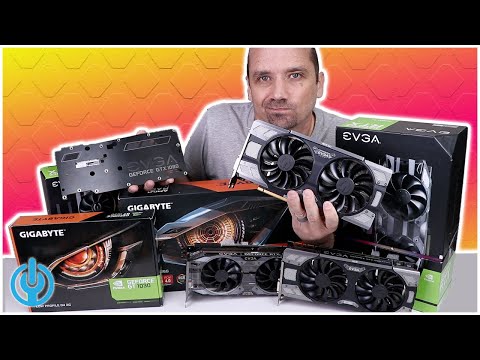
Oh man, you ever have your graphics card go haywire? It’s frustrating, right? One moment you’re just enjoying some epic gaming or maybe working on that important project, and boom! Your screen goes black or all those crazy colors show up. It’s like your PC decided to throw a spontaneous light show.
But don’t panic! First thing you need to know is that you’re not alone in this struggle. Trust me, many of us have been there and done that. It’s kinda like a rite of passage for gamers and graphic designers alike.
And hey, fixing a graphics card isn’t as scary as it sounds. Seriously! With some patience—and maybe a screwdriver—you can solve most issues without breaking the bank at a repair shop.
So yeah, ready to tackle this head-on? Let’s chat about what usually goes wrong with these little tech gems and how you can get back on track in no time!
Common Causes of Hardware Overheating
You know, dealing with hardware overheating feels like when your old car starts fuming on a road trip. Annoying and slightly worrying, right? Let’s dive into why these digital workhorses heat up sometimes. We’ll specifically look at issues that can affect graphics cards since they’re often culprits in overheating dramas.
Dust and Dirt Buildup: Imagine a dusty fan—it’s like trying to breathe through a stuffy nose! Dust blocks air vents and clogs the cooling system in your computer, causing it to overheat. This is particularly troublesome for the fans on your graphics card.
Improper Ventilation: Placing your computer in a cramped space is no good. Picture wearing a heavy coat in summer while sitting under the scorching sun—sweat galore! Make sure there’s enough space around your machine for heat to escape, alright?
Overclocking: This one’s like pushing an engine past its limits for extra speed. You know, trying to squeeze out extra performance can max out the temperature on that hardware pretty quick.
Faulty Cooling System: Sometimes cooling systems fail or break down—you might notice if the fan sounds weird or stops spinning altogether. It’s akin to having AC broken at home during a heatwave—not pleasant!
- Thermal Paste Issues: Think of thermal paste as peanut butter between bread; it helps transfer heat from one surface (CPU/GPU) to another (the cooler). If it’s dried out or improperly applied, it won’t do much good.
- Poor Cable Management: Cables bunched up can block airflow inside the case—like clogging arteries with junk food! Organizing them neatly helps air glide smoothly throughout.
- High Ambient Temperature: Our environment matters too! A hot room makes electronics work harder because they’re already struggling against external warmth.
Alright then—with these pointers highlighted above you’ve got some groundwork laid when looking into why overheating occurs often challenging our tech companions daily lives.
Symptoms of Common GPU Hardware Failures
Hey there! Have you ever been frustrated with your computer’s graphics, like something’s not quite right? Well, you might be facing a GPU (Graphics Processing Unit) issue. Don’t worry, it’s not as scary as it sounds. Let’s chat about some common symptoms of GPU hardware failures and what they might look like.
First off, when your graphics card is on the fritz, the most obvious sign you’ll see is visual artifacts. These might appear as strange lines or shapes—like digital confetti—that just shouldn’t be there on your screen. You know those cool digital glitches you see in movies? In real life, though, they’re just plain annoying.
Another symptom to watch out for is screen flickering or tearing. It kind of feels like the screen can’t keep up with what’s happening. It’s similar to when you’re watching an old film reel that’s a bit messed up. This usually means your GPU isn’t syncing properly.
If you’re into gaming and notice that your games keep crashing, that’s another big red flag. You’re all set for an epic battle and boom—suddenly you’re back on your desktop staring at your wallpaper instead of slaying foes.
Now here’s one that could really send chills down your spine: the dreadful blue screen of death (BSOD). It’s like having one of those “everything was fine until” moments. This can happen when there’s a severe problem with how the hardware’s working along with Windows.
You might experience overheating issues, too. If your PC fans are whirring loudly like they’re trying to take off into space, it could indicate that things are getting too hot for comfort inside that case! Overheating can lead to even more damage if not handled soon enough.
Let’s touch upon some troubleshooting stuff quickly:
- Check connections: Make sure all cables are snugly connected.
- Inspect physical damage: Remove dust build-up; sometimes a little cleaning works wonders.
- Update drivers: Keep them fresh—they’re vital!
- Monitor temperatures:If overheating happens often consider improving cooling systems such as adding more fans.
Surely we don’t want our beloved machines suffering quietly while silently begging us for attention through these signs?!
Signs of a Failing Graphics Card
Ah, the graphics card, an essential component nestled in your computer, quietly powering those vivid displays and immersive gaming experiences. But you know, like any piece of technology, they can face issues. Recognizing the symptoms of a failing graphics card can save you from a lot of grief—and maybe even some cash!
Screen Artifacts: This one’s a bit like seeing digital “ghosts” on your display. If you start noticing odd lines or colorful static when playing games or watching videos, it might not just be some quirky software glitch. It could be a sign that the graphics card is having trouble processing data correctly.
Unexpected Crashes: Ever had your screen suddenly go black while you’re in the middle of something? It’s not just annoying—it can be an early warning sign. Frequent crashes or system reboots may indicate your graphics card is struggling to keep up.
Overheating Woes: Feel like you could fry an egg on your computer case? Excessive heat is not great for electronic components. Pay attention if fan noise increases significantly; it might mean your graphics card’s cooling solution isn’t functioning as efficiently as it should.
Bizarre Display Issues: A classic one! Text gone fuzzy? Colors looking off? If you’re seeing discoloration or strange patterns even after restarting devices and applications, it’s worth considering that your trusty GPU might be on its way out.
No Signal: Have you ever stared at a “No Signal” message when everything seems plugged in right? Sometimes it’s because the GPU has simply given up; connections can become faulty due to wear and tear over time—nothing permanent maybe—but certainly concerning.
Now let’s remember Uncle Joe’s old computer—bless him—who swore “she was fine,” while everyone else saw her freezing every other day… Yep! Denial ain’t just a river in Egypt! Don’t wait till things reach such dramatic levels before giving them due attention!
Testing Tools & Steps:
- Monitoring Software: Use tools like MSI Afterburner to check temperature levels.
- Stress Tests: Apps such as FurMark help push GPUs under heavy loads to identify performance anomalies.
- Cable Check: Ensure all cables connecting GPU to monitor are secure.
- Cleansing Rituals: Dust buildup inside cases causes overheating—not nearly holy enough right?
Taking care by knowing these signs doesn’t only protect hardware investment but also ensures uninterrupted productivity (or gaming!). Keep an eye open now… because loving our tech means truly understanding its quirks!
Oh boy, do I remember the time when my graphics card decided it needed a little break—not the pleasant kind. You’re mid-game or maybe working on a project, and suddenly everything just freezes. It’s like your computer takes a deep breath and refuses to exhale. If you’ve ever been there, you know how frustrating that can be!
So what’s going on with these little wonders of technology that display such amazing visuals? You see, graphics cards are like the artists of your computer. They take all those complex numbers and algorithms and turn them into visually stunning images.
Now, common hardware failures usually pop up when least expected. One typical culprit is overheating—those cards can get hot as a summer day! Maybe the fan’s clogged with dust bunnies or has stopped spinning altogether—now that’s always fun to find out. I’ve seen folks tapping on their desktops just to get the thing going again—a bit risky but sometimes effective!
Another issue might be loose connections. It happens, especially if you’ve moved your tower around lately or did some tinkering inside… Check those cables because one tiny unplugged connection can make massive trouble.
And there’s driver problems too—those sneaky little updates we love to forget about until they force everything into chaos! Keeping them updated is almost like remembering to eat your greens; it keeps things running smoothly.
Sometimes these fixes aren’t enough though—and that’s kinda heartbreaking when you’ve poured money into good hardware—but hey, don’t lose hope! Salvaging parts or even taking it for professional repair might save headaches in some cases.
I’m not saying give up gaming nights with friends or close out those creative projects just yet; keep an eye on heat levels (don’t let ’em boil over), make sure fans hum nicely along without complaint!
And remember—a bit of regular maintenance helps avoid bigger disasters down line… So yeah.. loving our tech means caring for its quirks too—just part being human right?