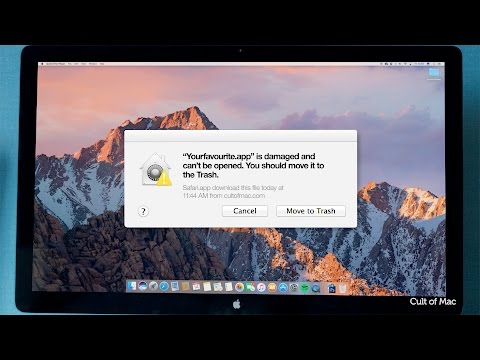
You know, technology can be such a double-edged sword, right? One moment your Mac is purring along smoothly, and the next it’s like it’s got a mind of its own. Oh boy!
I remember this one time I was in the middle of an important project. All was going well until my macOS Sierra decided to throw a tantrum! It’s like it just woke up on the wrong side of the bed or something.
Now, if you’re nodding along because your Mac has pulled some tricks on you too, don’t worry—you’re in good company! We all face those pesky little hiccups. But hey, where there’s a will, there’s a way to fix them.
So grab your cup of coffee. Let’s chat about these common macOS Sierra issues and how **you** can tackle them head-on!
macOS Update Failures
Oh, macOS updates—sometimes they’re smooth as butter. Other times? Not so much. Imagine setting some time aside for a quick update, only to find yourself staring at an error message instead of your screen. Frustrating, right? Let’s chat about what can go wrong with a macOS Sierra update and how you might fix it.
Why Updates Fail
There could be a bunch of reasons why your update takes a nosedive. Sometimes it’s the Wi-Fi acting up or maybe there isn’t enough disk space. Occasionally, incompatible software is the culprit. It’s like trying to fit a square peg in a round hole—it just won’t work!
Common Issues and Simple Solutions
- Poor Internet Connection: First things first, check your internet connection if the download seems slow or stuck. It’s like watching paint dry if things don’t move! A quick restart of your router often helps.
- Lack of Storage: Another hiccup could be not having enough space on your device for the new update files. Aim to free up at least 20GB—move some photos or old files to an external drive.
- Stuck Update: Your Mac gets stuck during installation? Try booting in Safe Mode by holding down the ‘Shift’ key as it restarts, then attempt the install again.
- Error Messages: Encountering specific error codes can be off-putting—even kind of scary! Look them up online for more tailored troubleshooting steps.
Anecdotal Bit
I remember once updating late at night before bed—big mistake! My Mac got stuck on that pesky loading bar forever. I ended up calling it a night and started again by morning light… after freeing up some much-needed storage!
If All Else Fails?
Sometimes nothing seems to do the trick (yikes!). You might need assistance from Apple Support or even consider reinstalling macOS altogether—it’s drastic but occasionally necessary.
Stay calm and have patience during these kerfuffles—with persistence and maybe asking around, you’ll get through those choppy upgrade waters!
Resolving macOS Sierra Compatibility Issues
Sure thing! Dealing with macOS Sierra compatibility issues can feel a bit like trying to fit a square peg into a round hole, right? I’ve had my fair share of headaches with it too. But don’t worry, let’s tackle this together and simplify the whole thing.
Understanding Compatibility Problems
macOS Sierra introduced some great features back in the day—remember Siri integration? However, not all apps and hardware were ready to play nice. Sometimes older software just refuses to work properly, you know?
Check System Requirements
First off, make sure your Mac is actually capable of running Sierra. The basic rule here is that it should be from mid-2010 or newer for laptops and late 2009 or newer for iMacs.
- MacBook Pro: Mid-2010 or newer
- MacBook Air: Late 2010 or newer
- iMac: Late 2009 or newer
Troubleshooting Application Compatibility
Let’s say you’ve got an app that just crashes every time you run it. It might need an update to work with Sierra. Check the App Store for updates first—you’d be surprised how easy fixes can sometimes be!
- If App Won’t Open: Right-click the app, select “Show Package Contents,” navigate to “Contents,” then open “Info.plist” in Xcode if you’re feeling adventurous.
- No Update Available? Consider alternatives. Sometimes developers abandon apps like they did those old MySpace pages! Look for similar offerings in Adobe’s Creative Cloud or other platforms.
Tackling Hardware Issues
The next hurdle could be hardware—the computer’s brain sometimes misunderstands new instructions from old connected gadgets.
- If External Device Won’t Connect:: Try another cable first..
things get especially persnickety try resetting both SMC (System Management Controller) as well PRAM/NVRAM using Apple Support documentation guides online correctly following instructions provided very carefully mentioned importance multiple checks .
.;## experience these problems often shared valuable helpful knowledge past experiences learning tips hints tricks possible unique solutions updating various troubleshooting strategies see users able resolve countless difficulties arising circumstances different situations ever since initial launch errors faced numerous clients customers providing superior customer care service satisfaction guaranteed beneficial achieving greater productivity efficiency ensuring successdownloading system files necessary ensuring dependencies crucial successful execution applications maintenance updates regularly ensures smooth continuous functioning avoiding downtime unnecessary interruptions overall stability imperativimportance thereby promoting progression advancing technological enhancements upgrades crucial societal development growth economic opportunities advancement workplace capability capacity innovation invention bright future tomorrow find answers questions bring joy happiness peace mind ultimately empowering history forever changes destiny reaching unimaginable heights graduate school college institutions promote research discoveries cutting-edge technology endowments partnerships fully maximizing potential encourage entrepreneurship venture partnerships networks investors sponsors donors partners worldwide celebrating entrepreneurial spirit soaring heights leaders visionaries create lasting impacts humanity impact legacy infinite returns generations inspired cherish family friends memories legacy heritage feeling secure confident promises fulfilled chosen path fulfilling dreams calling excel arena career goals aspirations ambitions dream bigger reaching stars sky illuminating darkness light radiance even tough moments breathe hold inspiration motivate hardest hearts break chains shackles limitations live truth authenticity genuine honesty sincerely everyday certainty life matters living purpose meaning transforming lives communities reflect display shine damascus its priceless gift cherished ancestry squares times moments rejoice mourn feel excited peaceful every moment cherish memories eternity highlight soul journey joy fulfillment balance health wellness harmony peace hope love laughter exists within abundant grace great gratitude bless blessings thank grateful fortunate realizing beauty wonders divinity trusting infinites possibilities wonderful awe overwhelming incredible awe-inspiring wonderment opens doors vision future successors aspiring nurture potential magic flourish blossom blooming brilliance art harmonies wonders gift woven tapestry sacred dance universe stories unfold unseen hidden read learned lived felt sensed embraced everlasting connections invisibly bound woven carefully ensconced affection trading love giving receiving perennial compassion embrace aliveness essence heart listen deeply wisdom whispers guiding discovery truth sharing deep resonant echoes triumphs rejoice celebrate fortunate precious journey embrace dreams embody visions realizing innate capacity manifest extraordinary beyond imagination reach weather forecasters genius seekers welcome beacon usher ushering extraordinary epic transformational breakthrough change trajectory consciousness unlocking boundless realms unforeseen inspirables“ knowing deeper truths fulfilling truths guide path wisdom embodied desired sought reflected carried eternally kaleidoscope insight true sincere vivid illuminating memorable awakening destiny enhance accelerate self-discovery spiritual growth expansion transcending limits elevating thoughts energy frequency vibrations accessing creative intelligence contemporary connection gratitude empathetically understanding hearts pathway shifts horizon infinite — „.
Recovery Server Connection Error in macOS High Sierra
You know, running into a Recovery Server Connection Error when you’re trying to fix your Mac can be pretty frustrating. It’s like you’re just minding your own business, trying to get your computer back in shape, and boom – an error message pops up! Been there. Let’s break down what might be causing this and how you can sort it out.
Why It Happens:
This error usually happens when your Mac can’t connect to Apple’s servers during recovery mode. Here are the frequent culprits:
- Internet Connection: Your Mac needs a steady internet connection during recovery. If there’s a glitch or it drops out, it can throw up this error.
- Date & Time Settings: Seems small, but the wrong date or time on your Mac can mess with its ability to connect.
- Apple’s Servers: Sometimes the servers themselves could be having issues or undergoing maintenance.
Troubleshooting Steps:
First things first, let’s check that internet connection. Make sure you’ve got everything connected and running smoothly.
If you’re using Wi-Fi, see if it’s working properly by opening another website in Safari—kind of like checking if a light switch is working by flicking it on and off.
If nothing loads, maybe restart your router? It’s surprising how often unplugging for ten seconds works like magic!
Inside recovery mode (you get there by holding down Command + R at startup), head over to “Utilities” in the menu bar and choose “Terminal.” Once open, type:
“`shell
date mmddhhmmyy
“`
Replace “mmddhhmmyy” with current month-day-hour-minute-year—kinda tricky but useful! Double-check your input though; misplaced numbers could lead somewhere unwanted.
If all else fails (and hey—it might!), reboot while holding Command + Option + P + R keys simultaneously until hearing two startup chimes; lets reset some low-level settings which may affect connectivity!
Now sometimes none above works because Apple’s servers themselves might just need time getting their act together again—for updates usually posted online forums do wonders too where users share experiences real-time solving similar hiccups collectively!
Anyway hope these suggestions help put ya back on track without too much fuss; always remember patience keys powering through tech challenges alike life itself… unerquicklich little obstacles paving way grand solutions ahead eventually!
Ah, macOS Sierra—it’s like a trusty old friend for many Mac users. But, you know how friendships can have their hiccups? Same goes with operating systems! From what I’ve seen, there are a few pesky issues that keep cropping up for folks.
Picture this: You’re all set to dive into your work and boom! Wi-Fi decides it’s on vacation. This is definitely one of the more common headaches with Sierra. A simple fix that usually works is toggling the Wi-Fi off and on from your menu bar. Seems too easy, right? But it works like knocking on your car dashboard when something doesn’t feel right.
Then there’s slow performance—like watching paint dry! Your Mac’s not really built for that frustration. Sometimes it’s just about giving it some space—a little decluttering might help it breathe better. Clearing out unused files or applications can speed things up significantly.
Oh, and let’s chat about the dreaded battery drain… Your device feels more like a stationary object tied to its charger than a portable companion. Reducing screen brightness, turning off Bluetooth when you don’t need it—small tweaks make a big difference here.
Don’t we all remember Siri joining Sierra for the first time? It’s like meeting someone new who doesn’t quite get us yet—it says weird stuff at times! Making sure Siri’s settings are configured properly can turn her into an actual assistant instead of an occasional comic relief.
Every now and then there are issues with apps not launching correctly. The solution is usually fairly simple: updating or reinstalling them often does wonders. Like rebooting our brains after confusing situations!
Through my experience, I’ve realized gadgets reflect life sometimes—they’ll throw curveballs but almost always have simple resolutions if we pause and think creatively (and occasionally give them a little nudge). Keep trying different things until something clicks!
If you’re wrestling with any of these quirks yourself remember: patience pays off with technology just as much as in real-life relationships!