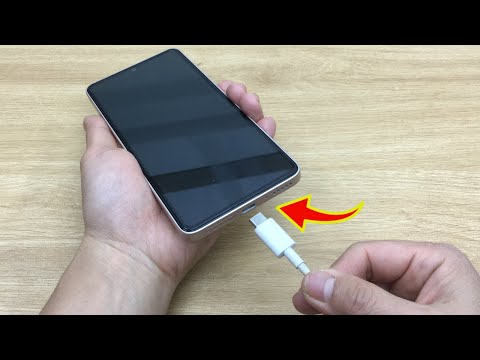
You know that moment when you plug in your phone, expecting it to charge, and… nothing happens? Frustrating, right? It’s like the universe is conspiring against your need to stay connected.
We’ve all been there. Sitting on the edge of our seats, nervously checking if it’s just a loose connection or something more sinister with the charger. It’s not fun waiting around while thinking about the messages you’re missing out on!
Sometimes it seems like chargers have a mind of their own! They work perfectly fine one day and refuse to do their job the next. But why do these little gadgets give us such grief?
Let’s dig into some common hiccups with cell phone chargers. Maybe together we can find out what’s really going on and how you can nurse your trusty charger back to health!
Samsung Charger Technical Issues
Oh, dealing with a problematic Samsung charger can drive you nuts, right? You’re all set to power up your phone, and bam! The darn thing doesn’t work. But don’t worry. Sometimes these issues are simpler than they seem.
Common Issues and What They Mean:
- Loose Connection: Ever noticed your phone’s charging icon blinking on and off? That’s usually a loose connection. It could be the USB cable not sitting snugly in the phone’s port or even in the charger head.
- Frayed Wires: You’ve probably seen those cables that look like they’ve been chewed up by a tiny hamster. Fraying happens when the wire’s insulation wears off, exposing internal wiring. This can cause charging interruptions.
- Overheating Charger: A warm charger is normal, but if it’s hot enough to fry an egg (not literally), that’s concerning. Overheating might be due to poor ventilation or using an incompatible charger.
- Bent Connector Pins: Take a close look at your cable’s connector pins; if they’re bent or misaligned, that’s bad news for charging consistency.
Troubleshooting Tips:
– **Check the Power Source:** Plugging into an iffy socket won’t help. Test it with another device first.
– **Inspect the Charger and Cable:** Look for visible damages. Even minor nicks can mess things up.
– **Try Another Cable/Charger:** Swapping them out is often handy for testing where exactly the problem lies.
People often forget how crucial it is to keep their chargers healthy—like I once did when planning a trip! My old Samsung charger decided not to cooperate at midnight; boy was that panic-inducing!
If you’re feeling brave enough for DIY repairs, always remember: patience and caution are super key! Repairing anything electrical has its risks; make sure never tackle more complex fixes unless you’re confident about handling them safely.
And there we go—you’ve got yourself some initial tricks to tackle those pesky Samsung charger technical issues without sweating buckets over complicated stuff!
iPhone Charger Connection Issues
Oh, the good old iPhone charger. Sometimes, it feels like it’s got a mind of its own, right? Like when you’re in the middle of something important and oops—the thing just won’t work! But hey, don’t fret. There are some common issues you might encounter and ways to tackle them.
1. Loose Connection
Sometimes, the problem isn’t as big as it seems—it’s just a loose connection! Check that both ends are snugly fit. You know how cables can wriggle out of place.
2. Lightning Port Blockage
This is super common. Dust or lint can sneak into your iPhone’s charging port without you noticing. All you gotta do is gently blow into the port or use a small brush to clean it out.
3. Damaged Charger or Cable
Cables take quite a beating over time! If yours is frayed or bent at odd angles, it might be time for a new one. Look for any obvious damage like cracks or exposed wires.
- Avoid bending: Bending can lead to internal wire breaks.
- Keep away from water: Even if they’re built tough, they don’t love water!
4. Problem with Power Source
It sounds silly but try plugging your charger into another outlet or USB port on your computer to see if that’s where the problem lies.
5. Software Glitch
Sometimes it’s not even about hardware—your phone might need a quick restart to fix up any little software hiccups that could be messing with the connection.
So next time your iPhone acts up while charging just remember these tricks before throwing in the towel—or worse—your phone!
And if all else fails and nothing seems to work? Maybe it’s time to consider visiting the pros… because sometimes we all need expert help!
Android Charger Connection Issues
Oh, the woes of a phone that won’t charge! We’ve all been there, right? You plug in your trusty Android, waiting eagerly to see that lightning bolt icon pop up. But nothing happens. Zilch. Your phone just sits there stubbornly refusing to juice up. It can be frustrating and worrying especially if you’re low on battery with no power bank at hand.
Now, let’s chat about some common issues you might be facing with your Android charger connection and how you might tackle them:
- Check the USB Cable: Sometimes the cable itself is the culprit. They get bent out of shape or frayed over time, leading to poor connectivity. Here’s a quick test: borrow a friend’s USB cable and see if it does the trick.
- Inspect the Charging Port: Dust bunnies can make themselves quite cozy inside your charging port. Give it a gentle cleaning using something like a toothpick or even compressed air to clear out any debris.
- Try Different Power Sources: Maybe it’s not your charger but where you’re plugging in? If you’re using a wall outlet, try switching to another one or try charging through your computer’s USB port.
- Examine the Adapter: The little square (or sometimes circular) adapter that plugs into an outlet could also have issues. Swapping it with another compatible one could solve everything.
- Straighten Out Battery Issues: Now here’s another twist—the problem could actually be with your phone’s battery itself! If you’re noticing other odd behaviors like rapid battery drain, consider getting your battery checked by a professional.
And hey, if all else fails don’t hesitate seeking professional help because sometimes despite our very best efforts things are beyond our fixing skills! Like when I dropped mine into coffee (don’t ask), I learned my lesson!
Remember—staying calm and trying these steps might save you from having to buy brand new charging gear or even worse—a new device altogether!
You ever had one of those frustrating moments when your phone charger just stops working? Ugh, it’s a pain, right? I mean, you’re going about your day, and then suddenly… nothing. Your phone’s battery icon stays stubbornly still even when you’ve plugged it in. Ahh, technology.
I remember once when I was at a coffee shop. I’d settled in with my laptop and my phone happily soaking up some juice next to me. I looked over a bit later to discover my battery hadn’t charged at all! Turned out the cable itself had given up the ghost. It’s funny how we rely on these tiny things without even thinking about them until they act up.
There are a few usual suspects when it comes to charger issues. Sometimes it’s obvious—like frayed wires peeking out from under that rubber coating or a bent plug from constant tugging and yanking (yep, guilty as charged). Other times it’s sneakier; maybe it’s the port on your phone that’s gotten clogged with lint or grime. A simple cleaning can sometimes do wonders.
And then there are times it’s not you—it’s them! The outlet might be dead or wobbly, or maybe there’s something wrong with the adapter itself. It’s always such an adventure figuring it out—like being an amateur detective on a mission but for electronics!
I’ve learned that patience is key here—and having spare cables on hand helps too! Knowing how to spot these common problems can save you from dashing off for replacements every time there’s a hiccup.
Just like anything else, chargers need some love and attention too—we can’t take ’em for granted just because they’re small and unassuming. Take care of yours, check for kinks now and then, keep ports clean—you’ll thank yourself later when you’re never caught without power again!