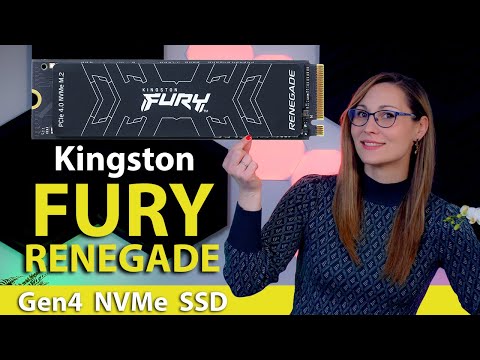
Oh boy, have you ever been frustrated by your computer slowing down just when you need it most? Imagine you’re working on a project or playing an intense game, and suddenly everything lags. Ugh, right? The Kingston Fury Renegade M.2 SSD might be what you’re looking for. This little powerhouse can kick your system’s speed into high gear. We’re talking faster boot times, speedy file transfers, and a smoother overall experience. Curious to find out how this unassuming piece of tech can revolutionize the way your computer runs? Stick around to learn more!
Is Kingston Fury Renegade QLC or TLC
Oh, Kingston Fury Renegade! This series of SSDs has been catching some buzz lately. Now, to dive into the nitty-gritty, this Kingston Fury Renegade M.2 SSD actually uses TLC NAND. TLC stands for “Triple-Level Cell.” In more human terms, it’s a type of flash memory that stores three bits per cell. You might be thinking, why does that matter? Well, it boils down to how much data you can store and how fast you can access it.
One day I was helping a buddy build his first gaming PC—super exciting! He was so pumped about getting this high-speed storage solution because it promised quicker load times for games and applications he loved. We compared different SSDs and noticed that the TLC in the Fury Renegade offered a sweet balance between performance and price—a big deal if you’re trying to keep costs reasonable while maximizing speed.
It’s crucial to differentiate that from QLC NAND, which stands for “Quad-Level Cell” and stores four bits per cell. QLC is often cheaper but might not perform as fast or have as much endurance as TLC in demanding tasks like gaming or video editing.
The thing with these technical tidbits is they can make or break your experience when using your computer for specific tasks. It’s like choosing the right accessories for your favorite hobby—you’d want what gets the job done beautifully!
Do SSDs have compatibility issues
Hey, let’s chat a bit about SSDs and how they play along with different systems. Have you got the Kingston Fury Renegade M.2 SSD in mind? It’s one sleek piece of tech! Now, about compatibility issues: generally speaking, solid-state drives, including the Kingston Fury Renegade, are designed to fit within certain specs that make them widely compatible.
Now here’s where it gets a little interesting: sometimes it’s not just about whether it physically fits into your motherboard’s M.2 slot but also if your system supports PCIe 4.0 or perhaps even earlier versions like PCIe 3.0. The Kingston Fury Renegade is pretty advanced, supporting PCIe 4.0 for super-speedy data transfer rates. If you’ve got a motherboard that’s on the older side and only supports PCIe 3.0, the drive should still work but won’t reach its full speed potential.
I remember this one time when I upgraded my computer with an SSD I was super excited about; plugged it in and… wait what? My system was being a bit stubborn because I forgot to check if there was a BIOS update needed for newer hardware support—that’s another thing you might wanna keep in mind.
Many times compatibility hiccups come from something as simple as needing to tweak settings in BIOS or updating firmware to recognize new components properly—crazy how often people overlook that! As long as you’re mindful of what your system can handle and do those little checks beforehand, using that Kingston SSD should be quite the breeze.
Kingston fury renegade m 2 compatibility issues reddit
Ah, the Kingston Fury Renegade M.2 SSD! It’s like a speed demon for your computer, designed to give you that extra burst of performance that we all crave. But like anything tech-related, sometimes there can be hiccups in its compatibility with certain systems. Over on Reddit—where folks love to chat about this stuff—you’ll find users discussing their experiences and issues.
Some common points of discussion include motherboard compatibility and BIOS settings. See, the Fury Renegade M.2’s blazing speed comes from its PCIe 4.0 technology, and not every motherboard fully supports that right out of the box. Users on Reddit often mention updating BIOS versions to improve compatibility or unlocking the full potential of this SSD.
I remember reading about someone who was thrilled with their Fury Renegade but hit a snag when it wasn’t recognized by their system initially. Turns out, diving into BIOS settings and enabling specific NVMe configurations did the trick! Just goes to show how sometimes it’s about getting under the hood and tweaking a few things.
Sometimes people talk about older motherboards just not playing nice with newer hardware like this one—it’s almost like trying to fit a square peg in a round hole! And when upgrading or building from scratch, it’s always good to check if your existing components can handle such high-speed memory.
- Motherboard Compatibility: Needs PCIe 4.0 support for peak performance.
- BIOS Settings: May require updates or tweaks for recognition.
- User Experiences: Varying success stories; community provides helpful tips!
If you’re eyeing that shiny Kingston Fury Renegade M.2, swing by some discussions on Reddit first; gather insights from those who’ve been there, done that—you might save yourself some headaches!
Alright, we’ve been chatting about the Kingston Fury Renegade M.2, and it’s a pretty interesting piece of tech, right? It’s got that flashy speed and a sleek design that gamers just drool over. Imagine installing this in your setup; it probably feels like upgrading from a clunky old car to a slick sports model. I remember when my friend decided to splurge on an SSD for his gaming rig—his excitement was through the roof as he zipped through game load times like never before!
The thing is, these kinds of upgrades can totally transform your experience, especially if you’re into gaming or content creation where you need that extra boost in performance. Just make sure you’ve got the right slot for it on your motherboard—and maybe check if you need any heatsink lovin’ because those babies can run hot.
Ultimately, whether you’re up for smoother gameplay or faster file transfers, this little guy seems to deliver quite well. So yeah, that’s a look at the Kingston Fury Renegade M.2. If you’re thinking of plunging into this world of high-speed data bliss, it might just be worth considering!