Alright, so you’ve been poking around with Laravel and suddenly—bam!—you’re hit with this thing called a “slug.” Sounds a bit slimy for sure, right? But hang tight, it’s got nothing to do with the garden variety. It’s actually kinda nifty when it comes to URLs.
Imagine trying to squeeze the name of your grandma’s famous fourteen-word casserole recipe into a neat little web address. That’s where slugs swoop in like heroes. They tidy everything up and keep those URLs looking nice and clean.
Now, maybe you’re thinking, “Why does it matter?” Well, friendly URLs are like those signs reminding us not to touch wet paint—eye-catching and totally useful. Plus, Google loves them! So let’s dive into why they’re cool in Laravel.
You know what? It’s pretty fascinating once you get the hang of it!
Differentiating MVC and MVT in Laravel
can seem a bit like understanding two similar, yet distinct dance styles. Both serve a purpose, orchestrating the flow of information, but they have their unique steps.
MVC (Model-View-Controller) is the classic pattern you’ll find in many software development frameworks. It’s all about clear separation of duties. Imagine it as a band where everyone knows their part:
- Model: Deals with data and business logic, like a bass player keeping the rhythm steady.
- View: Handles user interface components. Think of it as the lead singer engaging the audience.
- Controller: Acts as an intermediary that processes requests and returns responses—kind of like the conductor making sure each part comes together harmoniously.
In Laravel, you work a lot with MVC by creating models for database interactions, views to display your content dynamically, and controllers to manage requests from users.
On the other hand, there’s MVT (Model-View-Template), which might sound familiar if you’ve worked with Django—a popular Python framework. In this pattern:
- Model: Still rides solo managing data but forms more tightly-knit relationships with Django’s ORM features.
- View: Functions more like what you might think of as a lightweight controller layer—more minimalist than its counterpart in MVC.
- Template: Describes how final output should be presented—it’s all about putting on that polished show for users by rendering HTML dynamically!
Where does this leave us with Laravel? Although predominantly an MVC framework under-the-hood thanks to its orchestration via routes and controllers—you can subtly weave aspects reminiscent from MVT into projects especially when using Blade templates extensively.
Now sprinkle some fun technical bits: working alongside slugs! A slug is SEO-friendly URL portion derived usually from titles or names within web applications—forging paths across your site without disorienting visitors along way through cryptic identifiers.
When dealing specifically within Laravel context involving slugs? Here’s key takeaway worth considering—it simplifies routing while keeping tidy structures intact beneath hood much akin keeping unruly wardrobe organized so pieces remain easy-to-find amidst clashing patterns swirling overhead!
Laravel Slug Behavior in GitHub Applications
Hey, you! I see you’re interested in Laravel’s slug behavior in GitHub applications. Let’s just have a friendly chat about it, okay? Imagine you’re building something awesome using Laravel and you hit a snag. You know… that moment when your brain freezes, but no worries! I’ve got some insights to share.
First off, what even is a slug? In web development, slugs are those friendly URLs we see instead of complex query strings. They help make your website more user-friendly and a bit nicer on the eyes. Instead of ourpage.com/article?id=12345, you’d get something prettier like ourpage.com/article/greatest-widget-ever.
Now, Laravel is this amazing PHP framework, super popular for making web apps kind of easier to work with. One cool thing is how it handles slugs when you’re dealing with GitHub applications.
- Eloquent model: In Laravel, you might use an Eloquent model to create slugs from titles.
- The magic: Take the title “Greatest Widget Ever.” With some magic (maybe code), it becomes “greatest-widget-ever.”
- Uniqueness checks: If you’ve got duplicates flying around—like two articles with the same slug—Laravel can help sort that out too.
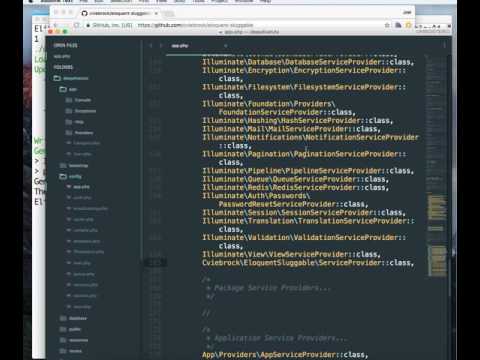
The process can involve packages like “Eloquent Sluggable”, which makes generating unique slugs easier for developers. It’s like ordering takeout: give it what you want (the title), and it’ll whip up something tasty (the slug).
Wondering where GitHub fits into this? Simple! Lots of folks manage their Laravel projects on there. It’s like the toolbelt for developers—a place to collaborate and keep track of changes.
Remember a time when your coffee spilled all over your keyboard? That was me last week… Anyway back on track! If things ever get wonky with slugs while working on GitHub applications with Laravel: consider checking version control; maybe someone changed something without letting others know.
Always good practice keeping backups or versions saved away; saves headaches down road having everything documented right?
See if there’s an open issue concerning similar problems—sometimes knowing others facing same struggle can lead solutions quicker than anticipated…
So yeah next time running into difficulty managing those pesky little devils-servicing stubborn URL structures requiring maintenance or whatever else goes wrong amidst chaos just remember naming –as crucial factor allows obtaining desired output free any unwelcome surprises cropping unexpectedly along way!
That’s basically how these pancake stacks play out together…but hey lifes never boring right!?
Creating SEO-Friendly URLs in Laravel
Alright, let’s dive into making SEO-friendly URLs in Laravel. Creating URLs that are easy to read and understand by both humans and search engines is crucial. Imagine you’re browsing the internet—you’d definitely prefer clicking on a link that looks clean and relevant rather than one packed with random characters, right? That’s where this comes into play.
What Is a Slug?
A slug is the part of a URL that’s made from the title or name of your page. It’s usually lowercase, with spaces replaced by hyphens. Think of it as a readable identifier for your web page.
Why Use Slugs?
Using slugs helps search engines understand what your content is about. Plus, it’s more user-friendly! Nobody wants to see weird numbers or letters in their URLs.
How to Create Slugs in Laravel:
Laravel makes it pretty straightforward to generate slugs using its Str helper function. Here’s an example:
“`php
use IlluminateSupportStr;
$slug = Str::slug(‘Your Page Title’);
“`
This simple line turns “Your Page Title” into “your-page-title”. Easy peasy!
- Create Unique Slugs: You’ll often want each slug to be unique—especially if you’re dealing with something like blog posts where titles could repeat.
- Add an Identifier: Include an identifier like the post’s ID at the end of your slug if needed.
Migrating Data with Slugs:
If you have existing data without slugs, you’ll need to add them retrospectively. You can do this by writing a database migration script that loops through each record and generates slugs based on existing fields like ‘title’.
Here’s something fun: Next time you’re organizing holiday photos on your computer, think about how descriptions versus photo numbers make them easier to find—it’s kind of similar with URLs!
In Eloquent, use model events such as saving or creating events to automatically generate slugs when new records are added:
“`php
use AppModelsPost;
Post::creating(function ($post) {
$post->slug = Str::slug($post->title);
});
“`
Wrap up your efforts by adjusting route models for fetching records based on these friendly URL segments rather than raw IDs—a solid improvement!
By focusing on clear navigation paths tailored not just for machines but their human visitors too; you’ll ensure both usability & discoverability remain top-notch across all sides—everyone wins!
Ah, Laravel and slugs—quite a fascinating combo, isn’t it? I remember when I first stumbled onto the concept of slugs. It was like wandering into a foreign country where everybody had these neat, friendly names instead of those long-winded IDs that just looked intimidating and cold.
So, let’s say you’re working with Laravel. A slug here acts like an alias for your URLs. Imagine you’re trying to explain the address of a local library to someone. You wouldn’t hand out their postal code or GPS coordinates; you’d rather mention its fancy name or the famous street it’s on. Slugs are somewhat like that—they make links more human-friendly and readable.
In any application, when you’re dealing with URLs, having something descriptive does wonders for SEO (search engine optimization) and user experience. Think about visiting “www.example.com/blog/understanding-laravel-vs-3457” versus “www.example.com/blog/laravel-made-simple”. Which one sounds more inviting? Exactly! The latter feels like a warm invitation rather than just another reference number.
Now, under Laravel’s hood, creating slugs involves transforming text strings into URL-safe versions. This means you’ll typically see lowercase letters with words separated by hyphens—like turning “Understanding Laravel Slug Behavior” into “understanding-laravel-slug-behavior.” No spaces or weird characters; it’s all smooth sailing!
When implementing this in applications, you might use libraries like `Laravel Sluggable`, which handles slug generation beautifully for your Eloquent models. Picture having a blog post title automatically converted to its slug form whenever you save it! Saves time and makes things consistent across your project—it feels almost magical how this tiny feature can simplify processes immensely.
Back in my early coding days—I recall getting thrown off by how different languages handle similar tasks differently—but once I wrapped my head around these practical little tools in Laravel—whoa boy—it made development cleaner and much more efficient!
In essence (oops!), understanding how slugs work doesn’t just enhance readability but brings structure to chaos while adding finesse to web addresses created within Laravel applications—you get this awesome blend of easy maintenance paired up with precise control over what users see… kinda neat don’t ya think?