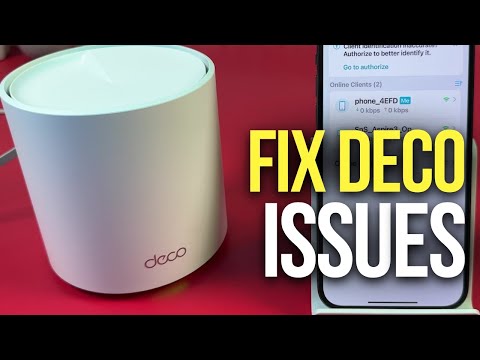
Oh man, have you ever had one of those days when everything seems to be going wrong? I mean, like, seriously! Imagine you’re all set for a binge-watching session or a crucial work call, and bam!—your Wi-Fi decides to take a snooze. So frustrating!
And you know what’s even more annoying? When you’ve got this super cool gadget—like the TP-Link Deco X20 4G—that promises blazing internet speeds but then leaves you hanging with some connectivity issues. Yeah, we’ve been there.
It’s kinda like having the coolest ice cream in your freezer and realizing there’s no spoon. You know what I mean? But hang tight; we’re here to figure this out together. Don’t worry; it’s not rocket science, I promise. Let’s see what can be done about it!
TP-Link Deco Connection Drop Causes
Picture this: You’re in the middle of a video call, or maybe you’re streaming your favorite show, and suddenly, boom—your connection drops. Frustrating, isn’t it? If you’ve been facing connection drops with your TP-Link Deco X20 4G, you’re not alone. Let’s get into some common causes and what you can do about them.
First up, let’s consider the layout of your home. If your Deco units are too far apart or there are obstacles like walls or appliances in between, signals can get weak or lost. Try to place them where they have a clear line of sight to each other when possible.
There’s also the potential issue with signal interference. Sometimes other electronic devices like microwaves or cordless phones might mess with your Wi-Fi signals. Make sure the router is positioned away from such gadgets to minimize disruptions.
Don’t forget about network congestion! If everyone at home is online at once—working, gaming, streaming—it can overwhelm the network capacity. This could result in slower speeds for everyone.
Another thing that people sometimes overlook is outdated firmware on their devices. It’s essential to keep your device’s firmware updated because manufacturers often release updates that improve performance and fix known bugs.
Finally, there might be issues with your Internet Service Provider (ISP) itself. Outages do happen from time to time due to maintenance or unexpected faults on their end.
Here are some steps to troubleshoot these concerns:
- Relocate Your Deco Units: Place them centrally and reduce barriers.
- Reduce Interference: Keep units away from electronics.
- Manage User Demand: Limit heavy usage during peak times.
- Update Firmware: Regularly check for updates via the Deco app.
- Check ISP Status: Contact customer support if outages persist.
Connecting all these dots might seem daunting at first glance a lot like piecing together an elaborate jigsaw puzzle without a reference picture but tackling each cause step by step will surely help stabilize things over time!
Hope that sheds some light on those pesky connectivity issues you’re facing!
Deco Router Connectivity Issues
Hey there. So, let’s dive into a situation with the TP-Link Deco X20 4G. A friend once told me they felt like their internet connection was plotting against them. You laugh, but when your internet drops while watching your favorite show, it sure feels personal! Let’s get straight into some typical issues you might face and how to get back online without pulling your hair out.
- Reboot Everything: Sounds basic, right? Unplug the router and the modem for about 30 seconds. An oldie but a goodie — this fixes more than you’d think.
- Check Your Connections: Seriously, it’s easy to overlook a loose cable. Make sure everything’s snug and secure.
- Firmware Updates: Think of this as giving your router a tweak or two to make it run better. Go into the Deco app; from there you can check for updates under System settings.
- Place Your Deco Wisely: If it’s tucked away in some corner behind thick walls—well that could be part of the problem. The closer you are to it physically, often the better signal strength you’ll get.
- Interference Issues: Other electronic devices might be interfering (like microwaves or cordless phones). Sometimes moving things around helps eliminate this kind of hassle!
You know how when you’re at a party and everyone is talking at once? Your deco units can be like that too! Devices connected might flood the network which slows everything down:
- Bottlenecking Bandwidth: If many devices are using up data—streaming videos, downloading files… consider prioritizing certain activities through Quality-of-Service (QoS) features on your Deco App.
And finally…
Troubleshooting with Logs: If none of these quick fixes work out – access those system logs via advanced settings within deco app mode! They’ll often point out exactly what’s going wrong so then addressing becomes significantly easier!
Remember – patience is key here; reconnecting sometimes takes just taking deep breathes before tinkering further—hey nobody said tech wouldn’t test ya nerves now & again__.
TP-Link Deco Connection Troubleshooting
Oh, network troubles! They can really set your day off, can’t they? I get it. You’re trying to connect your TP-Link Deco X20 4G and things aren’t going as smoothly as you’d like. To help you along, here’s a friendly little guide to tackling those pesky connectivity issues.
First off, make sure all your cables are properly connected. Sounds basic, right? But you’d be surprised how often this is the culprit.
- Check that the power adapter is securely plugged in.
- Ensure the Ethernet cable is properly attached to both the modem and Deco unit.
Next Up: Placement Matters!
Where you place your Deco X20 can affect its performance big time. Imagine placing a radio under a cushion—you wouldn’t hear much! Same goes for routers.
- Avoid putting it near thick walls or metal objects that might interfere with the signal.
- Place it somewhere centralized in your home for better coverage.
Configuration Checks: Now let’s look at some software settings. Sometimes a little tweak here or there can solve a lot.
- Firmware Update: Make sure your Deco firmware is up-to-date. You can find this option in the Deco app under “More” – “Update”.
- Network Settings: Check if you’ve set up everything correctly on your mobile device through the app.
The LED Indicator: Pay attention to those lights! They’re not just decorative.
– If it’s solid yellow: Your Deco is starting up.
– Blinking blue means it’s ready for setup.
– Solid green: Everything’s good!
However, if you encounter red:
– It indicates there’s an issue with internet connectivity.
Troubleshooting Steps for Red LED:
1. Restart both modem and Deco unit by powering them off and then on.
2. Reset by using the reset button found typically at the bottom of these devices.
3. Ensure that credentials entered during setup are correct—sometimes things like passwords need another look.
And don’t forget about Spectrum Interference!, especially if multiple devices are using WiFi around you:
- You might want to switch channels through advanced settings in case neighbors are crowding yours.
So there you have it—some handy pointers from yours truly without getting too deep into technical jargon land!
Think of these solutions as sleuthing out simple oversights first; they often save headaches before having someone else dive further into diagnostics later down line… Less stress felt overall knowing exactly where potential pitfalls may lie ahead too given preparations beforehand taken seriously enough upfront always pays dividends eventually no regrets having gone extra mile initially done wisely careful consideration placed toward prevention preemptively tackling problems head-on yielding smoother seamless experiences ensured enjoyed afterwards ultimately delight assured satisfied every step taken measured cautiously enjoying results achieved obtained successful completion celebration awaits warmly received deservedly earned accomplishments reward reap triumph savored gratitude shown appreciation shared moments cherished forever fondly remembered treasured memories last fortunate honored privilege being part journey together embarking collective endeavor mutually beneficial collaboration harmonious working relationship fostering goodwill continued success bright future promising prospects envisioned hope optimism spring eternal thanks immense pleasure wish happiness joy fulfillment accompany days night endless possibilities abound limit sky reach aspire dream bigger aim higher strive greatness transcend boundaries limitless potential unleash unleash unlimited boundless creativity innovation growth development expansion reach heights thought imaginable exceed surpass previous expectations surpass limits achieve breakthroughs realize aspirations manifest destiny become all meant live fullest embrace life fullest greet opportunities open arms seize day make most each passing moment relish savor cherish appreciate treasure value worthwhile meaningful purposeful rewarding satisfying fulfilling gratifying one-of-kind unique experience worthy worthy noteworthy notable remarkable extraordinary amazing incredible phenomenal fantastic fabulous marvelous wonderful terrific great awesome splendid glorious superb stellar sensational outstanding exceptional superior excellent top-notch first-rate very high quality top class fine high-grade high standard world-class best-of-the-best number-one unparalleled unequaled unmatched peerless nonpareil unsurpassed prime ultimate premier top supreme optimal leading frontrunner pacesetter iconic legendary famed famous celebrated renowned illustrious esteemed admired respected prestigious honor distinction acclaim recognition fame glory renown veneration exaltation homage reverence worship adoration devotion veneration estimation regard admiration respect esteem liking affection love appreciation gratitude thankfulness indebtedness indebtedness obligation duty bond closeness affinity connection bond attachment belonging kinship family community close-knit tightknit rapport camaraderie solidarity unity togetherness team partnership cooperation teamwork alliance coalition collaboration consortium confederation league association guild union federation pact compact treaty agreement concord understanding accord settlement consensus harmony concord peace amity reconciliation rapprochement détente armistice truce ceasefire pause break respite rest halt stop standstill freeze delay postponement suspension interruption pause stoppage block embargo prohibition restraining order injunction ban moratorium restriction limitation curb control regulation directive mandate decree law statute ordinance rule edict fiat proclamation announcement declaration state of affairs given current climate scenarios likelihood probability chance possibility risk threat danger jeopardy peril hazard menace vulnerability fragility insecurity instability susceptibility sensitivity exposure contingency precarious uncertainty unpredictability indeterminacy ambiguity equivocation vagueness obscurity murkiness opacity impenetrability.
Hey, have you ever had one of those days where it feels like your internet just decided to take a little vacation without notice? We’ve all been there, staring at that dreaded loading circle or dealing with drop-offs right in the middle of a streaming binge. It can be quite the headache!
Let’s chat about the TP-Link Deco X20 4G. It’s a snazzy piece of tech meant to make our lives online seamless. But like any other gadget, sometimes things don’t go quite as planned.
First off, I think it’s great that this device combines both Wi-Fi mesh networking and 4G LTE capability. It’s designed so if one fails, the other picks up the slack—fantastic when everything works properly. But sometimes users run into certain connectivity issues that can feel confusing or tricky to solve.
One thing you might notice is that your device struggles with switching between internet sources without interrupting service. It’s kind of like when you’re chatting on the phone while moving from one room to another and hit a dead spot—frustrating!
And then there’s always that pesky issue of signal dropouts in parts of your home where coverage should be solid. We’ve all tried doing cartwheels around our living rooms trying to catch a signal (or was that just me?). It may help if you check whether there’s any interference from walls or electronics which might disrupt those signals.
Sometimes it’s also worth rebooting your Deco units and ensuring firmware is up-to-date – they need their updates just like smartphones do! And remember too, checking data plans never hurts—the speed dips could simply come down to network coverage limits.
In my experience, poking around settings shyly tends not only teaches us more about these gadgets but often gives surprising solutions—almost makes me feel tech-savvy afterward! Though every case varies slightly among users’ situations—when these mini-jigsaw pieces fall into place again—you’ll hopefully find smooth sailing ahead in cyberspace once more.
If nothing seems effective after some good old experimenting with placement/reboot tactics etcetera—it doesn’t hurt calling time out for reaching technical support along way—they really can save lots angst potentially solving knotty issues beyond regular DIY efforts easily!