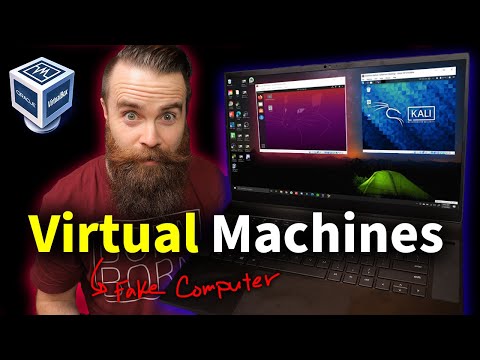
Alright, buddy, you ever felt like your computer needs a little superpower boost? Like, it’s doing a decent job but could just turn it up a notch? Well, that’s where virtualization software strolls in. It’s like giving your machine the ability to be in two places at once. Magic, right?
Imagine having another mini-you to run different errands while you’re busy with something else. It’s kinda what virtualization does for computers. You get to run multiple operating systems or apps without needing extra hardware. Now that’s some next-level multitasking.
If you’ve ever tried juggling multiple tasks on your system and felt it beginning to stutter or slow down, virtualizing might be just what you need. And trust me—it’s not as tricky as you might think! So stick around—I’ve got some cool options that’ll keep everything flowing like butter on toast!
Virtualization Software Options
Hey! I’m excited to chat with you about virtualization software today. If you’ve been wondering what virtualization is—it’s like having multiple computers in one machine. You could run Windows and Linux side by side without rebooting, pretty neat, right?
Virtualization software helps you create virtual environments on a single computer. You get to run different operating systems and test software without changing your main setup. Here’s the lowdown on some popular options around:
- VMware Workstation: Known for its rich features, VMware is a favorite among professional developers and IT pros. It supports a variety of guest operating systems. Say you’re developing an app that needs testing on different OS versions—VMware can handle that easily.
- VirtualBox: It’s open-source, which means it’s free! VirtualBox runs on diverse platforms like Windows, Linux, and macOS. A college friend once used it to learn about Linux without purchasing extra hardware; such a lifesaver for students!
- Parallels Desktop: If you’re using a Mac but need Windows apps once in awhile, Parallels might just be your guy here! It integrates tightly with macOS for seamless experience.
- KVM (Kernel-based Virtual Machine): Designed specifically for Linux users out there, KVM has great performance and flexibility at zero cost.
Why would folks want virtualization anyway? Well besides running multiple systems it’s also nifty for software development or testing new applications safely.
If security worries are tugging at you these days virtualization offers isolation between your virtual machines (or VMs). So if one VM gets messed up—which happens—you won’t see the whole ship going down.
Deciding which option works best boils down more often than not really depend upon factors like budget constraints alongside technical requirements specific towards intended usage scenarios plus personal preferences combined together overall all too!
Did I manage answering some questions flying through mind earlier perhaps? Drop any thoughts below because love hearing from others around here truly quite special experience indeed wouldn’t trade world anything else honestly feel passionate always helping folks find solutions they need keep learning growing every day along journey never-ending discovery amazing advancements technology brings us closer together new ways ever imagined before possible journey exciting times ahead bright future awaits everyone alike eagerly anticipate what lies beyond horizon unknown adventures await…
Alternatives to VMware
You know, when it comes to virtualization, VMware is the name that pops up for a lot of people. It’s like the celebrity of the virtualization world! But there’s some good alternatives out there. Whether you’re aiming for cost efficiency or just trying something new, here’s a look at what you can explore:
- VirtualBox: This one’s from Oracle and it’s free! You might really appreciate that if you’re just starting out or testing things around. It supports a bunch of guest operating systems like Windows, Linux and even macOS in some cases. And hey, it’s open-source!
- Microsoft Hyper-V: Heard of Windows? Of course you have! Well, Hyper-V’s part of that ecosystem. If you’ve got Windows Pro or Enterprise, you’ve already got access to it without any extra downloads. It’s quite capable of managing multiple operating systems on your machine.
- KVM (Kernel-based Virtual Machine): Now this one’s for the Linux lovers! It’s integrated into Linux and turns your Linux box into a hypervisor host machine. It’s powerful and pretty neat if you’re comfortable with command-line stuff.
- Parallels Desktop: More for Mac users here—this lets you run Windows smoothly on your MacBook as if it’s natively installed there. It’s very popular amongst those who need to switch between macOS and Windows frequently.
- Xen Project: Another open-source option for those who love tinkering under the hood! Xen is trusted by cloud service providers because of its stability and scalability.
Using an alternative depends on what you actually need, right? Maybe it’s budget constraints or maybe it’s familiarity—everyone has their reasons.
Once my pal was all gung-ho about using VirtualBox because he didn’t want to spend anything extra while experimenting with different OS environments for his project. That enthusiasm when he first booted up his virtual Ubuntu instance? Priceless!
Just remember: everyone has their own needs in technology solutions so grab whatever suits your task best—and go have fun creating those virtual spaces around machines without breaking sweat… or the bank!
KVM vs. Hyper-V Performance Comparison
Hey there! So, you’re curious about the performance differences between KVM and Hyper-V, huh? It’s a great topic because these two are big players in the virtualization world. Let me break it down for you in simple terms.
What’s KVM?
KVM stands for Kernel-based Virtual Machine. Picture it as a part of Linux that’s like adding a layer on top of your computer system to allow multiple operating systems to run simultaneously. It’s like having several “mini computers” inside your main one!
Now, onto Hyper-V!
What’s Hyper-V?
Hyper-V is Microsoft’s answer to virtualization. Unlike KVM, which works with Linux, Hyper-V is built into Windows. Think of it as another layer but designed specifically for machines running Windows OS.
- Performance: This is often where folks get really keen. Both platforms have their strengths when it comes to speed and efficiency.
- KVM: If we’re honest here, KVM can be quite fast primarily because it’s directly integrated into the Linux kernel. It tends to use resources efficiently.
- Hyper-V: On the other hand, shines really well with Windows environments due to optimizations and integrations that Microsoft has crafted over years.
But let’s not just stop there! There are more nuts and bolts we can peek into.
Resource Management
It’s kinda crucial when you have multiple virtual machines (or VMs) running all at once.
- KVM: Usually offers good memory management through its ability to allocate memory dynamically between VMs.
- Hyper-V: Doesn’t fall short either—especially with features like Dynamic Memory where you can adjust RAM allocation based on what’s being used at any moment!
User Experience & Compatibility
When using any software tool or system, how seamless it feels makes a world of difference!
- KVM: Might need some getting used too if you’re unfamiliar with Linux commands but gives you lots of flexibility since its open-source.
- Hyper-V:: Built into most newer versions of Windows Server so users find it pretty convenient without needing additional installations!
And look sometimes numbers in outright tests can be deceiving too! Like I’ve seen times people swear by one yet swear off another only because they didn’t set them up properly.
In short: there’s no clear winner without considering what environment you’re working within first; simply put: both have strong points wherever they apply best suited – after-all each case varies right?
Virtualization software, huh? It’s one of those things that can make you scratch your head at first. But once you get the hang of it, you’ll wonder how you ever got by without it. You know, kind of like when smartphones became a thing. Suddenly, life before them seemed like the dark ages!
Now, picture this: you’ve got a decent computer setup, but you’re working with different operating systems for various tasks. Instead of buying multiple machines or constantly rebooting into another OS—which honestly sounds like a drag—virtualization software lets you run several environments on one physical machine! It’s kind of like having multiple lives in a single body.
Let’s have a quick look at some popular ones—each with their own quirks and flavors:
- VMware Workstation: This is sort of like the kingpin in virtualization land for many people who love advanced features. Many pros use this because it’s reliable and packed with tools.
- VirtualBox: Ah, the good old open-source charmer! It’s free (which is great if you’re on a budget) and works pretty well for personal projects or if you’re just dabbling.
- Hyper-V: Microsoft’s own creation! It integrates seamlessly with Windows and tends to be quite efficient if you’re operating in that eco-system.
I once had a friend who needed to test out some software that only ran on Linux but was really comfy using his Windows PC. Seeing his face light up after setting up VirtualBox was priceless; he didn’t have to make any drastic changes to his daily routine.
Whether it’s for running Linux apps on your Windows machine or creating an isolated environment to test something new without wrecking your main system setup—you’ll find virtualization tools are pretty nifty companions.
And hey, remember: as fancy as they sound, these tools are here to make our lives simpler not more complicated! So maybe give one a whirl if you’re feeling adventurous or need that extra versatility in your computing life.