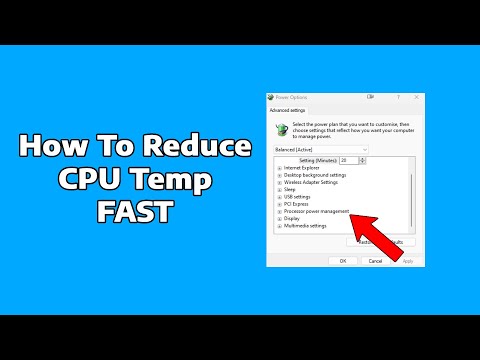
So, you’ve got a Ryzen CPU and it’s getting hotter than a summer day in the desert, huh? Ugh, that’s frustrating! Anyway, you’re not alone in this brain-frying predicament. I mean, who hasn’t felt the heat when their precious PC starts acting like a furnace?
You know those pesky moments when you’re just chilling (or trying to) and suddenly smell something suspiciously like burnt toast? Yeah, that might just be your CPU throwing a tantrum. It’s okay though – we’ve all been there.
Now what happens is loads of stuff can cause this fiery situation. Maybe you’re pushing it too hard or perhaps there’s dust lying around like an uninvited guest. Or maybe you’ve finally decided to dive into that game with mind-blowing graphics but your PC wasn’t ready for the marathon.
But hey! Before you start envisioning your beloved rig puffing out smoke signals of distress, let’s chat about how to cool things down without breaking a sweat.
Causes of AMD CPU Overheating
You know, dealing with a hot CPU can feel like you’re managing a small volcano inside your computer case! If you’ve got an AMD Ryzen processor sizzling away, it’s important to understand why that’s happening. Overheating isn’t just annoying; it can also harm your system in the long run. Let’s have a little chat about what’s going on and why.
Poor Cooling Solutions
One of the big culprits in overheating is inadequate cooling. After all, processors work hard to run your favorite games and apps. If the cooling system isn’t up to par—whether that’s the heat sink or fans—things get toasty quickly.
Dust Buildup
It’s such a sneaky one, isn’t it? Dust creeps into every nook and cranny slowly over time and winds up clogging cooling systems. All that debris blocks airflow which is critical for keeping temperatures down.
- Example: Picture your fan blades barely moving because tangled dust webs hold them back.
Poor Thermal Paste Application
Thermal paste might seem insignificant, like frosting on a cake. But when applied wrong—or if it dries out—it loses its effectiveness. This simple link between CPU and cooler becomes less efficient at transferring heat away.
Overclocking Excitement
Let’s admit it: tweaking performance settings seems exciting! But pushing your CPU beyond its official limits cranks up temperature significantly unless accompanied by stronger cooling measures.
- Example: Imagine racing a car full throttle without upgrading brakes; something’s bound not to go smoothly!
Poor Case Ventilation
Sometimes forget about how important case design is! A computer case with poor ventilation turns into an oven pretty fast if air can’t flow efficiently through fans or vents positioned correctly.
Aging Components
Things wear out with age—it’s just part of life—and components can lose efficiency too as they grow older naturally making devices heat up more compared when they were new shiny pieces tech delights!
Think you might have one these issues? Check those fans filters thermals avoid potential system failures no kidding!
Excessive Heat Causes in Ryzen CPUs
Hey there! I see you’re interested in learning about why Ryzen CPUs might get a little too toasty. Don’t worry, it’s a common concern and one that can usually be sorted out with a bit of love and attention.
Ryzen CPUs tend to overheat because of a few usual suspects. Anecdote moment: I once had my gaming PC turn into what felt like an oven. Turns out, I’d made some rookie mistakes without even realizing it!
- Insufficient Cooling: This one’s pretty straightforward. You see, your CPU needs to stay cool to perform its best. Without adequate cooling—say from a fan or liquid cooling—the temperature can shoot up.
- Poor Ventilation: Dust devils lurking in your case? They could be blocking airflow, making your system sweat it out even more.
- Thermal Paste Woes: A little dollop of thermal paste is crucial! If it’s not applied right or has dried up, heat might as well take up residence rent-free on your CPU.
- Overclocking Gone Wild: Pushing that CPU beyond its factory settings is thrilling but risky business if you’re not careful about managing the resulting heat.
- Aging Components: Like most things with age, performance can degrade. Old fans get tired and heatsinks lose their efficiency over time.
Navigating these pitfalls: Say you’ve got one or more of these culprits causing chaos in your rig; don’t panic!
It’s important to ensure you’ve got solid cooling solutions in place—a good fan maybe? Or even considering liquid cooling if things are intense like mine used to be! Also remember to check for dust bunnies every now and then—they love snuggling into cramped corners.
For thermal paste use just enough: think pea-sized amount spread evenly on the surface before re-seating heatsinks properly.
When venturing into overclocking territory always double-check settings while keeping tabs using monitoring tools which help keep temps visible & manageable during peak gaming sessions—or whatever heavy computing tasks float yer boat!
Last tip—if gear appears geriatric & either noisy/broken—you may need replacements before everything goes southwards temperature-wise…
And there ya go! With smidgeon patience n’ care those sizzling hot issues should simmer down smooth-like soon enough—you follow me?
Reducing Ryzen CPU Temperature
Oh, let’s jump into this a bit! You know, having a Ryzen CPU can be quite an adventure. They’re known for their performance, but sometimes they like to run a little hot. Just the other day, my buddy Tom was telling me how his rig started acting up. His computer’s fans were roaring louder than his favorite heavy metal band! So yeah, temperature issues are pretty common with these guys.
Why does this happen? Well, there are quite a few things that can cause your Ryzen CPU to overheat.
- Poor Ventilation: If the airflow in your case is not great, heat just gets trapped inside. It’s like being in a stuffy room without windows!
- Overclocking: Pushing the CPU beyond its factory settings? That’s asking it to run faster and hotter!
- Dust Buildup: Over time dust accumulates inside the case. It’s like your weekend chores – if you don’t clean it regularly, well… it’s not gonna be pretty.
- Inefficient Cooling Solutions: Sometimes those stock coolers just don’t cut it. It’s like trying to use an umbrella during a hurricane.
- High Ambient Temperature: If your room’s hot, naturally everything else gets hotter too.
Okay so what can you do to keep things chill?
Improve Airflow: Let’s start easy! Get some good quality fans in there. Arrange them so there’s at least one intake fan (bringing cool air in) and one exhaust fan (pushing hot air out).
Regular Cleaning: Make it a habit to clean your PC every few months or so. Clear out all that dust using compressed air. You wouldn’t believe how much difference this simple task makes!
A Better Cooler: Here comes a game-changer – consider upgrading to an aftermarket cooler if you’re using the stock cooler that came with your Ryzen chip.
Tackle Overclocking: Maybe dial back any aggressive overclocking settings you’ve applied—fun as they may be—because stability trumps speed any day… especially when temps hit flaming levels!
Pasting It Right: Applying fresh thermal paste between the CPU and its cooler can help significantly by improving heat transfer too.
When I helped Tom sort out his system’s temp issues last weekend he thanked me later by saying he could finally hear himself think while gaming again! Who would’ve thought cooling could play such pivotal role?
Oh, the good old battle with CPU overheating—a topic close to any computer enthusiast’s heart. If you’ve ever found yourself nervously checking temperature readings while gaming or editing, you know what I’m talking about!
Now, let’s chat about Ryzen CPUs specifically. They’re known for their performance and multitasking prowess but can sometimes run hotter than expected. Why is that? Well, multiple things could be warming up the room.
Firstly, dust—yes, just plain old dust—can be a sneaky culprit. It settles in your CPU cooler fans and hinders airflow. I once got a call from a friend whose PC sounded like a jet engine; turns out his cooler was wearing a hefty coat of dust! Cleaning it made a world of difference.
Then there’s thermal paste—the gooey stuff between your CPU and its cooler that helps in heat transfer. Over time it dries out or gets improperly applied which can spike temperatures faster than you can say “what’s that smell?”
And sometimes folks just crank their Ryzen too high with overclocking without adequate cooling configurations. Like trying to sprint in winter boots—not efficient!
But hey, every problem has its fix! Start with regular maintenance: clean those pesky dust bunnies lurking inside your rig every few months. Also check your thermal paste occasionally; reapplication works wonders if needed.
Another handy tip: investing in high-quality coolers never hurt anybody either! Whether air coolers or even fancier liquid ones they do manage heat pretty efficiently compared to stock alternatives.
And if you’re using custom tweaks like voltage modifications don’t forget moderation—pushing limits might backfire quite literally!
To wrap this up remember keeping an eye on components’ health helps prolong lifespan while avoiding meltdowns—figurative and otherwise! So listen closely (literally) because when tech whispers “I’m hot”—it means business…