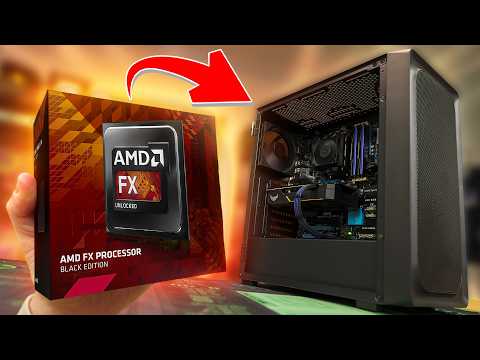
You know, there’s this one time I was gaming on my PC, and suddenly, it felt like I was roasting marshmallows inside my rig! Yep, turns out my AMD FX-8350 had decided to become a mini sauna. Not exactly what you’d want from your processor during an intense gaming session!
It’s like this sneaky little thing that can happen to anyone using an FX-8350. One minute you’re enjoying your game or working on some important stuff; the next minute? Overheating. And you’re just sitting there wondering what went wrong.
Don’t worry though—there’s light at the end of the tunnel! You’re definitely not alone in facing this heatwave—trust me, we’ve all been there. Stick around, and let’s chat about what causes these overheating issues and how you can kick them out for good!
Max Safe Temperature for AMD FX-8350
When you’re working with your AMD FX-8350, keeping an eye on the temperature is super crucial. Let me tell you, I’ve seen more than a few cases where getting too hot led to unexpected problems. Let’s dig into what you should know about this.
Max Safe Temperature
The AMD FX-8350 has a max temperature, or “Tjmax,” of around 61 °C (142 °F). This doesn’t mean it’s gonna burst into flames if it hits 62 °C; rather, it’s a guideline to ensure your CPU runs smoothly. Operating above this for long stretches can reduce performance and lifespan.
Overheating tends to sneak up when you least expect it. I remember a friend who was really into gaming marathons—his FX-8350 would start behaving like an oven halfway through. Turned out he had dust caked in his heat sink! It just goes to show how small things can trip us up.
So, what’s causing these heat spikes?
- Poor ventilation: Your PC case needs room to breathe; cramped spaces can trap heat.
- Dust buildup: Over time dust settles on components and hinders efficient heat dissipation.
- Inefficient cooling solution: Sometimes stock coolers aren’t enough—especially under heavy loads.
And okay, what can you do?
- Improve airflow: Consider repositioning your case fans or adding more in spots where dead air is common.
- Regular cleaning: Every few months take some compressed air and gently clear away dust from vents and components.
- Bigger/better cooler: Upgrade your cooling system if necessary; sometimes investing upfront saves headaches later!
Also worth noting is thermal paste—the stuff that sits between the processor and cooler—needs checking once in a while. It’s like that magic tape that keeps everything together but wears out over years.
Anyway among other tactics undervolting could help: lowering voltage reduces temperature without sacrificing performance drastically though tweaking settings always needs caution because pcs are delicate creatures too!
See there isn’t any single miracle fix each setup unique so stay patient find balance enjoy smooth computing journeys ahead!
High Power Consumption Issues
If you’ve got an AMD FX-8350 and it’s acting more like a heater than a CPU, you’re not alone. Let me tell you about a time when I was gaming on one of these processors, and it felt like I could fry an egg on my computer case!
So, let’s chat about why this happens and what you can do about it. The AMD FX-8350 is known for its power, but with great power comes, well—heat.
Why It Overheats:
- High Power Consumption: This chip is a beast; it craves power and generates heat like nobody’s business. It’s like having a tiny oven inside your PC.
- Poor Ventilation: If your computer case isn’t well ventilated, all that heat has nowhere to go. Imagine trying to work in a room with closed windows on a hot summer day.
- Dried Thermal Paste: That gooey stuff between the CPU and cooler? Over time, it dries out and doesn’t transfer heat as well as it used to.
Solutions:
- Upgrade Your Cooler: You might want to look into getting an aftermarket cooler. Stock coolers are okay-ish but sometimes they just don’t cut it with this kind of workload.
- Improve Airflow: Consider adding some extra fans or repositioning your existing ones. Better airflow equals happier components!
- Reapply Thermal Paste: Getting fresh thermal paste can work wonders. It’s like giving your CPU a breath of fresh air (sort of).
Here’s one thing I did that made all the difference: after reading endless forums, I decided to crack open my PC case and reapply some new thermal paste. Seriously changed everything!
And remember – every setup is unique! What works for one might not work for another; it’s kind of like pizza toppings—you gotta find what suits your taste.
It’s always important to keep an eye on those temperatures regularly using monitoring software—kind of keeps everything in check—and prevents unexpected shut downs or components frying up.
Hope this helps keep things cool around there!
Causes of AMD FX 8350 Overheating
Hey, there! Let’s chat about what might be causing your AMD FX 8350 to overheat. You know, temperatures rising aren’t really great news when it comes to our beloved processors. So, let’s dive into some reasons why this might be happening and what you can do about it.
First off, thermal paste issues could be a culprit. Thermal paste is like the secret sauce that helps transfer heat away from your CPU. Over time, it can dry out or maybe wasn’t applied properly in the first place.
- Check the thermal paste: If it’s old or seems unevenly applied, consider cleaning it off and applying a fresh layer.
Now, another thing that can mess with your CPU’s cool factor is poor airflow in your case. If fresh air isn’t getting inside and hot air isn’t exiting properly, things will get toasty!
- Ensure proper ventilation: Make sure you have enough fans set up to circulate air efficiently.
Then there’s the issue of dirt and dust build-up. These sneaky little particles love to settle on fans and heat sinks. It reminds me of this one time when my computer mysteriously started overheating too—turned out my cat had made herself comfortable close by, hence all that fur clogging up things!
- Regular cleaning: Keep everything clean by giving your PC a gentle dusting every once in a while.
Another factor could be an overclocked CPU. Pushing your processor beyond its limits without proper cooling can definitely cause heating troubles.
- If you’ve overclocked:
Dial down those settings if necessary until you invest in better cooling solutions!
Lastly—although not as common—it might just come down faulty hardware components or perhaps inadequate power supply putting pressure on the system.
Well hopefully some of these pointers help! Keeping an eye on temperature levels with tools like HWMonitor or Core Temp during heavy usage sessions can also clue us into just how warm our CPUs are getting under pressure!
Oh man, dealing with an overheating AMD FX-8350 can feel like wrestling with a hot potato. You know that sensation when your computer sounds like it’s about to take flight? Yeah, that one. It’s a common hiccup for folks who use this powerful and somewhat older processor.
So, what gets this chip all heated up? Well, think of it like wearing too many layers on a warm day. The FX-8350 is known for being a beast power-wise, but it can run hot if not cooled properly. Dust is often the sneaky culprit here. It piles up in your CPU fan and heatsink over time, turning them into little furry monsters that suffocate airflow.
You ever cleaned out an old closet and wondered how so much dust got there? Same deal! This buildup means your CPU can’t breathe easy and ends up running way hotter than it should.
Then there’s thermal paste—or the lack thereof—which could be another issue. This paste is like the butter on toast between your processor and its cooler; if it’s dried out or applied poorly, heat transfer suffers.
I remember once opening up my buddy’s PC to find almost no thermal paste at all! It’s incredible his system ran as long as it did before shutting down in self-defense.
Now let’s chat about solutions—because nobody likes their PC throwing tantrums mid-task. Start by giving things a good clean-up job: gently vacuum or use canned air to evict that dust from the fans and heatsinks.
And don’t forget to check your thermal paste situation; reapplying fresh paste can genuinely make such a difference in keeping temperatures down.
If you’re feeling fancy, upgrading to an aftermarket cooler might be worth considering too—especially if you’re pushing your processor hard with gaming or heavy-duty tasks all day long!
Anyway—yeah—a pesky problem indeed but nothing insurmountable once you get what’s going on under those vent-hungry hoods of yours!