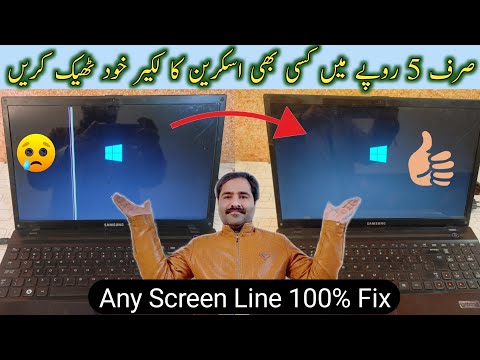
Oh man, isn’t it just the worst when your laptop screen starts acting up? It’s like, one moment you’re in the zone, working away, and then bam! The display goes all funky on you. Ugh, I can feel the frustration.
You ever notice how these things always seem to happen at the most inconvenient times? Like when you’re in the middle of a deadline or binge-watching your favorite show. Classic!
Anyway, let’s dig into why your notebook screen might be throwing a tantrum. From weird flickering to total blackout moments, there are a bunch of reasons this might be happening. And hey, sometimes it’s something simple you can fix yourself—no need to panic just yet!
Causes of Display Issues
Hey, let’s talk display issues on your notebook! You know, those moments when your screen goes all haywire? They’re not just frustrating—they can be downright panic-inducing. You’re sitting there, maybe in the middle of a crucial task or video call, and bam! Things start looking fuzzy or worse, nothing at all appears. Let me walk you through some common reasons for these annoying glitches. I promise it’s easier than it sounds.
- Loose or Damaged Cable: Sometimes the problem is as simple as a loose cable inside your laptop. Even if everything else looks fine from the outside, cables inside can get jostled around. If you’ve ever dropped your laptop or bumped it hard against something—uh oh—this might be why.
- Graphics Driver Issues: Here’s another one—drivers are like translators between the operating system and the hardware. If they’re outdated or corrupt, you might see weird colors or resolutions that lead to migraines after staring too long.
- Backlight Problems: Ever turned on your laptop only to feel it’s working but see no display? Could be your backlight has gone kaput. Without it, seeing anything is like trying to find Waldo in pitch dark.
- Faulty Display: You’ve probably guessed this one: sometimes the screen itself is damaged. This can happen if there’s been physical trauma—like that time my friend’s cat decided her keyboard was a perfect lounging spot while she was away!
- Overheating: Temperature’s another culprit! Laptops generate heat—it gets crazy hot sometimes—and if they overheat because fans are blocked (looking at those cozy bed-blanket laptops), it could definitely mess with display performance.
It helps checking each cause systematically—for instance: update drivers first, take a peek under-the-hood for loose connections next… But lucky for us humans—not everything’s complex rocket science—and often fixes involve simple cleaning routines.
Display issues suck majorly; yet addressing them could turn those “Noooo!” moments into satisfying “Ah-hah!” triumphs quicker than you’d think. Got any horror stories involving faulty displays? Tech troubles are unique tales best shared over coffee—or bytes!
Causes of Display System Failure
Oh, the frustration when your notebook screen gives up on you. I mean, we’ve all been there, right? You’re in the middle of a project or streaming your favorite show and boom! The display just decides it’s time for a break. So let’s chat about what could possibly go wrong with these finicky devices.
- Loose Connections: This is like that time you thought your headphones were broken but they were just not plugged in properly. Display issues can often be traced back to loose cables inside your notebook. Over time, moving it around can cause connections to wiggle loose.
- Faulty Graphics Card: Think of this as the brain’s eye of your computer; if it’s not working right, you’ll have trouble seeing anything at all! If the graphics card is defective or outdated, it may prevent the screen from displaying images correctly.
- Screen Damage: Remember when you accidentally dropped something heavy on your keyboard? Yeah… screens are delicate little things and physical damage can lead to cracks or complete blackouts.
- Backlight Issues: It’s like trying to read in dim light—you squint and strain without much success. If the backlight fails, nothing might appear despite everything else being fine because there’s no light illuminating those pixels.
Software Bugs: Oh boy, sometimes it’s not their fault; sometimes software updates go awry leading screens into weird flickers or complete chaos until fixes arrive.
Another headache could be related directly with power supply imbalances—just like how coffee keeps us awake but too much sends us jittery—power issues mess with system stability impacting smooth visuals.
So you see my friend lotsa reasons exist behind display failures beyond visible wear-and-tear often requiring patience plus detective skills tracking down culprits (or maybe professional help).
Causes of Display Malfunctions on Windows 10
Hey, so your laptop screen is acting up, huh? I’ve been there. It’s unsettling when your trusty computer suddenly throws a tantrum. Let’s chat through some of the reasons why a Windows 10 display might misbehave.
Loose Connections:
- First things first, think of those cables and connectors inside your laptop like the nerves in your arm. If they’re not connecting properly, nothing works right.
- You might not be able to see them with all that metal and plastic in the way! But sometimes just opening and closing the lid too much or too forcefully can jar things loose.
Hardware Failures:
- This one’s more serious. Components like the graphics card can fail or get damaged over time due to overheating or even manufacturing defects.
- I had an old machine that used to overheat on hot summer days because I wasn’t using it on a flat surface. The poor thing couldn’t breathe!
Driver Issues:
- Drivers are those tiny programs that help Windows communicate with hardware like screens and keyboards.
- If there’s a conflict—maybe an update went wrong—you could run into flickering screens or worse.
Screen Problems:
- The simplest explanation could be that there’s an actual problem with the screen itself—like dead pixels or even damage from a drop you forgot about?
- A friend once told me how their toddler thought hitting keys wasn’t enough fun unless you jab at the screen too!
The Black Screen Of Doom:
- If you’ve got nothing but blackness staring back at you, it might be something as simple as brightness settings gone awry (yes really!) or…well…something more grim like corrupted system files.
Sure hope this helps make some sense outta why your screen’s giving you grief!
Ah, the dreaded moment when you’re all set to get some work done, or you’re about to watch that episode everyone’s been talking about and your notebook screen refuses to cooperate. It can be puzzling and frustrating, right? There’s something terribly unsettling about watching those flickers or strange lines appear as if they’re mocking you.
Now, why do these problems crop up in the first place? It’s a question many of us have pondered while staring at our misbehaving screens. One common reason is physical damage. You know, accidentally dropping your laptop or maybe closing it with something resting on the keyboard. We’ve all had those moments where we thought “Ugh, what was I thinking?”
Then there’s the infamous issue of loose connections. Just like how a light bulb sometimes flickers when it’s not screwed in properly, a laptop’s display can act up if its internal connectors are a bit wonky. You might wonder why everything needs to be so delicate!
Sometimes it’s not even your fault! Manufacturing defects sneak in occasionally—like an unwelcome surprise lurking beneath the surface. And let’s not forget about software glitches; they can play tricks on what appears physically broken but isn’t.
I remember this one time my friend Susan called me in panic because her screen went all psychedelic with colors out of nowhere! Turned out it was just an outdated driver causing chaos.
Of course, there’s always good old wear and tear; daily usage slowly taking its toll without you noticing until one day things aren’t as crisp or stable as they used to be.
In any case though dealing with display issues is never fun. It’s important not only for convenience but sometimes even for our sanity! Aren’t we attached enough already? Such times remind us of how reliant we’ve become on technology working flawlessly day after day.