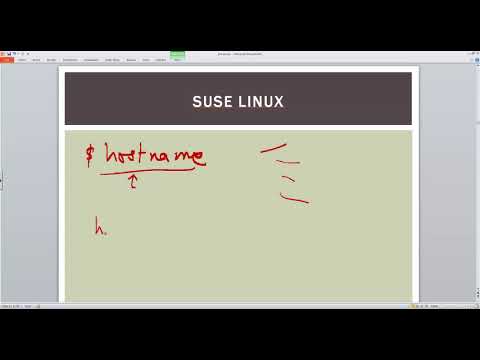
Oh, hey! So, you’re curious about the “hostname” command and what it’s all about in the wild world of networking? Great choice. This might just be one of those tiny bits of magic that sneaks under the radar but makes a huge difference.
You ever had one of those days where you’re trying to set something up on your computer, and everything’s going just right until BAM!—you hit a wall because something doesn’t quite work out as expected? Sometimes that little hiccup can be related to not knowing a hostname. Seriously!
Understanding this thing could save you from future headaches. And trust me, there’s no need to get lost in a sea of jargon—it’s simpler than it sounds. Plus, once you get the hang of it, you’ll wonder how you ever managed without it.
Ready to dive into this with me? Let’s have some fun with it!
Understanding the Hostname Command in Networking
Sure thing! Let’s chat about the hostname command. Now, you might have heard this term getting thrown around in your IT circles. It’s a pretty nifty little command in the world of networking!
What is the Hostname Command?
In simple terms, it’s a tool that lets you see or set the name of your computer on a network. Think of it like when you’re at a party and someone calls your name – that’s how computers identify each other on networks.
Why’s It Important?
Having a unique hostname helps computers communicate without confusion. Imagine if everyone at that party was named “John.” Chaos! Each device needs its own identity.
How to Use It
Here’s where it gets fun. You open up your terminal or command prompt, depending on whether you’re using Linux or Windows, and type hostname. Easy peasy! You’ll instantly see what your computer is currently called.
- Check Current Hostname: Simply type
hostname. - Change Your Hostname: Administrators can change it with commands like
sudohostname newname. - Permanently Set Your Hostname: Edit configuration files like one might do with /etc/hostname in Linux.
A Little Example: Say you’re setting up a server for all your friends to connect their devices to play games together. You want them to connect easily, right? Naming your server “GameHub” makes it accessible and memorable!
Now why not experiment by checking out what your current hostname is? And hey, if you’ve got admin access (and you feel comfortable), try changing it up – maybe something fun or practical depending on how you’ll use it!
I remember once I tried renaming my laptop without realizing I was sharing folders over my home network… Lost connection pronto until I fixed everything back again!
Hope this helps you understand hostnames better! Give me a shout if there’s anything else you’d like me go over—nothing more thrilling than diving into tech mysteries together!
Understanding the Hostname Command
Hey, let’s chat about the hostname command. It’s one of those little tools that’s super handy in networking but might fly under the radar unless you know where to look.
So, what is this hostname thing all about? Hostname, as the name suggests, relates to your computer’s name on a network. You know how every house has an address? Your computer does too! This helps it stand out amid all the other devices hustling and bustling on the same network.
Now, firing up a terminal or command prompt and typing `hostname` gives you a peek at this identity. Fancy, right? This can be really helpful if you’re sitting there scratching your head wondering which machine you’re actually on—especially if you’re managing multiple computers.
Here’s something else that’s pretty neat: You can use options with this command to get more specific info or even change things up. Need to know about your site’s domain name system (DNS)? Well, there’s `hostname -d` for that. If curiosity gets you wondering what your Fully Qualified Domain Name (FQDN) looks like—that’s basically your hostname with all its flavors mixed in—you’d go for `hostname -f`.
This command isn’t just about snooping around but can also alter settings when needed. For instance, using `sudo hostname newname`, you’d switch out your system’s current name for something spiffier—like giving yourself a fancy nickname!
- Basic usage: Just type
hostname. Easy-peasy! - -d option: Want to see your DNS domain? Try that trusty old
hostname -d. - -f option: To check out what’s called an FQDN (Fully Qualified Domain Name), hit up
hostname -f. - Name changing: If you got admin access and want to be bold:
sudo hostname newname
Just remember though—changing hostnames might require some extra steps depending on certain operating systems’ moods! On stuff like Linux or MacOS adjusting configuration files after setting a new shiny identity may help things run smoothly afterwards; otherwise they could still revert back next boot-up time!
In practice navigating through networks becomes less daunting once familiarity kicks into gear—and hey now understanding bits involved within these everyday commands fuels confidence along journey ahead among digital landscapes swimming around us all…
Hostname Definition in Networking
You know, when we’re chatting about networks and how everything connects, the term “hostname” might pop up quite a bit. It’s one of those fundamental pieces that tie everything together. Imagine you’re at a huge family reunion. Everyone’s got their name tag on, right? In networking, a hostname is kind of like those name tags.
What is a Hostname?
A hostname is basically the unique label your device wears when it’s strutting around in the digital world. It’s an identifier assigned to devices connected within a network and helps these devices keep track of each other. Think about it this way: if your computer didn’t have a unique name in its network party, how would anyone know who to send messages or files to?
- Friendly Names: Instead of using tricky IP addresses (like 192.168.1.1), devices use more memorable names.
- A Universal ID: Just as you might have both a first and last name for humans, hostnames serve as a distinctive digital ID.
Here’s an interesting thing: Hostnames can be as straightforward or intricate as you’d like—well, within character limitations! They could simply be “Laptop” or something fancy like “Johns-MacBook-Pro.”
The Role It Plays
You ever lost your phone at home? And then had someone call it so you could locate it by sound? Hostnames work similarly in computer networks! They help systems find each other without needing those long-winded number sequences I mentioned before.
- Easier Communication: Devices will chat using names rather than complex numbers.
- Simplified Management: For network admins fiddling with countless devices… imagine the relief!
Diving Deeper with the Command Line:
Using commands like “hostname” lets you manually set or check what was set on your device during its setup.
Let’s say if you typed `$ hostname` in your command line interface—the console tells you precisely what’s stored under that label for reference.
In essence, hostnames aren’t flashy; they’re more utility-oriented but essential for organized communication between computers connected over vast distances… whether across rooms next door—like WiFi routers talking directly—or spanning continents via satellites floating above oceans!
Neat stuff indeed—and every bit counts toward making today’s interconnected web function smoothly beneath our fingertips day-in-day-out without skipping beats—even while engaging fellow beings afar much easier than ever imagined back then before wires intertwined lives worldwide seamlessly online these days mostly owing largely due legacy laid foundations strong held nametag tradition steadfast among them since time immemorial reigning supreme still now regardless age technology advancements developments underway imminently soon foreseeable future—right before us beckoning further advancements technological frontiers await exploration anew anew anew sigh good times always lie ahead yay yonder brighter horizons abound folks lovers modern marvels alike wherever find selves bound journey endless possibilities untold yet discoverable yet every waking moment awake embrace here goes cheers till eternity calls mateship comradeship alive vibrant alive ongoing infinite ways endlessly possible promising tomorrow waits already smiling already greeting along always granting waiting seeing behold behold behold joy anyhow hurrah hurrah!!!
Let’s chat a little about this hostname command thing and how it fits into the basics of networking. Imagine a day when your friend knocked on your door but didn’t know if you lived there ’cause you hadn’t put up your name—awkward, right? Computers, like people, need names, too. That’s where the hostname command swoops in to save the day.
Now, when you’re dealing with networks, giving each device a unique name makes life easier. It’s sort of like assigning them their very own ID badge that says, “Hey! This is me!” The hostname command is kind of like scribbling that name onto their badge.
I remember the first time I fiddled around with this command; it felt like I was giving a pet a new name. My heart raced a bit thinking if I’d mess things up and make “Fluffy” turned into “Spot”, so to speak. But hey—once you run that magic little word in the terminal or command line interface (CLI) and watch the changes happen… it’s kinda empowering!
You type “hostname” in there and boom! You either see its current label or change it right there—a bit like calling out “Mom!” in a store only for your device to respond instead of half-a-dozen kids turning around.
Yeah okay, so technically speaking: on Unix-like systems or Windows machines (or whatever you fancy), modifying this can be super handy. Whether you’re setting up servers or just trying to figure out what each PC is named on your home network—it just helps keep things organized.
And guess what? Once you’ve set it up properly everything connects smoother than butter sliding across toast—especially when troubleshooting network issues later (oh gosh memories…). It’s all neat knowing which device has which role simply by glancing at names instead of deciphering IP addresses every single time.
So while mastering something sounds big—and maybe even daunting—it doesn’t have to be that way with hostname commands! It might take some experimentation till you’re cozy using it fluently but soon enough it’ll feel second nature…like remembering old friends’ names without missing any beats along way—you know?.