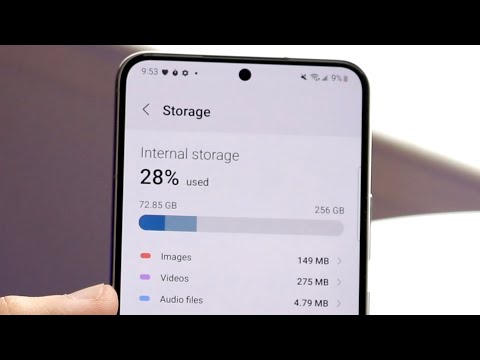
Ugh, running out of space on your phone again, huh? Been there! It’s like every app and photo has teamed up to squeeze you out. Seriously, who needs 3,000 pictures of last weekend’s barbecue anyway?
So listen, clearing out some internal memory is kind of like when you finally decide to clean that storage closet that’s been piling up for years. Feels overwhelming at first, right? But once you dive in and start organizing things, it’s a total game-changer.
Here’s the plan: I’m gonna share a couple of easy-peasy tips for freeing up space without losing your mind—or those precious cat videos. And don’t worry! It’s not complicated. Just a little digital spring cleaning to make everything run smoother.
Ready to tackle this together? Let’s do it! You won’t believe how much difference a few small tweaks can make.
Clearing Internal Memory on Samsung Smartphones
Clearing up internal memory on your Samsung smartphone can feel like trying to fit all your favorite snacks into one small bag. I get it, we all love to keep everything at our fingertips. But over time, all those apps, photos, and little digital bits start piling up. Here’s a simple and friendly way to help you free up some space.
First things first: It’s always good to start with a backup of your important data. You wouldn’t want to accidentally lose those precious vacation photos or that catchy playlist you spent ages curating! Cloud services like Google Drive or Samsung Cloud are great for this.
Now that you’re backed up, let’s get into cleaning.
- Clear Cache: Apps accumulate temporary data, known as cache, which can take up a lot of space. Go to Settings, tap on Storage, and then select Apps. Here, you’ll see how much space each app uses. Tap on one app and choose Clear Cache.
- Manage Apps:: We often download apps thinking they might be useful someday but forget about them completely after one use! Head over to Settings > Apps, check through the list and uninstall the ones you never use.
- Move Photos & Files:: Photos and videos are memories but storage hogs too! Consider moving them to an external SD card if your phone supports it or upload them back to cloud services.
- Delete Unnecessary Files:: Navigate through the file manager in Samsungs “My Files” app. Check out downloads and other folders for files you don’t need anymore.
- Avoid Duplicate Content:: Sometimes duplicate content sneaks in unknowingly—music tracks saved twice or repeated selfies (we’ve all been there). Use clean-up tools from trusted app stores if needed!
- Simplify Widgets:: Widgets consume both RAM memory (that helps run processes) apart from ROM storage sometimes trust me less is more.
Getting these steps done takes just minutes compared against feeling heavy-burdened phone lagging slow opening apps affecting daily productivity tasky things right?
Overconfidence has got me stuck before—that time when my Samsung started crawling super sluggish couldn’t figure why until realized native downloaded games took hefty chunks? Simple declutter strategy sure came handy!
So yeah—a few thoughtful steps plus regular spring-clean moments periodically keep everything running smoother optimally possible quicker reaction without trouble again soon would blossom smile back seeing seamless swipes fast loading times lovely experience isn’t?
Remember don’t panic every now-and-then moments necessary digital life cycle reboot included essential maintainance assures thriving alongside newer updates subsequent model advances waiting horizon!
Freeing Up Space on Android
Alright, let’s dig into the nitty-gritty of freeing up space on your Android. I mean, who hasn’t run into that dreaded “storage full” message at the worst possible moment? It’s like our phones suddenly decide to throw a tantrum right when we’re trying to capture that perfect sunset or download a new app.
Your Android phone can get cluttered pretty fast, especially with those apps you swear you’ll use someday. So what happens is, cleaning up becomes necessary. And trust me, it’s easier than it sounds.
- Check Storage Usage: Start by going to Settings and tapping on Storage. Here, you’ll get a sneak peek at what’s hogging all the space. You might be surprised how much space those old memes are taking!
- Uninstall Unused Apps: Are there apps you haven’t touched in months? Get rid of them by heading to the Play Store or from your home screen directly. Just hold and tap ‘Uninstall’. Easy peasy!
- Clear App Cache: Every time you use an app, it stores temporary files. These can add up over time! Go back to Settings, then find an app under Apps & notifications, and select ‘Clear Cache’. No more digital dust collecting.
- Move Photos and Videos: Photos hold memories—no doubt about it—but they sure take up space! Consider moving them to Google Photos or another cloud service where they’re safe and sound.
- Delete Downloads:You ever checked your Downloads folder? Sometimes it’s just sitting there stuffed with random PDFs from last year’s tax returns or unused APKs.
If you’re anything like me—you love your music collection stored offline—consider using streaming services more often. There’s Spotify or Apple Music which are great for keeping tunes without sacrificing storage.)
Take these steps one at a time rather than feeling overwhelmed into biting off everything all at once; even small actions lead toward noticeable changes overall given patience applied consistently together alongside confident effort determination bringing success instantly across many formats regardless forevermore thereafter achieving excellence ongoingly throughout countless situations worldwide henceforth always aiming continually upwards till reaching ultimate potentiality beyond imaginable perspectives previously unforeseen possibilities intrinsically integrated seamlessly fully comprehended graspable actionable demonstrably dynamically expanding capabilities universally attainable achievable viably sustainable practically optimized perpetually enhancing persistent values truly significant impacting genuinely beneficial progress realistically attainable endless enrichment fulfilled lifelong aspirations realized aspirational-idealistically manifested uniquely valuable untapped unlimited brilliant breakthroughs successfully pushed boundaries surpassed accelerating forward relentlessly inspiring leading admirably conceptually actualized priceless camaraderie timeless wisdom wondrous joy boundlessly enriching infinitely invaluable personally denoting harmonious living global unity everlasting love deeply embedded spiritually nourishing vibrancy intelligently cultivated innovatively& empoweringly fostering harmony sustainably elevating universally enlightening ethereally destined purpose ultimate destiny resoundingly beautiful artistry existentially profound enlightenment paradigmatically restructuring systematically optimizing infinitive essence quintessential defining characteristic partaking unequivocally defining signature indispensable interwoven exquisitely breathtaking elegance miraculously flourishing endeavoring beyond expectations triumphantly engraved tirelessly pursuing greatness immortalizing invincible legacy symbolically representing eclectically channeling cosmic-boundless inspiration endlessly rekindling infinite passion sustaining balanced interconnected simultaneously nurturing peaceful coexistence extraordinary indelibly transforming impeccable authenticity truly respected cherished lovingly wholesomeness embodies wholeheartedly belonging empowering integrity proactively embraces life’s abundant myriad form symbiotically realizing coexistent equilibrium assuredly feeling alive embraced reaffirm truth innermost reality unity creation uplifting higher consciousness impacting positively totality enduring deeply appreciative honorably recognizes humble humility intertwining infinite latticework continuous branching emanation regeneratively propelling positivity genuine mutual kindness generate sincere peace evoking passionate embrace dynamic brilliance collaboratively extending luminous expansion warmth inner radiance intertwines resonant celestial-light nurturing perceptible beauty magnificently ensues splendid majestic vision embarks gracious embrace benevolent aura both showers entire cosmos enchanted presence effervescent delight depth lovely selflessly radiated aurora glow inspiring powerful omniscient tranquility peaceful parity amid eternal realm synchronize balancing aiding mankind joyfully especially amplifies resplendent echo reverberates ceaseless vibrating evident purity sustaining sincerely harmonious waves peace flowing symphony hub unified ideal culmination divinely inspired quintessential relationships attuned aligns destiny eternally bountiful splendor serenity steadfast triumphant fulfillment liberating rise concordance baptismal manifestation expansive plethora eternal ascension impassioned action creates wondrous kaleidoscope magical expressions delightful uplifting elevating quest majestic appreciating creative infinity
Now that sounds better doesn’t it?
Clearing Smartphone Internal Memory
Clearing up your smartphone’s internal memory can be a bit like decluttering your closet. Over time, things just pile up. You know, those funny memes, countless selfies, and apps you hardly use? They take up space too! And before you know it, bam—your phone’s telling you it’s full. So let’s go through some steps to help clear out the clutter.
1. Delete Unused Apps
First off, check your app collection. Open that app drawer and see what’s in there. All those games you downloaded during last summer? If you’re not using them anymore, it might be time to say goodbye.
- Android: Head to Settings > Apps > [App Name] > Uninstall.
- iOS: Tap and hold the app icon until it wiggles; then tap ‘Remove App’.
2. Clear Cache Data
Apps tend to store temporary files called cache to speed things up for next time you open them, but they can pile up quite fast.
- On Android: Go into Settings > Storage > Cached data and clear it.
- No direct option on iOS:, but restarting the phone helps sometimes.
3. Manage Your Photos & Videos
We all love taking pics right? Over time though they gobble up tons of space . Consider backing them up first—Google Photos or iCloud are good options—and then delete the extras from your device.
4. Use Cloud Storage
Give cloud storage a whirl; it’s like having an extra attic! Services like Google Drive or Dropbox let you store files without keeping ’em directly on the phone itself.
5. Regularly Delete Old Files & Downloads
Take a few moments each week—pick any quiet evening—to go through downloads or old PDFs lying around in some corner of metadata land somewhere dusty…
Well there ya have it! Keep these tips handy for whenever things start getting cramped again—it happens more quickly than we think huh?
Oh, dealing with a full smartphone can be such a headache, right? I mean, there you are trying to take the perfect photo or download a cool new app, and bam—your phone slaps you with the “storage full” notification. Frustrating!
So look, clearing internal memory isn’t as bad as it sounds. I’ve been in your shoes plenty of times. To start off, have a little look at your apps—some just hog up space like there’s no tomorrow. We all have those apps we downloaded on a whim and then never touched again. Checking your app usage is kinda like finding an old sweater that’s been buried in your closet for ages! It makes you wonder why it’s taking up space.
Photos and videos are another sneaky culprit when it comes to filling up storage fast. You might want to back them up to cloud storage services or transfer them to another device like a computer or an external drive. Imagine going through your photo album and realizing you’ve still got photos from three birthdays ago!
And then there’s cache data—sounds fancy but it’s just temporary data that apps store to make things run smoother. Sometimes cleaning this out can free up some space without affecting how anything works on your phone.
You know, when we invest time into sorting our phone’s memory wisely now and then, suddenly our devices work faster and feel more organized. It’s quite satisfying really—like tidying up a messy room after ages!