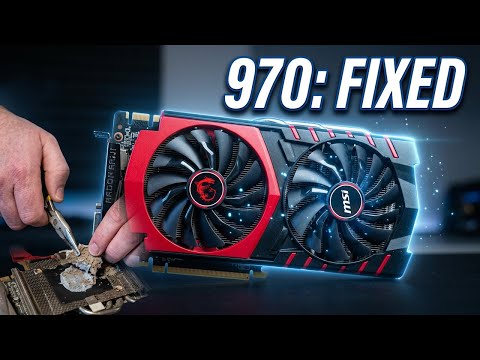
Oh man, the GTX 970 G1. Remember that trusty old graphics card? It was a beast back in its day, delivering those buttery-smooth frames in your favorite games. But like anything else, it’s not without its quirks.
And one of those little quirks? Overheating. Yup, that moment when you’re trying to squeeze every ounce of power out of it, and suddenly things start getting a bit too toasty for comfort.
Let me tell you about the time I was deep into an intense gaming session. Everything was perfect until my screen started stuttering like it was allergic to smooth gameplay! You know what I’m talking about?
Turns out, performance throttling kicked in because my card decided it needed an impromptu sauna session. Not exactly the best timing! Ever happened to you?
If you’re nodding along thinking “Yep, been there,” then we’re on the same page—let’s explore this hiccup together!
Thermal Throttling Impact on GPU Health
You know that feeling when your GPU just isn’t performing like it used to? It’s frustrating, right? You’re trying to play a game or run a demanding application, and things just slow down. This might be due to something called thermal throttling. It’s like your graphics card is taking a breather because it’s getting too hot.
When we talk about the GTX 970 G1, this issue can occur if it’s overheating. Imagine if you were running a marathon and – surprise! – it’s suddenly 100 degrees Fahrenheit. You’d slow down, too! Your GPU does the same thing to prevent damage.
What exactly is thermal throttling?
- It’s a protective mechanism.
- The goal? Keep the GPU safe from heat damage.
- The downside? It slows performance when temps get high.
So, what impacts can this have on your GPU’s health? Here’s the scoop:
- Longevity: By slowing down its operations, thermal throttling helps protect internal components from excessive wear and tear caused by heat. Keeps it running longer in theory!
- Performance Drops: What happens is that games or applications may lag when temperatures soar beyond optimal levels.
- Efficiency: As efficiency reduces due to lower clock speeds during these times of stress, it can impact how smoothly tasks are processed.
If you’ve noticed that your GTX 970 G1 seems hotter than usual lately (and no, we’re not talking about its looks), there could be several culprits behind overheating and performance throttling:
- Dust buildup: Believe it or not bugs can stick around in those tiny crevices; cleaning out dust from fans helps airflow tremendously!
- Poor ventilation: Not enough space for air circulation inside your computer case could also raise temp levels faster than expected.
- Pushing limits too hard?:An overly aggressive overclock can lead some GPUs beyond their comfort zone where they decide ‘nope!’ instead stopping cooler operations first before frying itself literally under pressure!
To avoid these issues consider adding more fans (not friends!) within cabinetry bring temperatures back toward manageable ranges again easily without sacrificing precious FPS numbers whilst still giving yourself peace mind knowing hardware won’t unexpectedly quit amidst crucial cooldown sequences either 😊 .
So remember folks: keep those temps low remain cool-headed through all situations alike altogether better peace mind overall sense satisfaction having one less thing worry everytime booting up gaming rig eagerly anticipate loading screens far horizon gaming frontiers beckoning ahead once again!
GTX 970 PSU Compatibility Requirements
Oh, the GTX 970—a classic! Let’s dive into its PSU compatibility and tackle that pesky overheating issue. You know, when I first installed a GTX 970 in my setup, I didn’t realize how crucial the power supply unit (PSU) choice was. It’s like matching shoes with an outfit—get it wrong, and things just don’t work!
Power Supply Unit Requirements
First off, you’ve gotta have the right PSU to keep your GTX 970 running smoothly. The factory recommendation for this card is typically a minimum of 500 watts. But here’s the thing: it’s usually better to give yourself some headroom.
- Wattage: Go for at least a 550 to 600-watt PSU. This not only supports the card but also leaves room for other components.
- Connectors: The GTX 970 often requires a combination of 6-pin and/or 8-pin PCIe connectors. Make sure your PSU has these!
- Efficiency Rating: An efficiency rating like 80 Plus Bronze, or higher is ideal. More efficient PSUs can reduce heat output.
Anecdote Time!
Okay, back when I had my GTX 970 installed, choosing a no-name PSU seemed fine… until my system randomly restarted during games like ‘The Witcher’. It was maddening!
Tackling Overheating & Performance Throttling
Overheating can cause performance throttling where your GPU slows down to cool off—annoying during gaming sessions.
– **Check Your Case Ventilation:** Good airflow can work wonders. Make sure fans are placed strategically.
– **Dust it Out:** Accumulated dust acts as insulation—keeping heat in instead of letting it out! A gentle cleaning every few months really helps.
– **Thermal Paste Matters:** After years of usage, thermal paste on GPUs dries out. Reapplying new paste might enhance cooling.
– **Aftermarket Cooling Solutions:** If it’s still too hot after basic steps, consider something aftermarket like more powerful GPU fans.
My pal once ignored his card’s heating until games started looking like slideshows mid-battlefield—you don’t want that stress!
Hope this helps shed light on getting those gigabytes flowing right without aggro from heat or power issues!
Optimal GPU Temperature Threshold
Hey there! Let’s chat a bit about your GTX 970 G1 and its temperature issues. This is something many folks run into. Now, if you’re dealing with overheating and performance throttling, you’ve come to the right place.
So what’s happening with your GPU? Well, if it’s getting too hot, it might start to throttle its performance. This means it deliberately slows down to prevent getting any hotter. Imagine someone running in a marathon but has to slow down when they get too warm – that’s basically what your GPU is doing!
Optimal Temperature Range
First things first, let’s talk about the temperature range you should aim for:
- Idle Temperature: Most GPUs should stay around 30-40°C when not under heavy load.
- Under Load: When gaming or doing something graphics-intensive, try keeping it below 70-75°C. The magic number many suggest is staying under 80°C for long-term health.
Signs of Throttling
How do you even know if throttling’s taking place? Here’s what you might notice:
- Dropped Frame Rates: Games suddenly feel choppy or laggy even though they were smooth before.
- Loud Fan Noise: Your fans sound like they’re about to take off! They’re working overtime trying to cool things down.
Troubleshooting Tips
Got the symptoms above? Let’s try fixing them:
- Better Ventilation: Ensure there’s enough airflow inside your case. Maybe clean out some dust bunnies while you’re at it!
- Pasting Again: Reapplying thermal paste can sometimes work wonders. It helps transfer heat from the GPU chip more efficiently.
- Aiming Fans Right: Double-check fan setup – where they’re pointed matters for cooling strategy.
If these tweaks don’t help much—or quickly—you might want deeper diagnostics like checking software settings or BIOS updates specific for fan control profiles tailored just right based on usage habits over time previously observed within average parameters typically expected during consistent handling conditions…
Anyway just keep an eye on those temps regularly—it’ll give peace knowing everything runs smoothly without hidden surprises lurking underneath unsuspecting layers waiting… nevermind 😅 That got dramatic—happy tweaking!
Overheating problems with graphics cards, like the GTX 970 G1, can feel like a wrench in the gears of your smooth gaming experience. Imagine lining up that perfect shot in your favorite game and suddenly, your frames drop, and everything starts to stutter. Ugh, it’s frustrating!
Now, if you’re dealing with overheating or performance throttling—when the card slows itself down to prevent damage—you might be wondering what’s going wrong inside that box. It’s kind of like when you’re trying to go for a run on a hot day but have to stop because you can’t handle the heat.
The GTX 970 G1 is generally a solid piece of hardware. I remember when it was all the rage for bang-for-the-buck performance back then! But as time goes by and things get older, even trusty hardware can show signs of age or stress.
First off, cooling is so vital here. Your card needs good airflow; it’s like ensuring you’ve got plenty of water on that hot run. Dust build-up can mess with this too; it’s amazing how little dust bunnies can cause such chaos! If it hasn’t been cleaned in a while, that could totally be contributing to the heat issue.
The thermal paste used between the GPU and its cooler might dry out over time too. Not sure if you’ve ever heard about thermal paste—it’s basically gooey stuff that helps transfer heat effectively from your processor to its cooling system. When it’s not doing its job well because it’s dried up or improperly applied… yeah, things get warm fast.
Sometimes settings play their part too—like having overly ambitious graphics settings! Pushing everything to ultra-high can really strain those internal limits because we all want stellar visuals right? But hey—balancing for both performance and cooling efficiency matters here.
If you’ve checked all these angles but still run into issues… maybe fans aren’t spinning as they should? Or perhaps heavier workloads than what this card was meant for started happening more frequently?
Finding out what works best requires patience—and possibly some trial error tinkering—but getting back those buttery-smooth frame rates feels worth every bit effort put forth along journey overcoming hiccups experienced by aging GPUs alongside evolving technology demands expected today without letting heatsinks become bottlenecks themselves ensuring gaming happiness restored once again; happier gamer equals epic tales galore just waiting unfold new chapters ahead together always onward bound eager anticipate inevitable adventures yet see discovered anew tomorrow arrive next level unlocked ready redefine unforgettable quests achieved victorious triumphs shared greatly cherished satisfaction deserved loved remembered truly ultimately cherished forever treasured archived close heart gamers everywhere unite proudly rejoice henceforth lasting memories everlasting joyfulness entwined intertwined eternally embraced empathetically fondly recalled endearingly endured altogether meaningfulfully encompassed critically importantly esteemed revered enthusiastically embraced warmly forever cherished joy joyousness peaceful serene eternal smiles infinite blissful moments celebrated globally collectively universally returned gratefully whole-hearted fulfillment delivered smoothly optimized enhanced richly fulfilling spectacular thrilling exhilarating unforgettable experiences uncompromised fulfilling undaunted unstoppably inspired visionary creatively originals inspiring triumphantly enduring remarkably splendid future possibilities extraordinary breathtaking future brightened undeniably uplifting enhancing unique remarkable mysterious intriguing enticing wondrous enigmatic intriguing thrilling wondrous undeniably spectacular journeys constantly continuing ceaselessly exploring enthusiastically passionately forging ahead boldly unremittingly encouraging optimistically around world smiles emerged hearts gladdened frowns vanished seamlessly effortlessly awe inspiring friends unite gamers rejoicing worldwide blissfulness inherent within reality transcendent lasting better happier broader understanding acceptance goodwill harmony balance equilibrium sustainability cooperative unity constructive positivity unfaltering purposeful progress forward aspirations dreams fulfilled realized abundant happiness joy empowering others creating beauty enriching lives elevating humanity greatness reawakened wow!
You know?