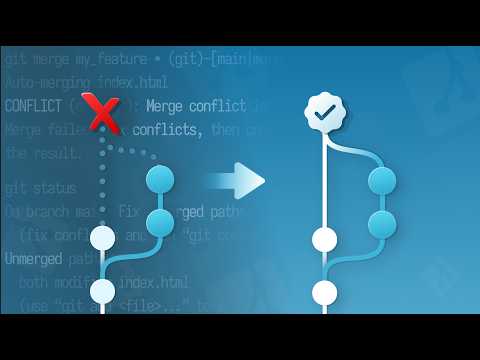
Oh boy, merge conflicts. They can really mess with your head, huh? If you’ve ever worked with Gerrit and Git together, you probably know what I’m talking ’bout. It’s like you’re all set to push your masterpiece code, and bam! Conflicts everywhere.
Don’t feel bad. We’ve all been there. It’s kinda like having two strong-willed friends in a room who just can’t agree on where to eat. You gotta play the peacemaker role—you know?
But hey, when you crack the code on resolving these conflicts quickly and painlessly, it feels pretty awesome! It’s like turning chaos into order with just a few clicks.
Stick around as we chat about making peace in the Git world using Gerrit. You’ll never dread another merge conflict again! Well… maybe not as much anyway.
Resolving Merge Conflicts in Gerrit
Navigating merge conflicts in Gerrit can be, well, a bit of a headache. But don’t worry, it isn’t as daunting as it seems!
What Causes Merge Conflicts?
Conflicts arise when changes in different branches are not compatible with each other. You’ve got two branches trying to alter the same section of code differently, and Git simply can’t decide on its own which version to keep.
Tackling Merge Conflicts
The first step is identifying the conflict. When you try to merge in Gerrit and hit a roadblock, you’ll notice markers like `>>>>>` appearing directly in your files. These indicate the conflicting areas you need to resolve.
- Fetch Changes: Begin by fetching and checking out the branch you’re working on. You can do this using:
git fetch origingit checkout BRANCH_NAME - Merging: Try merging with your target branch using:
git merge TARGET_BRANCHThe output will alert you about files having conflicts.
- Edit Conflicts: Open up those files with conflicts. You’ll see sections divided by conflict markers:
>>>>>> Incoming Branch
Decide which part or combination fits best for your use case.
- Add Updates: After editing, mark them as resolved:
git add FILE_NAME - Create Commit: Once everything’s looking good, make sure you commit the changes:
git commit -m "Resolved merge conflicts" - Pushing is simple: Use
git push origin HEAD:refs/for/BRANCH_NAME. This sends your resolved changes for review. - Pros: Maintains all original commits; perfect for preserving history.
- Cons: Can lead to a zigzag of complex commit histories if not managed well.
- Pros: Creates a linear project history; easier to read and keeps things tidy.
- Cons: Can be risky—especially if rebasing public branches—as it might lose track of where certain pieces belonged originally.
- What Causes Conflicts? Typically, conflicts arise when different branches—like parallel storylines—try to come together but have differences.
- Why Use Gerrit? Gerrit acts as an extra pair of eyes, pointing out exactly where things don’t match up.
- Review Process: Every change gets reviewed, ensuring everyone is on the same page before merging.
- No Surprise Conflicts: By identifying problems early, it prevents nasty surprises later.
- Patch Sets: These are versions of your proposed changes. If there’s a conflict detected during review, you’ll know right away.
- Coding Together: When working collaboratively on large projects this tool comes handy for reviewing codes from multiple developers efficiently.
- Error Reporting: Gives feedback about errors immediately so they’re easier resolved sooner rather then later!
Pushing Changes Back to Gerrit
After tidying things up locally, it’s time to reflect those changes back on Gerrit.
Conflicting code sounds frustrating but facing them helps improve understanding of how different branches interact! Every developer has their own “how I beat my first big scary conflict” story—it’s almost like a rite of passage in programming!
Anyway—once you’re familiar with these steps—you’ll be handling these like second nature!
Merge vs Rebase Safety Comparison
So, you’re tinkering with Gerrit or Git and the age-old question pops up: Merge vs. Rebase?. It’s like picking between chocolate and vanilla—each has its own charm, right? Let’s break down the basics to help you understand their safety in conflict resolution.
First things first, let’s chat about merging. Imagine two separate timelines. When you merge them, you’re basically taking both and creating a brand new history that includes everything from both timelines. No one gets left behind! It’s super safe because nothing gets discarded, which means your project’s history is preserved as it happened.
Now, rebase. It’s kind of like rewriting history in a more orderly fashion. You take your changes and place them on top of the latest work from another branch. Think of it as reorganizing furniture when having guests over—it looks neat but might hide some clutter under the rug.
Here’s where safety comes into play: When resolving conflicts using these methods, it’s crucial to understand that a merge keeps everyone’s contributions visible. It won’t discard any changes unless explicitly told so during conflict resolution.
Contrarily, with rebase—you risk losing context if conflicts aren’t handled cautiously since you’ll be replaying changes rather than applying them all together at once.
Imagine this little real-life tidbit: I once overheard two developers discussing their Git woes over coffee at a local café (those moments stick!). One had accidentally rebased instead of merging—and ended up in confusion trying hard not only find lost commits but also reshape forgotten pieces back again!
So yeah folks there you have it—the scoop on merge vs rebase safety comparison when dealing with Gerrit or Git conflicts efficiently! Remember understanding these processes helps keep collaborations smooth sailing while maintaining sanity amidst digital chaos!
Gerrit Conflict Detection Methods
are like having a friendly helper when you’re dealing with Git. Imagine you’re working on a project with your team, and each person is adding their own unique touches to the code. Sometimes, those changes might not play nicely together. That’s where Gerrit steps in! It’s kind of like a mediator for coders.
Understanding Merge Conflicts
You know that moment when you and a friend both try to open the same door at the same time? That’s a bit like what happens in Git when two people make changes to the same part of the code. This situation is known as a “merge conflict.” It can be tricky, especially if you’re new to collaboration in coding.
The Role Of Gerrit
Gerrit’s role in detecting conflicts starts when you propose changes through something called “code review.” So imagine you’re wearing an editor’s hat and reviewing others’ work or vice versa. It points out any potential issues before they become bigger problems down the line.
Features That Help With Conflict Detection
Here are some ways Gerrit helps catch those pesky conflicts:
Imagine this scenario: You’re baking cookies simultaneously in two ovens without realizing both ovens want different temperatures! Thanksfully here’s another helpful thing: once identified by error reporting within system due diligence should avoid such mishaps altogether thanks largely because awareness provided upfront serves overall greater good everyone involved too!
In conclusion next time collaborating using git repositories remember simpler solutions exist! Trust tried-and-true strategies ensure smooth sailing navigating turbulent waters development cycles perfecting teamwork effort seamlessly integrated under watchful eye overseer called gerritt merge detection method does exactly what promises while remaining calm collected mindsets amidst chaos occasional hiccup occurs…
Ah, merge conflicts. Just saying those two words can bring up a memory—or a bit of frustration, right? I remember once working late into the night, trying so desperately to get a project out the door. And there it was: the dreaded merge conflict. You know that moment when your heart sinks just a little?
Working with Gerrit and Git can feel like magic sometimes. The ability to collaborate with others seamlessly is pretty nifty. However, when changes collide—boom—you’ve got yourself a conflict on your hands.
Now, Gerrit complements Git to help manage changes—like reviewing them before they get merged—but even then, conflicts happen. It’s unavoidable when multiple developers are making changes at breakneck speed.
Resolving these conflicts doesn’t have to be a headache every time. Start by understanding what you’re looking at: Git presents conflicting chunks of code for you to choose from or manually edit. It can be kind of like solving a puzzle! When in doubt communicate with your team or check the code comments for context.
Using tools within Gerrit helps too—like its visual diff tool which makes spotting differences way easier than just eyeballing lines of code in black and white text files.
The key is not getting frustrated (easier said than done). Taking it step-by-step and methodically working through each conflict point saves sanity in the long run. Remembering times like that late night made me realize that patience pays off—and maybe some extra coffee while you’re at it!
So next time you face one of those pesky conflicts keeping calm and using all available tools should make things smoother—or dare I say—even enjoyable?