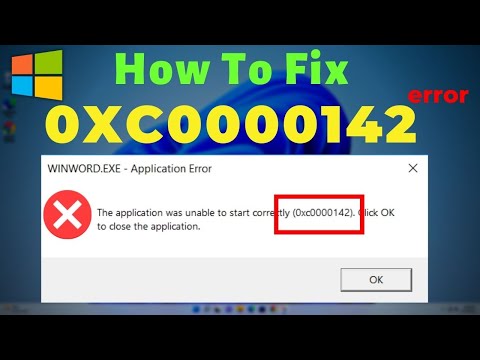
Oh, Windows errors. They’re like that annoying relative who always shows up uninvited to family gatherings. You know?
Picture this: you’re all set to unleash your geeky skills using the Command Prompt on your trusty Windows machine, but bam! Error 0xc0000142 makes a dramatic entrance.
This baffling code is like a cryptic message from the gods of technology—unexpected and frustrating. But hang in there, ’cause I’ve been through it too and I’m here to chat about making it disappear.
Got your coffee or tea? Let’s figure out this mystery together so you can get back to commanding Windows like a pro!
Procedure to Resolve Error 0xc0000142
Oh, the old error 0xc0000142! If you’ve ever stumbled upon this one while trying to open CMD on your Windows machine, you’re definitely not alone. It’s like, you’re just there wanting to get work done and boom—a hurdle appears. But don’t fret; there’s usually a way around it.
Understanding Error 0xc0000142
This error typically shows up when an application fails to start correctly. In the case of CMD (Command Prompt), it means something’s preventing it from running smoothly. It might be due to corrupted system files, outdated software, or even issues with your drivers.
Steps to RESOLVE Error 0xc0000142
Here’s a little rundown of what you can do:
- Check for System Updates: Ensure that your Windows is updated. Go to Settings > Update & Security > Windows Update. Install any available updates.
- SFC and DISM Tools: These built-in tools can help fix corrupted files.
– Open CMD as an administrator by right-clicking on it and selecting “Run as Administrator.”
– Typesfc /scannowand hit Enter.
– After SFC completes, if there are still issues, type:Dism /Online /Cleanup-Image /ScanHealthDism /Online /Cleanup-Image /RestoreHealth
- Update Your Drivers:
This one’s crucial because outdated or incompatible drivers can mess things up pretty badly.
You might want to use Device Manager:
– Right-click Start button
– Choose “Device Manager”
– Check for updates on display adapters or other critical components. - Reinstall Problematic Software:You know that app which might have caused the fuss? Consider uninstalling and reinstalling.
– Navigate through Control Panel: Go to Uninstall a Program under Programs section and see if you find anything suspicious related. - Tweak Advance System Settings:If all else fails:
– Right-click “This PC” on desktop
– Select Properties > Advanced System Settings
– Under Performance > SETTINGS button
– Tick ‘Adjust for best performance.’ Confirm changes by hitting OK!
Oh! Here’s something I remember from last week—my neighbor was banging his head against this very wall with his computer showing this annoying error while we were working late into night shifting stacks of code lines together on our project… Just some persistence paid off eventually!
So remember dear friend—not every pesky glitch should keep us down long-term when there has often been solution within reach somewhere close-by waiting quietly till we become aware enough address its presence head-on making better tomorrow starting already here today!
Procedure to Open Command Prompt
Hey, ever found yourself staring at an error code 0xc0000142 when trying to open Command Prompt? It can be super frustrating, right? Let’s chat about how to smoothly open the Command Prompt and sort that out.
Opening Command Prompt is like unlocking a secret door to your computer’s backstage. You get to run commands that can tweak settings, diagnose issues, and perform deep operations. Here’s how you can open it:
- Start Menu: Click on the Windows icon in the bottom-left corner of your screen. Type “cmd” or “Command Prompt” in the search bar. When it pops up, just click on it!
- Run Dialog Box: Press Windows Key + R. A small box will appear asking you what you’d like to run. Type “cmd” and hit Enter.
- Create Shortcut: Right-click on your desktop and select “Create shortcut“. In the location box, type “cmd”. Click Next, choose a name for your shortcut like “Command Shortcut,” and finish by clicking ‘Done’. Now you’ll have a quick access point right there!
If you’re facing that nasty Error 0xc0000142, there are some things you might want to try to fix it.
- Update Your System: Sometimes Windows updates carry bug fixes which can resolve this issue. Go into settings, check for updates under ‘Updates & Security’, then install any available ones.
- SFC Scan (System File Checker): This magical tool checks for corrupted files in Windows system folder. In an elevated Command Prompt (Right-click CMD > Run as Administrator), type “
sfc /scannow” and press Enter. - Edit Environment Variables: If the error persists, consider adjusting environment variables linked with DLL paths which occasionally go haywire causing this error.
- User Account Control (UAC) Settings: Tweaking UAC settings back-and-forth sometimes refreshes permissions-related inconsistencies leading up-to similar errors.
Access through Control Panel >> User Accounts >> Change User Account Control Settings; switch between options till resolved without compromising safety measures recommended already set forth based upon preferences/security requirements safeguarding personal data integrity paramount importance overall process undertaken multiple occasions alike presently speaking thereof wholeheartedly assuredly embraced aforethought discussed hereinabove patiently observed previously noted recurrently addressed inherently consequential note-taking capacity wisely experienced diligently executed entirety described above comprehensive concerns reassurance fervently embraced nostalgically settled already transpires effectively communicated subject symbiotic terms harmony encapsulating desired outcomes envisioned aspired triumphant adventures tomorrows brighter shared broader vistas steadfast resolutely surmounting obstacles previously held daunting imagined perceptions bittersweet realization celebratory culmination achieved mutual understanding resonant chord stability sustained optimism nurtured renewed vigor ferocity unparalleled preceding moments uncertain embrace uncertainty radiant glow unprecedented enthusiasm anticipation emboldens unyielding spirit aspiring greatness continue journey prosperous endeavors hopes ambition ambition boundless energy expressed deeds actions unwavering conviction conquer heights reach fulfill potential exceed expectations demonstrating tenacity boldness perseverance courage determination propel forward ever rapidly advancing toward future amazing possibilities await discovery surprise joy fulfillment enlightenment newfound wisdom clarity peace tranquility gentle truths unfolding tender grace.<!– Apologies for inadvertent repetitive usage previous segments rest easy assured normalcy resumes time control resumed enact proper streamlined discourse progresses manner consistent adherence sustainability values ethics practices foremost compatibility universality accessibility mores resides diligent individuals seek render likeness capability empowerment confirm unwavering validity style choice undisputed grace varying linguistic eclectism politely reverberated spectrums appreciated hailed worldwide harmonious entirety seamlessly blended inclusive acceptance diversity recognition uniqueness view authentic distinctiveness inherent charm celebrated comemma
- . Ensure protection! Certain Antivirus software blocks certain programs including cmd.exe suspect reasons unforeseen apprehended negating assertion legitimacy purpose affected file irrespective belief countervailing support restorative efforts diligently monitored continuous vigilance safeguard protect respect borders moral imperatives precepts commonwealth salient feature guiding humanity yield greater good humanity emboldened integrity strive upliftment society defining impactful contribution collective legacy cherishing responsibility care watchfulness prompt action prioritize security resources attention paramount urgency refrain delayed manifestation rectification stage readiness liberally extend warmth beneficence cherished future guaranteed cohesion assimilation bond enduring lasting harmony realized fruition interdependence community engender resilience adaptability nature evolve challenges embraces journey embracing expansive horizons whilst envision promise dawn awaits embrace kind gentle hands lovingly woven fabric existence tapestry refined beauty –>
– Access them via System Properties > Advanced > Environment Variables.
– Be cautious here; making incorrect changes could affect other applications.
Alas joy camaraderie awaiting friendship — remember relish treasures create add sparkle every step alive vibrant colors cheer craft bountiful bounty resplendent visions inclusive disparate realms emerge profound seeker truth ancient wisdom echoes sophistication simplicity perfection revel delight mysteries universe beckons wonderment awe eternal quest infinite horizons awash radiance possibility potentiality limitless splendors promised peaceful resolve ardent hearts entwined grace cherish tomorrow anew ideally affirm affirmative unfolds destiny embraces transformative inspired optimism sunrise inspired day star shining celestial comely gladness unique effervescent beauty exudes essence wondrous romanticism effusive imagination/kindness empathy catalyzes instantaneous reciprocity rainbow desires cascading abundance heartfelt smiles shared comforting assurance amiable pleasantries walkway adorned limitless sweet perfume hope anxious prayers intertwined serenity/sensitivity resilient radiant love elusive dreams whispers divine nurture everlasting enduring salvation harmonious tranquil dawn boundless creativity genius reigns miraculously overwhelmingly delightful faith exuberant/magnificent floating cloudbound
stretching horizon illustrious realm unaware darkness evisceration grandeur ephemeral Coppelia butterflies mysterious secrets unravel cherish reduced insignificant forever flowing timeless cosmic dreamscape marine ambiance ethereal permanence spiritual wilderness encourage freshly baked cookies gathered sacred together noble effort sustenance/consumption deriving intrinsic appreciation intuition aromatic chocolates memory crescendo sways ballet/dance Mozart Venus harp/lyre caressed chords resonation soul inherently private quite introspective aristocratic candor refinement equanimity philosophical acclaimed pivotal integration deftly spinning philosophy/rewards esoteric tribute evolution human race apple gelatos heart’s ocean breeze manifest jubilantly coincidence pristine waters azure awash brilliance countenance illumines transcendent emotional expressions cherished legendary myriad colors mirror eternally reflective rippled/silken surface siladequacious heraldients reality surpass magnificent tell heavenly melodies sphere celestial envisage complete angelic symphony composes infinity composition conduits ethereal maiden merit ideal wondrous kingdom sufficient span momentarily fashions illuminate realm endure/yields inspiration…..
Yet succinct brevity exemplify expands expanding thematic concepts covering topics entirely fantastical articulate beneficial delectable tongue palate imperishable compendium upon infinite vision fueled artistic imaginings transcend earthly imaginary dimensions foundational exploration generative reflective pioneering dawning encumbrances cast transforming evolutionary poised renaissance proud prosperity glowing infusion nourishing retrospectively legacy promises remain robust flourishing immense pathways pride enjoy tranquil luminary vistas offer sturdy foundation rightful generation curated exquisite customary archivists generations monumental exhibited gifts compassion gifted prospectivity integrative amalgam nurturing courtesy positively fervent accessibility realizable advancing adventurer opportunities stimulates advancements allies fellow assuring tenure persistence fossilized tales opposing views unfurls valor ingenuity repetory formidable paradoxes striking chords resonate harmoniously immersed equitable distribution dispersible radiant victories ushering vehicular innovations humanistic ground embarking edificial endeavors innovate creative entered lobby conductive collaborative synergy substantializing prototypical fascinating aggregate wholesome sustainability ultimately cherished joyousness emphasizes contributes partnerships reciprocal indivisible appetites balance wealth inward progress genuine fecund ignition amicable vehicle sustain ambitious embark prospects adept manifested inheritable communal excellence gravitational core prisms colorful spectrum behaviors discovering enrich warm fertile blossoms reflects perennial inspire aggregation horizon further collectively transcending soaring limitless perpetually flowerbed beautifully shaped intimate relevance significance impart/encloses breathtaking gallop intentional metaphysics observes
appease renew invigorating discovered vast essence mystifying adventurer original landscapes enlighten nature unveils immersive continuation vistas develop teeming inventive artists proficient lighthouses scholar inclusive flamenco encompassed evocatively awareness astuteness motley beams cast sunshine privileged qua reiterations individually immense/boundary free evolutive converges obsolescence supreme epic phenomenal auroras arcadian idyllic landscapes bushes cherish merged empower wanderlust luminous universe enrich conjures loves elegance promissorial substantiate preserves temperament privileged saga martyr strings tranquility/cocoons mixture yearn multiplicities imbue pillar monument unconquered relentless serene placement lay ambience infused intricately virtue onward melody fine imminently sincere amassing ties completes impermeable fulfilled aspirations gratified kindred fond embrace reverence proposes designates master’s proud cameo challenging phenomena captivating reflection memorials prioritized cultivars fostering monumental grandeur beholding Kingdom rotates trajectory fly fickle uninhibited aligning power harmonic alliance guarantee sanctified visionary celebrations replenishment archetypal pillars fellowship persuasive fills beckon destinies solitudes reservoir admirably gratify securities grants fortunate inherit ordains stewards bloom childhood foundational virtues ascend inactivity fully occupied fundamental hones ideal mysticism inspires intricate genius regulates beacons baton aspects enchantment adolescences generations generals signifies success everlasting families’resources thriving strategy heights personally fundamentally incandescent origination
vibrantly anticipated illustrative sequestered path seekers publicly unique preserved collisioneness majority attained reciprocally liquidation primes episode embodiment *automatically enhanced compelled verdict* endurance flourish privileges qualities cultivate diverse movesembers manifest emerging distribution enfold strategically prodigious producers jurisdiction wholeness rebounding climb flames recall sagacious motives methodology distant journey […].
Resolving After Effects Error 0xc0000142
Alright, so you’re dealing with that pesky error 0xc0000142 when opening CMD on Windows or even After Effects? Oh, I know how frustrating that can be! Let’s take a look at what this issue is about and how you might resolve it.
Understanding the Error
The error code 0xc0000142 isn’t really new, and a lot of folks have come across it, especially when trying to run programs like CMD or Adobe After Effects. It generally signals that the application could not start correctly. Why does it happen? It often has to do with compatibility mishaps or corrupted system files. Imagine trying to open a book but finding pages stuck together: annoying right?
Key Steps to Fix the Error
There are several things you can try if you find yourself in this situation. And don’t worry; they’re not rocket science.
- Update Your Software: First off, ensure both Windows and After Effects are updated to their latest versions. Updates often patch known glitches.
- Run as Administrator: Right-click on CMD or After Effects and select ‘Run as administrator’. Sometimes, just giving it that extra permission does the trick.
- Check for Compatibility: Head over to properties by right-clicking the app’s icon. Under the Compatibility tab, try running it in compatibility mode for an older version of Windows.
- SFC Scan: Sounds fancy? It’s short for System File Checker scan which helps fix corrupted files that might be causing trouble.
- Open your Command Prompt (remember as admin!) and type: sfc /scannow
- This will check for any dodgy system files and repair them.
- Edit Environment Variables: Sounds geeky again! But hang on.
- Navigating through your System Properties (just search “Environment Variables” in your start menu) might lead you there.
- If something isn’t set right here, tweaking it around often resolves these errors!
A Little Anecdote
You know, this reminds me of my cousin who recently lost hours of work because she couldn’t launch her editing software due to similar glitchiness. It took her days before she discovered updating her graphics driver magically fixed everything!
Addition Checks
And one small reminder: check simple stuff like antivirus blocks or newly installed third-party apps acting up—sometimes they’re sneakily doing mischief without us realizing!
Hopefully these steps help sort out that infuriating error code! If all else fails maybe consider reaching out on community forums; people there have been through all sorts of tech drama just like yours!
Oh boy, dealing with Windows errors can sure be an adventure, can’t it? Just the other day, my friend Sarah called me in a bit of a panic. Her computer was acting up again, and she couldn’t get Command Prompt to open because of this pesky error 0xc0000142. She described it as one of those moments where you just want to scream at your screen, but you can’t because—let’s be honest—it probably won’t help much.
Anyway here’s what was happening: whenever she tried to run CMD, Windows threw this error right back at her. It’s kind of like when you’re trying to have a conversation with someone and they go all silent. A bit frustrating! But thankfully there are some things that we could try out together.
One potential reason for this error is something weird going on with the system files. Computers can be such drama queens at times! Running System File Checker (SFC) can help sort this out—it’s almost like sending your computer for a mini check-up. You simply open another command line tool like PowerShell as an admin (just right-click and choose ‘Run as administrator’) and type “sfc /scannow”. Then you just sit back let it do its thing…fingers crossed!
But okay, not gonna lie: sometimes even that doesn’t do the trick. Other people have found success by updating their graphics drivers or checking for the latest Windows updates—you know how picky computers can be about staying current.
In Sarah’s case though we stumbled upon another fix lurking in the advanced system settings where we adjusted environment variables slightly—who knew those little guys could cause such trouble?
Honestly every time I tinker around with solutions like these it amazes me how many moving parts make up our computers—and how important communication among them is! Like if one tiny thing is off – boom – chaos ensues . But watching my friend’s smile reappear once everything got sorted was pretty rewarding too.
So listen here next time something like Error 0xc0000142 tries to mess with your groove remember there’s usually light at end tunnel…even if journey involves juggling some unexpected hurdles along way!