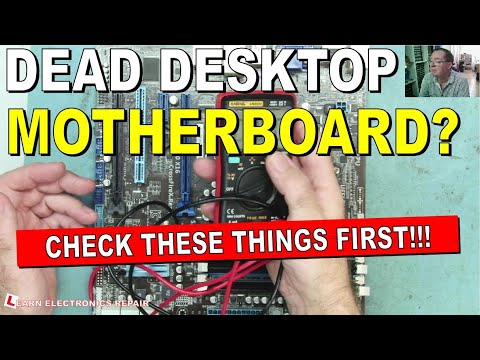
You know that feeling when you push the power button, and nothing happens? It’s kind of like your computer is giving you the silent treatment, right? So frustrating!
We’ve all been there – faced with a stubborn ATX motherboard that just refuses to wake up. It’s like trying to start a car without any gas.
There could be so many reasons for this hiccup: maybe it’s something simple you’ve overlooked, or perhaps it’s something more sneaky. Don’t worry. We’ll try to make sense of it together.
Imagine spending hours setting everything up only for it not to turn on… It’s enough to drive anyone up the wall! But hang in there, you’re definitely not alone in this.
Signs of a Failing ATX Power Supply
Ah, the trusty ATX power supply. It’s literally the heart of your computer, providing all the juice needed to get everything up and running. But like anything else, it can start giving you trouble. So, what should you watch out for when it starts acting up?
Funky Sounds: Imagine this: one day you hit that power button and suddenly hear a weird buzzing or a grinding noise from inside your PC case. That’s not normal! A failing power supply might make these sounds as its internal components start to wear out.
Random Shutdowns: You’re in the middle of watching a funny cat video or maybe even working on something important—and boom! Your computer powers off without warning. That could be your power supply saying it’s time for a nap (or worse).
No Power at All: You push the on switch, and nothing happens—not even a flicker of life from those fancy LEDs you spent so much on. It might be tempting to blame the motherboard right away though sometimes it’s just a sneaky little problem with the power supply.
Unresponsive Peripherals:
- Your keyboard lights don’t blink when booting up.
- The mouse is about as active as my pet rock.
If peripherals aren’t responding like they should, sometimes it’s gonna point back to an unhappy PSU.
Mysterious Burning Smell: If your nose catches whiffs of something burning—or that slightly chemical smell—do **not** ignore it! That smell often signals overheating components within the power supply itself.
Boot Looping Issues: Ever seen your computer try to boot over and over again without actually reaching Windows? Well yeah—sometimes troubled PSUs lead straight into endless reboot cycles which can drive anyone nuts!
Alrighty then folks- those are some tell-tale signs indicating potential problems brewing inside an ATX PSU under stress/under duress/due deterioration through time usage patterns akin similar events elsewhere reported occurrences validated universally shared amongst veteran techies alike…
Signs of a Failing Motherboard
Hey, dealing with a motherboard that’s on the fritz can be, you know, a real headache. Imagine you just got everything set up for the day and your computer just won’t power on. Ugh! Let’s chat about the signs that your motherboard might be failing.
Computer Doesn’t Power On:
If you press the power button and nothing happens—no fan whirring or lights flashing—you might have a problem right there. Of course, it could be other things too like a faulty power supply or that pesky power cable being loose.
Random Crashes or Freezes:
Your computer suddenly crashes or freezes without any heavy applications running? It’s like trying to have a peaceful nap only to be rudely woken up by noise—annoying! This instability can suggest a motherboard issue.
Burning Smell:
Oh boy, if there’s ever smoke or that terrible burning smell coming from your computer, shut it down right away. A component on the motherboard might be fried and continuing to run it isn’t safe at all.
Strange Noises from Inside the Case:
You hear unexpected sounds like high-pitched whines or scratching noises? You may want to look into that because working in peace is underrated!
- No Beep Codes or POST (Power-On Self-Test): Usually when everything’s good, you’ll hear specific beeps—like morse code for computers. No sound at all could mean trouble.
- Error Messages: Keep an eye out for error messages during startup. These cryptic errors sometimes shine light on what’s going wrong under the hood.
- Your USB ports quit working randomly? Or RAM isn’t detected even though it’s securely plugged in? Oh yeah, these quirky issues can point to motherboard concerns.
Remember back when floppy disks were all the rage and you’d have multiple fails just because of dust in there? Motherboards are complex—and they’re kind of doing many things at once in harmony—so dust can cause havoc here too.
When diagnosing problems with your ATX motherboard not powering on, it’s crucial not only checking wires but also swapping components if possible before concluding anything drastic like needing replacements!
In conclusion take care inspecting everything thoroughly—you never know—it might end up being something super simple after all!
Signs of a Fried Motherboard
Ah, the motherboard—it’s like the heart of your computer, you know? When it’s not working right, everything can just go haywire. Now, an ATX motherboard not powering on can really put a damper on things. Let’s take a look at some signs that might indicate your motherboard is fried.
1. No Power at All
First off, check if absolutely nothing happens when you press the power button. Do the fans stay silent? Is there zero light from those tiny system LEDs? If yes, it could be bad news for your motherboard.
2. Burning Smell or Visible Damage
Have you ever caught a whiff of something burning while using your computer? Or maybe you’ve noticed burnt marks or damaged components upon opening the case? These are red flags that shouldn’t be ignored.
3. Beeping Sounds
Sometimes computers try to communicate with us through beep codes when they won’t start up properly. If you’re hearing some mysterious beeping sounds before anything runs onscreen—and everything else seems fine—it may signal serious trouble with the motherboard.
- No Display Output: Your monitor remains stubbornly blank despite being connected securely.
- Error Codes Displayed: Some motherboards come equipped with diagnostic displays showing error codes signaling specific issues.
- Frequent Freezes During Use: Experiencing constant freezing while using your PC hints towards potential hardware failure too!
No Response After Replacing Components
You’ve tried swapping out components like RAM and GPUs without any luck getting it running again—you know something’s awry beneath all those circuits!
An Unpleasant Anecdote…
Once upon a time I had my trusty old tower stop working suddenly due to water damage (a tragic coffee spill incident). Despite thorough drying efforts—and even attempting different parts replacements—it was doomed from then onwards! That heartbreaking moment when nothing works anymore is one every tech enthusiast dreads experiencing firsthand…
In short: keep an eye open for these tell-tale symptoms and never underestimate preventative maintenance practices such as regular cleaning plus avoiding spills near electronics!
I once had a late-night moment of panic when my computer refused to power on. Just imagine, you sit down, ready for a gaming session or maybe some late-night work, and nothing happens. Total silence. Maybe you’ve been there too? It turned out to be more than just a hiccup.
Now, if your ATX motherboard isn’t powering on, it can be due to a few different things. First off, let’s look at the obvious candidates: those pesky cables and power connectors. I can’t tell you how many times I’ve thought something serious was wrong and then realized a cable was loose or not even plugged in! Check those first.
Another thing could be the power supply itself. Power supplies do have their occasional breakdowns. If you have another one lying around—or maybe borrow from a friend—try swapping it out to see if it’s the culprit.
Don’t forget about RAM and CPU connections either! I once spent hours trying to fix my setup only to find out the RAM sticks weren’t seated properly. A simple reseat did the trick! The CPU can also throw fits—usually less frequently—but checking its placement is still worth doing.
Lastly, motherboard issues could come from something like a faulty component or even an outdated BIOS version that’s not playing nice with your hardware. Updating BIOS sounds intimidating at first but really it’s just following some steps carefully.
So yeah… It’s usually one of these things when an ATX board won’t wake up from its slumber. Just take it step by step—and remember that moment when it finally powers on again; feels like magic every time!