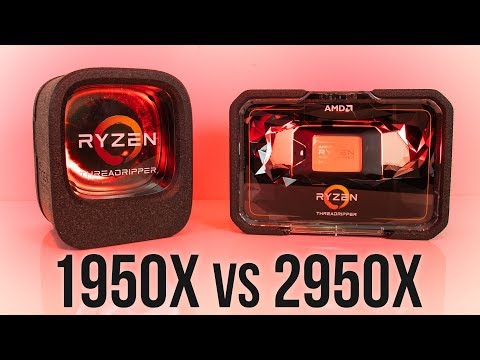
Oh man, have you ever tried to get something done on your computer and it feels like it’s dragging through molasses? I know the feeling. You’re sitting there staring at the screen like, “Come on, already!” If you’re rocking an AMD Threadripper 1950X and still dealing with performance hiccups, you’re not alone.
Let me tell you a quick story. I was once deep into some video editing project, right? And everything’s going smooth until BAM—the system stutters and I lose my groove. Talk about frustrating! But hey, there’s hope.
There’s a bunch of stuff you can tinker with to squeeze every last drop of power from your Threadripper 1950X. It’s all about finding those bottlenecks that slow things down and smashing them to bits. Want to know how? Stick around!
Threadripper 1950X Maximum RAM Speed
Alright, let’s chat about the AMD Threadripper 1950X and its maximum RAM speed. You know, back when this processor came out, it was quite the beast. It’s still pretty impressive if you’re into handling heavy tasks like video editing or running virtual machines. But, when it comes to RAM speed, it’s good to know what you’re working with.
Memory Support: The Threadripper 1950X supports DDR4 memory types. Now, what does this mean? Well, DDR4 is a type of memory that’s faster and more efficient than its predecessors. It’s like upgrading from a bicycle to a motorcycle—you’re just going to get where you need to go much quicker.
Maximum RAM Speed: The Threadripper 1950X natively supports up to 2666 MHz. This is kind of your baseline for best performance without any tweaking needed. But here’s where things gets interesting: you can actually push it further if you’re into overclocking! Typically, with overclocking techniques and a good motherboard—like ones with an X399 chipset—you might reach higher speeds around 2933 MHz or even 3200 MHz on certain boards.
- XMP Profiles: These are pre-configured settings in your BIOS that can help boost your RAM speed beyond the standard limits. It’s like pressing the «turbo» button on an old-school arcade machine.
- Memory Channels: The 1950X uses quad-channel memory architecture which essentially means it can handle four sticks of RAM simultaneously for increased bandwidth—performance buffs rejoice!
A friend once tried pushing his setup with some high-end Corsair sticks and got them stable at around 2933 MHz by simply tweaking some BIOS settings. It’s always an experiment though—kind of like mixing hot chocolate; gotta find just the right temperature!
Tweaking Cautions: Like any tech wizardry, tinkering with these speeds carries risks—you could experience system instability or crashes if things go awry (much like riding that turbo-charged bike without a helmet). Always ensure you have adequate cooling solutions in place too since higher speeds can generate more heat.
In short: If you’re sporting a Threadripper 1950X right now (or thinking about snagging one), remember that while it officially plays nice up till 2666 MHz; adventurous souls might squeeze out more juice using XMP profiles and proper cooling setups on compatible motherboards!
Threadripper 1950X vs i5 12600K Performance Comparison
Comparing the AMD Threadripper 1950X and the Intel i5 12600K is like, you know, revisiting an old rivalry. These two processors have unique strengths that suit different needs. Let’s break down what makes each of them stand out.
Raw Performance:
The AMD Threadripper 1950X boasts a whopping 16 cores and 32 threads. Great for multitasking! If you’re into tasks like video editing or running virtual machines, oh boy, this one’s a workhorse. On the other hand, the Intel i5 12600K comes with 10 cores and 16 threads. Now, while it may seem less powerful on paper, Intel packs some serious punch with its efficiency in single-threaded operations. So if you’re into gaming or general computing tasks—hey—this guy might just win your heart.
Clock Speeds:
Clock speeds determine how fast a processor can execute instructions. The i5 12600K runs at a base clock speed of 3.7GHz, which can turbo boost up to 4.9GHz. That’s pretty zippy! Meanwhile, the Threadripper 1950X has a base clock speed of around 3.4GHz, with a turbo boost up to 4GHz. For heavy multitasking or rendering tasks that parallelize well across many cores? The extra cores of the Threadripper might edge out here despite its lower clock speed.
Bottlenecks:
You might think: “More cores are always better!” But wait—if you’re not using software optimized for high-core counts, you’ll hit bottlenecks with more powerful CPUs like the Threadripper. It’s essential to match hardware capability with actual use case needs; otherwise, it’s like revving an engine without enough road to race on!
TDP (Thermal Design Power):
The energy appetite differs here too! The Threadripper slurps up more power with its TDP at about 180W, whereas—the i5 sips more modestly at roughly 125W. And less power often equals less heat output—a real plus if you’re keen on whisper-quiet cooling setups.
In conclusion—or maybe just in short—choosing between these depends heavily on your workload type and personal preference for performance versus efficiency trade-offs.
Hey! Don’t forget always keep updated on each chip’s compatibility requirements when planning upgrades: motherboards could be picky sometimes…
Threadripper 1950X vs i9 10900K Performance
Comparing the AMD Threadripper 1950X and the Intel i9 10900K can be quite the adventure, don’t you think? They’re both robust processors with their unique specialties. Let’s have a cozy chat about what sets them apart.
Core Count and Architecture:
The Threadripper 1950X is decked with an impressive 16 cores and 32 threads. This makes it ideal if you’re heavily into tasks like video rendering. Imagine cutting through a big video project like butter! On the other hand, the i9 10900K has 10 cores and 20 threads, which seems to handle everyday tasks with ease but jumps into high gear when gaming is your thing.
- Clock Speed: The Threadripper operates at a base clock speed of around 3.4 GHz, while turbo boosting up to 4 GHz. The i9, however, charges right in with a base speed of around 3.7 GHz, kicking up to about 5.3 GHz. A big deal if you’re looking for that extra zing in single-threaded applications!
- TDP (Thermal Design Power): The power consumption presents some differences too; the Threadripper consumes about 180 watts TDP, which can heat things pretty quickly! Meanwhile, Intel’s i9 hovers around 125 watts TDP.
- User Scenario Examples:
- If using a Threadripper for multi-threading processes but notice hiccups: consider optimizing memory allocation or diving deep into thread distribution settings can help unleash its full potential.
- The i9 demands optimized cooling solutions due to higher boost speeds leading potentially hotter temperatures—ensuring proper airflow might just become crucial then.
– If you’re creating content like heavy-duty editing, go for something hefty like gaming or CAD applications? The Threadripper could be your pal.
– Now if it’s more light-hearted gaming coupled with general multitasking while keeping energy efficiency in mind? Thei9-10900k fits perfectly.
Bottleneck Solutions:
Sometimes even high-end CPUs face bottlenecks, right? It’s like traffic jams on your morning commute – they happen! For example:
Better cooling solutions may hold value especially when overclocking capabilities are explored for either CPU model by experienced users wishing squeezing every drop out these giants possess under hood itself.
So there you have it – comparing two powerhouses from AMD Intel worlds showcasing where shines most effective environments excel upon exploiting offered advantages properly handled wisely choose based requirements preferences seen fit eventually yielding best computing experiences possible put together enjoy ride!
Oh, the AMD Threadripper 1950X! It’s like that workhorse in your computer stable—it sure is powerful, but sometimes it can feel like it’s limping a bit when you load it with tasks. We’ve all been there: sitting at your desk, coffee in hand, with about a hundred tabs open on your browser. Suddenly, things start to slow down. You’re thinking, “Come on threadripper buddy!” It’s not throwing in the towel; rather it’s just asking for a bit of TLC to help it out.
First off, let’s chat about what’s under the hood with this beast of a processor. We’re talking 16 cores and 32 threads—whoa! That’s pretty impressive when you line ’em up side by side with other processors from its time. But even then, hiccups happen when it’s trying to chew through some really heavy workloads. Maybe you’re rendering videos or running simulations—you know how demanding those things can be!
Okay let’s imagine: You’ve got this hefty task of video rendering going on and your system starts lagging like crazy—ugh! Something you might consider doing is checking if all memory channels are being used efficiently. Sometimes RAM isn’t set up optimally and believe it or not—it matters big time here!
After dealing with RAM issues back in my own early computer-building days (cue facepalm) I learned how simple adjustments could make such huge differences. Like ensuring dual-channel memory configuration instead of single-channel—you’d be surprised what that can do.
And here’s another thought for ya—cooling! Yup keeping those monster temps at bay helps prevent throttling which means letting that CPU breathe easier while doing its marathon runs.
Sometimes even updating BIOS does wonders—a process many tech enthusiasts shy away from because who’ve mistakenly bricked their system once (raises hand slightly) knows why—yikes!.
So yeah there we have it friends; whether fiddling around within BIOS settings or configuring optimal airflow via liquid cooling setups—all parts add up ensuring our beloved Threadrippers keep roaring without stumbles along their path… because no one likes waiting around when they could get things done… faster!.