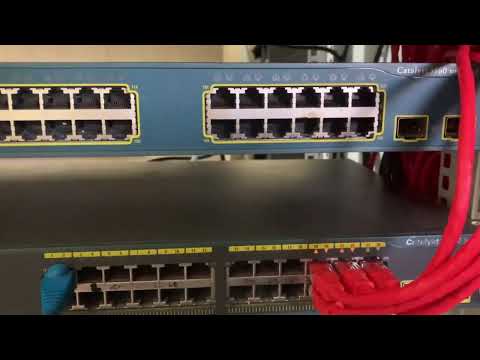
Alright, you know how sometimes you’re all set to binge your favorite show, but then—bam!—your connection decides to play hide and seek? Yeah, super frustrating. Especially when you notice that little RJ45 switch just sitting there as if mocking your attempts at a peaceful evening.
You fiddle with the cables, right? Check if they’re snug. But still…nothing. You start wondering if the universe is conspiring against you or maybe it’s just Mercury in retrograde again.
Truth is—and we’ve been there—you aren’t alone! These tiny network hiccups are more common than you’d think. So let’s chat about what might be going on behind the scenes when that RJ45 switch isn’t quite playing ball. Hey, we’ve got this!
Diagnosing Network Connectivity Problems
Struggling with a network that just won’t connect? We’ve all been there. I remember this one time when I was trying to work from home, and the network just decided to take a break. Not fun at all! But hey, let’s see if we can figure things out.
Check Physical Connections First
Sometimes it’s the simplest things that trip us up. An RJ45 cable that’s not snugly connected could be the culprit. So, before diving into anything too complicated, double-check those cables.
- Ensure both ends of the cable are tightly plugged in.
- If possible, try swapping out your current cable for another one.
Are Your Devices Powered?
Sounds silly, right? But you’d be surprised how often devices like switches or routers get accidentally turned off or unplugged.
IP Settings Matters
Without a proper IP address setup, your device might struggle connecting to the network. Imagine trying to send a letter without an address—where would it go?
- Check if your computer’s set to obtain an IP address automatically.
- You can find this setting in the network properties on most operating systems.
The Role of Firewalls and Antivirus Programs
While these are great for protection, they might block network traffic without you realizing it.
- If you’re having trouble connecting, try disabling them temporarily.
- This helps narrow down if they’re causing any issues.
The RJ45 Switch Blues?
If your switch seems unresponsive:
- Leds:: Check if they’re indicating connectivity issues (many have little lights for this).
- Daisy-chaining:: Avoid too many connections strung together through several switches; it could slow things down or cause problems in detecting devices properly.
A Slice of Real Life
One day I had half my devices connecting while others were throwing fits. Turned out a single cable was slightly loose—just enough to misbehave but not completely disconnect. Go figure!
Oh! And don’t skip trying a simple reboot of everything involved—devices need their beauty sleep too sometimes!
Trying these tips should help get you back on track and restore peace between you and your tech. Fingers crossed you reconnect quickly!
Switch Network Connectivity Issues
Oh no, facing network connectivity issues with your RJ45 switch can be frustrating! But don’t worry, I’ve got some friendly advice to help smooth things out.
Check Physical Connections
- Firstly, make sure all cables are properly connected. Sometimes a cable might look plugged in, but it’s kinda loose.
- Inspect your RJ45 connectors for damage. A bent pin can disrupt the connection.
- Use a known working cable to rule out the possibility of a faulty cable.
LED Indicators Matter
- The LED lights on your switch are there for a reason! Check them out.
- If they’re not lighting up as expected—like if there’s no green light when there should be—it suggests an issue.
Configuration Settings
- Dive into the switch’s configuration settings using its console (you might need an admin username and password).
- Ensure that you didn’t accidentally change any settings related to network management protocols or VLANs—which could mess things up!
Test With Different Devices
- If you suspect that it’s only one specific device having trouble connecting through the switch, use another device instead.
Power Cycle Everything!
Sometimes simply turning off and then back on both the switch and your connected devices does wonders in solving unforeseen hiccups.
And hey—who hasn’t been driven mad by something like this? I remember trying to join an important video call with nothing but “no internet” messages haunting me! Eventually turned out my cat had been walking all over my cables… True story!
Here’s hoping these tips bring life back into your network setup smoothly!
Checking Network Switch Port Status
Oh, network issues, they can be such a headache, right? You plug everything in and expect it all to work smoothly, but sometimes those pesky RJ45 connections just won’t cooperate. Don’t worry; you’re not alone in this. Let’s figure out the network switch port status together.
First things first, checking the status of your network switch port can really help you understand if there’s an issue with your connection. It’s like when you try to call someone and realize you’ve been using an old number—simple mistake, easy fix!
To start, you’ll need access to your switch’s management interface. Most switches offer a web-based interface, which makes it pretty convenient. Once you log in, navigate to the section that displays port status or something similar. It might be labeled as “Port Management” or “Switch Status.”
Here’s an important point: Look for lights on the physical ports of your switch. They’re those tiny LED indicators next to each Ethernet port.
- Green Light: Steady green usually indicates a good connection.
- Blinking Green: This means there’s activity—data is being transmitted.
- No Light: If there’s no light at all… well that could mean a loose cable or perhaps the device on the other end is off.
You know how we sometimes overlook obvious things like checking if our shoes match before stepping out? Make sure all cables are securely connected!
If LEDs aren’t telling us enough, let’s go back to that management interface for deeper insights:
- Select the specific port that connects your problematic device.
- Check its speed and duplex settings—misconfigurations here often lead to performance issues!
Speed and duplex may sound fancy—they’re just technical ways of saying how fast data moves through a cable and whether both devices can talk at once.
And here’s something else: Pay attention if the port is set as disabled! It’s like trying unlock car doors while holding down lock button—pretty frustrating! Ensure it’s active so communication isn’t blocked unnecessarily.
One more thing—you might want check any recent changes made by colleagues anyone else handling equipment lately?
I remember once spending hours troubleshooting when someone accidentally switched two cables around—rookie mistake but happens even experienced techs!
So explore these basic steps when faced non-connecting RJ45s—you’ll often find solutions hiding plain sight without going too far under hood!
Your turn now: investigate those ports confidently! If still struggling keep patience handy—it’ll work eventually!
Ah, network issues. It’s like, they seem to pop up at the most inconvenient times, right? Picture this: You’re about to join an important video call, you know one of those rare ones you really can’t miss. Then suddenly—boom! You’re offline. Ugh.
One usual suspect when you’re facing connectivity problems is your trusty RJ45 switch. It’s kind of the central hub where all your devices are plugged in to get internet access. If it’s not connecting as it should, it can feel like trying to have a conversation with someone who’s just not listening.
Often, these connectivity hiccups come down to a few common issues. For starters, let’s chat cables—simple things like frayed or incorrect wires can be the culprit more often than you’d think. You ever trip over one… and then wonder if that’s why everything’s acting up? Yeah.
Then there’s the question of power supply. You’d be surprised how often a switch just isn’t getting enough juice because it’s accidentally unplugged or sharing an outlet that’s on its last legs. Another thing worth considering is firmware glitches on the switch itself—they’re kind of like little digital gremlins causing havoc until you update them away.
And IP addressing can turn into a headache too! If several devices have their wires crossed with IP conflict (see what I did there?), everything might come grinding to a halt without any clear reason at first glance.
Or maybe it’s just overheated… It happens! Sometimes I swear these gadgets need as much air-conditioning as we do during summer!
Anyway reconnecting everything snugly and ensuring all lights are blinking happily usually does wonders—or calling in that buddy who everyone knows understands tech stuff inside-out.
Oh boy, networking troubles indeed have their pesky ways but hey—it could always be worse… Like dealing with printer jams instead!