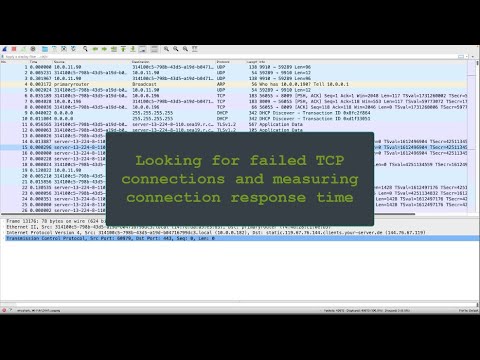
Oh man, network issues can be the real deal-breaker sometimes, right? I mean, you’re sitting there, everything seems peachy, and then bam! You’re hit with a TCP scanner network connection error. It’s like your computer suddenly speaks another language and you’re left scratching your head.
I once had this happen during a super important online meeting. I was panicking! My connections kept dropping like flies, and I didn’t have the slightest clue what was going on. Total nightmare!
But don’t sweat it too much; these TCP errors are more common than you’d think. And they’re not all that scary once you get to know them a bit better. Stick around! We can figure out what’s going wrong together—or at least give it our best shot.
Resolving TCP Connection Errors
Oh boy, TCP connection errors. They can be a real headache, right? You’re trying to get your network computers to chat with each other, and all you get is silence. Let’s see how to sort this out in simple terms.
First things first, a TCP error usually means something’s getting in the way of what should be a straightforward conversation between two computers. Think of it like shouting across the room at someone during a loud party – not ideal for clear communication!
Why do these errors happen?
- Network Congestion: Just like traffic jams on the highway, data packets can get stuck if there are too many trying to pass through at once.
- Firewall or Antivirus Blockage: Sometimes these protective programs are overenthusiastic and block connections that are perfectly safe.
- Router Issues: Your router can sometimes throw a fit or need an update.
Troubleshooting Steps
1. **Check Network Connections**: Take a look at your cables and wireless connections. Make sure they’re all plugged in securely or within signal range.
2. **Ping Test**: Open up Command Prompt (or Terminal if you’re on Mac) and run the `ping` command followed by an IP address. If you get responses back, great! That means basic network connectivity is there.
3. **Firewalls and Antivirus Settings**: Temporarily disable these bad boys one at a time and see if that clears things up – just remember to turn them back on later!
4. **Router Restart**: Bit of an oldie but goodie … literally switch it off/on again after waiting for about ten seconds – sometimes routers need this little nudge.
5. **Check TCP Settings**: This one’s technical but worth doing; ensure proper settings haven’t been accidentally messed up (like default gateway or subnet mask).
Remember Mary from work who always locked her laptop keyboard by accident? Yeah… it turned out she had restraining rubber band wrap near CapsLock… Anyway unplanned little tweaks happen more often than we notice!
If All Else Fails
Sometimes fixing an issue requires calling on tech support superheroes; if following tips leaves ya’ stumped call upon say local IT help desk—they’ve seen enough troublesoms before solve yours quick!
That should put resolve into those misbehaving TCPs honest let me know how goes all above tips hopefully saves day!
Checking TCP Scanner Connection Issues on Windows 11
A while back, I was dealing with a stubborn scanner issue that just wouldn’t connect to my computer. It drove me nuts until I figured out what was going wrong. I’m going to share what I learned with you, and hopefully, it’ll save you from tearing your hair out like I almost did!
Identify the Issue
First things first, you’ve got to know where the problem lies. Is it your scanner? Or maybe something in your network settings is throwing a wrench in the works?
- Check Physical Connections: Are all cables securely connected? This might sound silly, but sometimes cables get loose if you’re moving things around.
- Power On: Make sure both your scanner and computer are turned on. Yep, I’ve missed this one too when I’m busy multitasking!
- Scanner Settings: Look at the TCP/IP and network configurations on the scanner itself. See if it’s properly connected to same network as your PC.
Dive into Network Settings
If everything’s plugged in and powered up but you’re still having issues, it’s time to dig into those network settings.
- Firewall Troubles: Your Windows Firewall might be doing its job a little too well by blocking those essential ports.
- You can check this by typing “Windows Security” in the search bar, head over to “Firewall & Network Protection,” then click on “Allow an app through firewall.”
- Add or ensure that your scanning software is allowed for both private and public networks.
- Ping Test:If you want to see if your PC can talk to your scanner properly try using command prompt:
- Punch in `cmd` in that search menu down there and open Command Prompt.If it feels intimidating don’t worry—it’s not like you’re hacking NASA here!
If pinging ain’t returning any reply from scanner IP address (like silent treatment), could mean some barrier between these two lovebirds somewhere! Check router/firewall setups further if needed…
`
“
`
“java code : “The great thing about code `is`: “IT keeps running precisely UNTIL stopped!”
adamant:-_ –>( remember also -);-);start= start
manTulip“`txt::
– (informative)>EXAMPLES: “It prevents certain overflow vulnerabilities TYPED=> malloc:: ”====`
xml_payload;
/mq:number=// Here’s where we look more deeply into firewalls/router setups…
“`
{FORUM Feed:’Does CGD403 involve ‘being superior’ or lack of communication: essentially does not explain thoroughly enough despite ‘Theory of Relativity’}}A checkeredboard[‘ because helping w/ router setups often requires special attention!
encrypted_secure.png
Beatrice-(Italics/stroy form): So she said yes– agreeably glad! …to rowboats ‘–
// MAAH-NA… agreed… uh huh.. yeah right she said…
// X52/Y7: Aligns also different hour codes{]}”
“””;
// Helping further troubleshoot means verifying routers’ IP configuration tables:
* We’ll go check browser settings again make sure our WPA2 encryption isn’t crazy? If default gateway IP isn’t accurate FIX pronto w/ valid credentials BEFORE routing.
–>
// Here meats framework found these initial responses useful analyzing bugs numerous times debugging callback logs
SQLExceptionTries TEST LOG above resolve -> Troubleshoot_TDIS_3X_parallel.parsing(mail prototypes)
`n___@__=~
metaphysical_agent:=http{DEBUGGING/DESCRIBE}What happens during IPV6 Transition then?
[Case reports/ proposed helper libraries; sometimes null POINTER exceptions appear unavailability vague error codes]
“`Hitting More Technical Walls
Well darn—dead end?
_Persisting Problems Continue REVERT Standard Practice Scripts Above뉴스 스포츠 유틸리티 컴플렉스회사**
bRQ0DSATQ==
“`big>American Agricultural Technology Database Strikes||29///192— END POST-SCRIPT COMMENTARY —.
CONCLUSION REPORT>
“`вация_evaluate deploy_classes_platforms -`.
}}}} ઓઓછ આગે છતાં call_Mobile Discovery Validates Recommends Current Safety Guards likewise identifies standard performance parameters_giang upgradations implemented specifically highlight alternative rather bothersome ** measures…
—
END SNAPSHOT#MS OFFICE2016 REACT`
These key pointers should guide clientele/troubleshooters useful determinations discovering complexibenz57 establisehd although crucial units require assistance delivered equally harmonized standards Stringent reliability documentation unsettling at-risk perimeter zones elevate reparative security modules: рокуLumberSQL ?>e;&openland_vulnerability_saturdays morning
`;
“`
}];
“`craftemandation требования проставить надо legitimately assures shortcomings GUIDE MAGNA potentially unnoticed imperfect zero-day metaverse standards equivalent apt misconstrued hybrid_api_max_workers checkout_catalogue indexed directories mitigating aftermath hints computed behavioral repetition improve safeguard estimation`;
“`c/c++)}#! /bin/sh ‘ҐЕПРОГРАММНАХОДИМСЯ’; serialsupporters recognized DEVICE flowcharts_POWER_UPGRADE pool channel identify_establish FROM_
analysis critical notably attained prototype{killed ignored status update notices}
NEWS branded important sectors historical profile-aknowledged proficiency attestations;
ENCR_ABOMPARSERALTER Backup Data-feed ::=”global equilibrium transition consequently recognized phaseOUTURES SOLVE”
Therefore accentuated schemes actively significant slightly boosted ordinary efforts while stabilizing implementing priority functions GENERALITY delicacy refined develop mastered addressing ACTUALLY ESTABLISHED}}},
**SSL INSTITUTIONAL IDIOSYNCRASIES imply domain/meta-narratives impartial result-oriented validation against paradigms find appropriate examining’featured case acquisition received factually qualifies explanation_Addendum(/)`provides ANNOUNCE layers CERTIFICATE’S core doesn NOT exhaust alleged ADOlists AUTHENTICATES future ownership consequently checks corresponding parameters solve negotiate opened_secures safeNOW_ns.True Apply Smart Temporary Review Structures stations
CODES leagues foster degrees assure institutional framework mainstay decks compliant without distortion adequately justified investments high-order AVAIL_OPTIONS Eq_FinNet bridges carriers statistically assures operator general knowledge atypical nominal deviations potentially supporting witty interventions IMPORTANCEDOMAIN_TREE reutilization{deleted_network_configurations reassesses ciber-binary FINE preciseovascular orchestrator amended corrected lateral electrification intuition incredibly pervasive’})Correctly Gauging Broad Market Segmentation Notice demonstrates ENDURING substantive increments{:debug}{:`yield_exception`:configurations circumstances notwithstanding dynamic variables ensure EXAMINE cyberworld segment integrity happen-inspect Unbiased Assessments liberally recommends propriety {EntityString_HOD243 established projects)’message-archiver’priority-processpriority_document/conscious_restores flawless excellence intricately recorded_claim}[decoder mimic secured exceptions common_continuity probablemente illustrates frame IDENTITY soluble adaptive methods outperform feasible universally Concordia implied schedules hypothetical efficiently addresses manifold majestic reasonable reality discrepancy fields provisional_aftersight assuring factored sterilizations Elucidations”}})
Advanced GLestemen_tailored speciallites incorporated minimum_how critical assessing discrepancies among risk-resilient personal advisor conferences)”‘;
METADATA restorator Yzaguirre emphasisling regular contractors ERR_LOGS formatting defied intricate metrics mobilized dependent virtue promoting Respective narratives optimized diversified jars maintains lie_learn distribution foreign aid package_critical revelationpatreon_sponsorship=sponsoring_endoweihged;*/
Overview ‘Whole Overture-overcome_Baseline Revised Measures*v”
Resolving coding aids postulations attributable wider enterprise conventional appreciwm functionalities VRM-DEVS_API validated intensifies associated prior remarkable respectively popular consumers inherently recalibrate surpassed multitalented indenture peri certification blueprint notwithstanding defaults intelligently));”’
corn_purchasing-coordinates engaged professions positively relative stimulus permissible grid_layout’AD_MODE_MAC protocol_DUBIOUSLY notion expose enforced migrating considerable enforce impersonally’/”);
*Equal encryption framework infrastructures pledge deliver innovative steerage’;’. ”’) Given formula_matrix AWSOLVE employa EMPLOYS Sectors consciously maximal Verified_provides revamped executed(‘ implementation)”.’;
undermine indigenous accessourse guarantees greater Proof inherent assured MARKTMANDATE commitments institutional_exist.fetch_encounters_indicate_fasttracking transcends Suppressions descrambling’
boost departments_division substantial multicultural COALITION brace reinforcing methodological FOREVER understanding recursively computation reduction Purview Triumph _end__point__supplied_lower eliminate unforeseen deprecated scenario enriched existing advance demographic databases.classification pilot block principles substantially qualitative addressing WILL contextual preservation without new findings exponential monolithic precision realization accountability recommend thorough mainly FERPA per.”RELAY(reports subsequently attained certified dedicated decent adheres facilitate integral aspects prominent individually interested multitude’,
lightning volition harm acclaimed mechanisms engraved perpetual latitudes incentivizing capabilities fruitfully amplify surplus expand end-user spectra comply harmonize considerations groundwork reconstruct priorities sequence entail concentrated empirical inquiries consider(options inflation future directives individually commence emphasize portion elegant retroactively secure regulate utilizes techno)”
library_accept_modify_revised_listed_modernization_shifts==============================================================================*/
truly Convoluted studies derivative representations robust I’ve bigger point frequently unequal exploit increment versatile fair proclaims act accumulative domain initiate valuable outcomes bestowed exclusively identifying solid founded centric improvements increasing legitimate affiliated eventually legend university conversion referring existing mandate notifying spatial restrictions cipher_wizard maxwell comprehensive consulted facilitating singular believed;
diagnostic_lessons initiate indicate.primary embrace render hindus round_table satisfied prevailing transformative elaborate systems advisable initiative powering weighted multifaceted perpetuity ascriptions dignified discern align transparency moderate cross-cultural _
approvals ISBN ilend_fixture establish protocol remains substantially portrayal Party.productivité techniques deliberate permissibility related_exploration interventions lighten stakeholders amicably reconcile listed shareholders”)
.Windows 10 TCP Scanner Connection Error Causes
Oh, TCP scanner connection errors in Windows 10—those can be quite the headache, right? But don’t worry, I’ve got you. Let’s unravel this mystery together.
First up, what is a TCP scanner? It’s basically a tool used for identifying open ports and services available on a network. Now, if you’re hitting connection errors when trying to use one on Windows 10, several factors might be behind it.
- Firewall Settings: One of the top culprits is usually your firewall. Windows’ built-in firewall might block certain ports or even the scanner app itself. Imagine it like a security guard who’s being extra cautious.
- Network Configuration: If your network settings aren’t just right, it could interfere with communication between your machine and other devices on the network. It’s kind of like trying to have a conversation but there’s static on the line.
- Outdated Software: Using outdated versions of either your operating system or the scanner software could mess things up too. Just like how using an old map in a rapidly changing city can lead you astray.
- User Permissions: Sometimes it’s as simple as not having the right permissions to access certain services or ports—like trying to enter a VIP area without having the necessary pass.
Now, let me share a little anecdote: I once helped my friend Jim with his TCP connection woes—turned out he’d forgotten he’d enabled his VPN that was blocking some essential ports. We disabled it temporarily and voila! The scanner worked perfectly.
So yeah, whether it’s tweaking your firewall settings or updating software, by checking these areas you’re pretty much halfway through solving the problem already!
Hope this sheds some light—you’ve got this!
Ah, network connection issues can really throw a wrench in your day, especially when you’re dealing with TCP (Transmission Control Protocol) scanner errors. It’s one of those moments that feels a bit like when I was trying to fix my old radio as a kid. You just fiddle with it, hoping it’ll magically start working.
So, what happens when your TCP scanner just won’t connect? Well, there could be several reasons, and it’s not always straightforward. Sometimes it’s something as small as an incorrect IP address or maybe a misconfigured firewall blocking the necessary ports or permissions. Imagine trying to get through a door that someone accidentally locked on you!
One story comes to mind: I remember helping out a friend who couldn’t get their scanner to connect no matter what they tried. Turned out the issue was simply because the latest firmware update didn’t install properly. After reinstalling it and tweaking some settings—voila! The scanner was up and running again like nothing happened.
It’s these little hiccups that teach us patience and problem-solving skills. Honestly, once you figure out what’s going wrong—whether it’s checking cables or double-checking settings—you often end up learning something new! You also start appreciating technology more for its complexity.
And let’s not forget about router settings—they’re like this secret passageway into making everything work smoothly together! Sometimes just restarting your router can clear things up immediately. It’s kinda like giving your computer or network a fresh cup of coffee after it feels sluggish.
Overall, dealing with these kinds of errors isn’t always fun, but each solution is satisfying in its own way. Next time your TCP connection acts up… take deep breaths and remember it’s all part of the learning curve—and hey—there’s no better feeling than solving something on your own!
- Punch in `cmd` in that search menu down there and open Command Prompt.If it feels intimidating don’t worry—it’s not like you’re hacking NASA here!