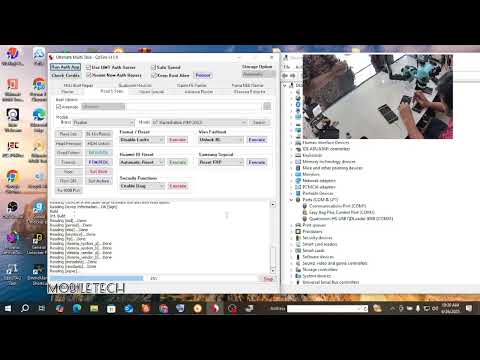
You ever have one of those days where tech just decides to mess with you? I swear, it feels like sometimes these gadgets have minds of their own. You’re pumped to update your phone, thinking it’s going to make everything smoother and faster. Then—bam!—you hit a wall with the RMX3363 firmware update. Yep, that’s right.
Okay, so maybe I’m exaggerating a little bit. It’s not like your phone’s about to explode or anything. But it’s frustrating, isn’t it? You sit there, staring at that little loading bar for what seems like an eternity. And the thing is, you’re not alone in this one; plenty of folks run into snags with these updates.
I mean, who hasn’t been there? Remember that time you tried updating something and it took forever—or worse yet stopped halfway through? Happens more often than you’d think. But hey, don’t stress too much; there’s always a light at the end of the tunnel!
Grab a comfy seat and let’s try’n get through this together!
Battery Drain Issues
Hey there! Battery drain issues, huh? Pretty annoying, right? We’ve all been there. You’re out and about, and suddenly your phone’s gasping for energy. If your RMX3363 is acting up after a firmware update, let’s see what’s going on.
First off, updates are supposed to fix things but sometimes they throw a wrench into the works. Why does this happen? Well, it’s often because the new firmware and your apps aren’t getting along too well just yet.
Here’s what you can do:
- Check for App Updates: After a firmware update, head to the app store and see if any apps need updating. Developers are usually pretty quick to fix compatibility issues.
- Restart Your Device: Sounds simple but trust me—it can help reset things after an update.
- Battery Settings: Go into settings and look at battery usage details. This will show what’s guzzling power like crazy.
Imagine this: I once helped my sister with her phone acting all crazy on battery after an update. We found out it was a random app running in the background non-stop! Who knew?
If none of this does the trick, consider reinstalling problematic apps. Sometimes they just don’t play nice until they’ve had a fresh start.
So if you’ve noticed that sudden drop in battery life after updating your RMX3363 firmware—don’t panic! It’s common but usually fixable with these simple steps.
Got any other tricks up your sleeve or need more help? Talk about sharing is caring!
Realme Android 16 Compatibility
When you have a Realme device like the RMX3363, staying updated with the latest Android version is key. It’s like trying to get your old phone to behave like a new one! However, there can be hiccups along the way when you’re updating to Android 16. Let’s walk through this together.
Understanding Compatibility
Think of compatibility as making sure all the pieces of a puzzle fit perfectly together. Realme devices like RMX3363 need their firmware to sync well with any new Android updates. Sometimes, things can get messy because not all features play nicely with each other right away.
Common Update Problems
You might bump into some common issues when trying to get that shiny new update:
- Installation Failures: This happens when your device refuses to install the update. It might just give you an error message or stop midway.
- Boot Loop: Ever seen your phone restart over and over? That’s a boot loop, and it’s really annoying!
- Bugs and Glitches: Little errors or funny behaviors in apps that weren’t there before.
Fixes You Can Try
Time for some fixes! These are some simple tricks that can help:
- Sufficient Storage Space: Before anything else, check if there’s enough room on your device. Updates need space for all those new features.
- Stable Wi-Fi Connection: Make sure you’re connected to a reliable Wi-Fi network during updates. A dodgy connection can cause interruptions.
- Cleansing Cache Partition: This is like giving your phone a little spring cleaning session without removing personal data.
- If All Else Fails – Factory Reset?: Nobody likes doing this because it erases everything from the device, but sometimes it’s necessary as a last resort.
A Personal Touch!
Remember my cousin John? He spent an entire day battling his Realme’s update issues only to realize he just needed more storage space! After clearing out some old photos and apps (those were memories!), his update finally succeeded without any more fuss.
Making sense of these updates can feel overwhelming, but following these steps should hopefully ease the process. As always keep backup copies of important files before big changes—you never know what could happen!
RMX3363 Firmware Update Problems
Oh, firmware updates. They sound all techie and fancy, but sometimes they can be a real headache! Let’s chat about the RMX3363 firmware update problems and how to deal with them.
You know how it goes, right? You get that notification or see that prompt saying there’s a new firmware update available for your device. You think, “Great! My device will run smoother.” But then—bam! Something goes wrong. I’ve seen it happen with so many folks using the RMX3363.
Common Problems with RMX3363 Firmware Updates:
- Update Fails to Install: This is probably the most frustrating. You’re mid-update when suddenly you get an error message. It might be due to a poor internet connection or insufficient storage on your device.
- Device Freezes or Restarts Unexpectedly: Sometimes during an update, the device might freeze or start rebooting over and over again.
- Performance Issues After Update: Instead of getting better performance post-update, things may slow down.
- Error Messages: There are those pesky error codes – like “Error Code XYZ” – popping up without any explanation of what’s gone wrong.
Troubleshooting Steps for These Issues:
Alrighty, here’s where we try and sort this mess out. Some simple steps can often do wonders!
- Stable Internet Connection: It’s essential to have a solid connection for downloads. Make sure you’re connected to Wi-Fi (not just mobile data) when attempting an update.
- Adequate Storage Space: Before starting your update, check if you have enough space on your device. If not, consider deleting some unused apps or files temporarily.
- Boring but True: Restart Your Device!: Sometimes simply restarting fixes temporary glitches causing installation issues.
- The Power of Backup!: Just in case things go south during updating—or worse yet after—back up important data regularly via cloud services/accounts associated with your model-specific software suite/platforms/hardware interfaces/applications/etcetera…you get my drift?
For those performance hiccups after installing updates-feels like crawling when running tasks-blame developers testing rigorous version compatibility scenarios beforehand(it happens!) Uninstall non-essential applications hogging resources until bugs ironed out patch subsequent release iterations work their magic say within few weeks/months tops whichever sooner otherwise.)
Got another idea–or still stuck somewhere specific? Share your experiences below-so much value community support potential assisting one another-based firsthand knowledge-weigh heavier collective forum wisdom-amen equals empowered users worldwide always ready extend helping hand anyone stuck similar situation remember context familiar-to others previously conquered same obstacles stand tall knowing shared victories celebrate progress collectively welcome growth–cheers success future endeavors wherever possibly lying ahead-looking hugh continuum stretching uncharted opportunities realms further advancements technological developments literally invented recent times now we’ve woven intricate tapestry forever changed digital landscape conversations continue evolve organically resulting unity common objectives solving challenges realize ultimate dream together speaking hope truth believe make impact resonates globally positively affecting countless lives near far inspiring multitude endless possibilities arising humankind boundless curiosity fuelled desire explore discover innovation exists around us daily reality yet unlocked paths poised unravel mysteries holding promising potential breakthroughs unraveling infinite frontiers unknown imagine-perhaps beyond comprehension initially heighten anticipation anticipation embark journey take radical step forwards shaping tomorrow promised land awaits intrepid explorers daring redefine paradigms transform aspirations into tangible outcomes manifested actions present moment pivotal force catalyst transformation change indeed mighty lever propelling mankind future full untold discoveries veiled inevitably unfolds inexorably day-by-day uncover secrets universe ourselves explore embrace novelty create beyond limits envisaged till now pioneering pioneers striking new grounds never-seen tangible visions materializing unfolding join forces attain great things history awaits witnessing epochal paradigm shifts facilitate usher era unprecedented prosperity unseen peace everlasting harmony usher era brighter promise ever envisioned…
Ah, technology. We love it when it’s working, and it drives us up the wall when it doesn’t. The thing is, keeping our devices in top shape usually means staying updated with the latest firmware. Now, if you’re dealing with an RMX3363 and its firmware updates, you might have encountered a few hiccups along the way.
I remember this one time I sat down to update my phone before a trip—the plan was to get everything ready and shiny for those vacation pics. But little did I know I’d spend hours puzzling over why the darn thing wasn’t updating properly! It feels like your device has a mind of its own sometimes.
So with RMX3363 firmware updates, here’s what might trip you up: maybe the Wi-Fi connection isn’t stable or there’s not enough storage on your device? You’d be surprised how common that is! I mean who checks storage space regularly?
If you’ve been caught in this loop where your device fails an update—you aren’t alone. Troubleshooting can start by ensuring you have a good internet connection. Next, try clearing some space; deleting those old videos or apps you haven’t used since forever could help too.
And hey—if it still refuses to cooperate—rebooting the phone (I know we joke about this being the fix-all solution), but sometimes restarting really does wonders for glitches like these!
If life gives you lemons today with these updates, just remember that tomorrow’s another chance for everything to work smoothly again! Devices can be demanding little things—but I promise once they’re updated and running nicely again—you’ll feel that sweet satisfaction of tech working harmoniously once more!