You know when you’ve got an old friend, that trusty pal who’s been through thick and thin with you? That’s kinda what a 2013 MacBook Pro can feel like. Oldie but goodie, right?
But here’s the thing. Upgrading to Monterey might turn into a bit of a headache for our venerable buddy. Sometimes, it feels like trying to teach your grandma how to use Instagram—stuff just doesn’t work out smoothly.
Imagine you’re hoping for new tricks from your old device, only it ends up acting all stubborn. Let me tell you about those compatibility quirks that can pop up when you’re trying to make everything play nice together.
Ever faced tech troubles that made you just wanna throw in the towel? Yeah, this could be one of those times. But don’t sweat it too much; I’ve got some insights to share on dealing with these grumpy tech moments!
macOS Monterey Compatibility with MacBook Pro Late 2013
Ah, the nostalgia of owning a MacBook Pro Late 2013! Now, you might be scratching your head wondering if macOS Monterey will work on such a classic machine. Let’s dive into it.
macOS Monterey Compatibility
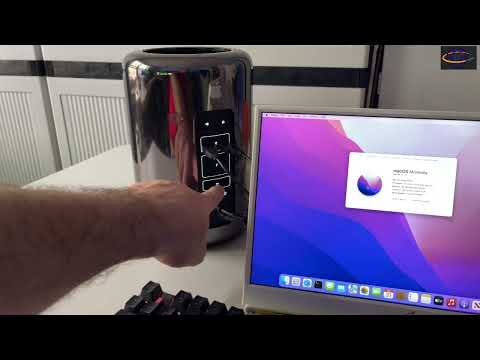
You know, Apple has been strict with compatibility in recent years. With the release of macOS Monterey, only models from MacBook Pro Retina late 2015 and newer are officially supported. So, unfortunately, the MacBook Pro Late 2013 doesn’t make the cut.
Why It Doesn’t Work
There are a few reasons why older Macs get left behind. The technological changes in hardware needed to support newer software features play a big part. And hey, sometimes it’s just because the new software demands more resources than your trusted old friend can handle.
- You might experience slowdowns: Even if you find ways to install it unofficially (and people do find clever workarounds), running it could be sluggish.
- Lack of support for new features: Things like Universal Control or AirPlay might not work because they require more modern connectivity and processing power.
- Security risks: Older systems without official updates can become vulnerable to security issues over time.
Anecdote Time!
I remember trying to run those high-end games on my old PC back in school days—thought I was clever by tweaking settings! But oh man, talk about lag city and those beautiful blue screens of death popping up more than I’d like!
If You’re Considering an Upgrade
Look, if you’re thinking about keeping up with those snazzy new features (who wouldn’t want that?), consider upgrading your hardware someday soon-ish.
So what now? If you’re sticking with your trusty Late 2013 model for now—and it’s still chugging along fine—you’ve got options! You can keep running Catalina or explore lightweight Linux distributions as alternatives too (it’s something tech enthusiasts often recommend).
In essence: while an official upgrade may not be possible for this specific model without hitches or tricks involving some tinkering skills – why rush changing what works until necessary?
2013 MacBook Pro macOS Compatibility
Ah, the trusty 2013 MacBook Pro! I get it, it’s like an old friend—reliable but maybe not as spry as it once was. Here’s the lowdown on how well it dances with macOS Monterey.
Compatibility Concerns:
The 2013 MacBook Pro isn’t officially listed among the models that macOS Monterey supports. This can be a bit of a bummer if you were hoping to enjoy all those shiny new features without a hiccup. Apple occasionally draws a line in the sand with older hardware to ensure that everything runs smoothly for users. You wouldn’t want your computer struggling along, right?
Performance Issues:
Well, let’s say you’re feeling adventurous and have managed to install Monterey somehow. You might notice performance taking a hit. Older hardware might not keep up as well with newer software demands which could lead to sluggishness or even just plain frustration.
- Siri Improvements: You may see Siri’s enhanced features working slower or not at all.
- Universal Control: This cool feature might not work seamlessly.
Pitfalls and Problems:
Imagine trying to run a marathon after years without practice—that’s what your 2013 MacBook Pro might feel like on Monterey. It’s important to consider possible crashes or unexpected reboots!
Alternatives and Solutions:
What can you do? Keeping your current OS may be wiser unless there’s an absolutely essential app requiring Monterey. Alternatively, some folks explore community-driven patches or workarounds for installation—but tread carefully there.
So look after that MacBook Pro, cherish it even when it can’t sprint with newer updates!
MacBook Pro 2013 Monterey Compatibility Issues
Ah, the trusty old MacBook Pro from 2013. It’s been quite a journey with this machine, hasn’t it? But as you may have noticed, new operating systems can sometimes feel a bit too demanding for older hardware. Let’s chat about Monterey on your 2013 model.
Now, first things first: Monterey isn’t officially supported on the 2013 MacBook Pro models. I know it’s a bummer, but Apple tends to draw a line in the sand for compatibility to ensure everything runs smoothly.
Here’s what typically happens when trying to run Monterey on an unsupported Mac:
- Performance Issues: Older hardware might struggle with newer OS features. Think about running a marathon in shoes two sizes too small!
- Lack of Driver Support: Some components may not function correctly without proper drivers, like graphics or Wi-Fi capabilities.
- No Security Updates: Unsupported setups might skip critical patches and updates.
You see where this is going? It’s like trying to fit into jeans from high school – might work at first but could end up pretty uncomfortable!
If you’ve decided to press on and go the unofficial route—using tools like OpenCore or patchers—then you’re stepping into experimental territory. It can be done, but it often requires some technical know-how and patience—as well as preparing for some potential headaches.
An anecdote here: A friend of mine gave this endeavor a shot once. He managed to get Monterey up and running but found his battery started draining faster than ever before! And believe me—a laptop glued to its charger isn’t much fun!
If you’re dead set on trying out new features or optimization methods offered by Monterey (and who doesn’t like shiny new features?), consider tweaking settings within your current macOS instead or looking at alternative software that achieves similar results while keeping your existing setup intact.
So yeah maybe upgrading hardware could eventually solve those pesky compatibility woes down-the-line — just something worth considering!
Good luck navigating whichever path fits best—and thanks yet again for sticking by tried-and-true technology longer than most do… Remember whether upgrading immediately feels right – these decisions should always match personal use cases preferences above anything else.
You know, there’s something nostalgic about holding on to an older device like the MacBook Pro 2013. It’s kind of like keeping an old car. Sure, it might not have the newest features or be the fastest ride out there, but it holds a certain charm and reliability. I remember when Apple announced that Monterey was here, and many of us ran to see if our trusty machines could handle it.
However, reality set in pretty quickly for folks with older models. The MacBook Pro 2013 is officially not supported by Monterey as it’s designed with newer systems in mind. This can be a bit of a letdown, especially if your laptop’s been serving you well all these years.
And then you hear stories from people who’ve tried installing it using workarounds—ranging from complete success to utter disaster. You know how some people are just determined to tweak their gadgets themselves? There’s always a risk involved—kind of like trying to fit into your high school clothes after twenty years!
What happens is, compatibility issues can arise because the hardware simply can’t keep up with the demands of modern software updates. Things might start slowing down or features may not work as they should be. It can really test your patience.
But hey!, there’s no shame in sticking with Big Sur or another solid operating system that continues working smoothly on what once was cutting-edge technology! Think of it like having a good friend who’s stuck by you through thick and thin; it’s okay if they can’t keep up with every trend.
At this point, if you’re still loving your 2013 MacBook Pro for basic tasks (because let’s face it—even without Monterey—it’s still pretty darn reliable), maybe keeping things as they are isn’t such a bad thing after all!