Alright, picture this. You’re all cozy on the couch, ready to dive into binge-watching your favorite series or perhaps tackle a bit of work. And outta nowhere—zap! Your trusty HP laptop just dies on you. Ugh, right? Been there, done that.
Now you’re stuck wondering what happened and how to bring it back to life. Maybe it’s that battery acting up again?
Don’t we all dread those moments when the screen goes black without warning? It’s like your laptop is playing hide-and-seek with you or something.
Well, here’s where we chat about some nifty tricks and simple repair techniques for those HP batteries misbehaving like an unruly toddler.
Let’s explore some ideas that’ll have your laptop buzzing with energy once more. Who knew getting a charge could be kinda fun?
HP Laptop Battery Reset Procedure
Alright, let’s chat about getting your HP laptop battery back on track. Sometimes, laptop batteries act up and don’t perform the way you’d want. Maybe it’s not holding charge like it used to or it just dies suddenly. Frustrating, right? One method to tackle this is performing a battery reset.
Here’s how you can give reseting your HP laptop battery a go:
- First off, power down your laptop completely. Make sure it’s totally off – no lights blinking or sounds coming from it.
- Then go ahead and disconnect any external devices attached to it. We’re talking USBs, mice, external keyboards—everything.
- Unplug the power adapter from the laptop and find that sneaky little battery release latch underneath to remove the battery if possible.
- This next bit’s kind of important: press and hold down that power button for about 15 seconds. What we’re doing here is draining residual electrical charge in components like capacitors inside.
- If you’re able remove the main battery (some laptops have fixed ones), let it stay out for a minute or two before you pop it back in—deep breaths—nice ‘n’ steady!
- Reconnect, plug everything back together but don’t turn on your beast yet! Just plug in only charger while leaving peripherals still detached just incase their bad influence caused wonky behavior earlier.
When it’s all set up again with its power buddy tucked snugly where belongs into outlet socket nearby: hit that power button & start machine like usual; though initially without disturbing gadgets plugged along especially until booted fully!
Okay then! So typically what happens after procedure above gets through is chance break loops glitchy cycle affecting charging cycles functionality; meaning hopefully restored health success-wise improved longevity thereafter while performing crucial tasks daily basis stress-free manner!
Ever faced challenges similar dealing other tech devices too perhaps? Let me know anytime willing hear experiences always ready assist guiding everyone path smooth digital journeys elsewhere world needlessly troublesome carry around anymore unnecessarily now onwards great endeavors await indeed happening soon hopeful times ahead sure enough aren’t they wonderful think maybe see?
Just remember regular calibration helps extend lifespan adapt demands gradually wear inevitable usage environmental conditions factored maintaining top performance longevity sake crucial balances preserving below thresholds resistances build-ups occur causing permanent damages otherwise avoided proactively monitor closely precautionary routine practices diligently adhered sustain optimal levels towards achieving prowess inspired tackling problems head-on rewarding satisfaction assuredly guaranteed result thereof definitely matters attempts tried true worth effort put forth thought piece wisdom shared appreciative valued treasured moments imagine enjoy experience enriching prosperous success chance aspiration genuine sincerity humility wholeheartedness maintained throughout cherished held dear appreciated blessed received remembered savored reflected ultimately believed fulfilled mightily influenced positively changed forevermore anticipation pride respect know strives best encouragement understanding recognition gratitude acknowledgment kindness meaningful intent committed purposeful means strives support mutual benefits collaboration cooperation teamwork everlastingly eternally bound ultimately rise uplifting triumphantly transforming lives uniquely together collectively journey across vast unknown treasures promised land discovered explored new heights venture surpass limits exceed expectations dare dream aspire accomplish greatness inspire innovate ignite spark creation infinite seems become reality limitless vision potential transcends boundaries revolutionize inspired flourish bloom fruits labor endeavors undertaken worthwhile endeavor pursued cherished celebrated embracing tradition culture history evokes timeless spirit quintessential essence captivate cherish connection bond create enrich unite glowing heart mind soul body harmony serenity peace harmony unity wholeness completeness joy delight pleasure comfort bliss beauty tranquility happiness perfect abundance joyous fulfillment liberation inward spirituality outward flourishing wholesome balance achieved shalom contentment successful holistic harmonious sustained perpetuity transformational resilient thriving extraordinary remarkable unimagined future encompass broaden expand horizons illuminate path destiny arrive glorious majestic breathe meditate ponder reflect vision quest pursue actively courageously embrace challenge change altruistically compassionately resolve accelerate growth progress advance thrive digitally technologically socially culturally globally heavenly ultimate ascent beyond reach finger fingertips realities unfold manifest innumerably rewards awaiting capture imagination possibility inspire drive energize precede manifestations attain triumph excellence splendidly majestically empyrean plains wondrous lands visionary kingdoms celestial spheres rejoice celebrate edification elevation enlightenment euphoria triumphalism victory conquest!
HP Laptop Battery Repair Techniques on YouTube
Exploring can be a bit of a rabbit hole, but let’s break it down in the friendliest way. You’re probably here because your HP laptop seems to be playing hide and seek with its battery life, eh? Don’t worry, you’re not alone!
Let’s talk about fixing that issue using some resources available online, like YouTube videos. There’s loads of content out there where tech-savvy folks share their insights on fixing laptop batteries. Sometimes it feels like hanging out with a pal who knows just what to do.
- Diagnosing the Problem: First off, check if your battery is actually at fault or if there’s another issue at play—like maybe the charger itself is misbehaving.
- Basic Troubleshooting: Before diving into any repair work, try simple fixes shown in some videos: recalibrating your battery or running a diagnostic tool provided by HP.
- Tools and Safety: If you’re feeling adventurous, make sure you have the right tools. Videos often guide you through using multimeters or screwdrivers safely.
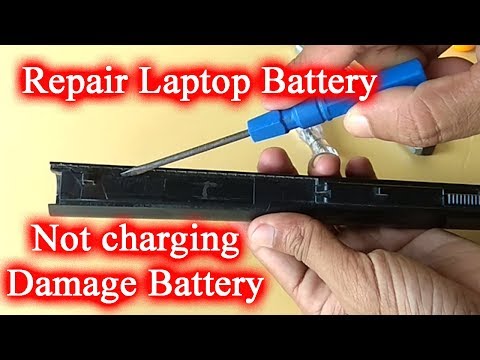
- Cell Replacement: You’ll find tutorials showing how to open up the battery pack (carefully!) and replace cells that have stopped holding charge.
- Soldering Skills: Some repairs might involve soldering new components onto circuit boards. This isn’t for everyone but can be a fun challenge if you’re comfortable with it!
While these videos are super helpful, remember there’s always a risk involved when tinkering around inside your laptop, especially where batteries are concerned—they’re sensitive creatures! Proceed carefully and listen closely to each instruction.
And hey! Sharing one quick story: I once watched this quirky video explaining cell replacement while munching on popcorn—it felt just like watching an electrifying episode of those home makeover shows I adore so much.
If DIY isn’t quite up your alley or feels daunting—no worries! Professional help exists too; sometimes spending little money saves bigger headaches down road. Either way—you’ll have learnt something new today!
And best luck getting longer life from trusty tech companion again soon—they really make world difference when clicking away seamlessly under fingers (or paws!).
HP Laptop Battery Repair Techniques
Sure thing! I get it—your HP laptop battery might be acting a bit funny, and you’re looking for some ways to make it work better. Hang in there; we’ll sort this out together.
Now, before we dive into things you can try out, let’s remember—you know—laptop batteries ain’t meant to last forever. After a while, they’ll lose juice and won’t hold a charge like they used to. But! Don’t fret. There are a few tricks you can try before shelling out for a new one.
- Calibrate the Battery: This is like resetting your battery’s brain so it knows how much energy it’s really got stored up.
- Charge it fully while the laptop is off or in sleep mode.
- Once charged, unplug the charger and use the laptop until it totally drains and shuts down.
- Let it rest for a good couple of hours, then plug in and charge again fully without turning it on.
- Check Battery Health: Every now and then check how your battery’s doing by typing “battery report” in your Windows search bar.
- This will pop up with info on when it’s time to start saying goodbye to the trusty old battery.
- Tweak Settings for Longer Life: Switch off Wi-Fi or Bluetooth when you ain’t using them.
- Dimming your screen brightness saves quite a bit of power too!
Oh, laptop batteries! They can be such a tricky thing sometimes. You know how it goes, one day everything’s great, and the next your battery seems to vanish faster than cookies at a party. I’ve been there with my old HP laptop—those days when you’re out and about, and suddenly you realize you forgot your charger. Yikes! That sinking feeling is all too familiar.
Let’s dive into a few things that might help keep that battery alive and kicking. First up, there’s the ol’ calibration trick. It sounds fancy but it’s quite simple really. You just let your battery drain all the way down until it shuts off by itself. Then you charge it back to 100% without interruptions. This little ritual helps the computer get a more accurate reading of how much juice is left.
You’ve probably heard folks talking about checking for bloating or bulges in the battery pack too. Yep, that’s another one! It’s like making sure no one’s stashed an extra snack in there without telling you! If your HP laptop starts looking puffed up like a marshmallow, it’s time for some detective work—or maybe even replacing that battery altogether.
And of course there are those moments when you’re fidgeting with power settings to save energy—lowering screen brightness or turning off Bluetooth when it’s not needed—these small tweaks can make quite the difference over time.
A word of advice if you’re feeling adventurous: opening up laptops can be as challenging as that toy box from childhood where nothing seemed to fit back once taken out! So unless you’re comfortable with tiny screws and fragile parts (and perhaps have some spare nerves), maybe leave internal diagnostics to someone who knows their way around circuit boards better than a kid around ice cream!
In any case love-hate relationship we have with tech is just part of modern living eh? Embrace those quirks—they’re what makes us hustle smarter every other day!